

Adaptive Tooltips Mod is a utility mod that improves tooltip rendering so item text stays readable in Minecraft Fabric and Quilt.
Minecraft tooltips can become hard to use the moment a mod adds extra item data, long descriptions, or dense stat lines. Adaptive Tooltips Mod solves that frustration by giving you several ways to keep text on screen, and its 1,424,504 downloads show that a lot of players have wanted a cleaner tooltip experience.
Key Features of Adaptive Tooltips Mod
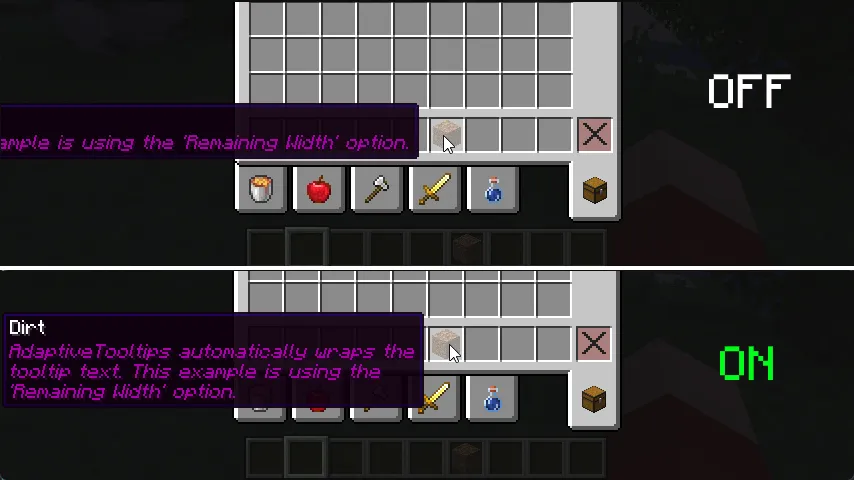
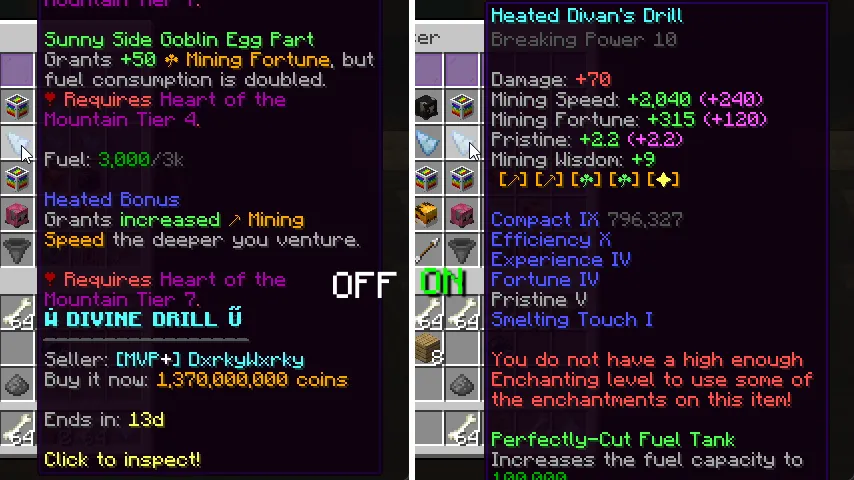
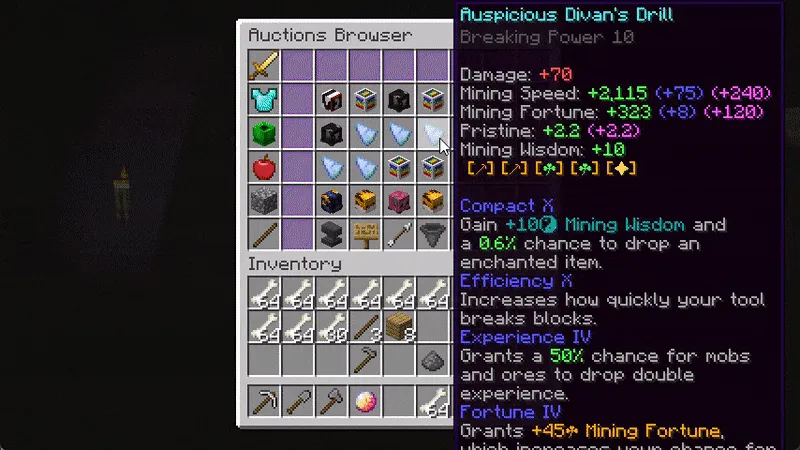
- Text wrapping - Long tooltip lines are split before they run off the edge of the screen, which makes stacked item information much easier to read. Instead of losing the right side of the text, you get a layout that keeps the full description visible and readable.
- Screen Width wrapping - This mode uses nearly the full width of your display, with a small margin, so tooltips can take advantage of the available space. It is useful when you want the widest readable layout and are willing to let the tooltip expand naturally.
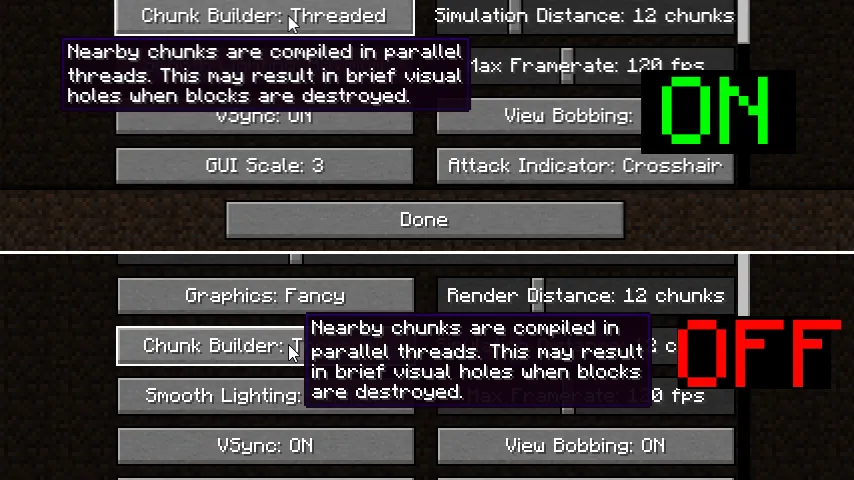
- Remaining Width wrapping - This option tries to use the space left on whichever side of the screen gives the tooltip the best fit. That matters when you want the mod to be smart about cursor position and avoid unnecessary line breaks.
- Half Screen Width wrapping - Limiting tooltips to half the screen gives you a more predictable reading area. It is a good choice if you prefer compact, stable tooltips instead of very wide blocks of text.
- Smart wrapping - This mode focuses on lines that are much longer than the rest, so short lines do not get broken up for no reason. The result is a tooltip that feels more natural, especially in modded environments where one line is often far longer than the others.
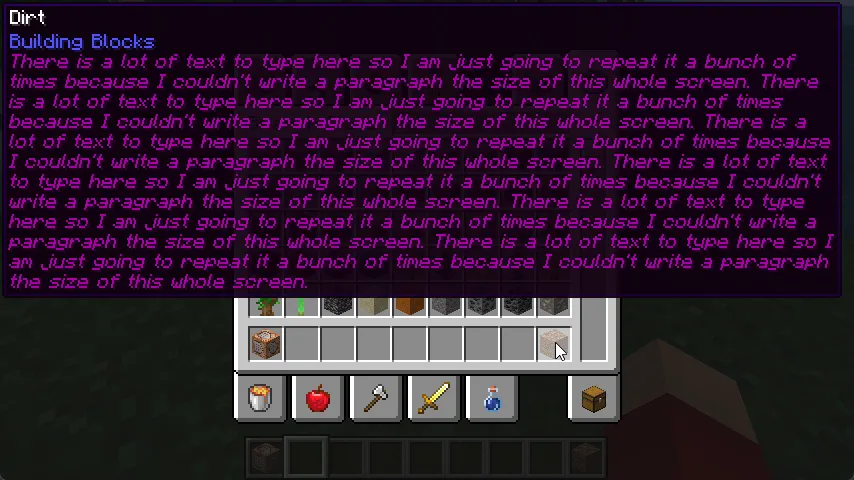
- Prioritize tooltip top - When a tooltip is taller than your screen, the mod keeps the top portion in view instead of letting the bottom edge dominate. That is a meaningful usability fix because the upper lines are often the part you actually need first.
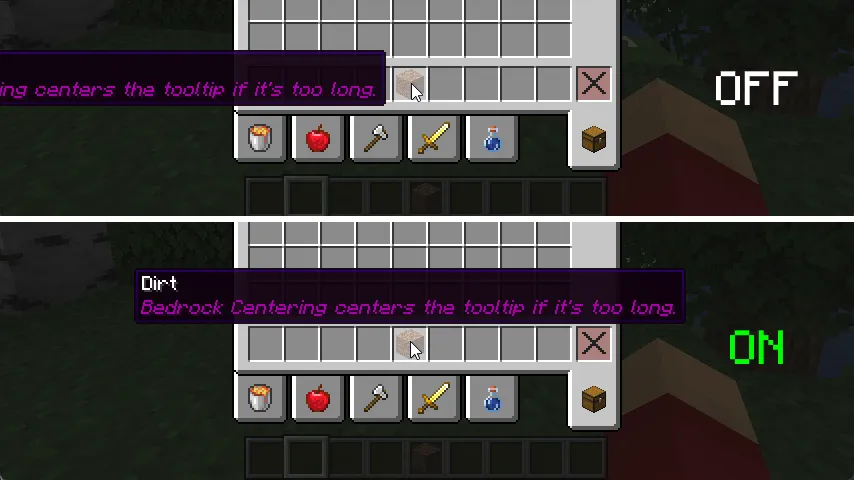
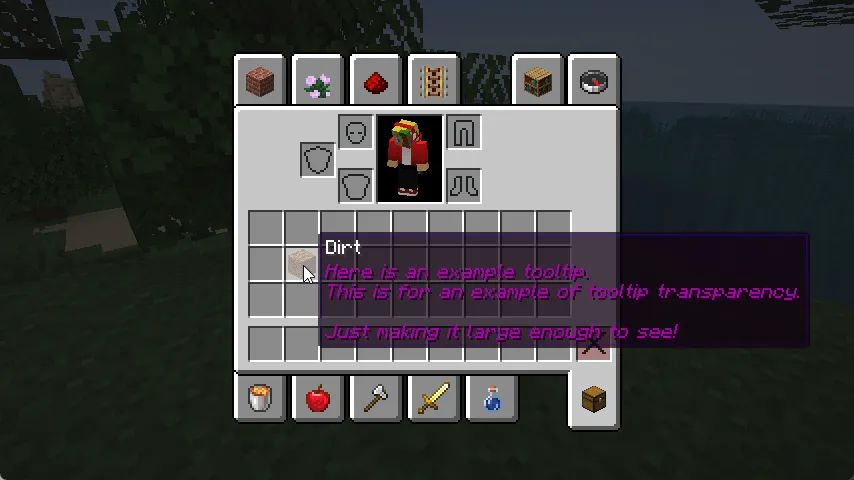
- Bedrock centering, corner fallback, and scrolling - Bedrock-style centering helps tooltips stay balanced when they would otherwise collide with the edges, and the corner fallback gives the UI a last-resort place to sit. Tooltip scrolling adds vertical and horizontal movement with smooth animation, which is especially helpful when you need to inspect a very large tooltip without losing context.
Screenshots
How to Install Adaptive Tooltips Mod
- Choose your loader first. Adaptive Tooltips Mod is made for Fabric and Quilt, so start by reading the loader guides at Fabric Loader or Quilt Loader.
- Select the Minecraft version that matches your game. The available downloads in the data cover 1.20.2, 1.20.1, 1.19.4, 1.19.3, 1.19.2, 1.19.1, and 1.19.
- Download the file that matches both your Minecraft version and your loader.
- Place the mod file into your `.minecraft/mods` folder, then launch the game through the same loader profile.
- If you are using other UI mods, test the tooltip behavior in-game so you can settle on the wrapping mode that feels best for your setup.
Requirements & Compatibility
| Field | Details |
|---|---|
| Mod name | Adaptive Tooltips Mod |
| Author | isxander |
| Category | Minecraft Mods |
| Tags | Utility, game-mechanics |
| Loaders | Fabric, Quilt |
| Requirements | Fabric Mod Loader, Quilt Loader |
| Minecraft versions | 1.20.2, 1.20.1, 1.19.4, 1.19.3, 1.19.2, 1.19.1, 1.19 |
| License | LGPL-3.0-only |
| Modrinth downloads | 1,424,504 |
| Published | 2022-11-16 |
| Updated | 2023-09-28 |
What's New
- Updated for Minecraft 1.20.2.
- Updated to YACL 3.x support.
- The changelog attached to the Modrinth listing confirms this release as a maintenance update rather than a feature expansion.
Pros and Cons
Pros
- Gives you several ways to keep tooltips readable instead of forcing a single layout.
- Helps a lot in modded packs where tooltip text is often longer than vanilla UI can handle.
- Includes fallback behavior, so the tooltip still has a chance to stay visible even in awkward screen positions.
- Tooltip scrolling is a strong quality-of-life upgrade for players who inspect lots of item data.
Cons
- It only lists Fabric and Quilt support in the provided data.
- The available version list stops at Minecraft 1.20.2 in this dataset.
- The number of options may take a little tuning before the layout feels perfect for your setup.
Alternatives to Adaptive Tooltips Mod
- Mod Menu - A useful companion if you want easier access to client-side mod settings and a cleaner way to manage your setup.
- Jade - A good option when you want more contextual information in the UI and already play with information-heavy overlays.
- Mouse Tweaks - A practical inventory companion that improves how you handle items in menus, which pairs well with other UI-focused mods.
Download Adaptive Tooltips Mod
| Minecraft Version | Fabric | Quilt |
|---|---|---|
| For Minecraft 1.20.2 | Download | Download |
| For Minecraft 1.20.1 | Download | Download |
| For Minecraft 1.19.4 | Download | Download |
| For Minecraft 1.19.3 | Download | Download |
| For Minecraft 1.19.2 | Download | Download |
| For Minecraft 1.19.1 | Download | Download |
| For Minecraft 1.19 | Download | Download |
Always download mods from official sources to stay safe.
Frequently Asked Questions
Does Adaptive Tooltips Mod work with Fabric and Quilt?
Yes - the provided data lists both Fabric and Quilt support. It also lists Fabric Mod Loader and Quilt Loader as requirements, so those are the loaders you should plan around.
Which Minecraft versions are supported?
It supports Minecraft 1.20.2, 1.20.1, 1.19.4, 1.19.3, 1.19.2, 1.19.1, and 1.19. Those are the exact versions shown in the download data.
Is this mod mainly for modded Minecraft?
Yes - it is especially useful in modded Minecraft, where item tooltips tend to get longer and harder to fit on screen. The author's description is focused on fixing unreadable tooltips rather than changing gameplay.
Does it support tooltip scrolling?
Yes - vertical and horizontal tooltip scrolling are part of the feature set. That is helpful when the text is too long for wrapping alone and you still want to inspect everything without closing the tooltip.
Does it change where tooltips appear on the screen?
Yes - it can prioritize the top of the tooltip, center like Bedrock Edition, or fall back to a corner when needed. Those options matter because placement is often the difference between a readable tooltip and one that hides behind the cursor or the screen edge.
Should I install it if I only play vanilla?
Maybe - the mod still helps if you want better tooltip behavior, but it is most valuable when tooltips are long enough to become a problem. If your current tooltips already fit comfortably, you may not need all of its options.


