

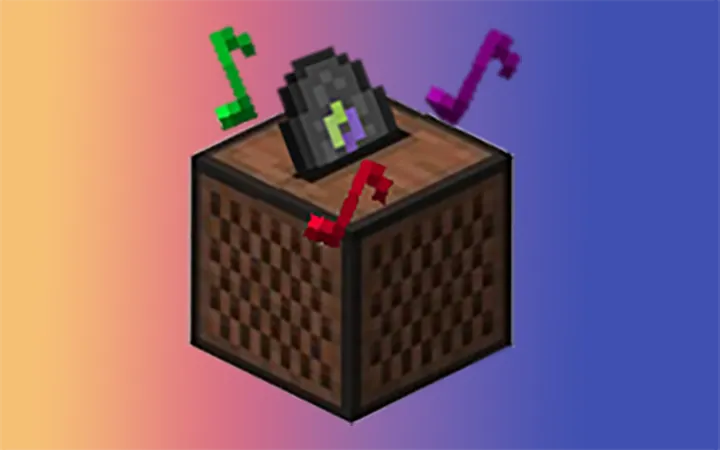
AddurDisc Mod is a utility mod that lets you add custom discs to Minecraft on Fabric and Forge.
Most players who want custom music discs run into the same problem: they have the audio, but not a simple path to turn it into something collectible and usable inside the game. AddurDisc Mod solves that by wiring supported sound files into discs, and its 1,260,429 downloads suggest the idea has resonated with a lot of Minecraft players looking for a straightforward audio-to-item workflow.
Key Features of AddurDisc Mod
- Custom disc support from your own audio files — The main appeal is obvious: you are not limited to the game's built-in soundtrack. If you already have a song or sound clip in the right format, this mod gives you a way to bring it into Minecraft as a disc, which makes personal worlds and servers feel more tailored.
- Simple .ogg-based workflow — The mod expects `.ogg` files in its sound directory, so the setup stays relatively direct instead of forcing you through a complicated resource-pack build. That matters because it lowers the barrier for players who want results quickly without becoming audio modders first.
- Configurable resource directory — You can change where the mod looks for its resource files through the configuration file. This is useful if you prefer a cleaner organization on disk or want to keep your music assets separated from the default folder layout.
- Creeper drop control — The config also lets you decide whether discs can be dropped by creepers. That gives you a gameplay tuning option rather than locking you into one behavior, which is important if you want your custom discs to fit a survival server, a creative showcase, or a balanced adventure map.
- Language file editing when refreshLang is disabled — If you set `refreshLang` to `false`, you can edit `.minecraft/.addurdisc/assets/addurdisc/lang/en_us.json` to change item names and descriptions. This matters because it gives you control over presentation, so the disc feels like part of your content instead of a generic imported asset.
- Texture overrides for disc items — You can overwrite `/.minecraft/.addurdisc/assets/addurdisc/texture/item/xxx.png` to customize disc textures. That is a big deal for players who care about visual identity, because a custom-looking disc makes the item feel finished and intentional.
- Audio preparation guidance — The author notes that music downloaded from an app may include an extra cover video stream, which can confuse the game, and recommends extracting the audio stream with tools like FFmpeg. This is valuable because a small file-format issue can block the entire setup, and having a known fix saves time.
Screenshots
How to Install AddurDisc Mod
- Choose the correct loader for your setup: install Fabric Mod Loader if you are using Fabric, or Minecraft Forge if you are using Forge.
- Match the mod download to your Minecraft version, since the available builds are listed separately for 1.20.1, 1.20, 1.19.2, 1.19.1, and 1.18.2.
- Place the mod file into your `mods` folder and make sure the `.minecraft/.addurdisc/assets/addurdisc/sounds/` directory exists.
- Add your `.ogg` files to that sounds folder, and keep file names limited to lowercase letters, numbers, and the characters `-._`.
- If you are using the mod on a server, make sure the sound resource files are consistent on the server side as well, then launch the game and test the disc in a world.
Requirements & Compatibility
| Requirement | Details |
|---|---|
| Minecraft versions | 1.20.1, 1.20, 1.19.2, 1.19.1, and 1.18.2. |
| Loaders | Fabric and Forge are supported, with Forge available for all listed versions and Fabric available for 1.20.1 and 1.20. |
| Audio format | `.ogg` audio files. |
| Sound file location | `.minecraft/.addurdisc/assets/addurdisc/sounds/` by default. |
| File naming rule | Use lowercase letters, numbers, and the characters `-._` only. |
| Language editing | Set `refreshLang` to `false` and edit `lang/en_us.json` to change names and descriptions. |
| Texture customization | Overwrite `/.minecraft/.addurdisc/assets/addurdisc/texture/item/xxx.png` to change disc textures. |
| Multiplayer note | Server-side sound resources must match the client-side setup. |
What's New
- Support for music notification was added.
- The current changelog entry for the project highlights that music notification support.
- The latest published update on Modrinth is dated 2024-07-02.
Pros and Cons
Pros
- Lets you bring custom audio into Minecraft as discs.
- Supports both Fabric and Forge for the versions listed in the download table.
- Gives you config control over the resource directory and creeper drop behavior.
- Allows name, description, and texture customization for a more polished result.
Cons
- Requires you to follow a specific file structure and filename format.
- Server and client sound resources need to stay consistent, which adds setup work for multiplayer.
- Some downloaded audio may need FFmpeg cleanup before the game can read it correctly.
Alternatives to AddurDisc Mod
- Fabric API — A common Fabric-side foundation that many mods rely on, making it a useful companion for Fabric setups.
- Mod Menu — A practical client-side mod for checking what is installed and keeping your mod list easier to manage.
- Cloth Config — Helpful when you want mods with cleaner in-game or config-based options, especially for setup-heavy projects.
Download AddurDisc Mod
| Minecraft Version | Fabric | Forge |
|---|---|---|
| For Minecraft 1.20.1 | Download | Download |
| For Minecraft 1.20 | Download | Download |
| For Minecraft 1.19.2 | — | Download |
| For Minecraft 1.19.1 | — | Download |
| For Minecraft 1.18.2 | — | Download |
Always download mods from official sources to stay safe.
Frequently Asked Questions
Can I add my own custom discs with AddurDisc Mod?
Yes — that is the core purpose of the mod. You place supported `.ogg` files into the mod's sound directory, and AddurDisc handles turning them into discs in-game.
Does AddurDisc Mod support Fabric and Forge?
Yes — the mod supports both loaders. Fabric is listed for Minecraft 1.20.1 and 1.20, while Forge is listed for 1.20.1, 1.20, 1.19.2, 1.19.1, and 1.18.2.
Do the audio files have to be in .ogg format?
Yes — the mod is built around `.ogg` files. If your source audio came from a music app or another format, you may need to extract or convert the audio stream first.
Can I change the item names and descriptions?
Yes — you can, as long as you set `refreshLang` to `false` in the config. After that, you can edit `lang/en_us.json` to customize the text shown in-game.
Can I customize the disc textures?
Yes — the mod allows texture overrides. You can replace the relevant PNG file under the mod's asset path to give each disc a different look.
Do server resources have to match the client?
Yes — the sound resource files on the server side must be consistent. That matters most if you plan to use the mod in multiplayer, because mismatched files can break the expected disc behavior.
Can creepers drop the discs?
Yes — the configuration file includes an option for that behavior. If you want discs to fit a more survival-friendly or more controlled experience, that setting gives you room to decide.

![[Let's Do] Vinery Mod (1.21.1) – A Vineyard Adventure for Minecraft](http://mcinside.com/wp-content/uploads/2026/03/thumbnail-2120-300x169.webp)


