
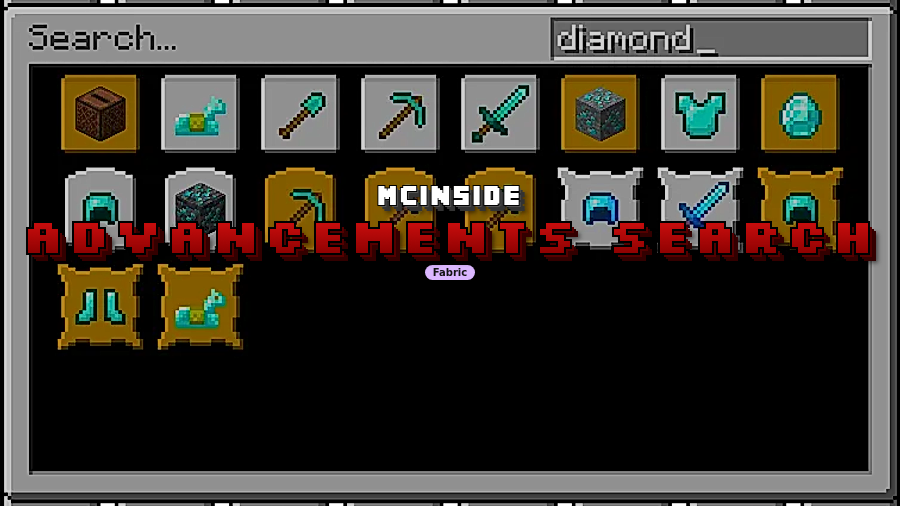
Advancements Search Mod is a client-side utility mod that adds a search feature to the advancements window for Minecraft on Fabric. It helps players find specific advancements faster by searching titles, descriptions, and the item names used in advancement icons.
The vanilla advancements screen is manageable at first, but it becomes awkward once you have multiple tabs, half-remembered goals, and no quick way to jump to the one advancement you actually want. That is exactly the gap this mod addresses: it turns the advancements window into something you can search instead of something you have to manually scan. For players who care about progression tracking, completion, or simply finding where a specific challenge sits in the tree, that is a practical quality-of-life upgrade. The appeal is clearly broad too, with nearly 796K downloads on Modrinth, which is strong social proof for such a focused client-side tool.
Key Features of Advancements Search Mod
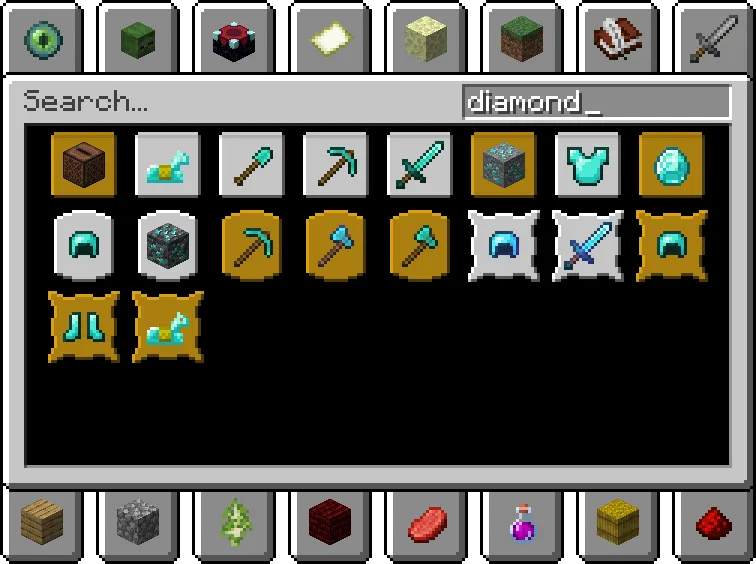
- Search bar inside the advancements window — The biggest win here is speed. Instead of dragging around tabs and visually checking every icon, you can type what you remember and get straight to the relevant advancement, which feels far more natural once your progression screen gets crowded.
- Searches titles, descriptions, and icon item names — This matters because players do not always remember the exact advancement title. Sometimes you remember the reward text, a phrase from the description, or even the item shown on the icon, and covering all three makes the search much more forgiving in real play.
- Creative-inventory-style search feel — Borrowing an interface players already know lowers the learning curve immediately. If you are used to typing in the creative inventory search box, this mod feels familiar right away instead of introducing a separate workflow just for advancements.
- Advanced filters with title:, description:, and icon: — These filters are useful when broad matching returns more than you want. Narrowing the search to a title, a description, or an icon item lets you clean up the results and get closer to the exact advancement without guessing.
- Grid-based search results sorted by type — The results are displayed in a window-fitting grid and ordered from task to goal to challenge. That sorting helps the list feel less chaotic, especially when multiple related advancements appear and you want the simpler progression steps to show before the more significant milestones.
- Click-to-open tab and highlight the advancement — Search is only useful if it gets you back into the real tree quickly, and this mod does that well. Clicking a result opens the tab where the advancement lives and highlights it, so the tool works as navigation rather than just a text lookup.
- Pairs well with Advancements Fullscreen — The author specifically recommends using it with Advancements Fullscreen, and that makes sense. A larger advancements window gives the search results more room, which should make browsing and comparing matches more comfortable.
Screenshots
How to Install Advancements Search Mod
- Install Fabric Mod Loader for the Minecraft version you plan to use, because this mod is listed for Fabric only.
- Download the correct Advancements Search Mod file for your game version. The provided downloads list includes Fabric files for 26.1.1, 26.1, 1.21.11, 1.21.10, 1.21.9, 1.21.8, 1.21.7, and 1.21.6.
- Place the mod file into your Minecraft
modsfolder. - Start Minecraft with your Fabric profile and open a world as usual.
- Open the advancements window in-game and use the new search field to find an advancement by title, description text, or icon item name.
Requirements & Compatibility
| Item | Details |
|---|---|
| Type | Client-side utility mod |
| Required Loader | Fabric Mod Loader |
| Mod Type | Fabric |
| Author | diskria |
| License | MIT |
| Category | Minecraft Mods |
| Tag | utility |
| Listed Versions | 26.1.1, 26.1, 1.21.11, 1.21.10, 1.21.9, 1.21.8, 1.21.7, 1.21.6, 1.21.5, 1.21.4, 1.21.3, 1.21.2, 1.21.1, 1.21, 1.20.6, 1.20.5, 1.20.4, 1.20.3, 1.20.2, 1.20.1, 1.20, 1.19.4, 1.19.3, 1.19.2, 1.19.1, 1.19, 1.18.2, 1.18.1, 1.18, 1.17.1 |
| Published | 2024-04-27 |
| Updated | 2026-03-25 |
Pros and Cons
Pros
- Solves a real usability problem in the advancements UI instead of adding clutter.
- Searches across titles, descriptions, and icon item names, which makes it more practical than title-only matching.
- Includes advanced filters for tighter searches when the results are too broad.
- Clicking a result takes you straight to the correct tab and highlights the target advancement.
- Appears broadly versioned in the provided listing, covering many releases from 1.17.1 upward.
Cons
- Fabric is the only listed mod platform here.
- It is a focused quality-of-life mod, so it does not add new content or new advancements.
- The biggest benefit shows up mainly if you use the advancements screen often.
- A larger window may be preferable for comfort, which is why the author points to Advancements Fullscreen as a companion.
Alternatives to Advancements Search Mod
- Advancements Fullscreen — A complementary pick specifically mentioned by the author, because a larger advancements window should make searching and browsing results more comfortable.
- Fabric Mod Loader — Not a direct alternative, but it is the required platform if you want to run this mod on a Fabric setup.
- Minecraft Mods — If you want another utility-focused add-on after this one, the broader mod category is the safest next stop supported by the data provided here.
Download Advancements Search Mod
| Minecraft Version | Fabric |
|---|---|
| For Minecraft 26.1.1 | Download |
| For Minecraft 26.1 | Download |
| For Minecraft 1.21.11 | Download |
| For Minecraft 1.21.10 | Download |
| For Minecraft 1.21.9 | Download |
| For Minecraft 1.21.8 | Download |
| For Minecraft 1.21.7 | Download |
| For Minecraft 1.21.6 | Download |
| For Minecraft 1.21.5 | Download |
| For Minecraft 1.21.4 | Download |
| For Minecraft 1.21.3 | Download |
| For Minecraft 1.21.2 | Download |
Always download mods from official sources to stay safe.
Frequently Asked Questions
Is Advancements Search Mod client-side?
Yes — the mod is described as client-side. That means its purpose is to improve how you browse the advancements window on your end rather than adding new progression content.
Does Advancements Search Mod require Fabric Mod Loader?
Yes — Fabric Mod Loader is listed as the requirement. The available mod type and download information also point to Fabric-only files in the data provided.
What can the search bar look through?
It can search advancement titles, descriptions, and the names of items shown in advancement icons. That broader matching is what makes the tool useful when you only remember part of an advancement instead of its exact name.
Can I narrow my searches with filters?
Yes — you can use title:, description:, and icon: as prefixes in the search bar. These filters help reduce noise when a normal keyword search matches too many advancements.
What happens when I click a search result?
Clicking a result opens the tab where that advancement is located and highlights it in the advancements tree. In practice, that turns the search screen into a fast navigation tool rather than a separate results page you have to interpret manually.
Does this mod add new advancements to Minecraft?
No — this mod does not add new advancements based on the provided description. Its job is to help you search the existing advancements interface more efficiently.
Which Minecraft versions are listed for this mod?
The listing includes versions from 1.17.1 up through 1.21.11, along with 26.1 and 26.1.1 entries in the provided data. For downloads specifically, Fabric files are listed for 26.1.1, 26.1, 1.21.11, 1.21.10, 1.21.9, 1.21.8, 1.21.7, and 1.21.6.


