

Armor Statues Mod is a utility and decoration mod that expands armor stand control and customization for Minecraft on Fabric, Forge, and NeoForge.
Armor stands are one of Minecraft's most flexible decoration tools, but vanilla leaves a lot of their potential untouched. This mod fills that gap by making pose editing, rotation, and display setup far more practical, and its 1,698,307 Modrinth downloads show that plenty of players already rely on it for serious building and server decoration work.
Key Features of Armor Statues Mod
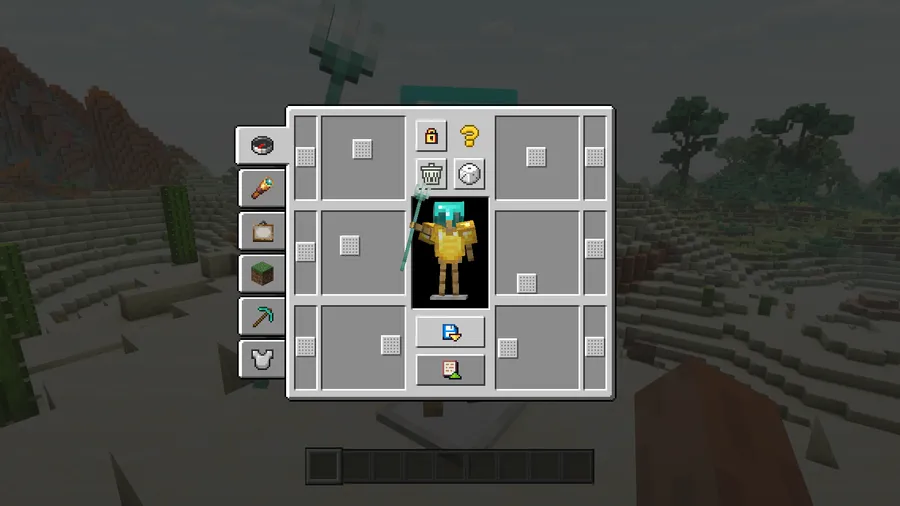
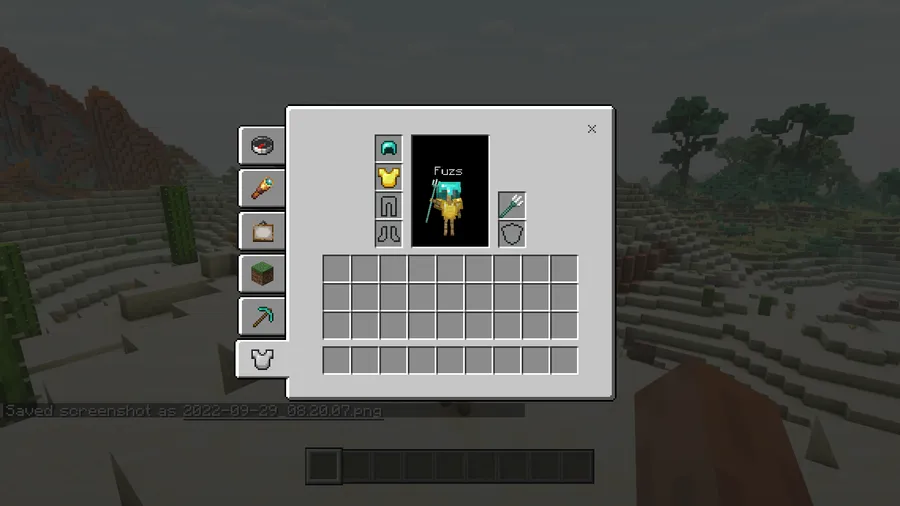
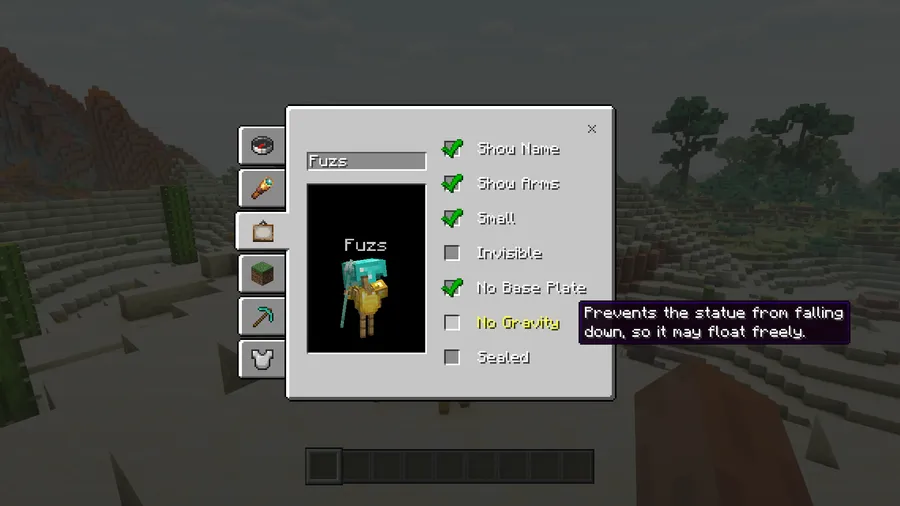
- Deeper armor stand customization — The main value here is control. Instead of settling for a basic standing pose, you can unlock arms, rotate body parts, and fine-tune the stand until it matches the exact scene you are building.
- Built-in poses — Preset poses save time when you need a statue or display piece that looks intentional right away. That matters because most players do not want to spend ten minutes nudging an armor stand only to end up with a pose that still feels stiff.
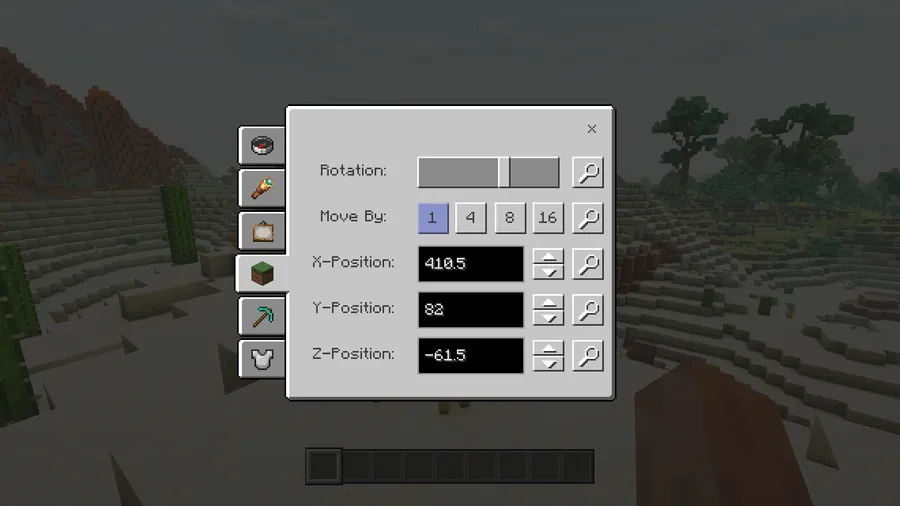
- Positioning tools — The mod includes tools that help place armor stands more precisely, which is important when you are lining them up in museums, shops, galleries, or adventure maps. Good placement is the difference between a clean display and one that looks awkwardly off-center.
- Invisible display setups — One of the most useful tricks is the ability to make the stand itself invisible while keeping the item display. That opens up cleaner builds where the armor stand is doing the technical work in the background instead of becoming part of the visual clutter.
- Works on vanilla servers — This is a major practical advantage because you are not limited to servers that install the mod. In the right setup, the client can act as a replacement for the book-driven Vanilla Tweaks workflow, and server operators can even let it work through vanilla commands in the background.
- Flexible configuration — The mod exposes configuration options, including a trigger option for Vanilla Tweaks compatibility. That matters because it lets you adapt the mod to different playstyles instead of forcing a single setup on every world or server.
- Designed for builders and decorators — The feature set is clearly aimed at players who care about presentation. If you use armor stands as statues, NPC substitutes, exhibit props, or item holders, this mod makes that whole workflow more usable.
Screenshots
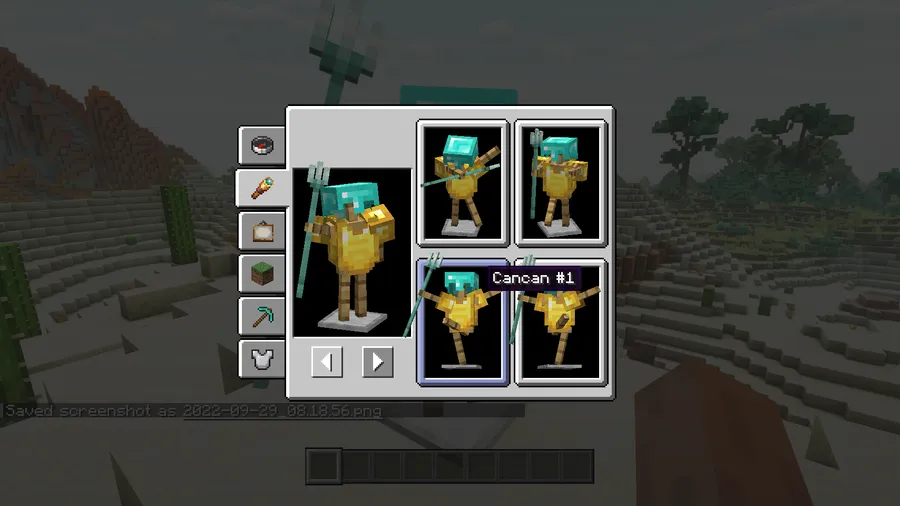
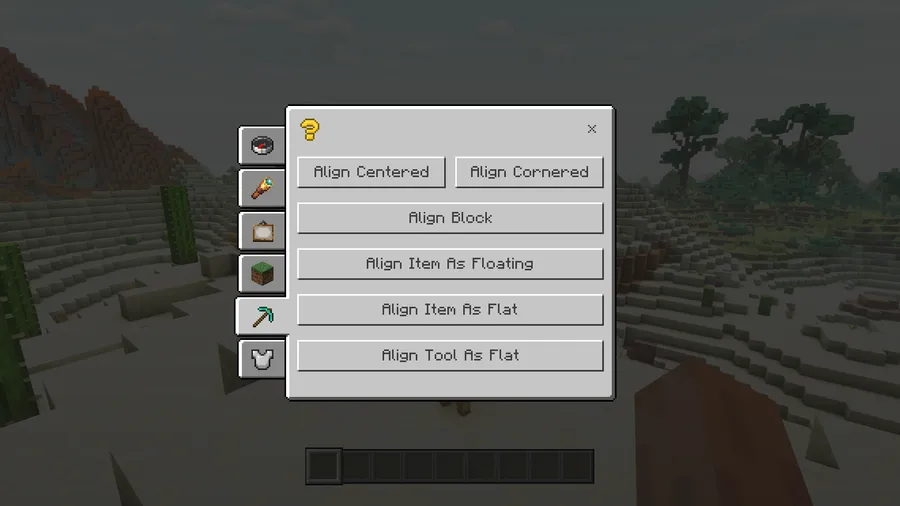
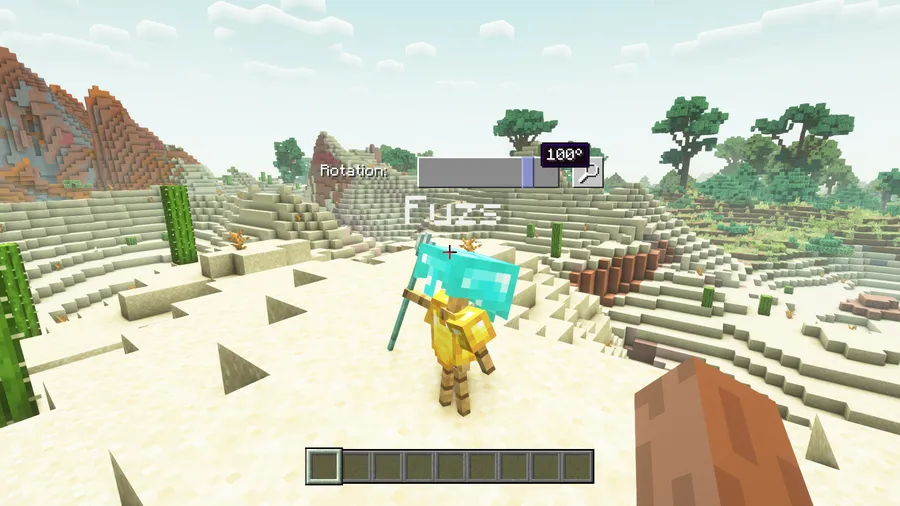
How to Install Armor Statues Mod
- Choose the right loader page for your setup: Fabric Mod Loader, Minecraft Forge, or NeoForge.
- Install the matching Minecraft mod loader version for the game version you want to play.
- Make sure the required dependencies are installed: Puzzles Lib for Fabric and NeoForge, plus Fabric API on Fabric. Some Fabric setups also need Forge Config API Port.
- Download the Armor Statues Mod file for your Minecraft version and place it in your `mods` folder.
- Launch the game, then open the mod's config if you want to enable options like `use_vanilla_tweaks_triggers` or adjust compatibility settings.
Requirements & Compatibility
| Requirement | Details |
|---|---|
| Mod Type | Fabric, Forge, and NeoForge |
| Client / Server | Client install required; server install is optional |
| Server Support | Can work on vanilla servers, including setups using Vanilla Tweaks: Armor Statues |
| Required Dependencies | Puzzles Lib is required on Fabric and NeoForge; Fabric API is required on Fabric; Forge Config API Port is required on Fabric |
| Configuration | Config can be managed in-game with Mod Menu on Fabric; older versions may also require Forge Config Screens |
| Supported Minecraft Versions | 1.21.11, 1.21.10, 1.21.8, 1.21.7, 1.21.6, 1.21.5, 1.21.4, 1.21.3, 1.21.1, 1.21, 1.20.4, 1.20.1, 1.19.2 |
What's New
- Updated for Minecraft 1.21.11.
- Fixed the mod not loading on dedicated Fabric servers.
- Recent maintenance keeps the mod aligned with the latest supported game version.
Pros and Cons
Pros
- Gives armor stands much deeper control than vanilla.
- Useful for builders, decorators, and map makers.
- Can work on vanilla servers without requiring server-side installation.
- Supports multiple major loaders: Fabric, Forge, and NeoForge.
- Lets you create cleaner item displays by hiding the stand itself.
Cons
- Requires extra dependencies on some loaders.
- Configuration can be a little technical if you want the Vanilla Tweaks replacement behavior.
- It is specialized, so players who never use armor stands may not get much value from it.
Alternatives to Armor Statues Mod
- Vanilla Tweaks: Armor Statues — The original data pack that inspired this mod and remains a good comparison point if you prefer a datapack-based workflow.
- Armor Stand Configurator — A similar armor stand customization option for players who want fine control over display poses and presentation.
- Statues Mod — A complementary decoration-focused mod for players who like build tools centered on display and pose control.
Download Armor Statues Mod
| Minecraft Version | Fabric | Forge | NeoForge |
|---|---|---|---|
| For Minecraft 1.21.11 | Download | — | Download |
| For Minecraft 1.21.10 | Download | — | Download |
| For Minecraft 1.21.8 | Download | — | Download |
| For Minecraft 1.21.7 | Download | — | Download |
| For Minecraft 1.21.6 | Download | — | Download |
| For Minecraft 1.21.5 | Download | — | Download |
| For Minecraft 1.21.4 | Download | — | Download |
| For Minecraft 1.21.3 | Download | — | Download |
| For Minecraft 1.21.1 | Download | — | Download |
| For Minecraft 1.21 | Download | — | Download |
| For Minecraft 1.20.4 | Download | Download | Download |
| For Minecraft 1.20.1 | Download | Download | — |
Always download mods from official sources to stay safe.
Frequently Asked Questions
Does Armor Statues Mod work on vanilla servers?
Yes — it can work on vanilla servers without the server needing the mod installed. In the right setup, the client can replace the book-based control flow from the Vanilla Tweaks data pack, and server operators can rely on vanilla commands in the background.
Do I need to install the mod on both client and server?
No — the client install is required, but the server install is optional. That makes it easier to use on multiplayer worlds where you do not control the server.
What dependencies does it require?
Yes — it does require extra libraries on some loaders. Fabric and NeoForge need Puzzles Lib, Fabric needs Fabric API, and some Fabric setups also require Forge Config API Port.
Can I configure it in-game?
Yes — on Fabric, you can usually manage configuration in-game if Mod Menu by Prospector is installed. On older Minecraft versions, Forge Config Screens may also be required for configuration access.
Which Minecraft versions are supported?
It supports Minecraft 1.21.11, 1.21.10, 1.21.8, 1.21.7, 1.21.6, 1.21.5, 1.21.4, 1.21.3, 1.21.1, 1.21, 1.20.4, 1.20.1, and 1.19.2. That gives you a fairly wide spread of recent versions to choose from.
Is this mod only for decoration?
No — it is decorative, but it also solves practical display problems. If you use armor stands for shops, exhibits, scenes, or statue-style builds, the extra control is what makes it genuinely useful.


![Legacy: [Let's Do] Brewery Mod (1.20.1) - thumbnail](http://mcinside.com/wp-content/uploads/2026/04/thumbnail-205-52x52.webp)

