
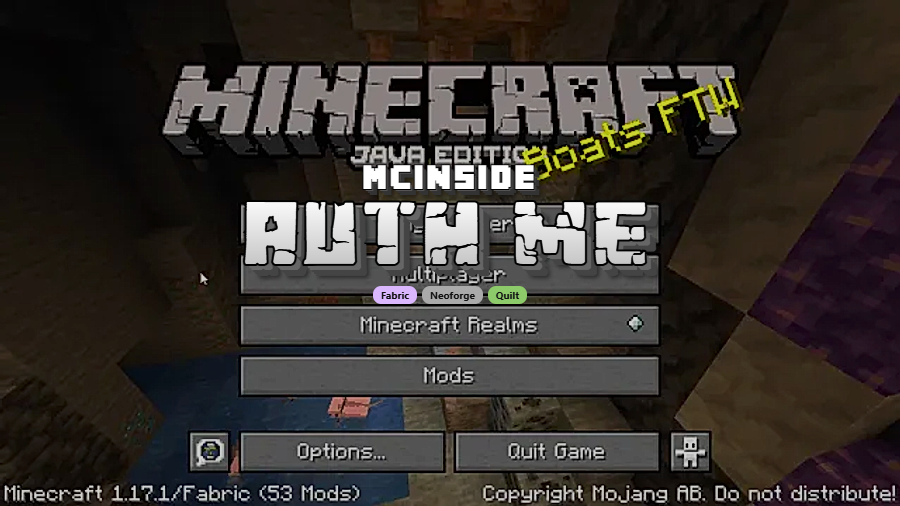
Auth Me is a client-side utility mod that lets you re-authenticate your Minecraft account and re-validate your session directly from within the game, available for Fabric, NeoForge, and Quilt mod loaders.
Every Minecraft multiplayer player has encountered the dreaded "Invalid Session" error at least once. You're in the middle of a build, your friend sends a server invite, and suddenly Minecraft refuses to let you connect. The typical fix — closing and relaunching the entire game — is tedious and breaks your workflow. Auth Me solves this problem elegantly by bringing account authentication directly into the game client. With over 4.8 million downloads since its initial release in 2021, this open-source mod by axieum has become one of the go-to session management tools in the Minecraft modding community. It runs entirely on the client side, meaning servers don't need to install anything, and it works across Fabric, NeoForge, and Quilt loaders on modern Minecraft versions from 1.16.4 all the way through 1.21.11.
Key Features of Auth Me
- In-Game Session Re-Authentication — The core feature of Auth Me allows you to re-validate your Microsoft account session without ever closing Minecraft. When your session expires mid-gameplay, you simply open the Auth Me interface and log back in. This saves you from the frustrating cycle of quitting, relaunching, and waiting through loading screens just to rejoin a server.
- Microsoft Account Support — Auth Me fully supports the modern Microsoft authentication flow that Minecraft now requires. Since Mojang accounts were migrated to Microsoft, session tokens can expire more frequently, making a tool like this even more essential for players who leave their game running for extended periods.
- Client-Side Only Operation — Because Auth Me runs entirely on your client, no server configuration is needed. Server admins don't have to approve or install anything on their end. You simply add it to your mods folder and it works on any server you connect to, whether it's a private SMP or a large public network.
- Multi-Loader Compatibility — Auth Me supports three major mod loaders: Fabric, NeoForge, and Quilt. This means you aren't locked into a single modding ecosystem. Whether you prefer the lightweight Fabric approach or the feature-rich NeoForge platform, Auth Me fits into your existing mod setup without conflicts.
- Lightweight and Non-Intrusive — Auth Me appears to be lightweight with minimal impact on game performance. It stays out of your way during normal gameplay and only activates when you need to re-authenticate. There are no background processes constantly running or persistent overlays cluttering your screen.
- Open-Source Transparency — Licensed under MIT, Auth Me's source code is publicly available on GitHub. For a mod that handles account credentials, this transparency is critical — anyone can audit the code to verify that login information is handled securely and never stored or transmitted inappropriately.
- Broad Version Support — With compatibility spanning from Minecraft 1.16.4 through the latest 1.21.11, Auth Me covers nearly every modern version of the game. Whether you're playing on a server that hasn't updated yet or you're running the newest snapshot-ready release, Auth Me has you covered.
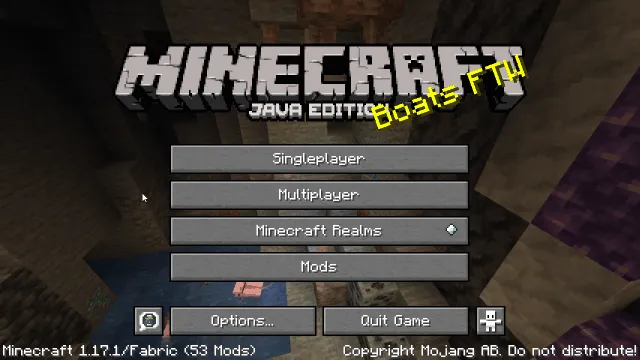
Screenshots
How to Install Auth Me
- First, install a compatible mod loader for your Minecraft version. You can use Fabric, NeoForge, or Quilt Loader — choose whichever matches your existing mod setup.
- Download the correct Auth Me file for your Minecraft version and mod loader from the download section below. Make sure the version numbers match exactly to avoid crashes.
- Locate your Minecraft mods folder. On Windows, press
Win + R, type%appdata%.minecraftmods, and press Enter. On macOS, go to~/Library/Application Support/minecraft/mods. On Linux, navigate to~/.minecraft/mods. - Place the downloaded Auth Me
.jarfile into the mods folder. Do not extract it — the file should remain as a.jar. - Launch Minecraft using your mod loader profile. When you encounter a session error, Auth Me will provide an in-game option to re-authenticate your Microsoft account without restarting the game.
Requirements & Compatibility
| Requirement | Details |
|---|---|
| Mod Loaders | Fabric, NeoForge, Quilt |
| Minecraft Versions | 1.21.11, 1.21.10, 1.21.9, 1.21.8, 1.21.7, 1.21.6, 1.21.5, 1.21.4, 1.21.3, 1.21.1, 1.21, 1.20.x, 1.19.x, 1.18.x, 1.17.x, 1.16.5, 1.16.4 |
| Side | Client-side only |
| License | MIT (open-source) |
| Author | axieum |
What's New
- Updated to support Minecraft 1.21.11 across all three mod loaders (Fabric, NeoForge, and Quilt).
- Continued maintenance and compatibility patches to keep up with Minecraft's rapid release cycle.
- For a full list of changes, see the official changelog on GitHub.
Pros and Cons
Pros
- Fixes the "Invalid Session" error without restarting Minecraft
- Client-side only — no server installation required
- Supports all three major mod loaders (Fabric, NeoForge, Quilt)
- Open-source under MIT license for full transparency
- Extremely broad version support from 1.16.4 to 1.21.11
- Over 4.8 million downloads — well-established and trusted
Cons
- Only works on Java Edition — no Bedrock support
- Requires a compatible mod loader installed first
- Does not add any new gameplay features beyond session management
- Players on vanilla (unmodded) Minecraft must still restart to fix sessions
Alternatives to Auth Me
- ReAuth — A well-known session re-authentication mod by TechnicianLP that served as one of the original solutions for the invalid session problem, primarily targeting Forge and older Minecraft versions.
- OAuth — Developed by Sintinium, this mod provides an alternative approach to in-game authentication with a focus on the OAuth protocol flow for Microsoft account validation.
- In-Game Account Switcher — Allows players to switch between multiple Minecraft accounts without restarting the game, useful for content creators or players managing alt accounts alongside session fixes.
Download Auth Me
| Minecraft Version | Fabric | NeoForge | Quilt |
|---|---|---|---|
| For Minecraft 1.21.11 | Download | Download | Download |
| For Minecraft 1.21.10 | Download | Download | Download |
| For Minecraft 1.21.9 | Download | Download | Download |
| For Minecraft 1.21.8 | Download | Download | Download |
| For Minecraft 1.21.7 | Download | Download | Download |
| For Minecraft 1.21.6 | Download | Download | Download |
| For Minecraft 1.21.5 | Download | Download | Download |
| For Minecraft 1.21.4 | Download | Download | Download |
| For Minecraft 1.21.3 | Download | Download | Download |
| For Minecraft 1.21.1 | Download | Download | Download |
| For Minecraft 1.21 | Download | — | — |
| For Minecraft 1.20.6 | Download | — | — |
Always download mods from official sources to stay safe.
Frequently Asked Questions
Is Auth Me safe to use?
Yes — Auth Me is open-source under the MIT license, and its full source code is available on GitHub for anyone to inspect. Because it handles account credentials, transparency matters, and the community has had access to audit the code since its 2021 release. With over 4.8 million downloads, it is one of the most widely trusted authentication mods in the Minecraft community.
Does Auth Me work on servers?
Yes — Auth Me is a client-side only mod, meaning you install it on your computer and it works on any multiplayer server. The server does not need to have Auth Me installed or configured. It simply re-validates your session token so the server accepts your connection again.
Can I use Auth Me with other mods?
Yes — Auth Me is a lightweight utility mod that handles only session authentication, so it does not conflict with gameplay mods, performance mods, or shader packs. It works alongside popular mods like Sodium, Iris, and other Fabric or NeoForge mods without issues.
Which mod loader should I use with Auth Me?
Fabric, NeoForge, and Quilt are all fully supported. If you already have a modded setup, use whichever loader you currently run. For new players, Fabric is generally the easiest to set up and has the largest library of compatible lightweight mods. NeoForge is the better choice if you prefer the traditional Forge ecosystem with its extensive mod selection.
Does Auth Me support Minecraft Bedrock Edition?
No — Auth Me is exclusively for Minecraft Java Edition. Bedrock Edition uses a different authentication system tied to Xbox Live, and the mod loader ecosystem (Fabric, NeoForge, Quilt) only exists for Java Edition. Bedrock players experiencing session issues should sign out and back in through their platform's account settings.


![[Let's Do] Meadow Mod (1.21.1) - thumbnail](http://mcinside.com/wp-content/uploads/2026/04/thumbnail-64-52x52.webp)


![Not Enough Recipe Book [NERB] Mod (1.21.11) - thumbnail](http://mcinside.com/wp-content/uploads/2026/04/thumbnail-63-52x52.webp)
