

Axiom is a world-editing utility mod that gives Minecraft players a professional-grade building and terrain manipulation toolkit directly inside the game client, available for Fabric Mod Loader.
Minecraft's vanilla Creative mode gives you blocks and flight, but it was never designed for large-scale world editing. Shaping terrain, painting biomes, or manipulating entire structures block-by-block is painfully slow without the right tools. That is exactly the problem Axiom solves. Developed by Moulberry, this mod merges the capabilities of professional 3D editing software with Minecraft's native interface — and over 7 million downloads prove the community agrees it works. Rather than alt-tabbing to an external world editor, Axiom lets you sculpt, paint, select, and transform your world in real time with client-side rendering and instant visual feedback.
Key Features of Axiom Mod
- Builder Context Menu & Capabilities — Hold Left Alt to open a radial menu packed with building enhancements and toggleable capabilities. This means you never have to memorize obscure commands or dig through settings menus. Every tool you need is one keypress away, keeping your building flow uninterrupted.
- Selection Tools — Axiom offers precise region selection tools that let you define complex areas for copying, moving, or transforming. Unlike command-based selection in traditional editors, Axiom renders your selection in real time so you can see exactly what you are working with before committing any changes. This visual-first approach dramatically reduces mistakes on large builds.
- Painting & Drawing Tools — Paint blocks, biomes, and textures across surfaces using brush-based tools with adjustable radius and shape. Drawing tools let you place lines, curves, and shapes directly in 3D space. These tools turn tedious block-by-block decoration into quick, intuitive strokes — especially useful for organic builds like gardens, paths, and custom terrain detailing.
- Heightmap & Manipulation Tools — Sculpt terrain using heightmap-based editing, raising and lowering land as if molding clay. Manipulation tools handle rotation, mirroring, stacking, and other transformations on selected regions. For builders working on landscapes, mountains, or custom biomes, these tools compress hours of manual work into minutes.
- Hotbar Swapper & Flight Speed Control — Quickly switch between multiple hotbars to manage different building material palettes without opening your inventory. The flight speed slider lets you move up to 10x faster than vanilla Creative flight. Together, these quality-of-life features keep you focused on building instead of constantly managing your inventory and movement.
- Multiplayer Support & Custom Server APIs — Axiom works on multiplayer servers, and server owners can integrate custom APIs to control what Axiom features are available to players. This makes it viable for build teams and community servers where collaborative world editing is needed but administrative control is still important.
- Automatic History Persistence — Every edit you make is automatically saved to an undo history that persists across sessions. If you make a mistake or want to revert a change from three days ago, Axiom has you covered. This safety net encourages experimentation — you can try bold edits knowing you can always roll back.
Screenshots
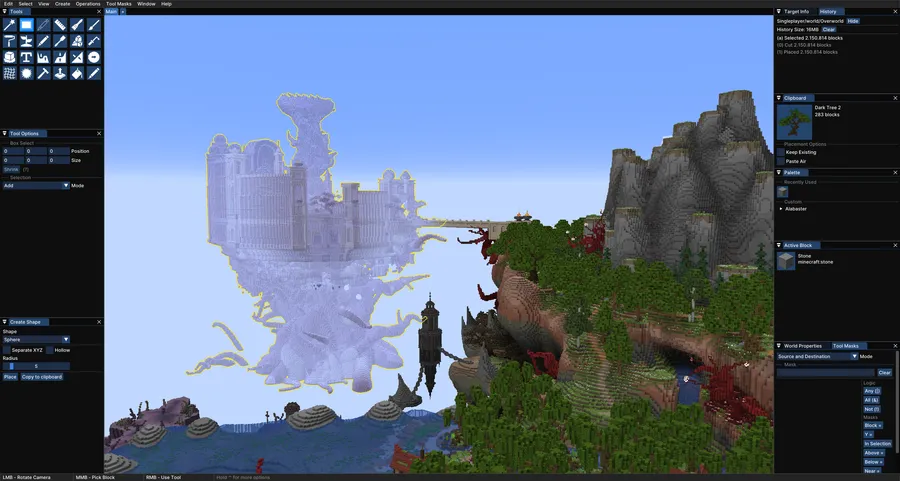
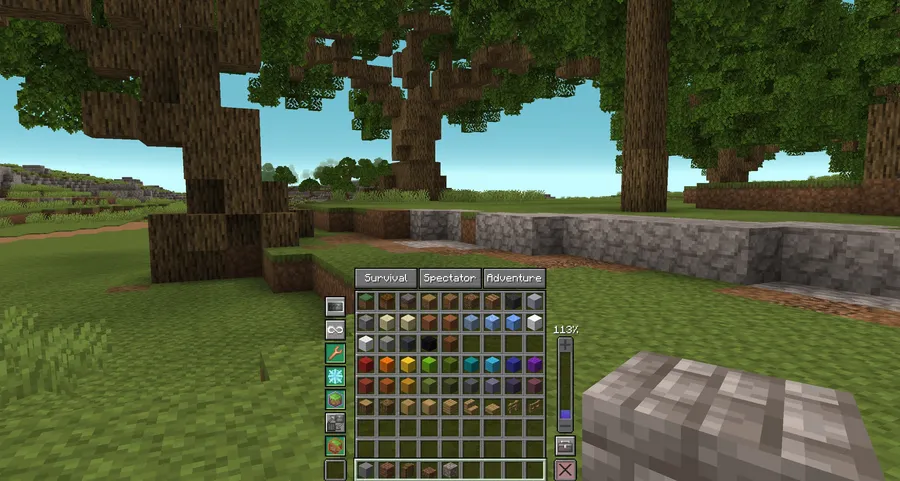
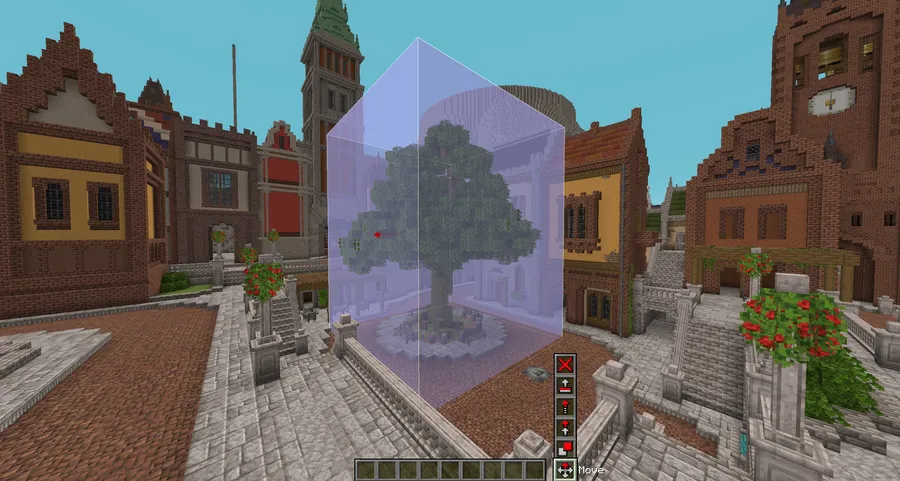
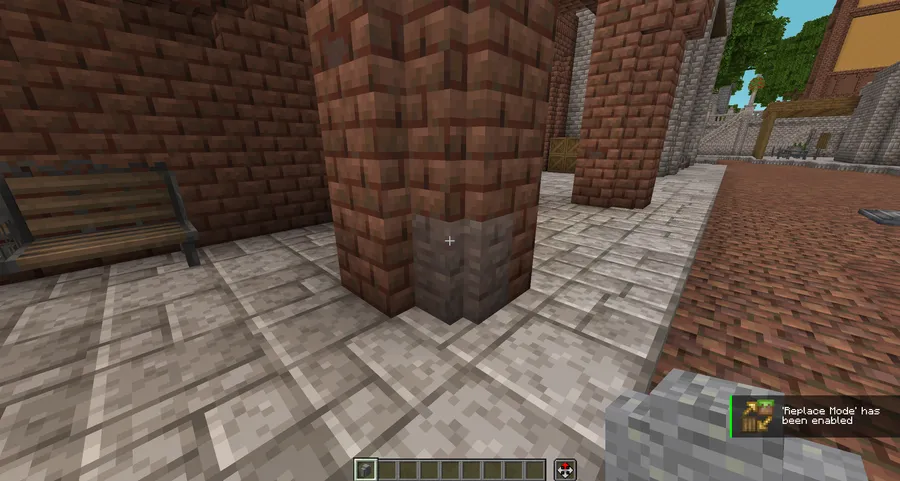
How to Install Axiom Mod
- Download and install Fabric Loader for your Minecraft version (supports 1.20 through 1.21.11 and 26.1).
- Make sure you also have Fabric API installed, as Axiom requires it to function.
- Download the Axiom .jar file matching your Minecraft version from the download section below.
- Place the downloaded .jar file into your
.minecraft/modsfolder. On Windows, press Win+R and type%appdata%/.minecraft/modsto open it directly. - Launch Minecraft using the Fabric profile. Once in-game, hold Left Alt to open the Builder Context Menu and verify Axiom is active. Note: Axiom is not compatible with OptiFine — use Sodium instead for performance optimization.
Requirements & Compatibility
| Requirement | Details |
|---|---|
| Mod Loader | Fabric (Forge is not supported) |
| Minecraft Versions | 1.20 – 1.21.11, 26.1 |
| Dependencies | Fabric API |
| OptiFine | Not compatible — use Sodium instead |
| License | All Rights Reserved |
| Multiplayer | Supported with server-side API integration |
What's New
- Fixed various crashes that occurred in Minecraft 26.1.
- Resolved rendering issues related to the 26.1 update.
- General stability improvements for the latest game version.
Pros and Cons
Pros
- All-in-one world editing without leaving the game client
- Real-time visual previews powered by client-side rendering
- Massive toolset: selection, painting, drawing, heightmap, and manipulation tools
- Multiplayer support with server-side API control
- Persistent undo history that survives across sessions
- Actively maintained with frequent updates for new Minecraft versions
Cons
- Fabric-only — no Forge or NeoForge support
- Not compatible with OptiFine, requiring Sodium as an alternative
- All Rights Reserved license limits modification and redistribution
- Learning curve for the full toolset can be steep for new users
Alternatives to Axiom Mod
- WorldEdit — The classic server-side world editing mod that uses text commands for selection, copy, paste, and terrain generation. A solid choice if you need Forge support or prefer command-based workflows.
- Litematica — A schematic mod for Fabric that lets you create, save, and project building blueprints as holographic overlays. Ideal for survival builders who want guided placement rather than full Creative editing.
- Essential Mod — Adds multiplayer utilities and building enhancements for collaborative projects. A complementary pick if you want social features alongside your building tools.
Download Axiom Mod
| Minecraft Version | Fabric |
|---|---|
| For Minecraft 26.1 | Download |
| For Minecraft 1.21.11 | Download |
| For Minecraft 1.21.10 | Download |
| For Minecraft 1.21.9 | Download |
| For Minecraft 1.21.8 | Download |
| For Minecraft 1.21.7 | Download |
| For Minecraft 1.21.6 | Download |
| For Minecraft 1.21.5 | Download |
| For Minecraft 1.21.4 | Download |
| For Minecraft 1.21.3 | Download |
| For Minecraft 1.21.2 | Download |
| For Minecraft 1.21.1 | Download |
Always download mods from official sources to stay safe.
Frequently Asked Questions
Does Axiom work with Forge or NeoForge?
No — Axiom is exclusively available for Fabric Mod Loader. The mod author has not released a Forge or NeoForge version. If you currently use Forge, you would need to switch to a Fabric installation to use Axiom.
Is Axiom free to use?
Yes — Axiom is free to download and use. However, the project offers a Patreon tier that gives supporters early access to upcoming releases and the ability to vote on new features. The core mod itself has no paywall.
Can I use Axiom on multiplayer servers?
Yes — Axiom supports multiplayer and includes custom server APIs that let server administrators control which features are available to players. Server owners can integrate these APIs to allow collaborative building while maintaining administrative oversight.
Is Axiom compatible with OptiFine?
No — Axiom explicitly breaks with OptiFine installed. Use Sodium as a performance optimization alternative instead. Sodium is fully compatible with Axiom and provides similar or better rendering performance improvements.
What Minecraft versions does Axiom support?
Axiom supports a wide range from Minecraft 1.20 through 1.21.11, as well as the latest 26.1 snapshot. The mod is actively updated — the most recent release on March 30, 2026, specifically addressed crashes and rendering issues in 26.1.


![[Let's Do] Meadow Mod (1.21.1) - thumbnail](http://mcinside.com/wp-content/uploads/2026/04/thumbnail-64-52x52.webp)


![Not Enough Recipe Book [NERB] Mod (1.21.11) - thumbnail](http://mcinside.com/wp-content/uploads/2026/04/thumbnail-63-52x52.webp)


