
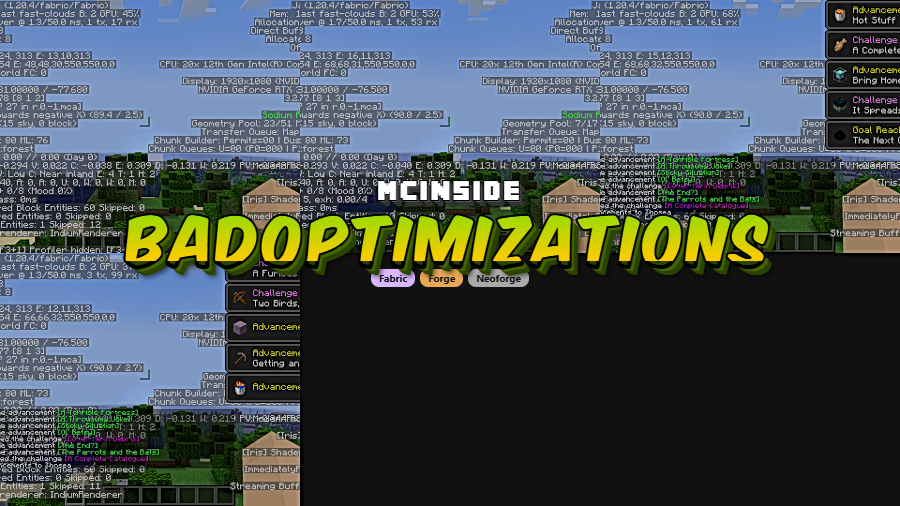
BadOptimizations is a performance optimization mod that targets non-rendering bottlenecks in Minecraft — including lightmap updates, debug logic, and sky color calculations — for Fabric, Forge, and NeoForge mod loaders.
Every Minecraft player has felt it: that nagging stutter, that dip in frames when nothing visually complex is even happening on screen. The truth is, Minecraft wastes a surprising amount of processing power on tasks you never see — recalculating lightmaps every single tick even when nothing has changed, running debug renderer logic for features most players will never activate, and looping through sky color math hundreds of times per frame for no good reason. BadOptimizations, created by thosea, tackles these hidden performance drains head-on. With over 24 million downloads on Modrinth, it has quietly become one of the most trusted micro-optimization mods in the community. Unlike rendering-focused mods, BadOptimizations works behind the scenes on the calculations and logic that silently eat your frame budget.
Key Features of BadOptimizations
- Lightmap Update Caching — Every client tick, Minecraft performs expensive vector math to recalculate lightmap textures and upload them to the GPU — even when absolutely nothing affecting brightness has changed. BadOptimizations caches the result and skips the recalculation entirely when factors like gamma, potion effects, and dimension remain the same. This alone removes one of the most expensive operations in the client tick loop.
- Debug Renderer Short-Circuiting — Minecraft ships with four debug renderers (bees, game events, game test, and villager AI) that execute their logic every tick regardless of whether debug mode is active or data exists. BadOptimizations disables this processing entirely unless a debug server is connected and there is actual data to handle. For the vast majority of players who never touch debug tools, this is pure free performance.
- Sky Color Calculation Optimization — On versions 1.21.10 and below, Minecraft uses a cubic color sampler that loops 216 times every single frame to blend surrounding biome sky colors — even when every surrounding biome has the exact same sky color. BadOptimizations detects uniform biomes and uses a much faster, simpler calculation instead, only falling back to the full sampler when you are genuinely between biomes with different skies.
- Fully Configurable — Every individual optimization can be toggled on or off through the config file. If another mod conflicts with a specific optimization, you can disable just that one without losing the rest of the performance gains.
- Mod Compatibility API — Other mod developers can programmatically mark their mods as incompatible with specific BadOptimizations options, and the mod will automatically disable those options when it detects the conflicting mod. This level of ecosystem awareness is rare for a micro-optimization mod and helps prevent obscure bugs.
- Multi-Loader Support — BadOptimizations runs on Fabric, Forge, and NeoForge, meaning you do not need to switch mod loaders or maintain separate mod folders to benefit from it. The same optimizations apply regardless of your loader choice.
Screenshots
How to Install BadOptimizations
- Install your preferred mod loader. BadOptimizations supports Fabric, Forge, or NeoForge. If you are using Fabric, you will also need Fabric API.
- Download the correct BadOptimizations file for your Minecraft version and mod loader from the download section below.
- Open your Minecraft installation folder. On Windows, press
Win + R, type%appdata%\.minecraft, and hit Enter. - Drop the downloaded
.jarfile into themodsfolder. Create the folder if it does not exist. - Launch Minecraft using your mod loader profile. BadOptimizations works immediately with no configuration needed — but you can tweak individual optimizations in the config file if desired.
Requirements & Compatibility
| Detail | Info |
|---|---|
| Mod Loaders | Fabric, Forge, NeoForge |
| Minecraft Versions | 1.19.1 — 1.21.11 |
| Latest Update | 1.21.11 (December 2025) |
| License | MIT (open source) |
| Client/Server | Client-side |
| Compatible With | Sodium, Lithium, and other optimization mods |
What's New
- Updated to Minecraft 1.21.11 with full Fabric and NeoForge support.
- Migrated internal codebase to Mojang Mappings for better long-term maintainability.
- Sky color caching has been removed on 1.21.11 because sky color is now data-driven in vanilla, making the previous caching approach infeasible. This change does not affect versions 1.21.10 and below.
- Lightmap caching remains active but no longer uses time as a direct factor, so the
lightmap_time_change_needed_for_updateconfig option no longer has any effect on 1.21.11. - Minor updates to config file comments for clarity.
Pros and Cons
Pros
- Measurable FPS gains with essentially zero effort — install and forget
- Targets non-rendering bottlenecks that other optimization mods ignore
- Stacks cleanly with Sodium, Lithium, and other popular performance mods
- Every optimization is individually toggleable via config
- Supports all three major mod loaders (Fabric, Forge, NeoForge)
- Open-source under MIT license with active development
Cons
- FPS gains are modest on already high-end systems — most noticeable on mid-range hardware
- Sky color optimization removed on 1.21.11 due to vanilla engine changes
- Client-side only — does not help with server-side TPS issues
Alternatives to BadOptimizations
- Sodium — The most popular rendering optimization mod for Minecraft, focusing on chunk rendering, lighting engine, and GPU performance. Pairs perfectly with BadOptimizations since they target different bottlenecks.
- Lithium — Optimizes game logic, world generation, and entity AI on both client and server. Complements BadOptimizations by covering server-side and world-tick performance areas.
- FerriteCore — Reduces Minecraft's memory usage by optimizing how block states and models are stored in RAM. A good companion mod if you are building a full optimization stack.
Download BadOptimizations
| Minecraft Version | Fabric | NeoForge |
|---|---|---|
| For Minecraft 1.21.11 | Download | Download |
| For Minecraft 1.21.10 | Download | Download |
| For Minecraft 1.21.9 | Download | Download |
| For Minecraft 1.21.8 | Download | Download |
| For Minecraft 1.21.7 | Download | Download |
| For Minecraft 1.21.6 | Download | Download |
| For Minecraft 1.21.5 | Download | Download |
| For Minecraft 1.21.4 | Download | Download |
| For Minecraft 1.21.3 | Download | Download |
| For Minecraft 1.21.2 | Download | Download |
| For Minecraft 1.21.1 | Download | Download |
| For Minecraft 1.21 | Download | Download |
Always download mods from official sources to stay safe.
Frequently Asked Questions
Is BadOptimizations compatible with Sodium and Lithium?
Yes — BadOptimizations is fully compatible with both Sodium and Lithium. Because it targets non-rendering optimizations like lightmap caching and debug logic, it does not overlap with Sodium's rendering improvements or Lithium's game logic optimizations. You can safely run all three together for maximum performance.
How much FPS improvement does BadOptimizations actually provide?
It depends on your hardware, but the mod author reports gains of roughly 50–70 FPS on a system with an RTX 3060 and Intel i7-12700 when running alongside Fabulously Optimized. The gains come from eliminating wasteful per-tick and per-frame calculations, so players with weaker CPUs may see proportionally larger improvements.
Does BadOptimizations work on servers?
No — BadOptimizations is a client-side mod. It optimizes calculations that happen in your local game client, such as lightmap updates and sky color rendering. Server operators looking for TPS improvements should look at server-side mods like Lithium instead.
Do I need to configure anything after installing BadOptimizations?
No configuration is needed. BadOptimizations works out of the box with all optimizations enabled by default. However, if you experience a conflict with another mod, you can open the config file and disable individual optimizations without removing the entire mod.
Why was sky color caching removed in the 1.21.11 update?
Mojang made sky color data-driven in Minecraft 1.21.11, which means the vanilla engine now handles sky colors differently than before. This change made the previous caching approach infeasible. On versions 1.21.10 and below, sky color optimization still works normally. Lightmap caching and all other optimizations remain active on 1.21.11.




![[Let's Do] Meadow Mod (1.21.1) - thumbnail](http://mcinside.com/wp-content/uploads/2026/04/thumbnail-64-52x52.webp)


![Not Enough Recipe Book [NERB] Mod (1.21.11) - thumbnail](http://mcinside.com/wp-content/uploads/2026/04/thumbnail-63-52x52.webp)
