

Better Compatibility Checker Mod is a utility mod that replaces the default server compatibility check with modpack version matching for Minecraft on Fabric, Forge, and NeoForge. It is designed to help modpack players and server owners see a more accurate compatibility result before joining.
If you have ever added a modded server and seen a confusing "not compatible" warning even when your pack looked correct, this is exactly the pain point this mod targets. Better Compatibility Checker changes the check logic used in that moment, so compatibility is based on the modpack project ID and modpack version ID configured by the pack author. With 4,569,017 downloads on Modrinth as of March 24, 2026, and momentum toward the 5 million mark, it already has strong social proof among players and modpack communities that want fewer false alarms during server selection.
Key Features of Better Compatibility Checker Mod
- Modpack-aware compatibility matching — Instead of depending only on the default server compatibility behavior, this mod compares modpack identifiers directly. That matters because players usually care whether their exact pack build matches the server, not just whether a generic check passes. In day-to-day use, this can reduce confusion when joining curated modpack servers.
- Project ID and version ID validation — The mod reads a modpack project ID and modpack version ID from config and uses those values as the source of truth. This gives modpack authors a clear, controlled way to define what "compatible" means for their pack release. For players, it creates a straightforward expectation: matching IDs should show compatible status.
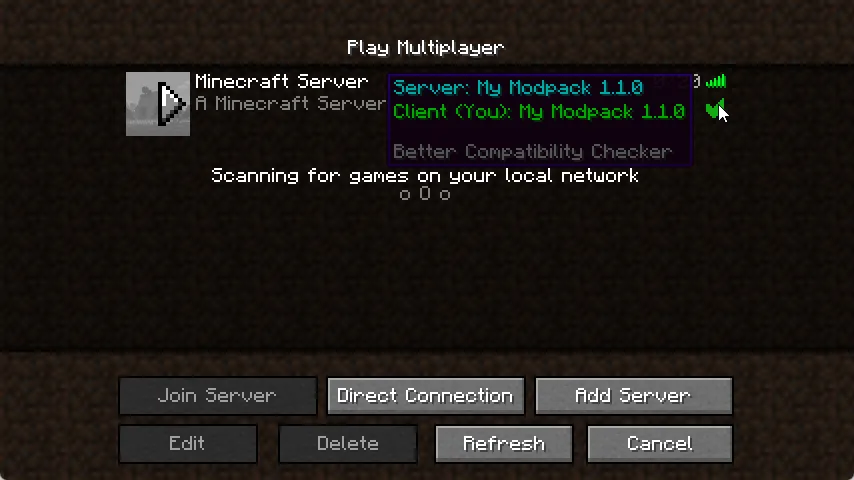
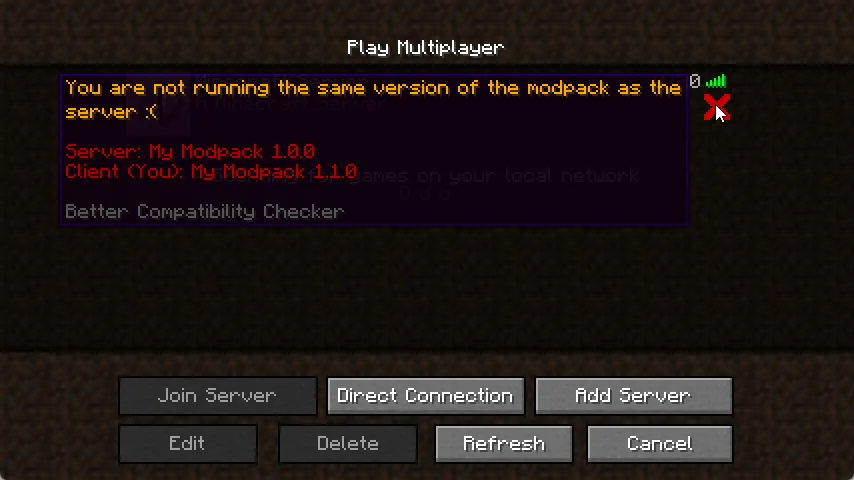
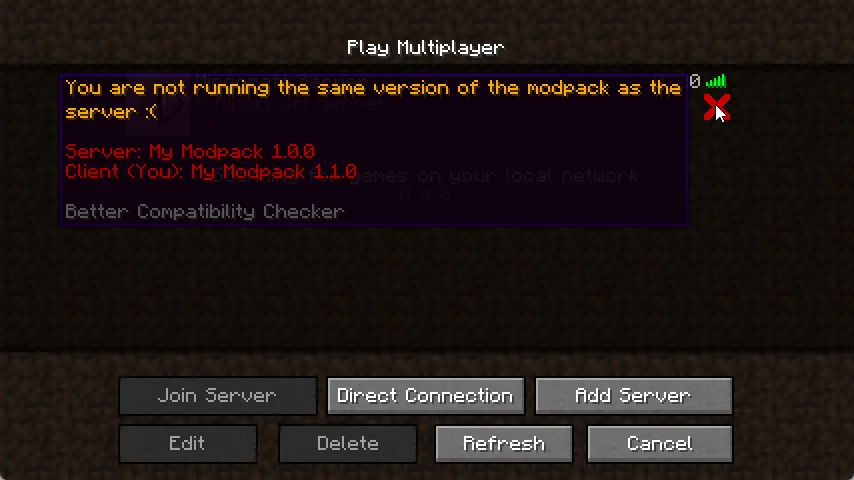
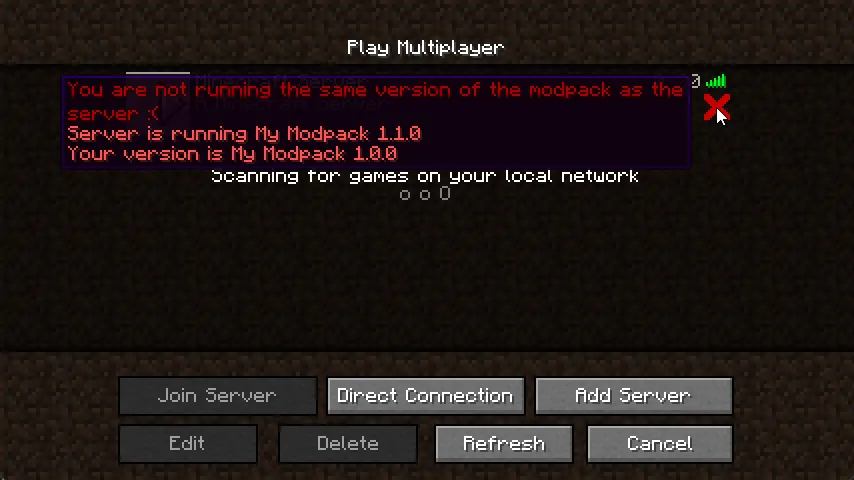
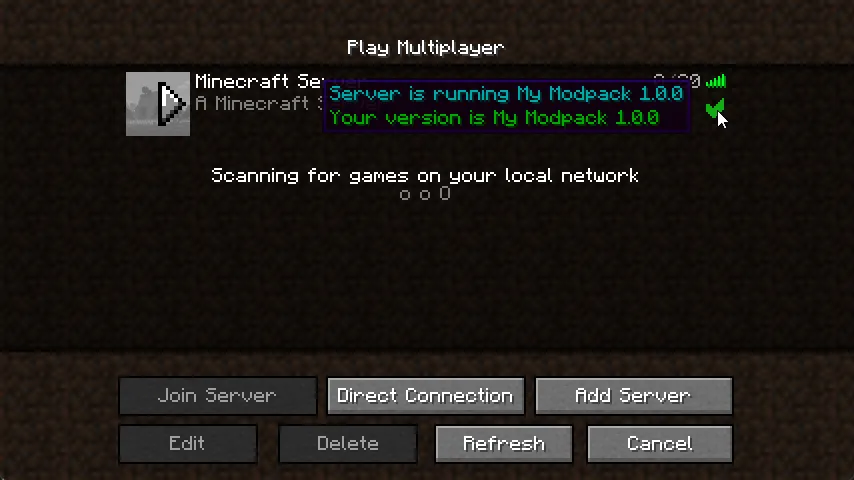
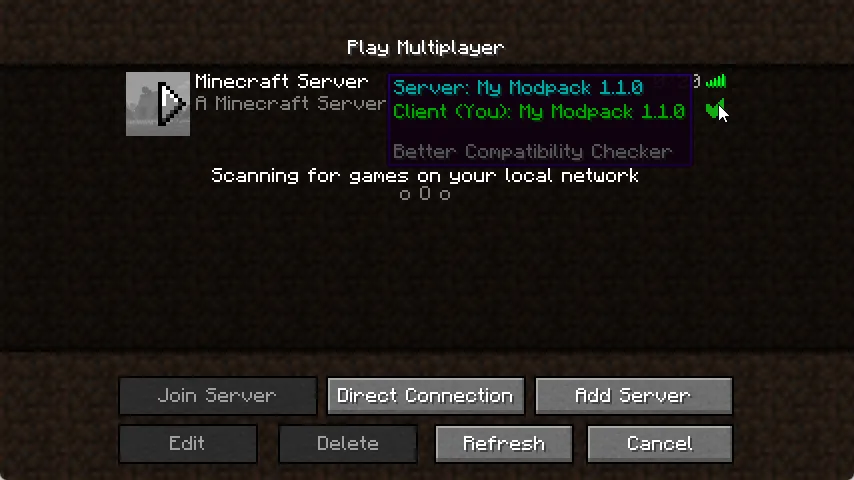
- Clear tick/X result in the server list — When IDs match, players see a tick; when they do not, they see an X. This visual signal is simple, fast to read, and useful when checking multiple servers before connecting. It helps prevent wasted connection attempts with the wrong client or server pack version.
- Simple configuration workflow — Setup is intentionally minimal: open the config file, set modpack name and version, save, done. That matters for pack maintainers because this is easy to include in release routines without adding heavy overhead. The only ongoing requirement is remembering to update the configured version when the pack updates.
- Fallback behavior when required data is missing — If needed data is not set, the mod falls back to the default Forge implementation. This is important because it avoids hard failure scenarios and keeps compatibility checks functional even when configuration is incomplete. It also covers the case where the mod is only on the client and not present on the server.
- Broad loader and version coverage — The project supports Fabric, Forge, and NeoForge, with versions listed from 1.16.5 up through 26.1. For mixed communities and long-lived packs, this wide range can make migration planning easier. It also makes the mod relevant across both older and very recent Minecraft setups.
Screenshots
How to Install Better Compatibility Checker Mod
- Install one supported loader for your setup: Fabric Mod Loader, Minecraft Forge, or NeoForge.
- Download the Better Compatibility Checker file that matches your Minecraft version and loader (for example, 26.1 with NeoForge/Fabric, or another listed build).
- Place the mod file in your game's
modsfolder on client, and include it on the server if your modpack setup requires both sides. - Open the config in
config/bcc-common.toml(orbcc.jsonon Fabric), then set the modpack name and modpack version/project details used by your pack workflow. - Save the config, launch Minecraft, and verify the server list now shows the expected tick/X compatibility result for your pack version.
Requirements & Compatibility
| Item | Details |
|---|---|
| Category | Minecraft Mods |
| Author | Gaz492 |
| Supported Mod Loaders | Fabric, Forge, NeoForge |
| Required Loader Platforms | Fabric Mod Loader, Minecraft Forge, NeoForge |
| Minecraft Versions Listed | 26.1, 1.21.11, 1.21.10, 1.21.9, 1.21.8, 1.21.7, 1.21.6, 1.21.5, 1.21.4, 1.21.3, 1.21.2, 1.21.1, 1.21, 1.20.4, 1.20.1, 1.20, 1.19.4, 1.19.3, 1.19.2, 1.19.1, 1.19, 1.18.2, 1.18.1, 1.18, 1.16.5 |
| Tags | game-mechanics, management, utility |
| License | All Rights Reserved (LicenseRef-All-Rights-Reserved) |
What's New
- Updated to Minecraft 26.1 (latest changelog entry).
- Latest project update date is 2026-03-24 on Modrinth.
- Current download entries list NeoForge and Fabric builds for Minecraft 26.1 and 1.21.11 through 1.21.5.
- The core purpose remains focused on modpack version-based server compatibility checks.
Pros and Cons
Pros
- Targets a specific real-world modpack issue: misleading compatibility status in the server list.
- Uses explicit project/version identifiers, which is clearer for release management.
- Configuration is straightforward and quick to maintain.
- Fallback to default Forge behavior helps avoid hard breakage when data is missing.
- Supports Fabric, Forge, and NeoForge across a wide version range.
Cons
- Depends on correct config values, so pack maintainers must keep version data updated.
- Primary value is highest for modpack workflows, not every single-mod setup.
- License is All Rights Reserved, which may limit redistribution expectations outside stated permissions.
Alternatives to Better Compatibility Checker Mod
- Mod Menu — A complementary utility page to help players review installed client mods while troubleshooting pack/server mismatches.
- Configured — A complementary option for users who want an easier in-game configuration workflow around mod settings.
- Catalogue — Another complementary utility-style choice for players managing larger modded setups.
Download Better Compatibility Checker Mod
| Minecraft Version | Fabric | NeoForge |
|---|---|---|
| For Minecraft 26.1 | Download | Download |
| For Minecraft 1.21.11 | Download | Download |
| For Minecraft 1.21.10 | Download | Download |
| For Minecraft 1.21.9 | Download | Download |
| For Minecraft 1.21.8 | Download | Download |
| For Minecraft 1.21.7 | Download | Download |
| For Minecraft 1.21.6 | Download | Download |
| For Minecraft 1.21.5 | Download | Download |
| For Minecraft 1.21.4 | Download | Download |
| For Minecraft 1.21.3 | Download | Download |
| For Minecraft 1.21.2 | Download | Download |
| For Minecraft 1.21.1 | Download | Download |
Always download mods from official sources to stay safe.
Frequently Asked Questions
Does Better Compatibility Checker need to be installed on both client and server?
It depends — the mod can still operate safely when the required data is missing because it falls back to the default Forge implementation. The project description explicitly addresses the case where it is on the client but not the server and says fallback behavior is used.
Does this mod replace the default server compatibility logic?
Yes — it changes the default check to compare modpack versions using configured identifiers. The practical goal is to avoid cases where the default result appears inaccurate for modpack players.
How do I configure Better Compatibility Checker?
Use the config file and set your modpack values. Open bcc-common.toml in the config folder, set modpack name/version details, save, and update the version value whenever you publish a new modpack version; on Fabric, the config file is bcc.json.
What does the tick or X indicator mean?
The tick means compatible match, and the X means incompatible match result. Specifically, the mod compares configured modpack project/version IDs and shows a tick when they align, or an X when they do not.
Which Minecraft versions and loaders are supported?
It supports Fabric, Forge, and NeoForge, with listed Minecraft versions from 1.16.5 through 26.1. The provided download entries explicitly include NeoForge and Fabric for the newest listed builds such as 26.1 and 1.21.11 to 1.21.5.


![[Let's Do] Meadow Mod (1.21.1) - thumbnail](http://mcinside.com/wp-content/uploads/2026/04/thumbnail-64-52x52.webp)


![Not Enough Recipe Book [NERB] Mod (1.21.11) - thumbnail](http://mcinside.com/wp-content/uploads/2026/04/thumbnail-63-52x52.webp)


