

Better Days is a Minecraft mod that adds Gives you control over the passage of time by allowing you to customize the length of the day-night cycle and alters the Minecraft sleep mechanic by accelerating the speed of time. for NeoForge, Fabric, Forge on Minecraft 1.21.11 to 1.21.5.
Better Days solves a practical modpack problem: you get a focused feature upgrade without having to guess whether the project is actively used or whether it supports your loader. With 2,642,275+ Modrinth downloads, this is not a hidden prototype; it is a mod many players have already tried, which makes it easier to justify testing in a real world or staging server. A Minecraft 1.19+ mod designed to extend the length of the crazy short Minecraft day. Notice This mod was originally designed as a 1.15.2 mod. However, due to being too busy to update to 1.16.5, Hourglass mod was created. Now Hourglass hasn't received any updates in nearly a year, plus there are new features that needed added. I've revived Better days to update for not only 1.19 and 1.20, but also bring all the features to both Forge and Fabric . 1.19+ is a fork of the Hourglass mod, with new features and some functionality removed. 1.18.2 is a backport for both Forge and Fabric that contains all of the 1.19+ features and bug fixes. Differences from Hourglass Mod Commands removed. Forge only configuration screen removed. Syncing config updates with client. Now requires a restart. Added better support for Serene Seasons Features This mod (optionally) replaces the vanilla sleep functionality with a smooth and natural transition to morning by accelerating the passage of time while you're in bed. In multiplayer, time will pass faster depending on the percentage of players who are currently sleeping. This removes the need for any sleep voting system or player threshold, as any number of
Key Features of Better Days
- Feature 1 — Better Days focuses on Minecraft Mods gameplay and gives players a practical reason to revisit their setup instead of installing another mod blindly. This matters because it gives players a concrete reason to install Better Days beyond a vague feature list, and it helps modpack maintainers judge whether the mod fits their progression, building style, or server rules.
- Feature 2 — The project supports NeoForge, Fabric, Forge, which makes it easier to fit into an existing modpack without rebuilding your loader stack from scratch. This matters because it gives players a concrete reason to install Better Days beyond a vague feature list, and it helps modpack maintainers judge whether the mod fits their progression, building style, or server rules.
- Feature 3 — Its available releases cover Minecraft 1.21.11 to 1.21.5, so you can match the download to your current world or server branch more safely. This matters because it gives players a concrete reason to install Better Days beyond a vague feature list, and it helps modpack maintainers judge whether the mod fits their progression, building style, or server rules.
- Feature 4 — The Modrinth page lists 2,642,275 downloads, which is useful social proof when you want a mod that has already been tested by a large player base. This matters because it gives players a concrete reason to install Better Days beyond a vague feature list, and it helps modpack maintainers judge whether the mod fits their progression, building style, or server rules.
- Feature 5 — If you care about compatibility, the project is marked client-side required and server-side required, which helps you decide whether it belongs on clients, the server, or both. This matters because it gives players a concrete reason to install Better Days beyond a vague feature list, and it helps modpack maintainers judge whether the mod fits their progression, building style, or server rules.
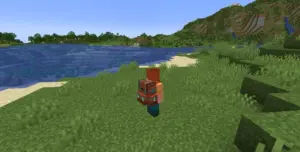
- Feature 6 — The screenshots and files bundled with this entry make it easier to compare the mod's actual scope before you commit it to a long-term survival or multiplayer world. This matters because it gives players a concrete reason to install Better Days beyond a vague feature list, and it helps modpack maintainers judge whether the mod fits their progression, building style, or server rules.
Screenshots
How to Install Better Days
- Check whether your instance uses Fabric, Forge, NeoForge, or Quilt, then pick the matching file from the download table.
- Back up your world and server configs before adding Better Days, especially if the mod changes gameplay systems, entities, structures, or progression.
- Drop the downloaded .jar into your mods folder, keep required dependencies aligned with the same Minecraft version, and avoid mixing loader builds.
- Launch Minecraft once, verify that Better Days appears in your mod list, and open a test world to confirm startup and basic behavior.
- For multiplayer, install the mod on the side required by its compatibility flags, restart cleanly, and test with a non-production world before rolling it out.
Requirements & Compatibility
| Item | Details |
|---|---|
| Minecraft Versions | 1.21.11, 1.21.10, 1.21.9, 1.21.8, 1.21.5, 1.21.4, 1.21.3, 1.21.1, 1.21, 1.20.1, 1.20, 1.19.2 |
| Loaders | NeoForge, Fabric, Forge |
| Client Side | required |
| Server Side | required |
| License | LGPL-3.0-or-later |
Pros and Cons
Pros
- Strong download count gives useful confidence before testing.
- Supports NeoForge, Fabric, Forge, which helps modpack planning.
- Release metadata and versioned files make it easier to match Minecraft 1.21.11 to 1.21.5.
Cons
- You still need to verify side compatibility and dependencies for your own setup.
- Some Modrinth descriptions are brief, so screenshots and testing matter before production rollout.
Alternatives to Better Days
- Minecraft Mods — Browse the full mod library if you want a similar feature set from another project.
- Fabric mods — A good route if your pack is centered on Fabric-first utilities or content mods.
- Forge mods — Useful when you need a broader Forge or NeoForge mod ecosystem for larger packs.
Download Better Days
| Minecraft Version | Fabric | Forge | NeoForge |
|---|---|---|---|
| For Minecraft 1.21.11 | Download | — | Download |
| For Minecraft 1.21.10 | Download | — | Download |
| For Minecraft 1.21.9 | Download | — | Download |
| For Minecraft 1.21.8 | Download | — | Download |
| For Minecraft 1.21.5 | Download | — | Download |
| For Minecraft 1.21.4 | Download | — | Download |
| For Minecraft 1.21.3 | Download | — | Download |
| For Minecraft 1.21.1 | Download | — | Download |
| For Minecraft 1.21 | Download | — | Download |
| For Minecraft 1.20.1 | Download | Download | Download |
| For Minecraft 1.20 | Download | Download | — |
| For Minecraft 1.19.2 | Download | Download | — |
Always download mods from official sources to stay safe.
Frequently Asked Questions
Is Better Days available for NeoForge, Fabric, Forge?
Yes, the files listed here show support for NeoForge, Fabric, Forge. Always match the loader and Minecraft version in the table to your exact instance before installing.
Does Better Days need to be installed on the client or the server?
The project is marked client-side required and server-side required. Use those flags as your starting point, then verify in a test environment if you run a hybrid modpack.
What Minecraft versions does Better Days support?
The available files cover Minecraft 1.21.11 to 1.21.5. If you maintain an older pack, check the version rows carefully because not every loader build exists for every Minecraft release.
Is Better Days safe to add to an existing world?
Usually yes if the mod's features are compatible with your setup, but you should back up your world first. That is especially important for mods that affect worldgen, entities, storage, or player data.
Where can I get the official Better Days download?
Use the download table on this page, which points to versioned files from the mod listing metadata. Avoid random reuploads when an official Modrinth source is available.




![Legacy: [Let's Do] Brewery Mod (1.20.1) - thumbnail](http://mcinside.com/wp-content/uploads/2026/04/thumbnail-205-52x52.webp)


