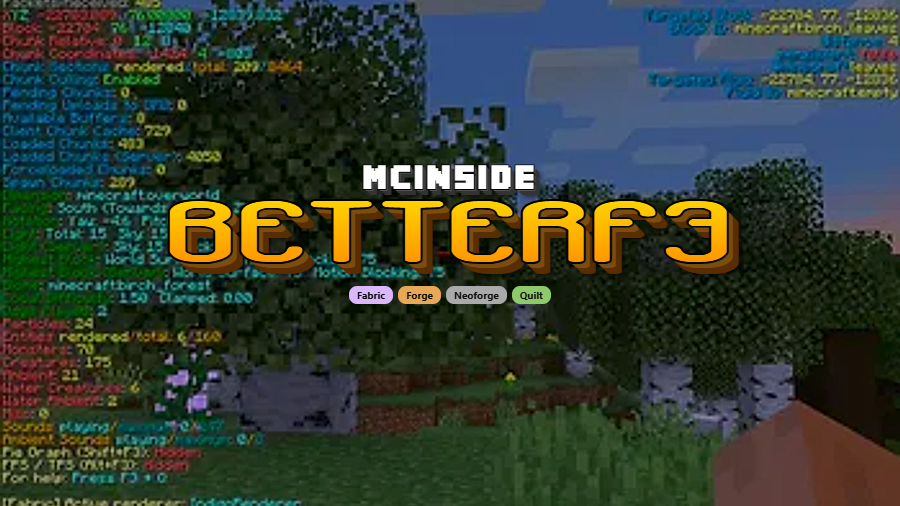
BetterF3 is a client-side utility mod that replaces Minecraft's default debug HUD (F3 screen) with a highly customizable, color-coded, and human-readable overlay for Fabric, Forge, NeoForge, and Quilt.
Minecraft's built-in debug screen is one of the most powerful tools available to players — it shows coordinates, FPS, chunk updates, memory usage, biome data, and dozens of other technical details. The problem? It's a wall of white text crammed onto your screen with no visual hierarchy, no color coding, and no way to hide the lines you don't care about. That's exactly the frustration BetterF3 was built to solve. With over 23 million downloads on Modrinth, this mod by TreyRuffy has become a staple in virtually every modded Minecraft setup. It takes the same debug information and presents it through organized, individually customizable modules that you can recolor, reorder, resize, or hide entirely — turning an eyesore into a genuinely useful HUD.
Key Features of BetterF3
- Per-module color customization — Every section of the debug HUD can be assigned its own color scheme, making it easy to visually distinguish coordinates from FPS counters or memory stats at a glance. This is especially useful during troubleshooting when you need to spot a specific value quickly without reading every line.
- Repositionable modules — You can drag and rearrange each module to place the most important information exactly where you want it on screen. If you primarily use F3 for coordinates during exploration, you can pin that module to the top while pushing less-used data further down.
- Add, remove, and space modules freely — Beyond just rearranging, you can completely remove modules you never use and insert visual spacings between groups. This declutters the HUD dramatically compared to vanilla, where every possible debug value is dumped on screen simultaneously.
- Line-level toggle control — Rather than hiding an entire module, you can disable individual lines within it. For example, you might keep the chunk info module visible but hide the specific lines about pending ticks or heightmap data that you rarely reference.
- Text shadow and background customization — BetterF3 renders text with a configurable shadow (enabled by default) and lets you change the background color behind all lines. This ensures readability across different biomes and lighting conditions, so your HUD stays legible whether you're in a bright desert or a dark cave.
- Animated open/close transitions — The debug HUD slides in and out with smooth animations instead of appearing and disappearing instantly. You can adjust the animation speed or disable it entirely if you prefer instant toggling for fast-paced gameplay.
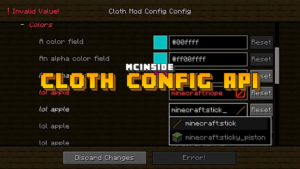
- In-game configuration via Cloth Config — By installing Cloth Config alongside BetterF3, you can press F3 + M to open a full configuration screen without ever leaving your game. Every setting — colors, positions, module visibility — is adjustable through an intuitive GUI rather than manual config file editing.
Screenshots
How to Install BetterF3
- Install a compatible mod loader for your Minecraft version. BetterF3 supports Fabric, Forge, NeoForge, or Quilt.
- Download BetterF3 for your Minecraft version from the official Modrinth page or the download section below. Make sure you select the correct loader variant.
- Place the downloaded
.jarfile into your.minecraft/modsfolder. If the folder does not exist, create it manually. - For the best experience, also install Cloth Config — this unlocks the in-game configuration menu via F3 + M. On Fabric, you can optionally add Mod Menu for settings access through the main menu.
- Launch Minecraft with your chosen mod loader profile and press F3 to see the improved debug HUD.
Requirements & Compatibility
| Detail | Info |
|---|---|
| Supported Loaders | Fabric, Forge, NeoForge, Quilt |
| Latest Version | v17.0.0 (Minecraft 1.21.11) |
| Minecraft Versions | 1.18.1 – 1.21.11 |
| Environment | Client-side only |
| Dependencies | Cloth Config (recommended), Mod Menu (optional, Fabric) |
| License | MIT (open source) |
What's New
- Added full support for Minecraft 1.21.11 in BetterF3 v17.0.0.
- Maintained compatibility with NeoForge, Fabric, and Quilt loaders for the latest game version.
- Continued open-source development with the full changelog available on GitHub comparing v16.0.3 to v17.0.0.
Pros and Cons
Pros
- Transforms the unreadable vanilla F3 screen into a clean, organized display
- Extremely customizable — colors, positions, visibility, and animations are all configurable
- Works across all four major mod loaders (Fabric, Forge, NeoForge, Quilt)
- Client-side only — no server installation needed, safe for multiplayer
- Appears to be lightweight with no noticeable performance overhead on the HUD
- MIT licensed and actively maintained since 2021
- Translated into multiple languages via community contributions
Cons
- Requires Cloth Config for in-game settings — without it, configuration options are limited
- Does not add new debug information beyond what vanilla already provides
- Initial setup takes time if you want a fully customized layout
Alternatives to BetterF3
- MiniHUD — A lightweight HUD mod that adds a configurable overlay with coordinates, FPS, and other info without replacing the F3 screen entirely.
- Jade — A tooltip mod that shows block and entity information when you look at them, complementing BetterF3 with context-sensitive data.
- Custom HUD — Another HUD replacement mod that allows you to create fully custom on-screen displays using a text-based configuration format.
Download BetterF3
| Minecraft Version | Fabric | Forge | NeoForge | Quilt |
|---|---|---|---|---|
| For Minecraft 1.21.11 | Download | — | Download | Download |
| For Minecraft 1.21.10 | Download | — | Download | Download |
| For Minecraft 1.21.9 | Download | — | Download | Download |
| For Minecraft 1.21.8 | Download | — | Download | Download |
| For Minecraft 1.21.7 | Download | — | Download | Download |
| For Minecraft 1.21.6 | Download | — | Download | Download |
| For Minecraft 1.21.5 | Download | — | Download | Download |
| For Minecraft 1.21.4 | Download | — | Download | Download |
| For Minecraft 1.21.3 | Download | — | Download | Download |
| For Minecraft 1.21.2 | Download | — | Download | Download |
| For Minecraft 1.21.1 | Download | Download | Download | Download |
| For Minecraft 1.21 | Download | — | Download | Download |
Always download mods from official sources to stay safe.
Frequently Asked Questions
Is BetterF3 client-side only?
Yes — BetterF3 is a client-side mod that only needs to be installed on your game client. It does not need to be installed on the server, and it works on any multiplayer server without the server having the mod.
Does BetterF3 work with Sodium or OptiFine?
Yes, BetterF3 is generally compatible with performance mods like Sodium and OptiFine. Since it only modifies how the debug HUD is rendered and does not alter game mechanics or rendering pipelines, conflicts are rare. However, some OptiFine-specific debug lines may display differently.
How do I open the BetterF3 settings menu?
Press F3 + M in-game to open the configuration menu. This shortcut requires Cloth Config to be installed alongside BetterF3. On Fabric, you can also access settings through Mod Menu if you have it installed.
Can I use BetterF3 on Minecraft Forge?
Yes — BetterF3 supports Forge in addition to Fabric, NeoForge, and Quilt. Make sure you download the correct version for your loader from the download section. On Forge, installing Cloth Config is highly recommended for full configuration access.
What Minecraft versions does BetterF3 support?
BetterF3 supports Minecraft versions from 1.18.1 through 1.21.11. The mod is regularly updated to support new Minecraft releases, with the latest v17.0.0 adding 1.21.11 compatibility. Older versions down to 1.18.1 remain available for download.