

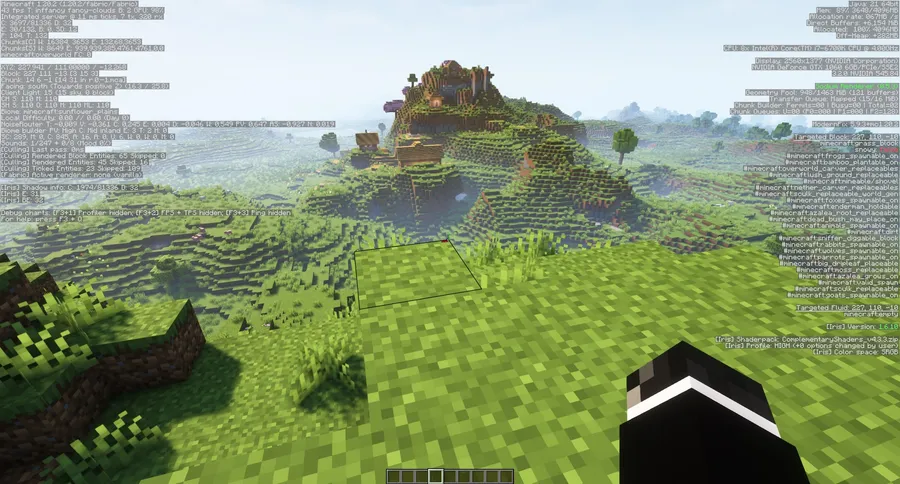
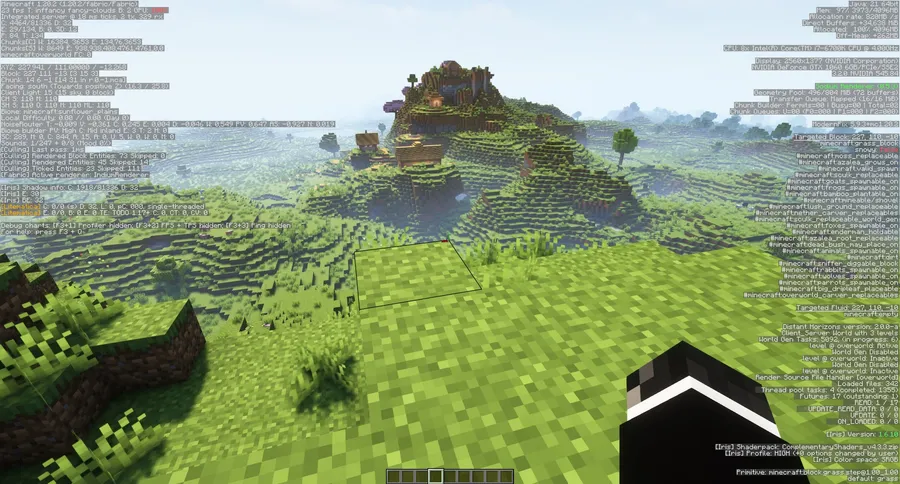
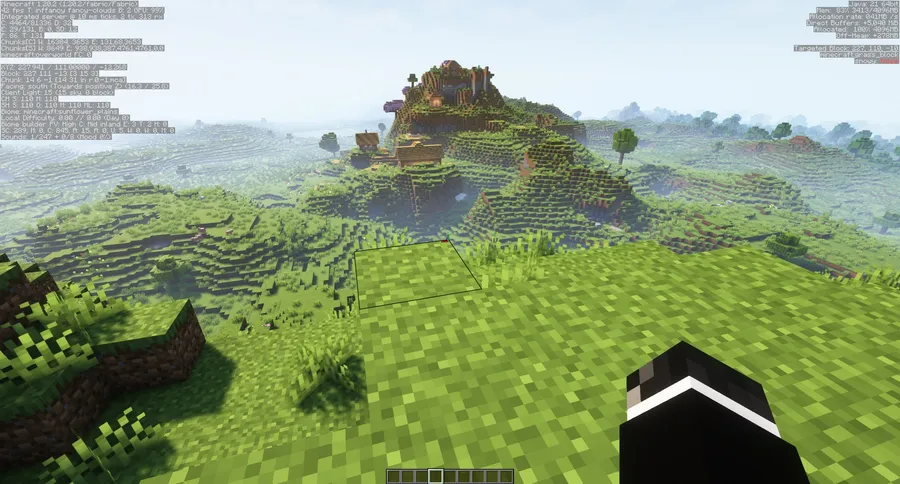
Pressing F3 in Minecraft dumps a wall of technical data onto your screen — coordinates, chunk info, memory usage, renderer details — most of which you never actually need. Clean F3 Mod strips away the noise and leaves only the debug lines that matter, giving you a cleaner overlay you can actually read at a glance. Downloaded over 3.8 million times since its 2021 release, this open-source utility by tyrannus has become a staple in lightweight modpacks for players who want a tidier HUD without sacrificing access to essential debug info.
Key Features
- Decluttered debug screen — Removes non-essential lines from the F3 overlay so you can focus on coordinates, FPS, and other data you actually use during gameplay.
- Mod compatibility support — Works alongside popular mods including Sodium, EntityCulling, Presence Footsteps, Litematica, and ViaFabric without conflicts on the debug screen.
- Figura integration — Recent updates added support for the Figura mod, ensuring the cleaned-up debug screen plays nicely with custom player models.
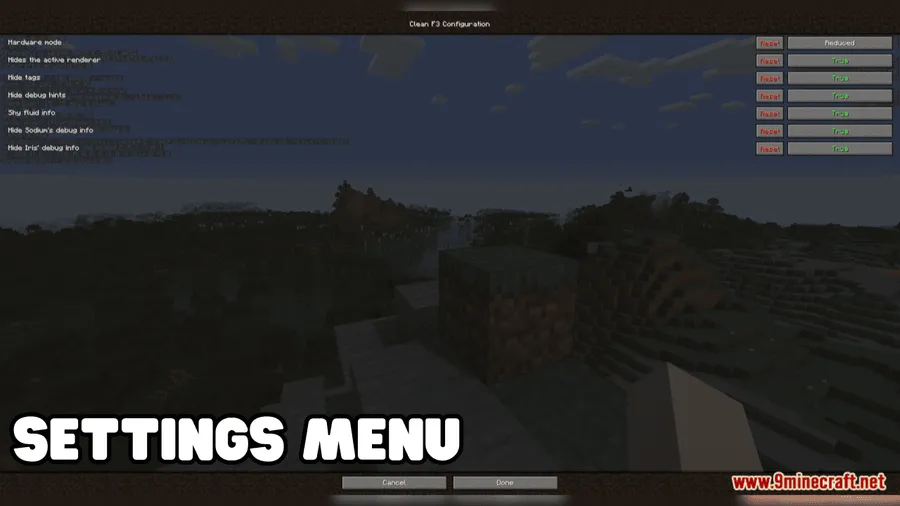
- Configurable via MidnightLib — Uses MidnightLib for its settings menu, letting you toggle which debug lines to show or hide to match your preferences.
- Open-source and lightweight — Licensed under MIT with full source code available on GitHub, so you can inspect exactly what the mod does and contribute improvements.
Screenshots
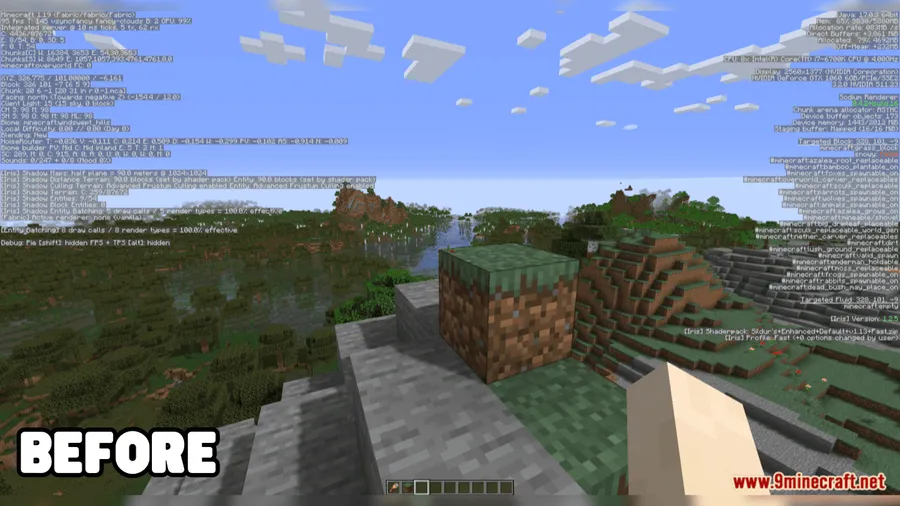
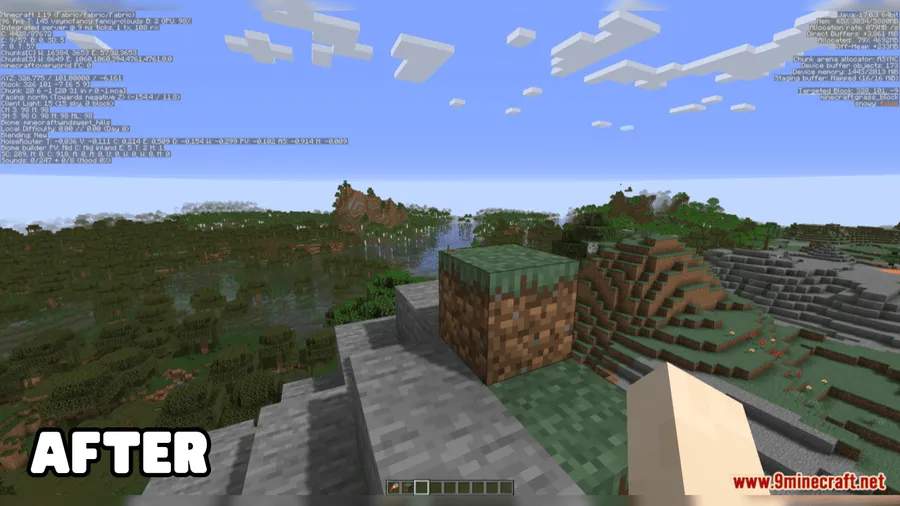
How to Install
- Download and install Fabric Loader or NeoForge Installer for your Minecraft version.
- Place Fabric API (if using Fabric) and MidnightLib Mod into your
modsfolder — both are required dependencies. - Download the correct Clean F3 Mod file for your Minecraft version and drop it into the same
modsfolder. - Launch Minecraft with your modded profile and press F3 to see the cleaned-up debug screen.
Requirements
| Requirement | Details |
|---|---|
| Mod Loader | Fabric, NeoForge |
| Dependencies | Fabric API, NeoForge Installer, MidnightLib Mod |
| Minecraft Versions | 1.21.8, 1.21.7, 1.21.6, 1.21.5, 1.21.4, 1.21.3, 1.21.2, 1.21.1, 1.21, 1.20.6, 1.20.5, 1.20.4, 1.20.2, 1.20.1, 1.20, 1.19.4, 1.17.1 |
Pros & Cons
Pros
- Makes the F3 screen genuinely usable instead of an information overload
- Broad version support spanning from 1.17.1 all the way to 1.21.8
- Compatible with major performance and utility mods like Sodium and Litematica
- Open-source under MIT license — fully transparent and community-driven
- Available for both Fabric and NeoForge mod loaders
Cons
- Requires MidnightLib as an additional dependency
- NeoForge support appears limited to 1.21–1.21.1 versions based on available downloads
- Experienced players who rely on specific debug data may need to reconfigure hidden lines
Download
Always download mods from official sources to stay safe.
What's New
- Chinese translations added — The mod now supports Chinese localization for its settings interface.
- Figura support — Clean F3 now works correctly alongside the Figura custom player model mod.
- Crash fix — Resolved a crash that could occur when running JourneyMap and potentially other map mods.
- Sodium compatibility — Added a workaround for a conflict between Sodium and Planifolia.
- Java compatibility fix — Re-uploaded build to resolve a Java version issue.
FAQ
Does Clean F3 Mod work with Sodium?
Yes, Clean F3 is compatible with Sodium and even includes a specific workaround for Sodium when used alongside Planifolia to prevent conflicts.
Can I choose which debug lines to hide?
Clean F3 uses MidnightLib for its configuration, which provides a settings menu where you can customize which information stays visible on the debug screen.
Is Clean F3 available for Forge?
Clean F3 supports Fabric and NeoForge. Standard Forge is not listed among the available mod loaders, so you would need Fabric or NeoForge to run this mod.


![[Let's Do] Candlelight - Farm&Charm compat Mod (1.21.1) - thumbnail](http://mcinside.com/wp-content/uploads/2026/04/thumbnail-81-52x52.webp)


![[Let's Do] Meadow Mod (1.21.1) - thumbnail](http://mcinside.com/wp-content/uploads/2026/04/thumbnail-64-52x52.webp)


![Not Enough Recipe Book [NERB] Mod (1.21.11) - thumbnail](http://mcinside.com/wp-content/uploads/2026/04/thumbnail-63-52x52.webp)