

Cluttered is a decoration mod that adds hundreds of craftable furniture, decor blocks, and building pieces to Minecraft, available for Fabric, Forge, and NeoForge mod loaders.
Vanilla Minecraft offers very few options for interior decoration. You can place a bed, a crafting table, and maybe arrange some stairs to look like chairs — but that is about it. Cluttered solves this gap by providing a massive library of furniture and decor items that actually look the part. With over 5 million downloads on Modrinth and active development since early 2023, this mod has become one of the most popular decoration mods in the community. Created by beelake and rebuilt from scratch with YellowChuJelly's help, Cluttered 3.0 represents a complete code rewrite with updated models, proper coding standards, and expanded functionality across multiple mod loaders.
Key Features of Cluttered Mod
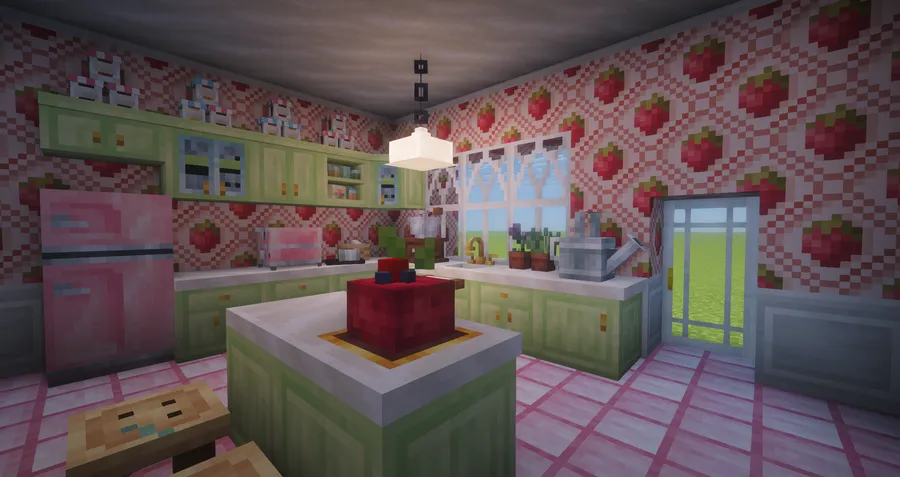
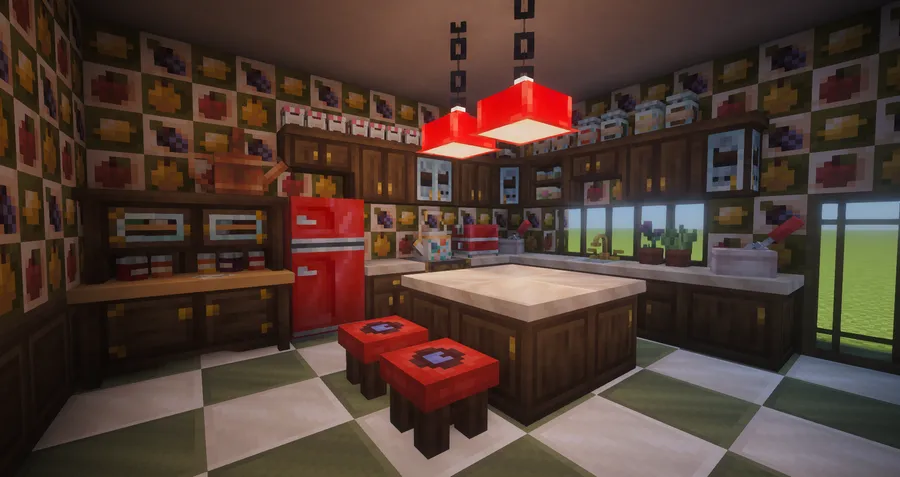
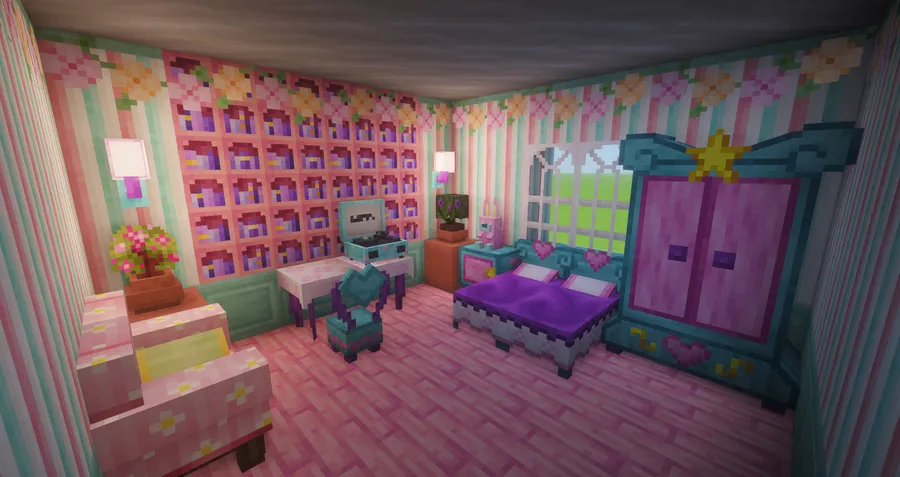
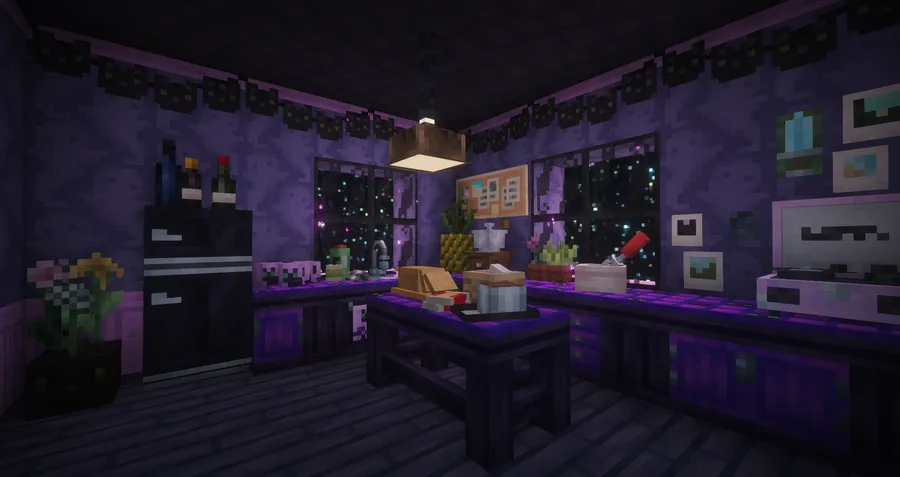
- Hundreds of Decorative Blocks — Cluttered includes an enormous variety of furniture, wall decorations, and building blocks, giving builders far more creative options than vanilla Minecraft offers. Whether you are designing a cozy cottage or a modern apartment, there are pieces to match virtually any aesthetic you have in mind.
- Fully Craftable in Survival — Every block and item in Cluttered can be crafted through normal survival gameplay. You do not need creative mode or commands to access the content, which makes it ideal for long-term survival worlds where you want your base to feel lived-in and detailed.
- Functional Furniture — Beds, chairs, and storage blocks all work as intended. You can sit in chairs, sleep in beds, and store items in cabinets and shelves. Some blocks even feature hidden functionality that rewards exploration and experimentation.
- Hand Drill Variant System — The hand drill tool lets you cycle through block variants on placed blocks. This is particularly useful for wallpapers, marble sets, chalcedony sets, and other blocks that come in multiple styles, allowing you to fine-tune your builds without needing separate items for each variant.
- Custom Trees and Saplings — Cluttered adds unique tree types with custom saplings obtainable through the Wandering Trader or found in village and dungeon chests. These trees add visual variety to your world and provide additional building materials that complement the mod's furniture sets.
- Game-Inspired Designs — Many blocks draw inspiration from popular games like Overwatch, Animal Crossing, The Sims, Starbound, and Terraria. This gives the mod a distinctive visual identity and makes it feel like a curated collection rather than a random assortment of objects.
- Custom Paintings — The mod includes original paintings created by contributors, adding unique wall art options that go beyond the limited selection in vanilla Minecraft. These help bring personality to your interiors without relying on resource packs.
Screenshots
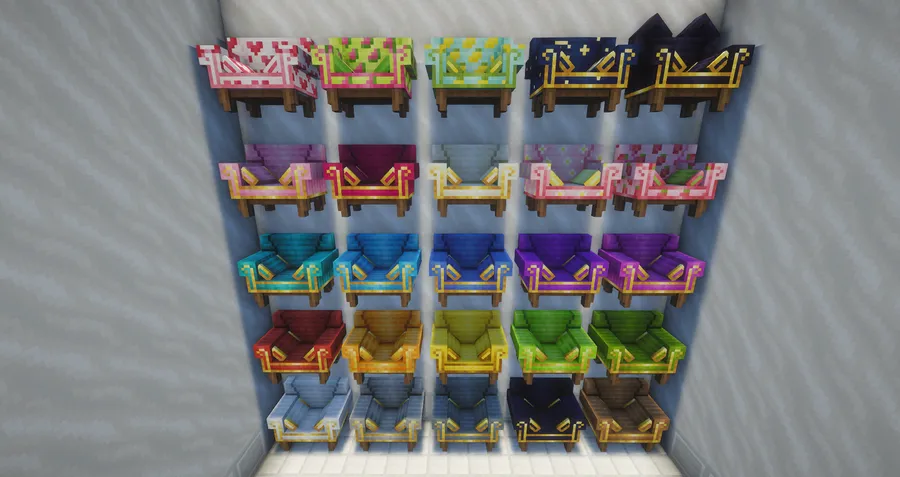
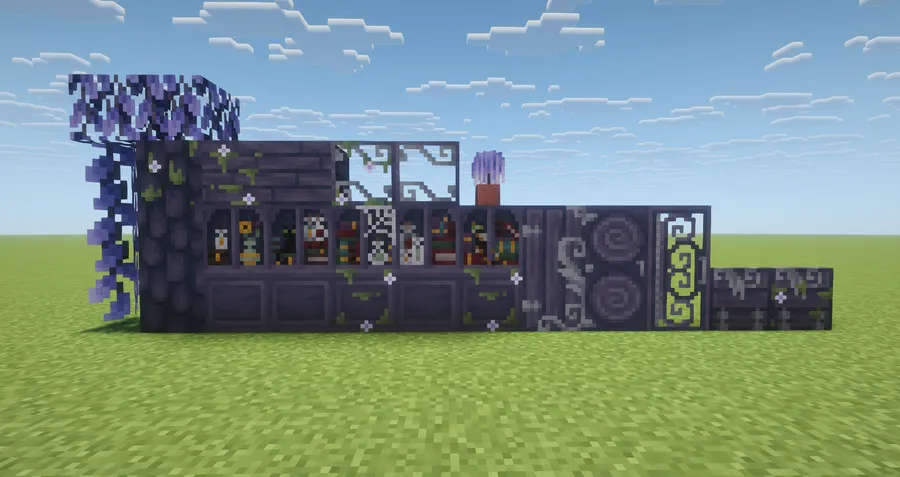
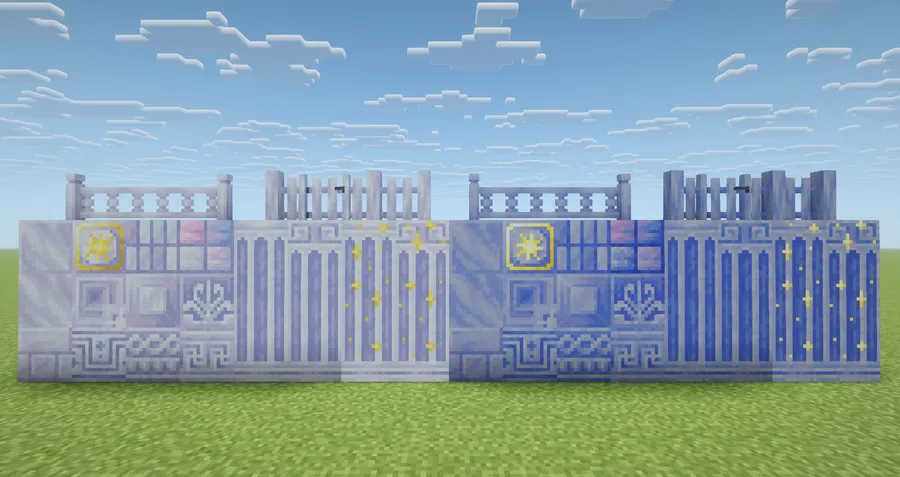
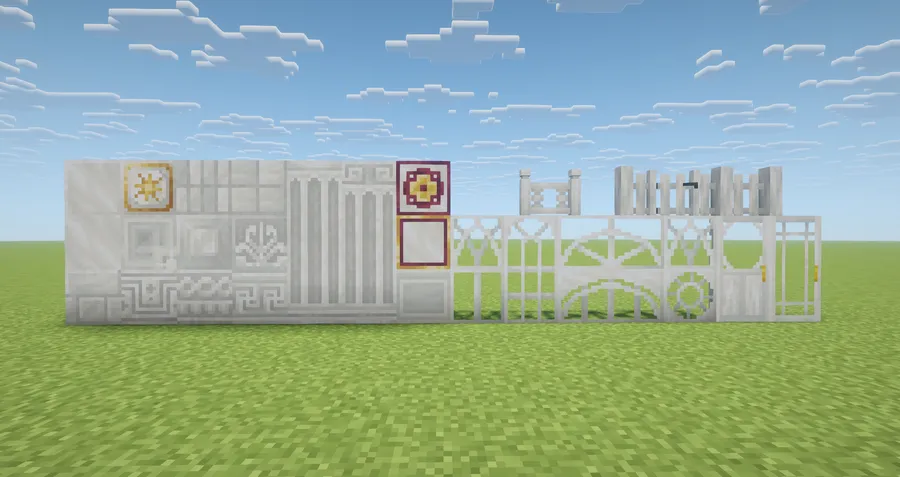
How to Install Cluttered Mod
- Choose your mod loader. Cluttered supports Fabric, Forge, and NeoForge. For Minecraft 1.21 and later, use NeoForge. For 1.20.1, all three loaders are available.
- Download and install your chosen mod loader if you have not already. Make sure the loader version matches your Minecraft version.
- Download the correct Cluttered file for your Minecraft version and mod loader from the official Modrinth page or the download section below.
- Place the downloaded
.jarfile into your.minecraft/modsfolder. If the folder does not exist, launch the game once with your mod loader to generate it. - Launch Minecraft using your mod loader profile. Cluttered should appear in your mod list, and you can find all new items in the creative menu or through the crafting table.
Requirements & Compatibility
| Minecraft Version | Mod Loader | Status |
|---|---|---|
| 1.21.1 | NeoForge | Latest |
| 1.21 | NeoForge | Supported |
| 1.20.6 | Forge | Supported |
| 1.20.5 | Forge | Supported |
| 1.20.4 | Forge | Supported |
| 1.20.3 | Forge | Supported |
| 1.20.2 | Forge | Supported |
| 1.20.1 | Forge, NeoForge, Fabric | Supported |
| 1.19.4, 1.19.2 | Legacy | Older builds |
| 1.18.2, 1.16.5 | Legacy | Older builds |
What's New
- Fixed an issue where pastel block bookcases were not dropping correctly when broken.
- Mushroom cap blocks now have a chance to drop their respective mushroom item when harvested.
- Added crafting recipes to switch between left and right outer kitchen counter variants.
- Leaves blocks now burn properly, matching vanilla leaf behavior for fire spread mechanics.
Pros and Cons
Pros
- Massive selection of hundreds of furniture and decor blocks in a single mod
- All items are craftable in survival — no creative mode required
- Functional blocks including working beds, chairs, and storage
- Multi-loader support across Fabric, Forge, and NeoForge
- Wide Minecraft version coverage from 1.16.5 to 1.21.1
- Actively maintained with regular updates and community input
- Open source under GPL-3.0 license
Cons
- Updating from older Cluttered versions can cause stored items to disappear — backup required
- Fabric support is limited to 1.20.1; newer versions require NeoForge
- Large block count may feel overwhelming for players who want a lightweight addition
- Some older version builds may have shading inconsistencies on furniture models
Alternatives to Cluttered Mod
- Another Furniture — A lighter-weight furniture mod that adds essential pieces like tables, chairs, shelves, and lamps with a clean vanilla-style aesthetic.
- Decorative Blocks — Focuses on architectural building blocks like pillars, beams, and supports rather than furniture, making it a strong complement to Cluttered.
- Supplementaries — Adds a mix of functional and decorative blocks including signs, jars, and flag banners with redstone integration for players who want decor with utility.
Download Cluttered Mod
| Minecraft Version | Fabric | Forge | NeoForge |
|---|---|---|---|
| For Minecraft 1.21.1 | — | — | Download |
| For Minecraft 1.21 | — | — | Download |
| For Minecraft 1.20.6 | — | Download | — |
| For Minecraft 1.20.5 | — | Download | — |
| For Minecraft 1.20.4 | — | Download | — |
| For Minecraft 1.20.3 | — | Download | — |
| For Minecraft 1.20.2 | — | Download | — |
| For Minecraft 1.20.1 | Download | Download | Download |
| For Minecraft 1.19.4 | — | Download | — |
| For Minecraft 1.19.2 | Download | Download | — |
| For Minecraft 1.18.2 | — | Download | — |
| For Minecraft 1.16.5 | — | Download | — |
Always download mods from official sources to stay safe.
Frequently Asked Questions
Is Cluttered Mod safe to add to an existing world?
Yes — you can safely add Cluttered to an existing world. However, if you are updating from an older version of Cluttered (pre-3.0), you must back up your world first and remove all items stored in Cluttered storage blocks before updating. The 3.0 rewrite changed the mod ID entirely, so inventories in old Cluttered blocks will disappear during the update process.
Does Cluttered work with Fabric on Minecraft 1.21?
No — Cluttered currently supports Fabric only on Minecraft 1.20.1. For Minecraft 1.21 and 1.21.1, NeoForge is the supported loader. The developer has indicated plans to expand Fabric support to additional versions in future updates.
How do I get the custom tree saplings in Cluttered?
Saplings are obtained through the Wandering Trader or by looting village and dungeon chests. They cannot be crafted directly. Once you have a sapling, you can plant and grow it normally to produce the custom tree type and harvest more saplings from the leaves.
Can I use the furniture blocks for actual storage?
Yes — storage blocks like cabinets and shelves function as real containers that hold items. Beds are sleepable and chairs are sittable as well. The developer has also added hidden functionality to certain blocks, so it is worth experimenting with right-clicking on different pieces.
Does Cluttered Mod affect game performance?
The mod appears to be lightweight for most setups, though placing a very large number of custom blocks in a small area may cause minor rendering overhead, as with any decoration mod. The 3.0 rewrite improved code quality significantly compared to the original MCreator-based versions, which should result in better overall stability and performance.


![[Let's Do] Candlelight - Farm&Charm compat Mod (1.21.1) - thumbnail](http://mcinside.com/wp-content/uploads/2026/04/thumbnail-81-52x52.webp)


![[Let's Do] Meadow Mod (1.21.1) - thumbnail](http://mcinside.com/wp-content/uploads/2026/04/thumbnail-64-52x52.webp)


![Not Enough Recipe Book [NERB] Mod (1.21.11) - thumbnail](http://mcinside.com/wp-content/uploads/2026/04/thumbnail-63-52x52.webp)