

Create: Copycats+ is a decoration and utility mod that adds over 15 new copycat block variants to the Create mod ecosystem, available for Minecraft on NeoForge, Forge, and Fabric mod loaders.
One of the biggest frustrations for Minecraft builders who use the Create mod is the limited number of copycat blocks available. The base mod gives you a copycat panel and step, but what if you need a matching fence, wall, or staircase that blends seamlessly with your existing builds? That's exactly the gap Create: Copycats+ fills. Developed by Lysine, this addon has earned over 5.5 million downloads since its January 2024 release — a clear sign that the community was hungry for expanded copycat functionality. Whether you're building industrial contraptions or intricate medieval castles, this mod gives you the building blocks (literally) to make every surface look exactly the way you want.
Key Features of Create: Copycats+
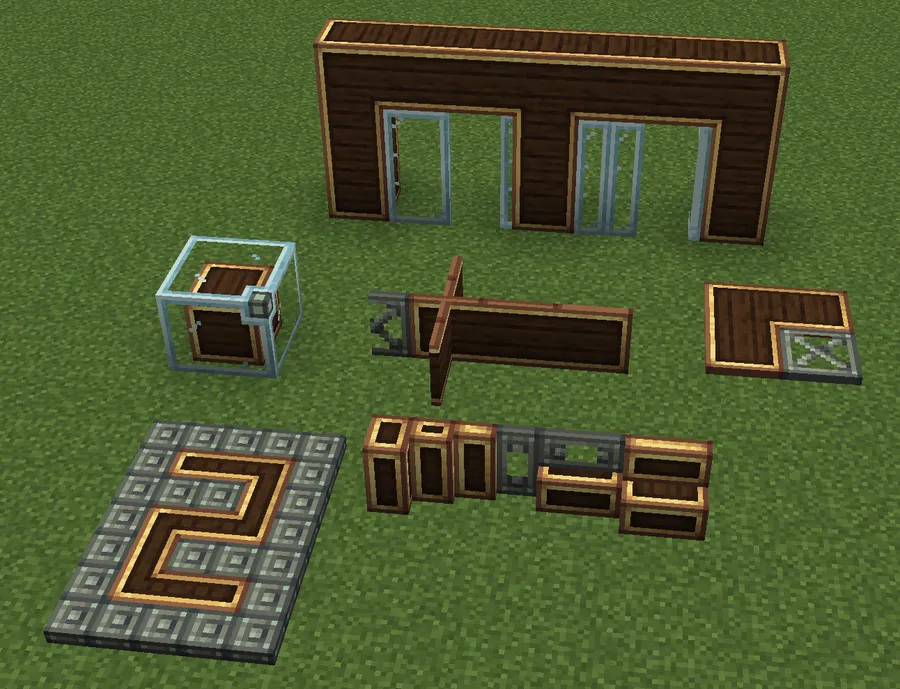
- Copycat Slabs, Stairs & Vertical Stairs — These foundational building blocks let you apply any texture to your stairways and layered surfaces. The slab supports all orientations and double slab variants, meaning you can create seamless transitions between floors and walls without visible texture breaks. Vertical stairs open up architectural possibilities that standard Minecraft stairs simply cannot achieve.
- Copycat Fences & Walls — Fences and walls are essential for any build, but vanilla Minecraft limits you to a handful of materials. With copycat fences and walls, you can make barriers that perfectly match whatever block you're working with. Imagine a polished deepslate fence or a terracotta wall — without needing a separate mod for each material.
- Copycat Slices, Vertical Slices & Corner Slices — These precision blocks can be resized to eight different thicknesses, giving you granular control over detailing. Corner slices are especially useful for creating smooth edges and decorative trim around doorways, windows, and rooflines. This level of micro-building was previously only possible with chisel-type mods.
- Copycat Beams & Vertical Steps — Beams function as centered steps, perfect for structural supports and ceiling details. Combined with vertical steps, you can create exposed framework designs, industrial scaffolding, or timber-frame building styles that look authentic. These blocks fill a niche that most decoration mods completely overlook.
- Copycat Ghost Block — This unique variant has no collision box, meaning players and entities pass right through it. Use it for hidden passages, illusory walls, secret rooms, or decorative elements that shouldn't interfere with movement. It's a creative tool that opens up entirely new possibilities for adventure maps and puzzle builds.
- Copycat Panes & Flat Panes — Panes connect to iron bars, glass panes, and each other, while flat panes can be placed horizontally. This makes them ideal for custom window designs, room dividers, and floor grates. The connected texture system ensures they blend naturally with adjacent blocks.
- Universal Connected Texture System — Introduced in version 2.2, all copycats now connect textures with each other as long as they share a matching block face. This means a copycat slab placed next to a copycat wall with the same material will display seamless, continuous textures. No more ugly seams between different block shapes.
Screenshots
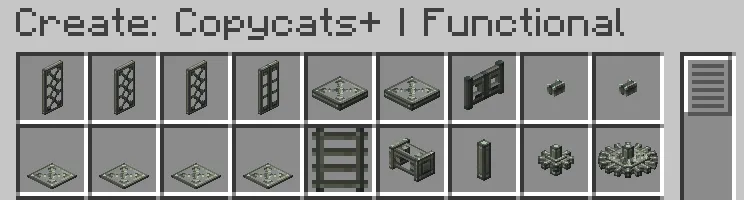
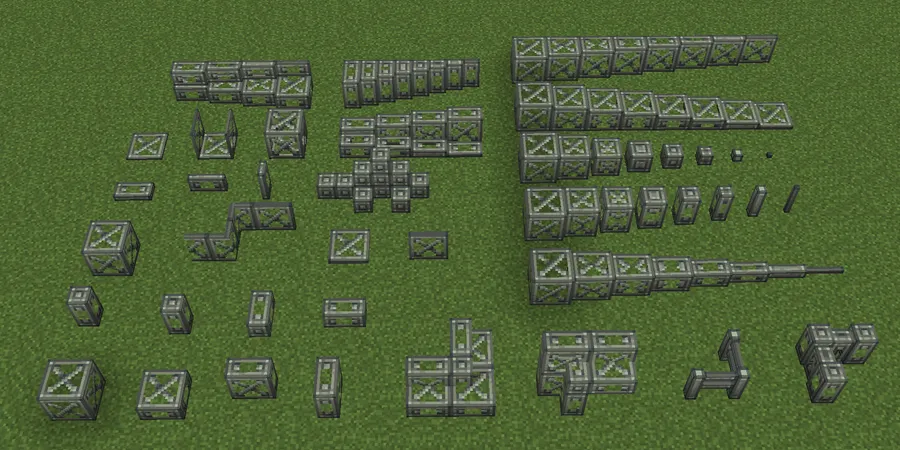
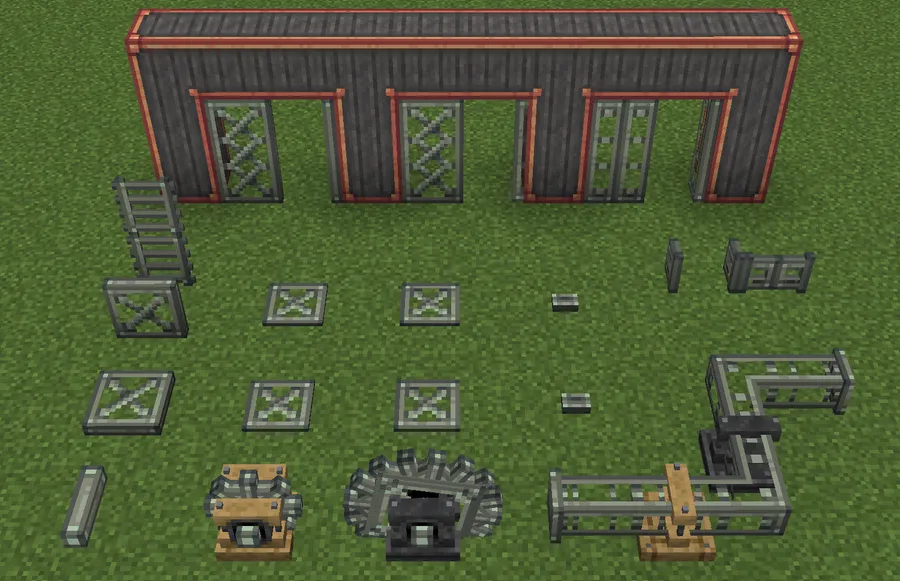
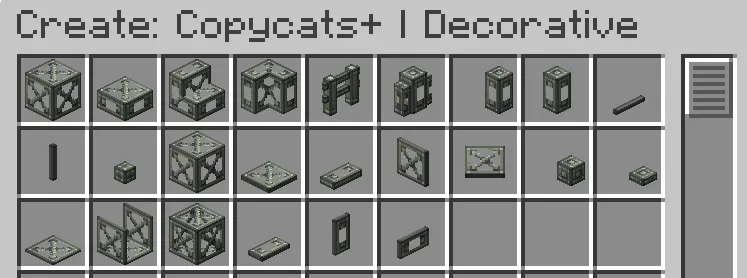
How to Install Create: Copycats+
- Install a compatible mod loader for your Minecraft version. For 1.21.1, install NeoForge. For 1.20.1 and older, you can use Fabric, Forge, or NeoForge.
- Download and install the Create mod, which is the required base mod for Copycats+ to function.
- Download the correct Create: Copycats+ file for your Minecraft version and mod loader from the download section below.
- Place the downloaded
.jarfile into your.minecraft/modsfolder. If using Fabric, also ensure you have Fabric API installed. - Launch Minecraft with your mod loader profile and verify that the new copycat blocks appear in the Create item group.
Requirements & Compatibility
| Minecraft Version | Supported Loaders | Notes |
|---|---|---|
| 1.21.1 | NeoForge | Latest version with all v2.2 features |
| 1.20.1 | Fabric, Forge, NeoForge | Most loader options available |
| 1.19.2 | Forge, Fabric | Legacy support |
| 1.18.2 | Forge, Fabric | Legacy support |
The Create mod is required as a dependency for all versions. On Fabric, you will also need Fabric API installed.
What's New
- Universal Connected Texture System: All copycats now seamlessly connect textures with adjacent copycats that share a matching block face, eliminating visible seams between different block shapes.
- Copycat Sliding & Folding Doors: Fully animated door blocks with separate upper and lower textures, plus toggleable connected textures for each half.
- Copycat Byte Panels: Quarter-sized panels that combine in groups of four to form a full panel, enabling even more precise detailing.
- Copycat Corner Slices: Resizable corner pieces that complement the existing slice and vertical slice variants for smoother decorative edges.
- Vertical & Stacked Half Layers: Rotated versions of copycat half layers for additional placement flexibility, plus numerous bug fixes and quality-of-life improvements.
Pros and Cons
Pros
- Massive selection of over 15 copycat block types covering nearly every building shape
- Universal connected texture system creates seamless surfaces across different block shapes
- Supports multiple mod loaders including Fabric, Forge, and NeoForge
- Feature toggle lets you enable or disable individual copycat blocks to reduce clutter
- Active development with regular updates and community-driven improvements
- Available across four Minecraft versions from 1.18.2 to 1.21.1
Cons
- Requires the Create mod as a dependency — not a standalone decoration mod
- 1.21.1 only supports NeoForge, limiting options for Fabric and Forge users on the latest version
- Large number of new blocks may feel overwhelming for players unfamiliar with the Create mod
- All Rights Reserved license restricts redistribution and modpack inclusion without permission
Alternatives to Create: Copycats+
- Create — The base mod that Copycats+ extends, offering mechanical contraptions, kinetic systems, and the original copycat panel and step blocks.
- Chipped — A decoration-focused mod that adds thousands of block variants for vanilla materials through a workbench crafting system, ideal if you want variety without the Create ecosystem.
- Rechiseled — Lets you swap between connected and non-connected texture variants of existing blocks, providing a lighter-weight approach to visual customization.
Download Create: Copycats+
| Minecraft Version | Fabric | Forge | NeoForge |
|---|---|---|---|
| For Minecraft 1.21.1 | — | — | Download |
| For Minecraft 1.20.1 | Download | Download | Download |
| For Minecraft 1.19.2 | Download | Download | — |
| For Minecraft 1.18.2 | Download | Download | — |
Always download mods from official sources to stay safe.
Frequently Asked Questions
Does Create: Copycats+ require the Create mod to work?
Yes — Create: Copycats+ is an addon for the Create mod and will not function without it installed. You need a compatible version of Create for your Minecraft version and mod loader before adding Copycats+ to your mods folder.
Can I use Create: Copycats+ on Minecraft 1.21.1 with Fabric?
No — the 1.21.1 version currently only supports NeoForge. If you want to use Fabric, you will need to play on 1.20.1 or earlier versions where Fabric support is available.
Do copycat blocks affect game performance?
Create: Copycats+ appears to be lightweight for typical builds, as copycat blocks function similarly to standard Create blocks. However, using very large numbers of connected-texture copycats in a single area may increase rendering load, similar to other decoration mods with custom block models.
Can I disable specific copycat blocks I don't need?
Yes — the mod includes a built-in feature toggle that lets you enable or disable individual copycat block types. This helps keep your creative inventory clean and reduces any unnecessary block entries if you only need certain shapes.
Is Create: Copycats+ compatible with modpacks?
It depends on the license terms — Create: Copycats+ uses an All Rights Reserved license, so you should contact the developer Lysine for permission before including it in a public modpack. The mod itself is technically compatible with most Create-based modpacks, but legal permission is a separate requirement from technical compatibility.


![[Let's Do] Candlelight - Farm&Charm compat Mod (1.21.1) - thumbnail](http://mcinside.com/wp-content/uploads/2026/04/thumbnail-81-52x52.webp)


![[Let's Do] Meadow Mod (1.21.1) - thumbnail](http://mcinside.com/wp-content/uploads/2026/04/thumbnail-64-52x52.webp)


![Not Enough Recipe Book [NERB] Mod (1.21.11) - thumbnail](http://mcinside.com/wp-content/uploads/2026/04/thumbnail-63-52x52.webp)