
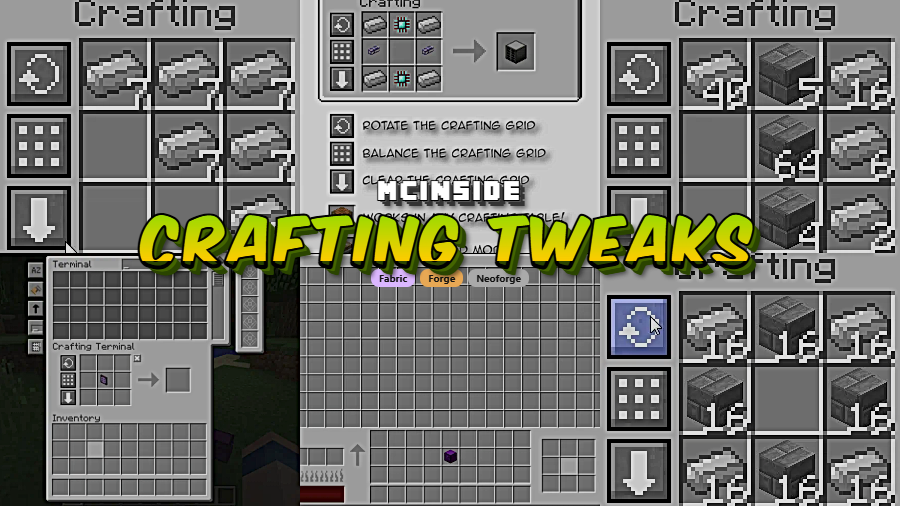
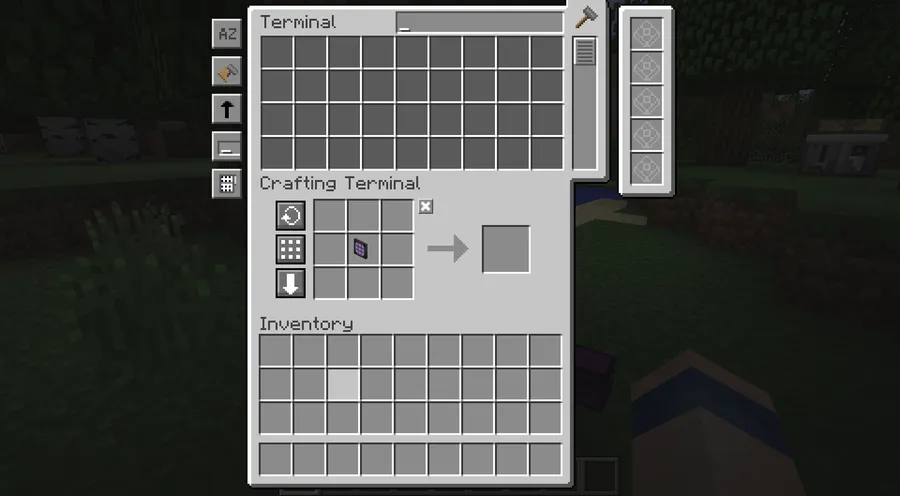
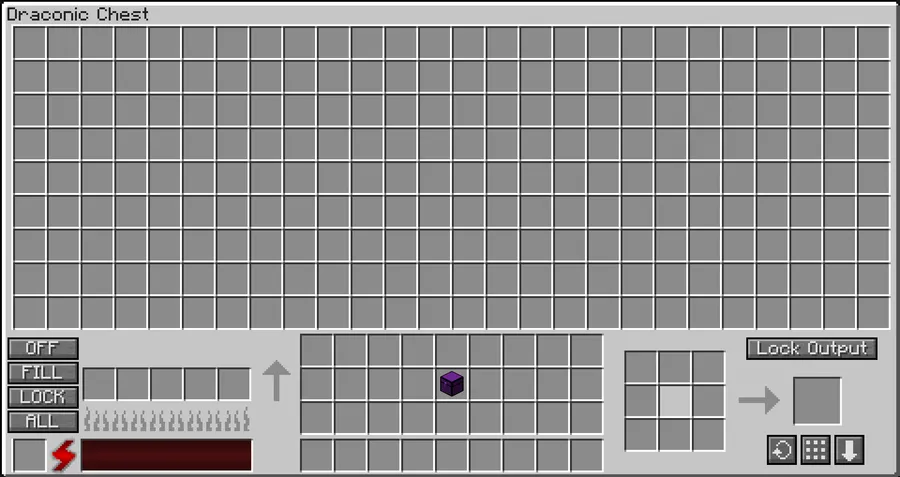
Crafting Tweaks is a utility mod that adds rotate, balance, and clear buttons to any supported crafting table interface for Minecraft, available on Fabric, Forge, and NeoForge mod loaders.
Anyone who has played Minecraft for more than a few hours knows the quiet frustration of the crafting grid. You place materials in the wrong pattern, and instead of a simple fix, you have to manually pick up each stack, rearrange them, or dump everything back into your inventory and start over. It is a small annoyance that adds up — especially when you are deep into a modded playthrough with dozens of custom recipes. Crafting Tweaks, developed by BlayTheNinth, solves this problem elegantly with a handful of buttons and keybinds that make the 3×3 grid feel like it should have worked from the start. With over 7 million downloads on Modrinth and active updates since 2022, this is one of the most trusted utility mods in the Minecraft ecosystem.
Key Features of Crafting Tweaks
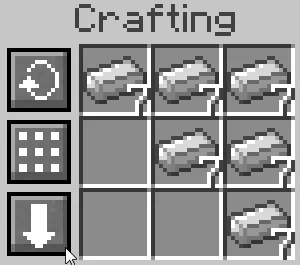
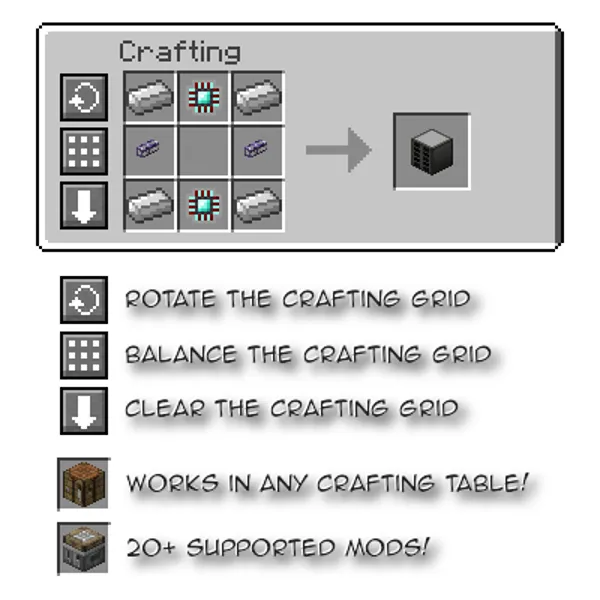
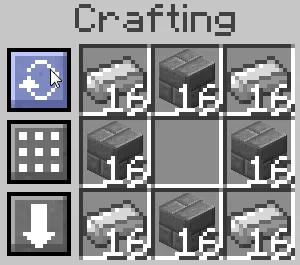
- Rotate the Crafting Grid — A single button press rotates the outer ring of items in the 3×3 crafting grid clockwise. This is incredibly useful when you place a recipe in the wrong orientation. Instead of picking up every item and repositioning them, one click fixes the pattern instantly.
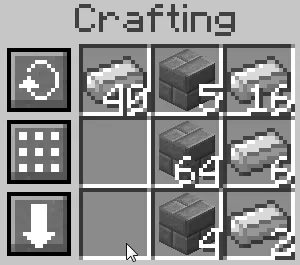
- Balance Materials Evenly — The balance button redistributes all materials in the grid into equal stack sizes. If you have thrown a mix of different stack amounts onto the grid, this feature normalizes them so each slot gets the same count. It saves significant time when crafting in bulk, especially for recipes that require uniform quantities across multiple slots.
- Clear the Grid to Inventory — One press sends every item from the crafting grid straight back into your inventory. No more clicking each slot individually when you realize you started the wrong recipe. This alone saves dozens of clicks per play session, particularly in heavily modded environments where recipe experimentation is frequent.
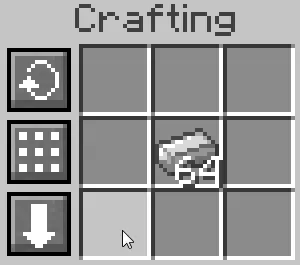
- Spread a Stack Across the Grid — By holding Shift and clicking the balance button, you can spread a single stack evenly across every slot in the grid. This is a game-changer for recipes like fireworks or stained glass where you need the same material filling every space. It turns a multi-click process into a single action.
- Transfer Items with W-Key Shortcut — Holding the W key while clicking an item in your inventory transfers it directly into the crafting grid. Shift+W transfers all items of that type. This keybind approach means you can load up a recipe without dragging anything, keeping your workflow fast and fluid.
- Craft a Full Stack via Right-Click — Right-clicking the result slot crafts as many items as your materials allow in one go. Vanilla Minecraft forces you to click repeatedly or shift-click, but this feature streamlines bulk crafting for any recipe, saving you from repetitive strain on long crafting sessions.
- Compress and Decompress Blocks — A dedicated keybind lets you instantly compress a stack of items into their block form (such as iron ingots into iron blocks) or decompress blocks back into ingots. This eliminates the need to open a crafting table at all for simple storage conversions.
Screenshots
How to Install Crafting Tweaks
- Install your preferred mod loader: Fabric, Minecraft Forge, or NeoForge. Make sure the loader version matches your Minecraft version.
- Download and install the Balm library mod, which is a required dependency for Crafting Tweaks to function. Place the Balm .jar file in your
modsfolder. - Download the correct version of Crafting Tweaks for your Minecraft version and mod loader from the download section below.
- Place the Crafting Tweaks .jar file into your
.minecraft/modsfolder (or the equivalent mods directory for your launcher profile). - Launch Minecraft and open any crafting table. You should see the rotate, balance, and clear buttons appear on the crafting interface. No additional configuration is required.
Requirements & Compatibility
| Requirement | Details |
|---|---|
| Mod Loaders | Fabric, Forge, NeoForge |
| Minecraft Versions | 1.12.2, 1.20 – 1.21.11, 26.1 |
| Required Dependency | Balm (must be installed) |
| Client/Server | Bi-optional — works client-side even without server installation |
| Author | BlayTheNinth |
What's New
- Updated to Minecraft 26.1, ensuring compatibility with the latest game version.
- Continued multi-loader support across NeoForge, Fabric, and Forge for recent Minecraft releases.
- Maintained backward compatibility with older versions including the 1.20.x and 1.21.x branches.
Pros and Cons
Pros
- Dramatically speeds up crafting with rotate, balance, and clear buttons
- Works on modded crafting tables, not just vanilla
- Bi-optional design means it works even if the server does not have it installed
- Available on all three major mod loaders (Fabric, Forge, NeoForge)
- Over 7 million downloads with consistent updates since 2022
- The mod appears to be lightweight and does not alter game mechanics beyond the crafting UI
Cons
- Requires the Balm library as a mandatory dependency, adding an extra install step
- License is All Rights Reserved, limiting redistribution and modification
- Some heavily customized modded crafting tables may not be supported
- No in-game configuration GUI for remapping button positions mentioned in the mod description
Alternatives to Crafting Tweaks
- Fast Workbench — A performance-focused mod that optimizes the crafting table by caching recipes, reducing lag in modpacks with thousands of recipes.
- Polymorph — Solves recipe conflicts by letting you choose between multiple valid outputs when different mods register overlapping recipes for the same crafting pattern.
- Just Enough Items (JEI) — The most popular recipe viewer mod that shows every available recipe in a searchable sidebar, often used alongside Crafting Tweaks for a complete crafting workflow.
Download Crafting Tweaks
| Minecraft Version | Fabric | Forge | NeoForge |
|---|---|---|---|
| For Minecraft 26.1 | Download | — | Download |
| For Minecraft 1.21.11 | Download | Download | Download |
| For Minecraft 1.21.10 | Download | Download | Download |
| For Minecraft 1.21.9 | Download | — | Download |
| For Minecraft 1.21.8 | Download | Download | Download |
| For Minecraft 1.21.7 | Download | Download | Download |
| For Minecraft 1.21.6 | Download | Download | Download |
| For Minecraft 1.21.5 | Download | Download | Download |
| For Minecraft 1.21.4 | Download | Download | Download |
| For Minecraft 1.21.3 | Download | — | Download |
| For Minecraft 1.21.2 | Download | — | Download |
| For Minecraft 1.21.1 | Download | Download | Download |
Always download mods from official sources to stay safe.
Frequently Asked Questions
Does Crafting Tweaks work on servers?
Yes — Crafting Tweaks is bi-optional, meaning it works client-side even if the server does not have it installed. Players who want the rotate, balance, and clear buttons can install it individually without requiring the server admin to add it. If the server does have it installed, all features remain fully functional.
Is Balm required to use Crafting Tweaks?
Yes — Balm is a mandatory dependency that must be installed alongside Crafting Tweaks. Without Balm in your mods folder, Crafting Tweaks will not load. Make sure to download the Balm version that matches both your Minecraft version and your mod loader.
Does Crafting Tweaks work with modded crafting tables?
Yes — Crafting Tweaks supports many modded crafting tables in addition to the vanilla crafting table. The mod is designed to detect compatible crafting interfaces and add its buttons automatically. However, some heavily customized crafting UIs from certain mods may not be supported depending on how they implement their crafting grid.
Can I use Crafting Tweaks with Fabric and NeoForge at the same time?
No — you can only use one mod loader per Minecraft installation at a time. Crafting Tweaks offers separate downloads for Fabric, Forge, and NeoForge. Choose the version that matches whichever mod loader you are already using for your modded setup, and make sure the Balm dependency also matches that same loader.
Does Crafting Tweaks affect game performance?
The mod appears to be lightweight based on its scope — it only modifies the crafting table UI and does not alter world generation, entity behavior, or rendering systems. With over 7 million downloads and wide adoption in large modpacks, there are no widely reported performance issues. The changes are limited to button overlays and inventory management shortcuts.


![Not Enough Recipe Book [NERB] Mod (1.21.11) - thumbnail](http://mcinside.com/wp-content/uploads/2026/04/thumbnail-63-52x52.webp)


