
Mining in Minecraft has always been a core loop, but what if you could tap into infinite ore veins hidden beneath the surface? Create Ore Excavation Mod introduces procedurally spawned ore veins and fluid reservoirs into your world that never run dry — and you harvest them not by hand, but with rotational-powered machines from the Create ecosystem. With over 2.3 million downloads on Modrinth, this addon has become one of the most popular Create expansions for players who want industrial-scale resource extraction without strip-mining the landscape.
Key Features
- Hidden infinite ore veins — Each chunk has a random chance to contain a hidden ore vein or fluid reservoir. Only one vein can exist per chunk, and they never deplete, giving you a permanent resource source once discovered.
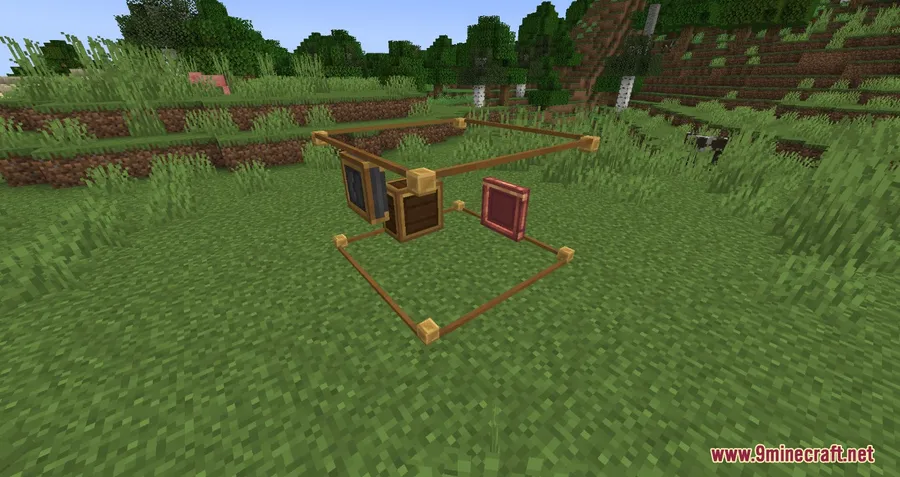
- Dedicated extraction machines — Use the Drilling Machine to harvest solid ores and the Fluid Extractor to pump out liquid reservoirs. Both machines run on Create's Rotational Force system, so you'll need to build proper kinetic networks to power them.
- Ore Vein Finder — A handheld item that lets you locate nearby ore veins and fluid reservoirs, saving you from blindly searching underground.
- Fully configurable vein types — Customize which ores spawn, their rarity, and distribution using Datapacks or KubeJS, making it easy to tailor the experience to your modpack.
Screenshots
How to Install
- Download and install your preferred mod loader (Forge, Fabric, NeoForge, or Quilt) for your Minecraft version.
- Install the Create Mod as a required dependency (plus Fabric API if using Fabric).
- Download the Create Ore Excavation Mod file matching your loader and Minecraft version.
- Place the downloaded
.jarfile into your.minecraft/modsfolder. - Launch Minecraft and verify the mod appears in your mod list.
Requirements
| Category | Details |
|---|---|
| Mod Loader | NeoForge, Forge, Fabric, Quilt |
| Dependencies | Create Mod, Fabric API (for Fabric), Minecraft Forge / NeoForge Installer / Quilt Loader (depending on loader) |
| Minecraft Versions | 1.21.1, 1.21, 1.20.1, 1.20, 1.19.2, 1.18.2 |
Pros & Cons
Pros
- Infinite ore veins eliminate the tedium of constantly relocating mining operations
- Integrates seamlessly with Create's rotational power system
- Supports all major mod loaders including NeoForge, Forge, Fabric, and Quilt
- Highly configurable through Datapacks and KubeJS
- Open-source under the MIT license with active development
Cons
- Requires the Create Mod as a dependency — not a standalone addon
- Infinite resources may reduce the challenge for players who prefer scarcity-based gameplay
- NeoForge is the only loader option for 1.21.x versions
Download
Always download mods from official sources to stay safe.
What's New
- Fixed a crash that occurred when running alongside Create Fabric 6.0.8.
- The mod continues to receive compatibility updates, with the latest patch released on November 16, 2025.
- NeoForge support was added for Minecraft 1.21.x, keeping the mod current with the latest Minecraft releases.
FAQ
How do you find ore veins in Create Ore Excavation?
Craft the Ore Vein Finder item and use it while exploring. It detects hidden ore veins and fluid reservoirs in nearby chunks, pointing you toward extraction sites without needing to dig randomly.
Can you customize which ores spawn as veins?
Yes. Ore vein types are fully configurable through Datapacks or KubeJS, so modpack creators and players can add, remove, or adjust vein spawns to fit their setup.
Does Create Ore Excavation work with Fabric on 1.21?
No — for Minecraft 1.21 and 1.21.1, only NeoForge is currently supported. Fabric and Forge versions are available for 1.19.2 and 1.20.x.


![[Let's Do] Candlelight - Farm&Charm compat Mod (1.21.1) - thumbnail](http://mcinside.com/wp-content/uploads/2026/04/thumbnail-81-52x52.webp)


![[Let's Do] Meadow Mod (1.21.1) - thumbnail](http://mcinside.com/wp-content/uploads/2026/04/thumbnail-64-52x52.webp)


![Not Enough Recipe Book [NERB] Mod (1.21.11) - thumbnail](http://mcinside.com/wp-content/uploads/2026/04/thumbnail-63-52x52.webp)