

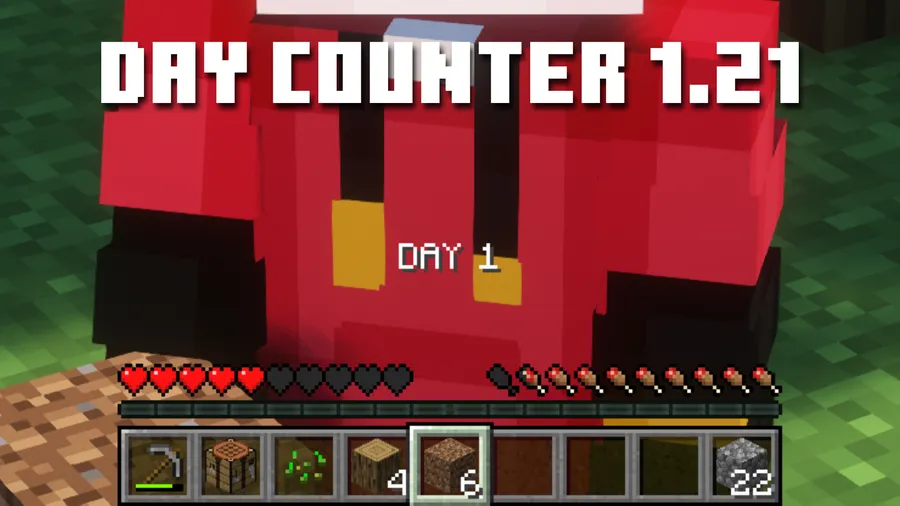
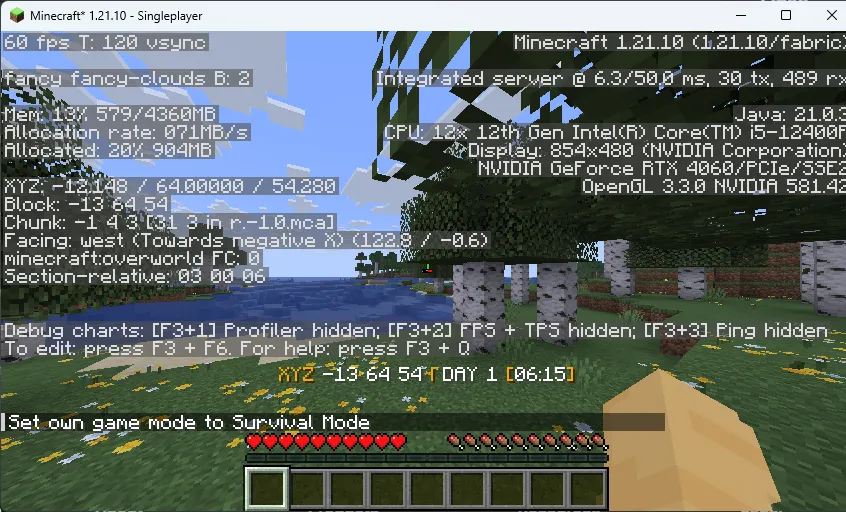
Day Counter (Original) for 1.16 - 1.21.10! Mod is a utility datapack/mod that displays a real-time day counter above the hotbar for Minecraft Fabric, Forge, NeoForge, and Quilt.
The problem this mod solves is straightforward: Minecraft does not give you a clean, always-visible day counter in the main HUD, which makes long survival runs and challenge videos harder to track. This day counter puts that information above the hotbar where you can see it at a glance, and with 2,031,785 downloads on Modrinth, it clearly has strong player adoption.
Key Features of Day Counter (Original) for 1.16 - 1.21.10! Mod
- HUD day counter — The main value here is convenience: your current day is shown directly above the hotbar, so you can keep playing without interrupting your flow to inspect debug info. For survival tracking and recording, that makes the world timeline much easier to follow.
- Real-time day counting — The counter updates as your world advances, which helps you stay aware of progression during long sessions. That matters most in structured challenge runs where losing track of the current day can disrupt planning.
- Day 0 and Day 1 versions — The author notes that one version starts counting from 1 while another starts from 0, so you can choose the numbering style that fits your recording or challenge format. That flexibility is useful if you want the HUD to match how you narrate your world.
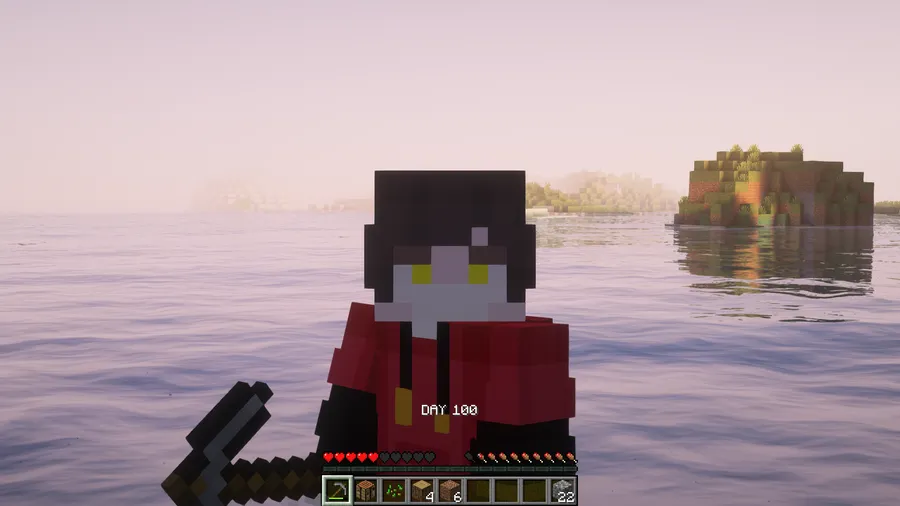
- Counts beyond 100 days — This is not limited to short playthroughs, which makes it practical for extended survival worlds and longer challenge series. If your run continues well past the 100-day milestone, the counter can still keep up.
- Designed for 100 days videos — The mod was specifically created with 100 days content in mind, so it fits that workflow better than relying on manual tracking. For creators, an always-visible counter can make footage easier to organize and verify.
- Command-based day adjustment — You can set the day value with
/time set 10d, which is helpful if you need to align the world day with your recording plan or a restarted timeline. The tradeoff is that this command also changes the actual world day, and that change appears in the F3 menu too. - Broad loader and version support — The listed files cover Fabric, Forge, NeoForge, and Quilt, with Minecraft versions from 1.16.4 through 1.21.10. That wide support makes it easier to use the same style of day tracking across older and newer modded setups.
Screenshots

How to Install Day Counter (Original) for 1.16 - 1.21.10! Mod
- Choose the download that matches your Minecraft version, such as 1.21.10, 1.21.9, 1.21.8, or another supported release listed below.
- Install the matching loader for your setup: Fabric, Minecraft Forge, NeoForge, or Quilt.
- Place the downloaded mod/datapack file into the correct location for that loader or world setup, then launch Minecraft with the selected loader profile.
- Load your world and check above the hotbar to confirm the day counter appears during gameplay.
- If you need to change the displayed day, use
/time set 10d, but remember that this also changes the world's actual day value.
Requirements & Compatibility
| Item | Details |
|---|---|
| Supported Loaders | Fabric Mod Loader, Minecraft Forge, NeoForge, Quilt Loader |
| Supported Minecraft Versions | 1.16.4, 1.16.5, 1.17, 1.17.1, 1.18, 1.18.1, 1.18.2, 1.19, 1.19.1, 1.19.2, 1.19.3, 1.19.4, 1.20, 1.20.1, 1.20.2, 1.20.3, 1.20.4, 1.20.5, 1.20.6, 1.21, 1.21.1, 1.21.2, 1.21.3, 1.21.4, 1.21.5, 1.21.6, 1.21.7, 1.21.8, 1.21.9, 1.21.10 |
| Category | Minecraft Mods |
| Tags | datapack, decoration, game-mechanics, utility |
| Author | justwilly |
| License | CC0-1.0 |
What's New
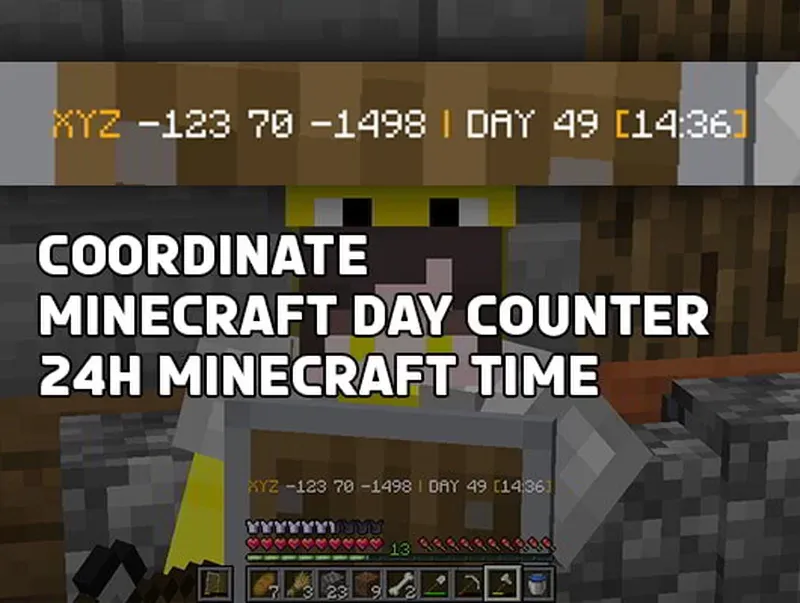
- The changelog warns that Day Counter+ with coordinates and 24H time does not support multiplayer.
- For this listing, the original Day Counter remains focused on displaying the day count above the hotbar.
- The project was last updated on 2025-11-17, with an original publish date of 2023-09-21.
Pros and Cons
Pros
- Simple HUD-based day tracking that is easy to read during normal gameplay.
- Supports multiple loaders and a wide span of Minecraft versions.
- Useful for 100 days challenges and longer survival runs.
- CC0-1.0 license and the author states attribution is not required.
Cons
- Using
/time setchanges the actual world day, not just the displayed counter. - The provided changelog specifically cautions that Day Counter+ does not support multiplayer.
- No extra feature list is provided beyond the day counter behavior described by the author.
Alternatives to Day Counter (Original) for 1.16 - 1.21.10! Mod
- Utility Mods — Browse other HUD and quality-of-life mods if you want more than a day counter.
- Game Mechanics Mods — A good place to look for mods that change how progression and world systems are presented.
- Datapacks — Check datapack-style options if you prefer lightweight world features over a larger mod stack.
Download Day Counter (Original) for 1.16 - 1.21.10! Mod
| Minecraft Version | Fabric | Forge | NeoForge | Quilt |
|---|---|---|---|---|
| For Minecraft 1.21.10 | Download | Download | Download | Download |
| For Minecraft 1.21.9 | Download | Download | Download | Download |
| For Minecraft 1.21.8 | Download | Download | Download | Download |
| For Minecraft 1.21.7 | Download | Download | Download | Download |
| For Minecraft 1.21.6 | Download | Download | Download | Download |
| For Minecraft 1.21.5 | Download | Download | Download | Download |
| For Minecraft 1.21.4 | Download | Download | Download | Download |
| For Minecraft 1.21.3 | Download | Download | Download | Download |
| For Minecraft 1.21.2 | Download | Download | Download | Download |
| For Minecraft 1.21.1 | Download | Download | Download | Download |
| For Minecraft 1.21 | Download | Download | Download | Download |
| For Minecraft 1.20.6 | Download | Download | Download | Download |
Always download mods from official sources to stay safe.
Frequently Asked Questions
Does Day Counter (Original) show the day counter in the HUD?
Yes — it displays the day count directly above the hotbar. That makes it easier to track survival progress without repeatedly checking debug information.
Does this mod work on Fabric, Forge, NeoForge, and Quilt?
Yes — the data lists Fabric, Forge, NeoForge, and Quilt downloads and requirements. Just make sure you install the file that matches both your loader and Minecraft version.
Can the counter go past 100 days?
Yes — the author states that it can count beyond 100 days. That makes it suitable for long-running survival worlds, not just short challenge runs.
Can I start counting from Day 0 instead of Day 1?
Yes — the author says there is one version that starts from 1 and another that starts from 0. Choose whichever numbering style fits your world or video format.
Can I manually change the day shown by the counter?
Yes — you can use /time set 10d to set the day value. The important caveat is that this also changes the actual world day, and that will be reflected in F3 as well.
Is attribution required if I use this datapack/mod in a video or world?
No — the author says you can use it however you want without requiring attribution. The Modrinth metadata also lists the license as CC0-1.0.


![CobbleDollars [Cobblemon Addon] Mod (1.21.1) - thumbnail](http://mcinside.com/wp-content/uploads/2026/04/thumbnail-108-52x52.webp)

![[Let's Do] Farm & Charm Mod (1.21.1) - thumbnail](http://mcinside.com/wp-content/uploads/2026/04/thumbnail-82-52x52.webp)


![[Let's Do] Candlelight - Farm&Charm compat Mod (1.21.1) - thumbnail](http://mcinside.com/wp-content/uploads/2026/04/thumbnail-81-52x52.webp)

