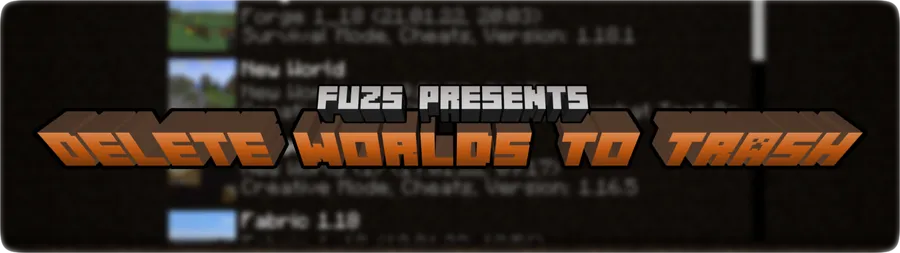
Delete Worlds To Trash is a utility mod that moves deleted Minecraft worlds to the recycle bin or trash instead of permanently erasing them for Minecraft Fabric, Forge, and NeoForge.
Deleting the wrong world is the kind of mistake that can cost hours of progress in a single click, especially when you are cleaning up test saves or old snapshots. Delete Worlds To Trash solves that problem by giving you a safety net, and with more than 1.26 million downloads on Modrinth, it is clear that a lot of players value that extra protection.
Key Features of Delete Worlds To Trash
- Recycle-bin world deletion - Instead of sending a world straight into permanent deletion, the mod moves it into your system trash on supported platforms. That matters because a bad click stops being a disaster and becomes something you can potentially undo later.
- Recovery-friendly workflow - The mod is built around second chances. If you are the kind of player who keeps experimental worlds, redstone tests, or early survival backups, that extra buffer is a real quality-of-life upgrade.
- Operating system awareness - Delete Worlds To Trash does not pretend every system handles trash the same way. It checks whether your environment can support the recycle-bin flow, which is important because a feature like this is only useful when it is honest about its limits.
- Clear delete-screen feedback - The mod's delete-world screen tells you whether the safer option is available. That is useful because you do not have to guess whether your world will be recoverable before you confirm the deletion.
- Fallback to vanilla behavior - If the operating system is not supported, the mod falls back to Minecraft's normal delete method. That sounds harsh, but it is better than giving a false sense of safety on a system where trash integration is unavailable.
- Broad loader support - Fabric, Forge, and NeoForge are all listed, so the mod fits into a lot of common modded setups. If you switch loaders between instances, that flexibility makes the mod easier to keep around across different profiles.
Screenshots
How to Install Delete Worlds To Trash
- Pick the loader that matches your Minecraft instance, such as Fabric, Forge, or NeoForge.
- Make sure your game profile is already using that loader before you add the mod file.
- Download the version of Delete Worlds To Trash that matches both your Minecraft version and your loader.
- Place the mod file into your
modsfolder for that instance and launch the game. - Open the world selection screen and test the delete flow. If you see the recycle-bin or trash option, your system is supported; if you only see the vanilla delete screen, your operating system is not using the safer path.
Requirements & Compatibility
| Component | Details | Notes |
|---|---|---|
| Mod loaders | Fabric, Forge, NeoForge | All three are listed as supported mod types. |
| Minecraft versions | 26.1.1, 26.1, 1.21.11, 1.21.10, 1.21.9, 1.21.8, 1.21.7, 1.21.5, 1.21.4, 1.21.3, 1.21.1, 1.20.4, 1.20.1 | Download builds are currently listed for 26.1.1, 26.1, 1.21.11, 1.21.10, 1.21.9, 1.21.8, 1.21.7, and 1.21.5. |
| Operating system support | Windows, Mac, and some GNOME-based Unix systems | The author says Windows and Mac are tested, and GNOME-based Unix systems may work on 1.18+. |
| Linux note | Some unsupported Linux setups may need libgnome2-0 |
The mod uses system trash integration, so desktop components matter. |
| Fallback behavior | Vanilla delete method on unsupported systems | If trash integration is unavailable, worlds are deleted normally. |
| License | MPL-2.0 | Source code is available on GitHub. |
What's New
- v26.1.1-mc26.1.x marks the mod compatible with all 26.1.x versions.
- v26.1.1 is the newest entry in the changelog and is targeted at the mc26.1.x branch.
- v26.1.0-mc26.1.x updates the mod to Minecraft 26.1.
Pros and Cons
Pros
- Prevents accidental world loss on supported systems.
- Feels like a true safety feature rather than a cosmetic change.
- Supports Fabric, Forge, and NeoForge.
- Gives clear feedback in the delete-world screen.
- Has strong social proof, with more than 1.26 million downloads on Modrinth.
Cons
- Trash integration is not guaranteed on every operating system.
- Unsupported systems fall back to permanent vanilla deletion.
- Linux support may require extra desktop components.
Alternatives to Delete Worlds To Trash
- FTB Backups 2 - A complementary safety mod focused on protecting your worlds before something goes wrong, which pairs well with deletion recovery.
- WorldEdit - A powerful world-editing tool for players who want to shape terrain and fix mistakes rather than just manage delete safety.
- OpenLoader - Useful for organizing packs and content in a modded setup when you want a cleaner utility stack around your game instance.
Download Delete Worlds To Trash
| Minecraft Version | Fabric | Forge | NeoForge |
|---|---|---|---|
| For Minecraft 26.1.1 | Download | — | Download |
| For Minecraft 26.1 | Download | — | Download |
| For Minecraft 1.21.11 | Download | — | Download |
| For Minecraft 1.21.10 | Download | — | Download |
| For Minecraft 1.21.9 | Download | — | Download |
| For Minecraft 1.21.8 | Download | — | Download |
| For Minecraft 1.21.7 | Download | — | Download |
| For Minecraft 1.21.5 | Download | — | Download |
| For Minecraft 1.21.4 | Download | — | Download |
| For Minecraft 1.21.3 | Download | — | Download |
| For Minecraft 1.21.1 | Download | — | Download |
| For Minecraft 1.20.4 | Download | Download | Download |
Always download mods from official sources to stay safe.
Frequently Asked Questions
Does Delete Worlds To Trash permanently delete worlds?
No - on supported systems it sends the world to the recycle bin or trash instead of deleting it outright. That means you can restore a save if you change your mind, but only when your operating system integration is working.
Does it work on Windows and Mac?
Yes - the author says the mod has been tested on Windows and Mac. The same FAQ also notes that some GNOME-based Unix systems should work, especially on 1.18 and newer.
Will Delete Worlds To Trash work on Linux?
Maybe - Linux support depends on your desktop environment and the trash integration available on your system. If the mod cannot use the recycle bin path, it falls back to the normal Minecraft delete method.
How can I tell whether my operating system is supported?
The delete-world screen tells you. If you see an option to move the world to the recycle bin or trash, the safer flow is available; if you only see the vanilla delete screen, your system is not supported.
Which Minecraft versions does it support?
The mod lists versions from 1.20.1 through 26.1.1, including multiple 1.21.x releases such as 1.21.11, 1.21.10, 1.21.9, 1.21.8, 1.21.7, 1.21.5, 1.21.4, 1.21.3, and 1.21.1. The current download builds shown in the data are for 26.1.1, 26.1, 1.21.11, 1.21.10, 1.21.9, 1.21.8, 1.21.7, and 1.21.5.
Do I need Fabric, Forge, or NeoForge to use it?
Yes - the mod is listed for Fabric, Forge, and NeoForge. Install the loader that matches your profile, then use the corresponding mod file for your Minecraft version.