
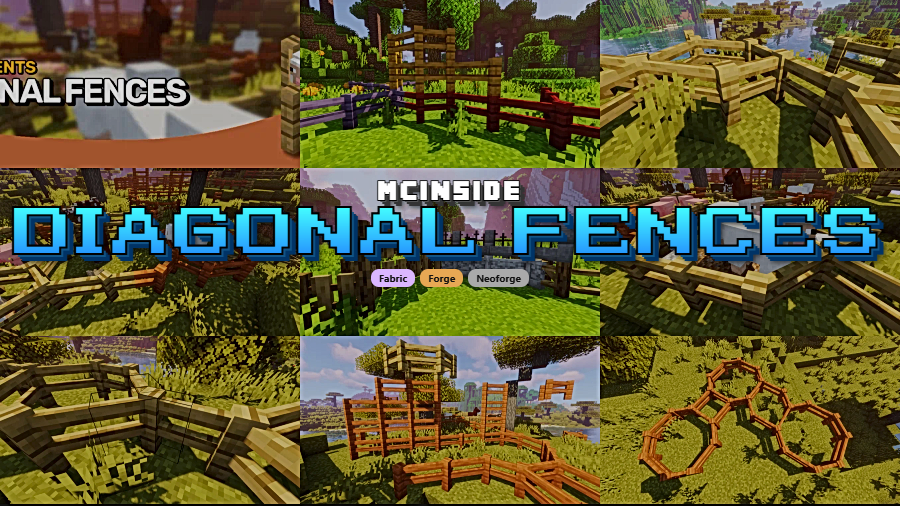
Diagonal Fences is a decoration and utility mod that allows all fence blocks to connect diagonally in Minecraft, available for Fabric, Forge, and NeoForge mod loaders.
Anyone who has spent time building in Minecraft knows the frustration: fences only connect in four cardinal directions. Want to run a fence line at a 45-degree angle across a field? You end up with ugly staircase patterns and awkward gaps. Diagonal Fences, created by Fuzs, solves this by letting every fence block in the game connect diagonally — exactly the way you would expect them to if Mojang had thought of it first. With over 7 million downloads across platforms, this is one of those quality-of-life mods that players install once and never remove. It has been actively maintained since mid-2022 and continues to receive updates for the latest Minecraft versions.
Key Features of Diagonal Fences
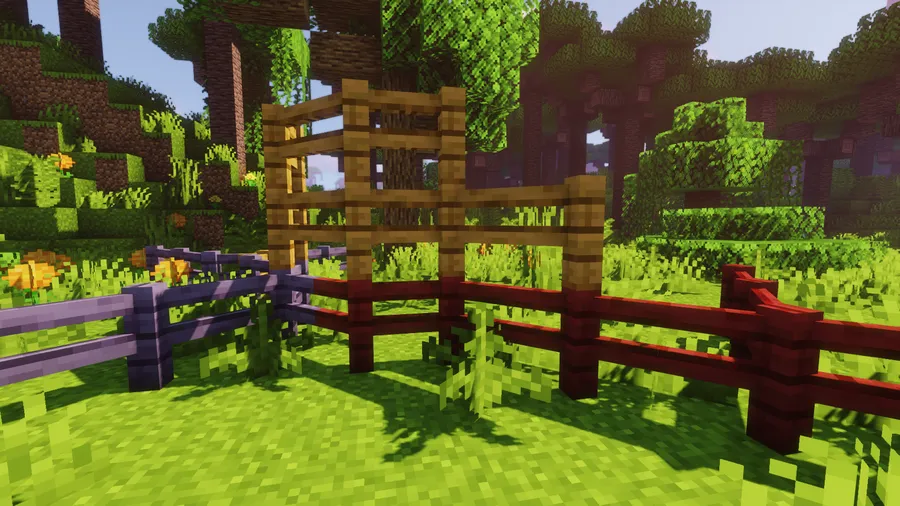
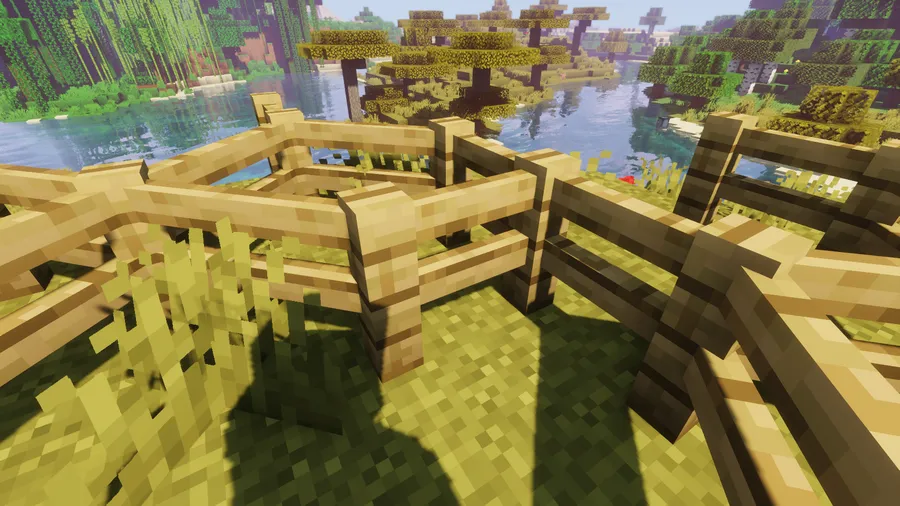
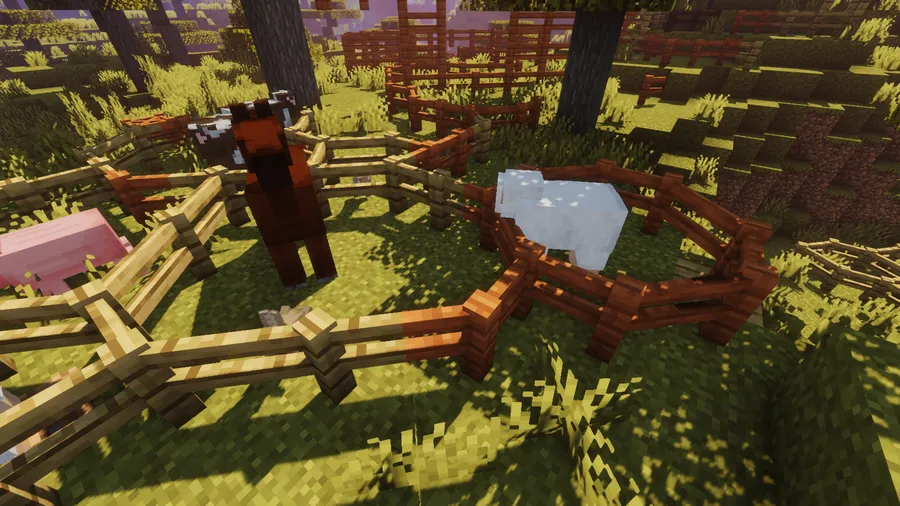
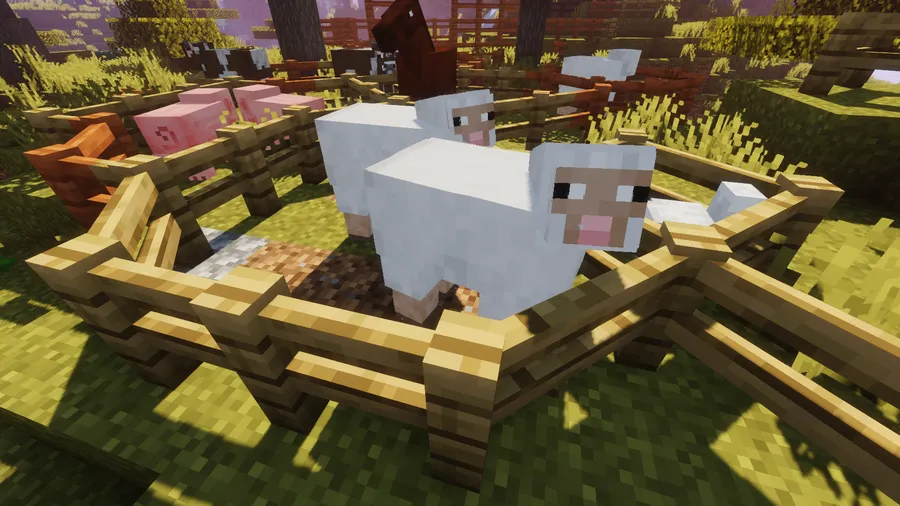
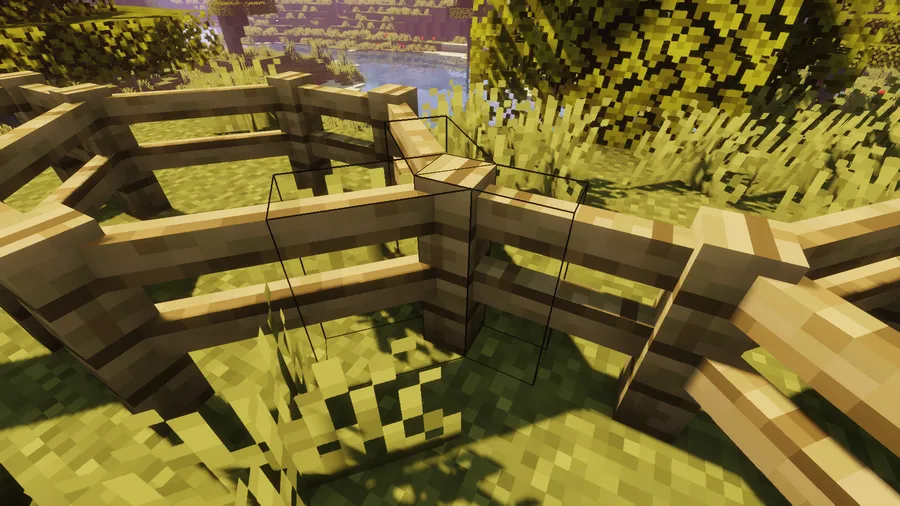
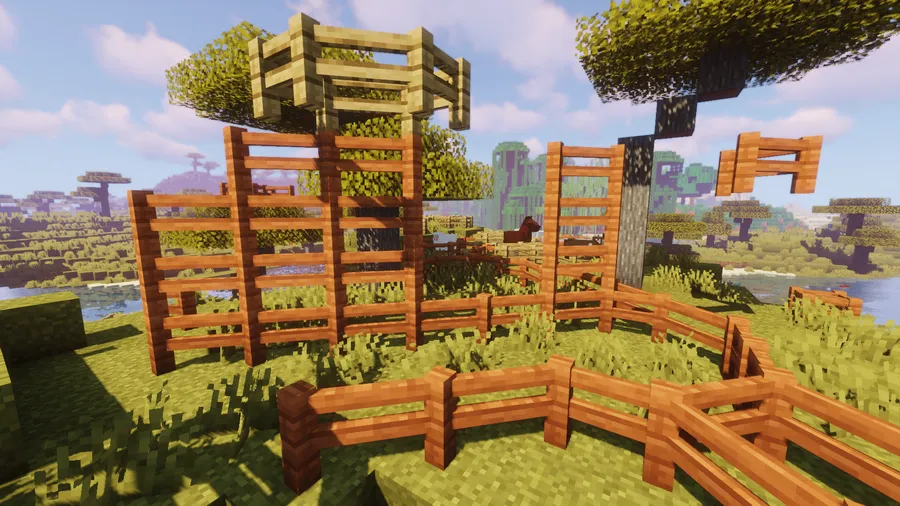
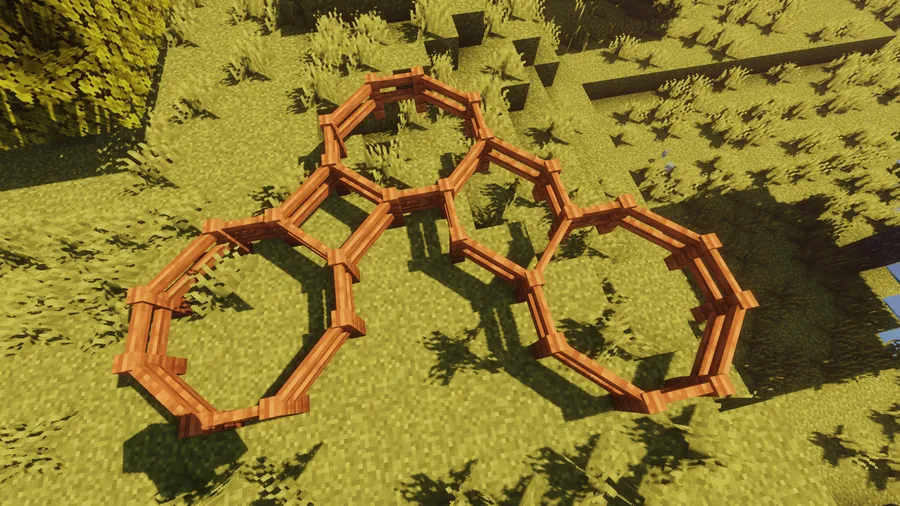
- Diagonal Fence Connections — Fences placed at 45-degree angles now visually and functionally connect to each other. This means you can build fence lines that follow terrain naturally instead of forcing everything into rigid north-south-east-west grids. Diagonal paths, pastures, and garden borders finally look the way they should.
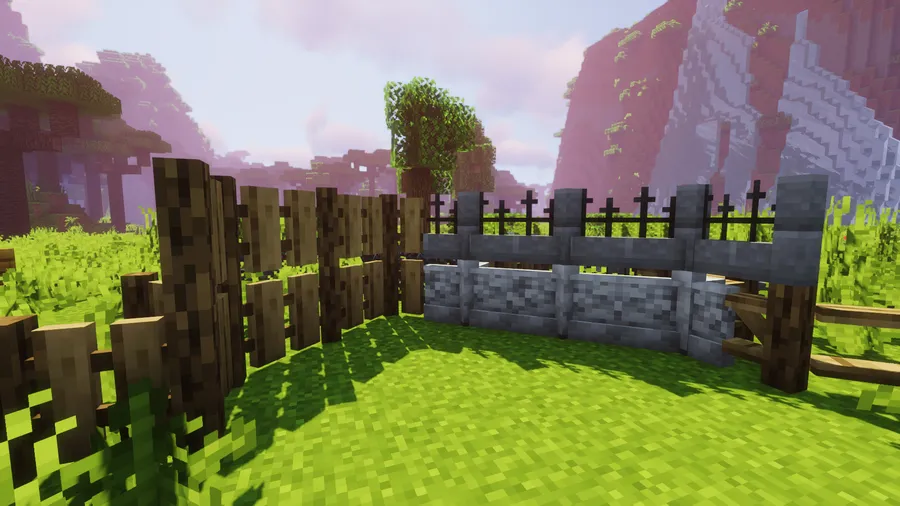
- Universal Block Support — The mod works with every vanilla fence type out of the box, including oak, spruce, birch, jungle, acacia, dark oak, mangrove, cherry, bamboo, crimson, warped, and nether brick fences. You do not need to configure anything — just install and build.
- Automatic Modded Fence Compatibility — Blocks added by other mods are dynamically supported whenever possible. If you run large modpacks with dozens of custom wood types and fence variants, Diagonal Fences detects and handles them without manual setup. This saves you from hunting through config files every time you add a new content mod.
- Block Tag Exclusion System — If a particular block is being affected unintentionally, you can add it to the
diagonalfences:non_diagonal_fencesblock tag to exclude it. This gives modpack creators fine-grained control over which blocks participate in diagonal connections, preventing visual glitches with unusual custom blocks. - Part of the Diagonal Blocks Family — Diagonal Fences belongs to a family of mods that also includes Diagonal Windows and Diagonal Walls. Together, these three mods transform the angular look of Minecraft structures by allowing multiple block types to connect at angles, giving builders a cohesive diagonal aesthetic across their entire build.
- Multi-Loader Availability — The mod ships for Fabric, Forge, and NeoForge, so regardless of which mod loader your pack uses, you can add diagonal fences to your world. Switching between loaders does not mean losing access to this feature.
- Lightweight and Non-Intrusive — Diagonal Fences appears to be lightweight, modifying only the connection logic of fence blocks without adding new items, GUIs, or complex systems. It does one thing and does it well, which makes it an ideal addition to both minimalist installs and heavy modpacks alike.
Screenshots
How to Install Diagonal Fences
- Choose and install the mod loader that matches your setup: Fabric, Minecraft Forge, or NeoForge. Make sure the loader version matches your Minecraft version.
- If you are using Fabric, you will also need Fabric API installed as a dependency, since most Fabric mods rely on it.
- Download the correct version of Diagonal Fences for your Minecraft version and mod loader from the official download links below.
- Place the downloaded
.jarfile into your.minecraft/modsfolder. If the folder does not exist, launch Minecraft with your mod loader once first to generate it. - Launch Minecraft and load into a world. Place two fences diagonally from each other — they should connect automatically. No additional configuration is needed.
Requirements & Compatibility
| Requirement | Details |
|---|---|
| Minecraft Versions | 1.21.11, 1.21.10, 1.21.9, 1.21.8, 1.21.7, 1.21.6, 1.21.5, 1.21.4, 1.21.3, 1.21.1, 1.21, 1.20.4, 1.20.1, 1.20, 1.19.x, 1.18.2 |
| Mod Loaders | Fabric, Forge, NeoForge |
| Dependencies | Fabric API (for Fabric users) |
| License | MPL-2.0 (open source) |
| Author | Fuzs |
What's New
- v21.11.1 (December 28, 2025): Updated the bundled Diagonal Blocks library to v21.11.1, bringing internal improvements and stability fixes.
- v21.11.0 (December 17, 2025): Full update to support Minecraft 1.21.11, ensuring compatibility with the latest game release.
- The mod continues to follow Semantic Versioning, meaning updates are predictable and unlikely to break existing worlds.
- Active development since July 2022 with consistent updates for each major Minecraft release.
Pros and Cons
Pros
- Effortless installation with zero configuration required
- Supports all vanilla and most modded fence blocks automatically
- Available on all three major mod loaders
- Actively maintained with fast updates for new Minecraft versions
- Open-source under MPL-2.0 license
- Extremely focused — does one thing perfectly without bloat
Cons
- Only affects fences — you need separate mods (Diagonal Walls, Diagonal Windows) for other block types
- Some highly customized modded blocks may need manual exclusion via block tags
- No in-game configuration GUI — exclusions must be managed through data packs or block tags
Alternatives to Diagonal Fences
- Diagonal Walls — A companion mod from the same author that applies the same diagonal connection logic to wall blocks, perfect for castle builds and stone boundaries.
- Diagonal Windows — Completes the diagonal blocks family by allowing glass panes and window blocks to connect at 45-degree angles for more natural-looking window designs.
- Connectedness — A broader connected textures mod that improves how multiple block types visually blend together, useful if you want a more polished look beyond just fences.
Download Diagonal Fences
| Minecraft Version | Fabric | Forge | NeoForge |
|---|---|---|---|
| For Minecraft 1.21.11 | Download | — | Download |
| For Minecraft 1.21.10 | Download | — | Download |
| For Minecraft 1.21.9 | Download | — | Download |
| For Minecraft 1.21.8 | Download | — | Download |
| For Minecraft 1.21.7 | Download | — | Download |
| For Minecraft 1.21.6 | Download | — | Download |
| For Minecraft 1.21.5 | Download | — | Download |
| For Minecraft 1.21.4 | Download | — | Download |
| For Minecraft 1.21.3 | Download | — | Download |
| For Minecraft 1.21.1 | Download | — | Download |
| For Minecraft 1.21 | Download | — | Download |
| For Minecraft 1.20.4 | Download | Download | Download |
Always download mods from official sources to stay safe.
Frequently Asked Questions
Does Diagonal Fences work with Fabric, Forge, and NeoForge?
Yes — Diagonal Fences supports all three major mod loaders. The developer provides separate builds for Fabric, Forge, and NeoForge, so make sure you download the version that matches your loader. Recent versions (1.21.5 and newer) are available for Fabric and NeoForge specifically.
Do I need any dependencies to run Diagonal Fences?
It depends on your mod loader. Fabric users need Fabric API installed alongside the mod. Forge and NeoForge users can install Diagonal Fences on its own without additional library mods. Always check the download page for any version-specific dependency notes.
Does Diagonal Fences work with fences from other mods?
Yes — modded fence blocks are dynamically supported. The mod automatically detects fence blocks added by other mods and applies diagonal connections to them. If a specific block causes issues, you can exclude it using the diagonalfences:non_diagonal_fences block tag.
Will Diagonal Fences cause lag or performance issues?
No significant performance impact has been widely reported. The mod appears to be lightweight since it only modifies the visual connection logic of existing fence blocks without adding new entities, tile entities, or complex calculations. It is commonly included in large modpacks without issues.
Can I use Diagonal Fences together with Diagonal Walls and Diagonal Windows?
Yes — all three mods are designed by the same author to work together. They share a common Diagonal Blocks library, so running them side by side gives you diagonal connections on fences, walls, and glass panes simultaneously. There are no known conflicts between the three.


