

Easy Villagers Mod is a utility and technology mod that lets you pick up villagers as items and replace villager-based farm setups with compact blocks for Minecraft Forge and NeoForge. It is designed for players who want villager trading and automation with less hassle.
Vanilla villagers can be powerful, but they are also one of the most frustrating parts of a long-term Minecraft world. Easy Villagers Mod tackles that problem by turning awkward villager logistics into portable items, self-contained utility blocks, and simpler trade management, which helps explain why it has already passed 1,041,384 downloads on Modrinth. If you have ever built a messy breeder, trapped librarians in tiny cells, or spent too long cycling workstations, this mod targets exactly those pain points.
Key Features of Easy Villagers Mod
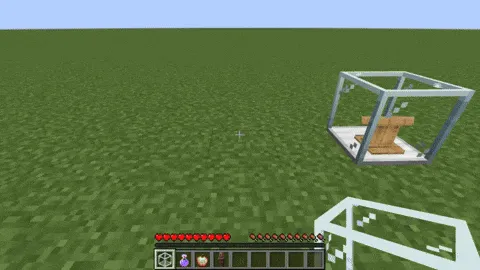
- Portable Villager Item - You can turn a villager into an item by sneaking and right-clicking or by pressing the V key, then place that villager back on the ground later. This matters because moving villagers is usually the most annoying part of any trading hall, breeder, or farm build, and this system makes relocation far more manageable.
- Trader Block - The trader block lets you access trades without worrying about how the villager is contained. It also allows restocking outside normal working hours, and that restocking is not tied to day and night or even to dimension, which makes trade access feel much more predictable.
- Auto Trader Block - The auto trader takes the trader concept one step further by performing trades automatically for you. Because it also works with hoppers for item input and output, it is especially useful for players who want a cleaner, more automated trading loop with configurable cooldowns.
- Farmer, Breeder, and Incubator Blocks - These blocks condense common villager farming tasks into far smaller footprints. The farmer block puts a full crop farm into one block, the breeder creates baby villagers from food, and the incubator speeds up baby villager growth, so a village-focused base can feel more organized and less cluttered.
- Converter Block - The converter block handles the zombie villager conversion and curing process for better trades, using a golden apple, any potion of weakness, and a villager. For players who routinely optimize trading halls, this removes a lot of repetitive setup work while still keeping the core curing process intact.
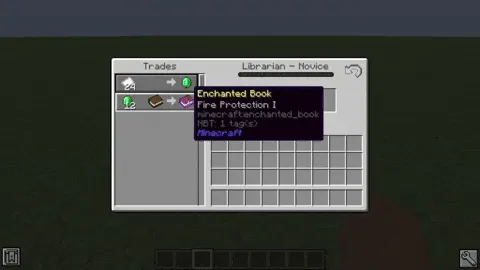
- Iron Farm and Trade Cycling - The iron farm block places a complete iron farm into a single block and produces one iron golem every four minutes, averaging about one iron ingot per minute. On top of that, trade cycling gives you a faster way to reroll untraded villagers, which is a huge quality-of-life improvement when you are hunting for specific profession offers.
- Inventory Viewer Block - On Minecraft 1.20.4 and newer, the inventory viewer lets you inspect and edit villager inventory and equipment such as armor. Even though it is currently creative-only, it is still useful for testing worlds, map makers, and players who want better visibility into villager setups.
Screenshots
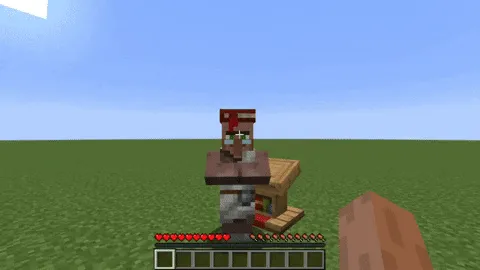
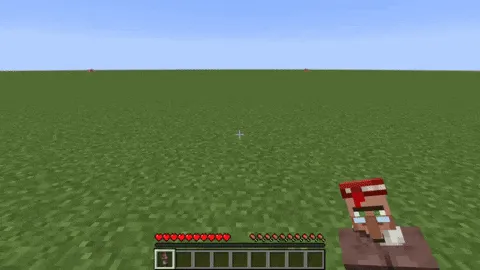
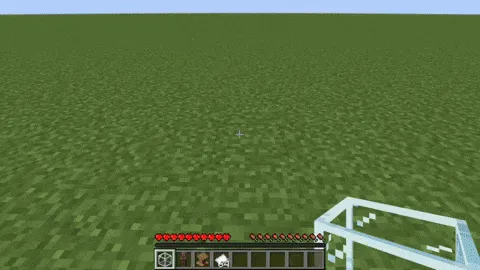
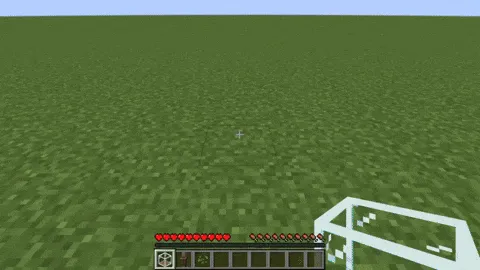
How to Install Easy Villagers Mod
- Choose the correct Easy Villagers file for your Minecraft version from the download table below, paying attention to whether you need the 26.1.1 or 26.1 branch or one of the listed 1.21.x, 1.20.x, or 1.19.2 builds.
- Install the required mod loader: Minecraft Forge or NeoForge, depending on the file you plan to use.
- Place the downloaded mod file into your Minecraft
modsfolder after installing the correct loader. - Launch the game once and confirm that Easy Villagers appears in your mod list. If needed, review the config settings for trade interval, auto trader cooldown, and incubator speed.
- Open a world and test the core feature by sneaking and right-clicking a villager, or pressing the V key, to make sure the mod is working as expected.
Requirements & Compatibility
| Requirement | Details |
|---|---|
| Category | Minecraft Mods |
| Author | henkelmax |
| Loaders | Minecraft Forge, NeoForge |
| Mod Types | Forge, NeoForge |
| Minecraft Versions Listed | 26.1.1, 26.1, 1.21.11, 1.21.10, 1.21.9, 1.21.8, 1.21.7, 1.21.6, 1.21.5, 1.21.4, 1.21.3, 1.21.2, 1.21.1, 1.21, 1.20.6, 1.20.4, 1.20.1, 1.19.2 |
| Tags | technology, utility |
| Inventory Viewer Note | Available only on Minecraft 1.20.4+ and currently only obtainable through creative mode. |
| License | LicenseRef-All-Rights-Reserved |
What's New
- Added support for version 26.1.1.
- Continued support for the 26.1 release line.
- Re-added JEI support.
- Re-added Jade support.
Pros and Cons
Pros
- Makes villager movement and storage dramatically simpler.
- Replaces several bulky villager systems with compact, focused blocks.
- Adds strong quality-of-life tools for trading, breeding, and conversion.
- Supports both Forge and NeoForge.
Cons
- Players who prefer fully vanilla-style villager mechanics may find it too streamlined.
- The Inventory Viewer block is limited to Minecraft 1.20.4+ and creative mode.
- Some automation behavior depends on configuration, so setup may need adjustment to match your world.
Alternatives to Easy Villagers Mod
- Trading Post - A good alternative if your main goal is faster access to villager trades from a more centralized interface.
- Guard Villagers - A useful companion for players who want to keep villages safer while building around villager-based gameplay.
- Villager Names - A lighter complement if you want villagers to be easier to identify and organize in larger settlements.
Download Easy Villagers Mod
| Minecraft Version | NeoForge |
|---|---|
| For Minecraft 26.1.1 | Download |
| For Minecraft 26.1 | Download |
| For Minecraft 1.21.11 | Download |
| For Minecraft 1.21.10 | Download |
| For Minecraft 1.21.9 | Download |
| For Minecraft 1.21.8 | Download |
| For Minecraft 1.21.7 | Download |
| For Minecraft 1.21.6 | Download |
| For Minecraft 1.21.5 | Download |
| For Minecraft 1.21.4 | Download |
| For Minecraft 1.21.3 | Download |
| For Minecraft 1.21.2 | Download |
Always download mods from official sources to stay safe.
Frequently Asked Questions
What does Easy Villagers Mod do?
Easy Villagers Mod is a utility mod that turns villagers into portable items and adds blocks that replace common villager-based farms and trading setups. In practical terms, it is built to reduce the frustration of moving, breeding, converting, and trading with villagers in survival worlds.
Does Easy Villagers Mod work with Forge and NeoForge?
Yes - the mod lists support for both Minecraft Forge and NeoForge. You should install the file that matches both your Minecraft version and your chosen loader.
Can you pick up villagers and place them back down later?
Yes - that is one of the core features of the mod. You can obtain the villager item by sneaking and right-clicking a villager or by pressing the V key, then place the villager again by right-clicking on the ground.
Do trader blocks need normal villager work hours to restock?
No - the trader block allows the villager to restock in non-working hours. The restocking time is not dependent on outside factors such as day and night or dimension.
Is the Inventory Viewer block available on every supported version?
No - the Inventory Viewer block is only available for Minecraft 1.20.4 and newer. It is also currently obtainable only through creative mode.
Can trade cycling be used on normal villagers too?
Yes - trade cycling also works with normal villagers. If a villager has not been traded before, you can reset trades with the trade cycle button or by using the C key.


