
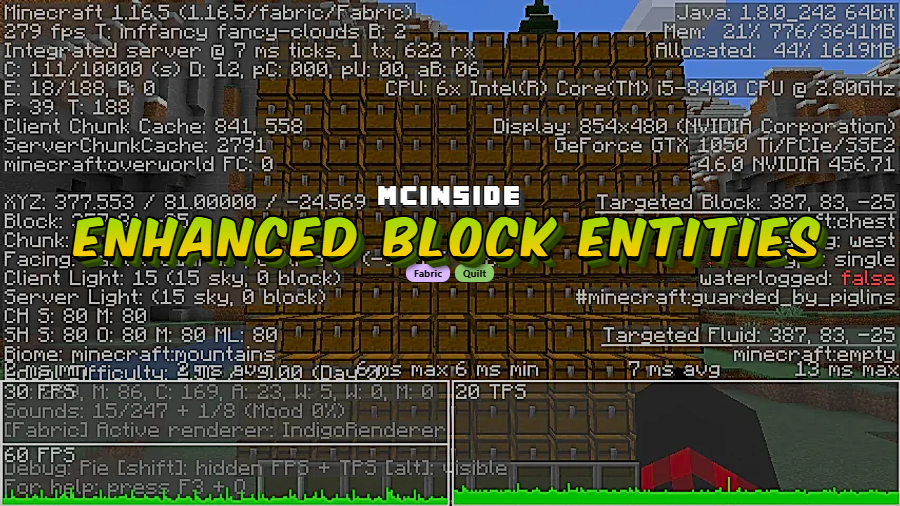
Enhanced Block Entities (EBE) is a client-side optimization mod that reduces block entity rendering lag and improves their visual quality for Minecraft Fabric and Quilt mod loaders. Developed by FoundationGames, this mod replaces laggy entity models with baked block models to deliver smoother frame rates without sacrificing animations or visual fidelity.
Anyone who has built a large storage room in Minecraft knows the pain — you place a few hundred chests, and your frame rate tanks. Block entities like chests, signs, bells, and shulker boxes use special rendering that is far more expensive than regular blocks. Enhanced Block Entities solves this problem at its root by converting these block entities to use baked block models, the same efficient rendering method used by normal blocks. With over 19.6 million downloads on Modrinth and active development since 2021, EBE has earned its place as one of the most trusted performance mods in the Fabric ecosystem. The best part? It is 100% client-side, meaning servers do not need it installed and you keep all your chest-opening animations intact.
Key Features of Enhanced Block Entities
- Drastically Reduced Block Entity Lag — EBE converts block entities like chests, ender chests, signs, bells, beds, shulker boxes, and decorated pots from laggy entity rendering to efficient baked models. In a test with 1,700 chests, the mod delivered a 155% frame rate increase compared to vanilla Minecraft. If you run a large base with lots of storage, this difference is immediately noticeable.
- Smooth Lighting on Block Entities — In vanilla Minecraft, block entities often appear flat and oddly lit compared to surrounding blocks. EBE enables smooth lighting on these objects, so chests, beds, and shulker boxes blend naturally with their environment instead of looking pasted on top of it.
- Resource Pack Customization with Block Models — Because EBE converts block entities to use standard block models, resource pack creators can now remodel chests, beds, and other block entities using familiar block model files. This opens up creative possibilities that are simply not available in vanilla, allowing you to completely redesign how storage blocks look in your world.
- Preserved Animations — Unlike simpler optimization mods such as FastChest, Enhanced Block Entities keeps chest-opening animations, bell-ringing animations, and other block entity animations fully functional. Animated models only render when absolutely necessary, giving you the best of both worlds — performance and polish.
- Toggleable Visual Features — EBE gives you control over visual extras like Christmas chest textures. Through the mod's settings menu (accessible via Mod Menu or vanilla Video Settings), you can toggle these features on or off to match your preference without editing config files.
- Extended Block Entity Render Distance — Vanilla Minecraft aggressively culls block entities at distance, making signs and chests disappear before regular blocks do. EBE allows you to see block entities from as far away as your render distance allows, which is particularly useful for builds where signs serve as labels or decorative chests are part of the exterior design.
- Full Sodium Compatibility — Starting with EBE v0.10.2 and Sodium 0.6+, the two mods work together natively without needing any compatibility bridge. For older versions of EBE paired with Sodium 0.5.11 or below, the Indium mod is required as an intermediary.
Screenshots
How to Install Enhanced Block Entities
- Install Fabric Loader or Quilt Loader for your Minecraft version (1.21.4 or whichever version you play on).
- Download and install Fabric API, which is a required dependency for Enhanced Block Entities to function.
- Download the correct Enhanced Block Entities file for your Minecraft version from the download section below.
- Place the downloaded
.jarfile into your.minecraft/modsfolder. If the folder does not exist, launch Minecraft once with your Fabric or Quilt profile to generate it. - Launch Minecraft and verify the mod is loaded. You can optionally install Mod Menu to access EBE's configuration screen and customize features like Christmas chests, force resource pack compatibility, and individual block entity toggles.
Requirements & Compatibility
| Requirement | Details |
|---|---|
| Mod Loaders | Fabric, Quilt |
| Dependencies | Fabric API (required) |
| Side | Client-side only (no server install needed) |
| Minecraft Versions | 1.16.2 – 1.21.4 |
| Sodium Compatibility | EBE v0.10.2+ works natively with Sodium 0.6+; older versions require Indium with Sodium 0.5.11 or below |
| License | LGPL-3.0-only (open source) |
What's New
- Fixed an issue with the ender chest item rendering incorrectly.
- Updated minimum Fabric API version requirement to 0.114.1 for better compatibility.
- Continued support for the latest Minecraft 1.21.4 release.
Pros and Cons
Pros
- Massive FPS improvement around block entities — up to 155% increase with large chest counts
- 100% client-side, no server installation required
- Preserves all block entity animations unlike simpler alternatives
- Enables smooth lighting on block entities for better visual quality
- Supports resource pack customization through standard block models
- Wide version support spanning from 1.16.2 to 1.21.4
- Native Sodium compatibility in recent versions
Cons
- Fabric and Quilt only — no Forge or NeoForge support available
- Some resource packs may conflict and require the "Force Resource Pack Compatibility" option
- Older versions need the additional Indium mod when paired with Sodium
- Configuration requires Mod Menu for a GUI, otherwise you must edit config files manually
Alternatives to Enhanced Block Entities
- Sodium — The most popular Fabric rendering optimization mod. While it focuses on terrain and chunk rendering rather than block entities specifically, it pairs perfectly with EBE for maximum FPS gains.
- Entity Culling — Skips rendering entities and block entities that are not visible to the player's camera. It complements EBE by addressing a different optimization angle — culling hidden objects rather than replacing their rendering method.
- Lithium — A general-purpose server and client optimization mod that improves game logic, pathfinding, and world generation. While it does not target block entity rendering directly, it rounds out a Fabric performance modpack alongside EBE and Sodium.
Download Enhanced Block Entities
| Minecraft Version | Fabric | Quilt |
|---|---|---|
| For Minecraft 1.21.4 | Download | Download |
| For Minecraft 1.21.3 | Download | Download |
| For Minecraft 1.21.2 | Download | Download |
| For Minecraft 1.21.1 | Download | Download |
| For Minecraft 1.21 | Download | Download |
| For Minecraft 1.20.6 | Download | Download |
| For Minecraft 1.20.5 | Download | Download |
| For Minecraft 1.20.4 | Download | Download |
| For Minecraft 1.20.3 | Download | Download |
| For Minecraft 1.20.2 | Download | Download |
| For Minecraft 1.20.1 | Download | Download |
| For Minecraft 1.20 | Download | Download |
Always download mods from official sources to stay safe.
Frequently Asked Questions
Is Enhanced Block Entities safe to install on multiplayer servers?
Yes — Enhanced Block Entities is 100% client-side and does not need to be installed on the server. You can add it to your local mods folder and join any Fabric-compatible server without issues. The server will not even know you are running it.
Does Enhanced Block Entities work with Sodium?
Yes — EBE v0.10.2 and newer works natively with Sodium 0.6+ with no additional mods required. If you are using an older version of EBE with Sodium 0.5.11 or below, you will need to install Indium as a compatibility bridge between the two mods.
Why are my chests invisible after installing EBE?
This is usually caused by a resource pack conflict. Open the Block Entity Settings menu through EBE's Mod Menu entry or through vanilla Video Settings and enable "Force Resource Pack Compatibility." This forces EBE to handle resource pack textures more carefully and should restore chest visibility immediately.
How is Enhanced Block Entities different from FastChest?
EBE is a more comprehensive solution. FastChest only optimizes regular chests and removes their opening animations entirely. Enhanced Block Entities optimizes chests plus ender chests, signs, bells, beds, shulker boxes, and decorated pots — all while preserving their animations. If you value both performance and visual quality, EBE is the better choice.
Does Enhanced Block Entities support Forge or NeoForge?
No — Enhanced Block Entities is built exclusively for Fabric and Quilt mod loaders. There is no official Forge or NeoForge port available. If you play on Forge, you may want to look into alternative block entity optimization mods designed for that loader.


![Not Enough Recipe Book [NERB] Mod (1.21.11) - thumbnail](http://mcinside.com/wp-content/uploads/2026/04/thumbnail-63-52x52.webp)


