

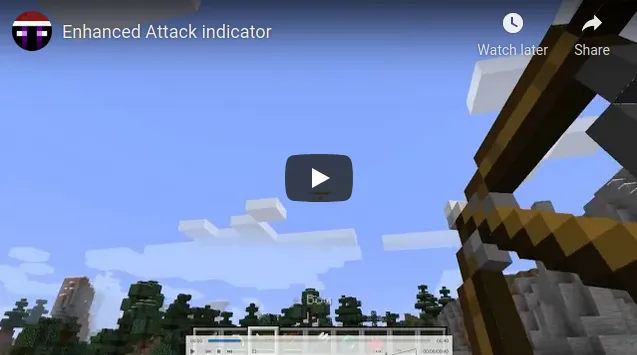
Enhanced Attack Indicator Mod is a utility mod that expands Minecraft's attack indicator so it can track more than melee timing for Fabric Mod Loader and NeoForge. It applies that familiar progress cue to several everyday actions that normally rely on feel, timing, or repeated checking.
The big problem this mod solves is inconsistency: vanilla gives you a clear visual signal for some combat timing, then leaves you to guess during other actions that are just as dependent on rhythm and readiness. After using it, Minecraft feels more readable because the same indicator starts helping with tasks you repeat constantly, from charging a bow to waiting out item cooldowns. That practical focus helps explain why the project has nearly 6 million downloads on Modrinth, and it also makes the mod appealing to players who want better information without changing the core game loop.
Key Features of Enhanced Attack Indicator Mod
- Breaking blocks — Seeing progress through the attack indicator makes repetitive mining and quick block clearing easier to read at a glance. It is especially useful when you want one consistent on-screen cue instead of judging timing purely by animation and feel.
- Bows, crossbows, and trident drawing — Ranged weapons feel better when your charge timing is visible in the same place you already watch during combat. That makes aiming and release timing more intuitive, especially if you swap often between melee and ranged play.
- Eating foods — Food use becomes easier to track because the indicator gives you a clearer sense of when the action is completing. In busy situations, that kind of feedback can help you stay focused on the world instead of second-guessing whether the animation is about to finish.
- Items with a cooldown — Cooldown-based items like shields, chorus fruit, and enderpearls are more comfortable to manage when the HUD shows their recovery in a familiar way. It reduces hesitation and helps you make cleaner decisions during fast movement, escape, or defense.
- Sleep progress and container fullness — Using the indicator for sleep progress is a small touch, but it keeps the interface more consistent across different activities. Showing fullness for shulker boxes and bundles is also practical, because it gives you faster feedback when organizing storage-heavy setups.
- Per-feature toggles — Not every player wants every action tied to the indicator, so the ability to enable or disable features individually matters a lot. It lets you keep the parts that improve your routine without turning the HUD into something that feels over-managed.
- Cooldown priority and tool-specific options — The extra controls for normal weapon cooldown priority, plus the option to disable pickaxe, shovel, or axe cooldown behavior, give the mod a more polished feel. Instead of forcing one interpretation of the indicator, it lets you tune the experience around how you actually play.
Screenshots
How to Install Enhanced Attack Indicator Mod
- Choose the loader you actually use in your setup: install Fabric Mod Loader if you play on Fabric, or install NeoForge if your pack is built around NeoForge.
- Download the file that matches your Minecraft version. The listed downloads in this data cover Minecraft 1.21.3 through 1.21.10 for Fabric and NeoForge.
- Place the mod file into your Minecraft
modsfolder for the correct instance or profile. - Launch the game with the same loader you installed, then enter a world and test actions like block breaking, eating, or drawing a bow to confirm the indicator is behaving the way you want.
- If needed, adjust the mod's options so you can disable specific behaviors, change normal weapon cooldown priority, or turn off pickaxe, shovel, or axe cooldown handling.
Requirements & Compatibility
| Item | Details |
|---|---|
| Category | Minecraft Mods |
| Author | Minenash |
| Loaders | Fabric Mod Loader, NeoForge |
| Minecraft Versions | Listed support ranges from 1.16.4 to 1.21.10 |
| License | MIT |
| Tags | decoration, utility |
| Latest listed files | Downloads are listed for Minecraft 1.21.3 through 1.21.10 on Fabric and/or NeoForge |
What's New
- Updated releases are listed for Minecraft 1.21.6 through 1.21.10.
- The 1.2.0 update from Fabric was ported over.
- When you look at an entity with a non-disabled weapon that is not on cooldown, the mod now shows the ready attack indicator in a vanilla-style way.
- The default setting for disabling axe attack cooldown was changed to
false. - Spanish language additions include
es_arandes_mx.
Pros and Cons
Pros
- Expands one familiar HUD element to several actions you already perform all the time.
- Includes granular control over what is enabled and how cooldown priority behaves.
- Supports both Fabric Mod Loader and NeoForge across a long list of Minecraft versions.
Cons
- No loader support is listed here beyond Fabric Mod Loader and NeoForge.
- The value of the mod depends on how much attention you pay to the attack indicator during play.
- Some players may want to tweak the defaults if they do not want extra tool or axe cooldown behavior.
Alternatives to Enhanced Attack Indicator Mod
- AppleSkin — A strong companion if you want clearer food-related feedback alongside better indicator timing when eating.
- Inventory HUD+ — A good fit for players who enjoy glanceable HUD information and want more visibility without changing Minecraft's core systems.
- ShulkerBoxTooltip — A practical complement for storage-focused players, especially since this mod also adds fullness feedback for shulker boxes and bundles.
Download Enhanced Attack Indicator Mod
| Minecraft Version | Fabric | NeoForge |
|---|---|---|
| For Minecraft 1.21.10 | Download | Download |
| For Minecraft 1.21.9 | Download | Download |
| For Minecraft 1.21.8 | Download | Download |
| For Minecraft 1.21.7 | Download | Download |
| For Minecraft 1.21.6 | Download | Download |
| For Minecraft 1.21.5 | Download | Download |
| For Minecraft 1.21.4 | Download | Download |
| For Minecraft 1.21.3 | Download | Download |
| For Minecraft 1.21.2 | Download | Download |
| For Minecraft 1.21.1 | Download | Download |
| For Minecraft 1.21 | Download | Download |
| For Minecraft 1.20.6 | Download | — |
Always download mods from official sources to stay safe.
Frequently Asked Questions
What does Enhanced Attack Indicator Mod do?
It extends the attack indicator to more actions than melee attacks. Based on the provided data, that includes breaking blocks, drawing bows, crossbows, and tridents, eating foods, item cooldowns, sleep progress, and fullness for shulker boxes or bundles.
Does Enhanced Attack Indicator Mod work with Fabric and NeoForge?
Yes — the listed loaders are Fabric Mod Loader and NeoForge. That makes it a flexible option for players who stay on either of those modding setups.
Which Minecraft versions are supported?
The listed support runs from Minecraft 1.16.4 through 1.21.10. The download entries provided here specifically show files for 1.21.3 up to 1.21.10.
Can I disable individual features?
Yes — individual added actions can be enabled or disabled. The mod also allows you to change the priority of the normal weapon cooldown and disable pickaxe, shovel, or axe cooldown behavior.
Is this mod only useful for combat?
No — it also helps with non-combat actions like breaking blocks, eating, sleep progress, and checking the fullness of shulker boxes or bundles. That wider use is the main reason it feels more like a quality-of-life HUD upgrade than a combat-only tweak.
Is the project still being updated?
Yes — the provided metadata shows an update date of 2025-10-01. The changelog also notes support updates through Minecraft 1.21.10.





![[Let's Do] Meadow Mod (1.21.1) - thumbnail](http://mcinside.com/wp-content/uploads/2026/04/thumbnail-64-52x52.webp)


![Not Enough Recipe Book [NERB] Mod (1.21.11) - thumbnail](http://mcinside.com/wp-content/uploads/2026/04/thumbnail-63-52x52.webp)


