

EnhancedVisuals is a visual immersion mod that adds dynamic HUD effects — such as blood splatter, blur, and screen overlays — when your character takes damage or encounters environmental hazards in Minecraft. It is available for Fabric, Forge, and NeoForge across a wide range of versions from 1.18.2 to 1.21.11.
One of the biggest criticisms of Minecraft's default combat is that taking damage barely registers on screen — a red flash and a knockback, and that is it. You never truly feel the impact of a Creeper explosion or a Skeleton's arrow. EnhancedVisuals solves this by turning your HUD into a feedback system: blood splatters on your screen when you are hurt, your vision blurs when you are low on health, and environmental effects like fire and water distortion pull you deeper into the world. Originally created by SonicJumper and now maintained by creativemd, this mod has earned over 11 million downloads — a clear signal that players want more visceral feedback from their Minecraft experience.
Key Features of EnhancedVisuals
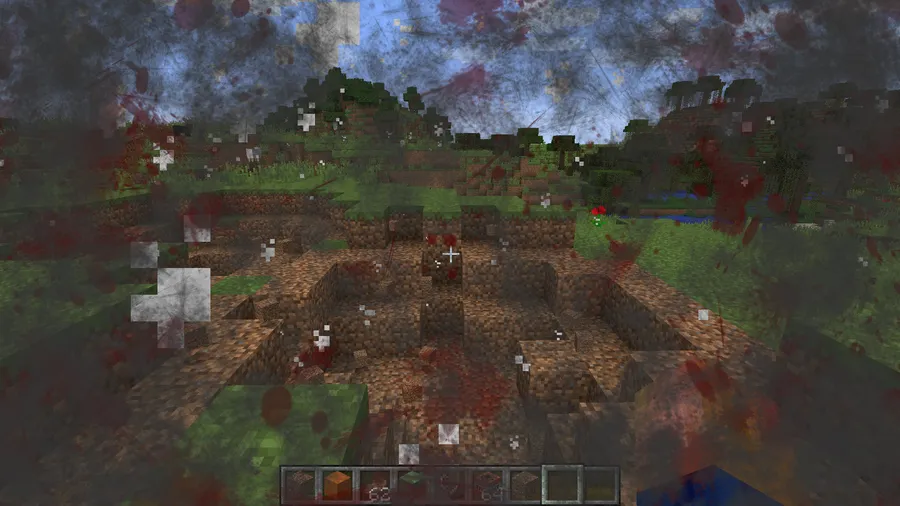
- Damage Screen Effects — When your character takes damage, blood splatter overlays appear on the HUD to reflect the severity of the hit. This gives combat real weight and makes every encounter feel more dangerous, which is especially impactful during hardcore playthroughs where every heart matters.
- Low Health Visual Feedback — As your health drops, your screen begins to blur and distort, simulating the disorientation of being near death. This serves as both an atmospheric effect and a practical warning system, so you always know when you are in critical condition without constantly checking the health bar.
- Environmental Overlays — Effects for fire, water, and other environmental hazards add visual layers that match what your character is experiencing. Walking through flames produces heat distortion on screen, while being submerged in water creates appropriate visual effects that enhance the survival atmosphere.
- Full Configurability — Every visual effect can be individually toggled, adjusted, or disabled through the mod's configuration options. This means you can keep the blood effects for combat but turn off blur if it bothers you, making the mod adaptable to your personal comfort level and playstyle.
- Resource Pack Support — EnhancedVisuals supports custom resource packs that change how effects look, including a community-made "Pixelated" pack by nox_cgt that gives all overlays a retro pixel-art style. This lets you match the mod's visuals to whatever aesthetic you are going for in your game.
- ToughAsNails and SimpleDifficulty Addon — The mod includes addon support for popular survival difficulty mods like ToughAsNails and SimpleDifficulty. If you run a hardcore survival setup, EnhancedVisuals can reflect temperature and thirst effects on screen, tying your HUD to the expanded survival mechanics.
- OptiFine Compatibility — EnhancedVisuals works alongside OptiFine, though Fast Render, Anisotropic Filtering, and Antialiasing must be disabled to prevent screen blackout issues. This is a known limitation but easily managed through OptiFine's settings menu.
Screenshots
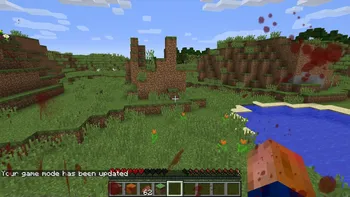
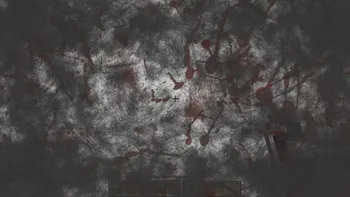
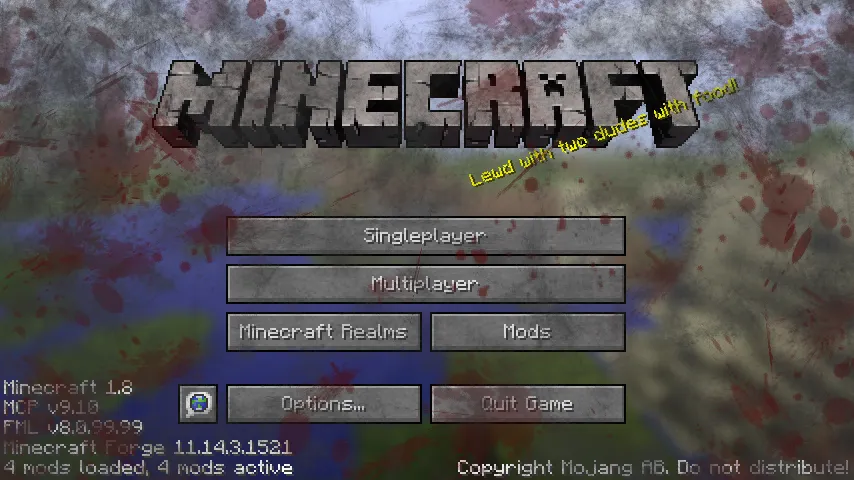
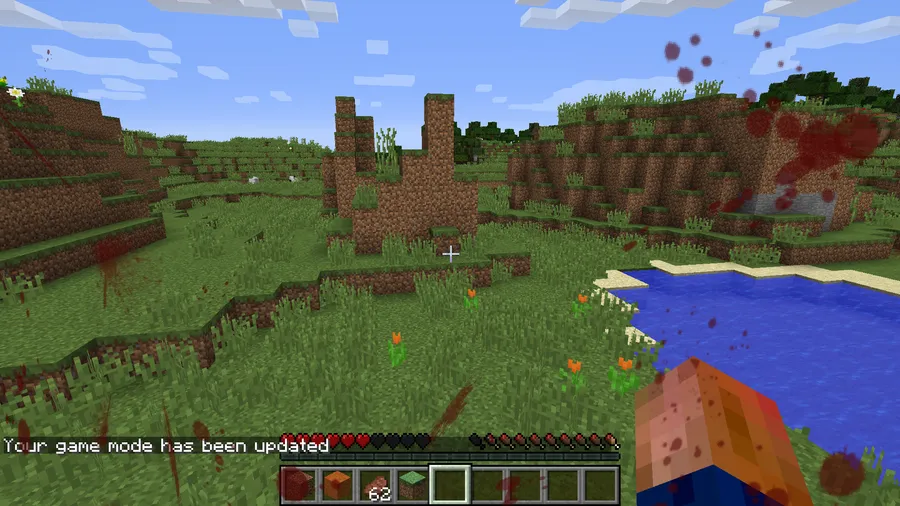
How to Install EnhancedVisuals
- Choose and install your preferred mod loader: Fabric, Minecraft Forge, or NeoForge. Make sure the loader version matches your Minecraft version.
- Download the correct EnhancedVisuals file for your Minecraft version and mod loader from the download section below.
- Place the downloaded
.jarfile into your.minecraft/modsfolder. If the folder does not exist, launch Minecraft once with your mod loader to generate it. - Launch Minecraft using your mod loader profile and confirm EnhancedVisuals appears in the mod list.
- Adjust visual effect settings in the mod's configuration menu to match your preferences — you can disable any effect you find distracting.
Requirements & Compatibility
| Requirement | Details |
|---|---|
| Mod Loaders | Fabric, Forge, NeoForge |
| Minecraft Versions | 1.18.2 – 1.21.11 |
| OptiFine | Compatible (disable Fast Render, Anisotropic Filtering, Antialiasing) |
| License | LGPL-2.1-only (open source) |
| Source Code | GitHub |
What's New
- Fixed a rare crash that occurred when the game's sound was muted
- Continued support for the latest Minecraft versions including 1.21.11
- Maintained compatibility across Fabric and NeoForge loaders
Pros and Cons
Pros
- Significantly increases combat and survival immersion
- Over 11 million downloads — well-tested and community-trusted
- Supports all three major mod loaders (Fabric, Forge, NeoForge)
- Fully configurable — toggle every effect individually
- Open source with active development and recent updates
- Resource pack support for custom visual styles
Cons
- Requires disabling some OptiFine features to avoid screen blackout
- Blood and blur effects may cause discomfort for motion-sensitive players
- No Quilt loader support listed
- Some survival mod addons may require additional setup
Alternatives to EnhancedVisuals
- Damage Tilt — A lightweight alternative that adjusts camera tilt direction based on where damage comes from, adding directional feedback without full-screen overlays.
- First Person Model — Renders your full player model in first person view, improving visual immersion from a different angle by letting you see your own body, arms, and armor.
- Effective — Adds splash effects, waterfall particles, and other environmental visuals that complement EnhancedVisuals by enhancing the world around you rather than the HUD.
Download EnhancedVisuals
| Minecraft Version | Fabric | Forge | NeoForge |
|---|---|---|---|
| For Minecraft 26.1 | Download | — | Download |
| For Minecraft 1.21.11 | Download | — | Download |
| For Minecraft 1.21.10 | Download | — | Download |
| For Minecraft 1.21.9 | Download | — | Download |
| For Minecraft 1.21.8 | Download | — | Download |
| For Minecraft 1.21.5 | Download | — | Download |
| For Minecraft 1.21.4 | Download | — | Download |
| For Minecraft 1.21.1 | Download | — | Download |
| For Minecraft 1.21 | Download | — | Download |
| For Minecraft 1.20.6 | Download | — | Download |
| For Minecraft 1.20.4 | Download | — | Download |
| For Minecraft 1.20.2 | Download | Download | — |
Always download mods from official sources to stay safe.
Frequently Asked Questions
Is EnhancedVisuals compatible with OptiFine?
Yes — EnhancedVisuals works with OptiFine, but you must disable Fast Render, Anisotropic Filtering, and Antialiasing in OptiFine's settings. If these options remain enabled, your screen may turn black when certain visual effects activate. Simply toggle them off and the two mods will run together without issues.
Does EnhancedVisuals work with Fabric?
Yes — EnhancedVisuals supports Fabric for Minecraft versions ranging from 1.18.2 through 1.21.11. Download the Fabric-specific version from the download section and place it in your mods folder alongside any required Fabric API dependencies.
Can I disable specific visual effects like blood or blur?
Yes — every visual effect in EnhancedVisuals can be individually toggled on or off through the mod's configuration file or in-game settings menu. This is especially useful for players who want some immersion effects but find blood overlays or screen blur distracting or uncomfortable.
Does EnhancedVisuals cause lag or performance issues?
The mod appears to be lightweight based on its design as a HUD overlay system rather than a world-rendering modification. It adds 2D screen effects that only activate during specific events like taking damage, so the performance cost is minimal for most systems. With over 11 million downloads and active maintenance, significant performance issues would have been identified and addressed.
Is EnhancedVisuals available for NeoForge?
Yes — EnhancedVisuals fully supports NeoForge across multiple Minecraft versions from 1.20.1 through 1.21.11. The mod is actively maintained for NeoForge alongside Fabric, so you can use whichever loader fits your modpack setup.


![[Let's Do] Candlelight - Farm&Charm compat Mod (1.21.1) - thumbnail](http://mcinside.com/wp-content/uploads/2026/04/thumbnail-81-52x52.webp)


![[Let's Do] Meadow Mod (1.21.1) - thumbnail](http://mcinside.com/wp-content/uploads/2026/04/thumbnail-64-52x52.webp)


![Not Enough Recipe Book [NERB] Mod (1.21.11) - thumbnail](http://mcinside.com/wp-content/uploads/2026/04/thumbnail-63-52x52.webp)