
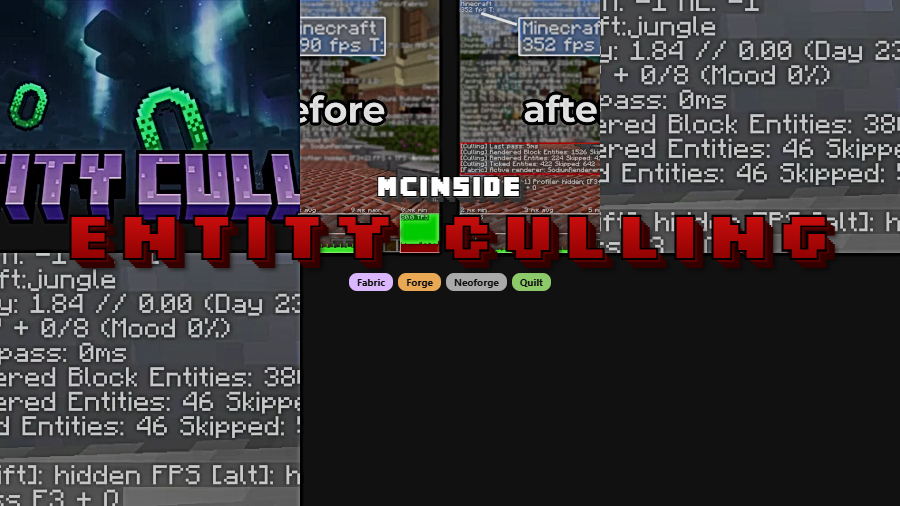
Entity Culling is a client-side optimization mod that uses asynchronous path-tracing to hide block entities and mobs not visible to the player, delivering significant FPS improvements for Minecraft on Fabric, Forge, NeoForge, and Quilt.
Minecraft's renderer draws everything within your render distance, even entities completely hidden behind walls, underground, or inside sealed buildings. That means your GPU wastes cycles on mobs and block entities you will never see. Entity Culling solves this by calculating line-of-sight visibility on spare CPU threads and telling the renderer to skip anything that fails the check. With over 97 million downloads, it has become one of the most trusted optimization mods in the entire Minecraft ecosystem — and for good reason. Developed by tr7zw, the mod is lightweight, broadly compatible, and consistently updated for the latest Minecraft versions including the recent 26.1 release.
Key Features of Entity Culling
- Multithreaded Async Path-Tracing — Entity Culling offloads visibility calculations to spare CPU threads that run independently from the main game loop. This means the mod does its heavy lifting without causing stutter or frame drops on the main thread, making it safe to use even on lower-end hardware where every millisecond of frame time counts.
- Smart Occlusion Culling for Entities and Block Entities — The mod skips rendering mobs, armor stands, chests, signs, and other block entities that are completely hidden behind terrain or structures. Think of it as an intelligent extension of Minecraft's existing back-face culling, but applied to entities rather than just block faces. The result is a noticeably lower GPU workload in entity-dense areas.
- Real-Time Visibility Updates — Visibility data refreshes continuously as you move through the world. There is no delay or pop-in when entities come into view because the path-tracing threads keep the occlusion map current at all times, ensuring smooth transitions as you explore.
- Reduced Client-Side Entity Overhead — Beyond just skipping draw calls, Entity Culling reduces the client-side impact of hidden entities by limiting what gets processed on the rendering pipeline. This is especially valuable near large mob farms or villager trading halls where dozens of entities exist in a small area but most are behind walls.
- Fully Configurable — The mod exposes configuration options that let you fine-tune its behavior. You can adjust settings to balance between aggressiveness of culling and visual accuracy, making it adaptable to different hardware setups and playstyles.
- Broad Mod Compatibility — Entity Culling is designed to work alongside most other mods, including popular optimization mods and content packs. It hooks into the rendering pipeline at a level that avoids conflicts with shader packs and other visual modifications.
- Multi-Loader Support — Whether you use Fabric, Forge, NeoForge, or Quilt, Entity Culling has you covered. The mod is actively maintained across all major mod loaders, so you do not need to switch your setup to benefit from it.
Screenshots
How to Install Entity Culling
- Download and install your preferred mod loader: Fabric, Forge, NeoForge, or Quilt.
- If using Fabric, make sure you also install Fabric API as it is commonly required by Fabric-based mods.
- Download the Entity Culling file that matches your Minecraft version and loader from the download section below.
- Place the downloaded
.jarfile into your.minecraft/modsfolder. If the folder does not exist, launch the game once with your mod loader to generate it. - Launch Minecraft with your mod loader profile. Entity Culling works out of the box with default settings — no additional configuration required.
Requirements & Compatibility
| Requirement | Details |
|---|---|
| Mod Loaders | Fabric, Forge, NeoForge, Quilt |
| Minecraft Versions | 1.19.4, 1.20.1 – 1.20.6, 1.21.1 – 1.21.11, 26.1 |
| Side | Client-side only |
| Author | tr7zw |
| License | tr7zw Protective License |
What's New
- Added Fabric support for Minecraft 26.1.
- Large build script and library updates to accommodate the 26.1 release — the developer asks players to report any issues.
- Added German language translation contributed by GulutGames.
- Updated Simplified Chinese translation contributed by Moralts.
- Debug mode available: type
godmodeinto the recipe book to access debugging tools.
Pros and Cons
Pros
- Significant FPS gains in entity-heavy areas like mob farms and villages
- Runs asynchronously so it does not add frame time to the main thread
- Works across all four major mod loaders
- Extremely wide version support from 1.19.4 through 26.1
- Compatible with most other optimization and content mods
- Actively maintained with frequent updates
Cons
- Uses additional CPU threads, which may matter on very low-core-count systems
- Uses a custom protective license rather than open-source, which limits redistribution
- Rare edge cases may cause brief visibility pop-in for fast-moving entities
Alternatives to Entity Culling
- Sodium — A general-purpose rendering optimization mod for Fabric that rewrites the chunk rendering engine for major FPS improvements. Pairs well with Entity Culling since they optimize different parts of the pipeline.
- More Culling — Extends culling techniques to additional block faces and item frames that vanilla Minecraft and Entity Culling do not cover, providing complementary performance gains.
- Nvidium — A Fabric rendering mod that leverages NVIDIA GPU mesh shaders for massive draw call reduction. Best suited for players with modern NVIDIA graphics cards looking for maximum performance.
Download Entity Culling
| Minecraft Version | Fabric | Forge | NeoForge |
|---|---|---|---|
| For Minecraft 26.1 | Download | — | — |
| For Minecraft 1.21.11 | Download | — | Download |
| For Minecraft 1.21.10 | Download | Download | Download |
| For Minecraft 1.21.8 | Download | Download | Download |
| For Minecraft 1.21.5 | Download | Download | Download |
| For Minecraft 1.21.4 | Download | Download | Download |
| For Minecraft 1.21.3 | Download | Download | Download |
| For Minecraft 1.21.1 | Download | Download | Download |
| For Minecraft 1.20.6 | Download | Download | Download |
| For Minecraft 1.20.4 | Download | Download | Download |
| For Minecraft 1.20.2 | Download | Download | Download |
| For Minecraft 1.20.1 | Download | Download | — |
Always download mods from official sources to stay safe.
Frequently Asked Questions
Is Entity Culling compatible with Sodium?
Yes — Entity Culling works alongside Sodium without conflicts. Sodium optimizes chunk and terrain rendering while Entity Culling focuses on hiding non-visible entities and block entities, so the two mods complement each other and can be used together for maximum performance gains.
Does Entity Culling work on servers or is it client-side only?
It is client-side only. Entity Culling operates entirely within your local rendering pipeline, so you do not need the server to have it installed. You can use it on any server, including vanilla servers and large multiplayer networks, without requiring server-side approval.
Will Entity Culling cause mobs to disappear or become invisible?
No — the mod only skips rendering for entities that are already completely hidden from your view behind solid blocks. The moment an entity becomes visible through any gap or opening, it is rendered normally. You should not notice any visual difference during regular gameplay.
Does Entity Culling work with shader packs like Iris or OptiFine?
Yes, it is generally compatible with shader packs. Entity Culling hooks into the entity rendering pipeline at a level that does not interfere with how shaders process lighting and effects. Players commonly run it alongside Iris on Fabric without issues.
How much FPS improvement can I expect from Entity Culling?
The improvement varies depending on your hardware and the scene. Areas with many hidden entities — such as underground mob farms, large villager trading halls, or dense cave systems — tend to see the most noticeable gains. In open terrain with few entities, the difference is smaller since there are fewer hidden objects to cull in the first place.


![[Let's Do] Meadow Mod (1.21.1) - thumbnail](http://mcinside.com/wp-content/uploads/2026/04/thumbnail-64-52x52.webp)


![Not Enough Recipe Book [NERB] Mod (1.21.11) - thumbnail](http://mcinside.com/wp-content/uploads/2026/04/thumbnail-63-52x52.webp)


