

PvP-focused ghost clients live or die by how well they integrate with specific servers, and Ethane Client Mod zeroes in on CubeCraft with a tailored set of combat, movement, and render modules. Built on Fabric for Minecraft 1.21.1, it bundles everything from automatic critical hits to anti-knockback into a single lightweight package that aims to give competitive players a serious edge in PvP battles.
Key Features
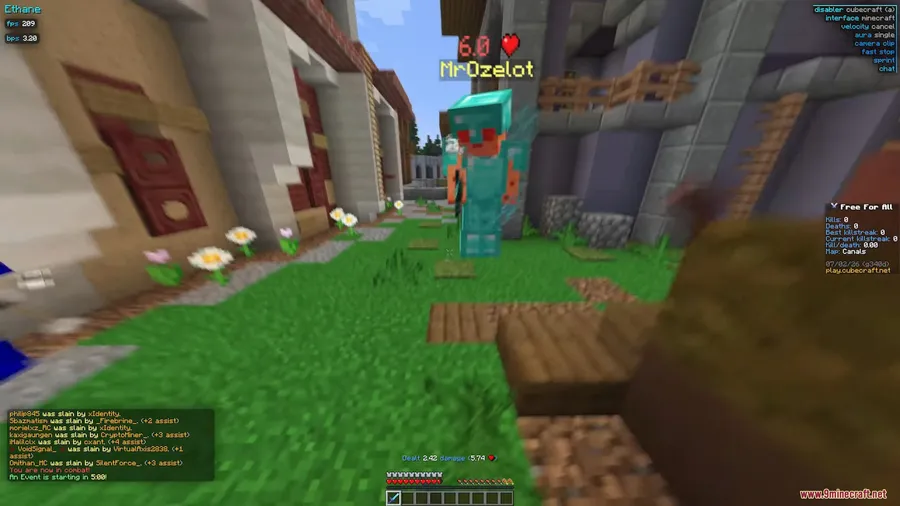
- Combat Modules – A full suite of PvP tools including Auto Shield Break for instantly disabling enemy shields, Super Knockback for stronger hit knockback, Criticals for landing automatic critical hits, Velocity for reducing incoming knockback, and Aura for auto-targeting nearby players.
- Render Enhancements – Camera Clip lets the camera pass through blocks for better visibility, while Array List displays all active modules on-screen. The Click GUI provides easy module management, and a customizable Interface lets you build your own HUD layout.
- Movement Improvements – Movement Fix keeps your character moving correctly while attacking, Fast Stop halts momentum instantly, and No Slow prevents slowdown effects from interfering with gameplay.
- Custom Animations – Adds custom in-game animations and an improved chat display for a cleaner visual experience during fights.
Screenshots


How to Install
- Download and install Fabric Loader for Minecraft 1.21.1 from the official Fabric website.
- Place the Fabric API mod file into your
.minecraft/modsfolder. - Download the Ethane Client Mod file from the link below.
- Drop the Ethane Client Mod
.jarfile into the same.minecraft/modsfolder. - Launch Minecraft using the Fabric profile and access the Click GUI to configure modules.
Requirements
| Requirement | Details |
|---|---|
| Mod Loader | Fabric |
| Dependencies | Fabric Loader, Fabric API |
| Minecraft Versions | 1.21.1, 1.21 |
Pros & Cons
Pros
- Comprehensive combat module set covering shields, knockback, criticals, and auto-targeting
- Dedicated CubeCraft optimization gives it a clear focus over generic clients
- Customizable HUD and Click GUI make module management straightforward
- Built on Fabric, which is known for fast updates and broad mod compatibility
Cons
- Ghost clients carry a risk of server bans — use at your own discretion
- Limited to Fabric only; no Forge or NeoForge support available
- Currently supports only Minecraft 1.21–1.21.1, so older worlds may not be compatible
Download
Always download mods from official sources to stay safe.
FAQ
Does Ethane Client Mod work on servers other than CubeCraft?
While Ethane Client is especially optimized for CubeCraft, its combat, movement, and render modules function in standard Minecraft PvP. However, effectiveness on other servers may vary depending on their anti-cheat systems.
What mod loader do I need for Ethane Client?
You need Fabric Loader along with the Fabric API installed in your mods folder. The client does not support Forge or NeoForge.
Can I customize which modules are active in Ethane Client?
Yes. The built-in Click GUI lets you toggle individual modules on or off, and the Array List feature displays all currently enabled modules on your screen so you can manage them during gameplay.


![[Let's Do] Candlelight - Farm&Charm compat Mod (1.21.1) - thumbnail](http://mcinside.com/wp-content/uploads/2026/04/thumbnail-81-52x52.webp)


![[Let's Do] Meadow Mod (1.21.1) - thumbnail](http://mcinside.com/wp-content/uploads/2026/04/thumbnail-64-52x52.webp)
