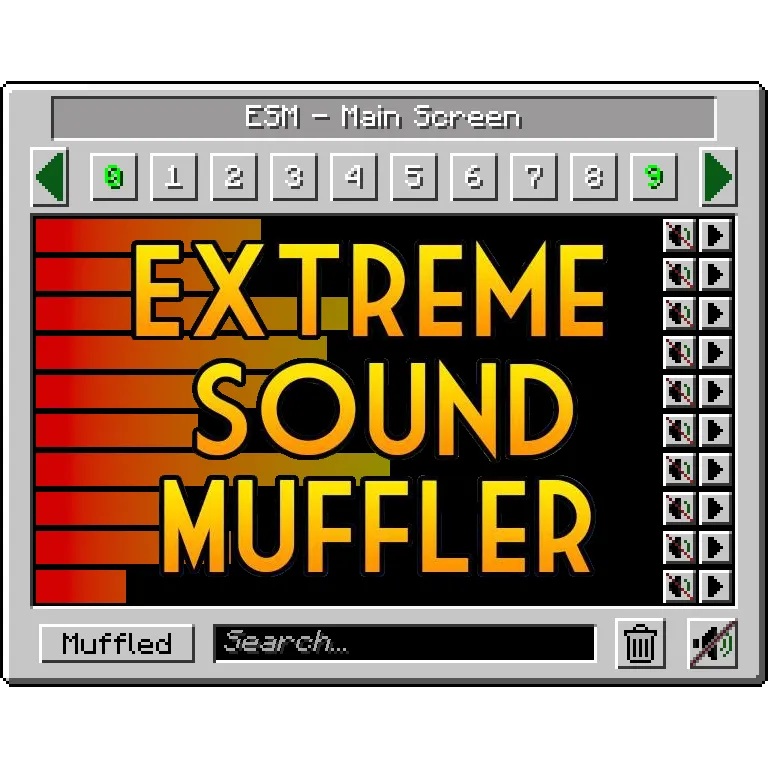
Extreme sound muffler is a client-side utility mod that lets you selectively muffle individual sounds in Minecraft for Fabric, Forge, and NeoForge.
If you have ever turned Minecraft volume down just to escape one annoying sound, the extreme sound muffler mod solves that problem more cleanly. It gives you targeted sound control instead of a blunt master-volume fix, and with 3,166,378 downloads on Modrinth, it has already proven that a lot of players want that level of control.
Key Features of Extreme sound muffler Mod
- Selective sound muffling - You can mute specific sounds instead of affecting the entire game. That matters because most players do not want a fully silent world, they just want one mob, machine, or ambient effect out of the way.
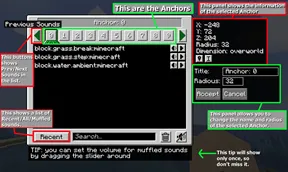
- Anchor-based ranged mufflers - Anchors let you apply muffling in a defined area rather than everywhere. This is useful around a base, farm, or build zone where one sound keeps repeating in the same place.
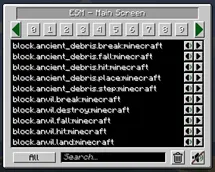
- Sound preview and volume control - The GUI includes a play button and a volume slider, so you can verify the exact sound before committing to it. That reduces guesswork when several similar sounds are stacked together.
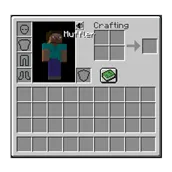
- Inventory button access - You can open the muffler screen from an inventory button, or disable that button if you do not want it there. It is a small touch, but it makes the mod much easier to use in normal play.
- Movable and configurable interface - The inventory button can be dragged to a better position, and the muffle and play buttons can be moved to the left or right side of the screen. That flexibility helps if you care about clean UI spacing or use a custom layout.
- Blacklist and cleanup options - You can blacklist sounds so they do not appear in the ESM screen, and you can disable anchors entirely if you do not need them. This keeps the mod focused and avoids clutter for players who want a simpler setup.
- Dark mode support - The config includes a dark mode option. That is a nice quality-of-life detail for players who want the menu to blend better with darker UI themes.
Screenshots
How to Install Extreme sound muffler Mod
- Pick the loader guide that matches your setup: Fabric, Forge, or NeoForge.
- Download the Extreme sound muffler file for your Minecraft version from the table below.
- Place the .jar file into your Minecraft
modsfolder. - Start the game with the same loader version you used for the install.
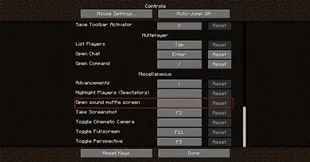
- Open the inventory button or bind a key, then use the ESM screen to muffle the sounds you want to quiet.
Requirements & Compatibility
| Requirement | Details |
|---|---|
| Minecraft versions | 26.1.1, 26.1, 1.21.11, 1.21.10, 1.21.9, 1.21.8, 1.21.7, 1.21.6, 1.21.5, 1.21.4, 1.21.3, 1.21.2, 1.21.1, 1.21, 1.20.6, 1.20.4, 1.20.2, 1.20.1, 1.19.2 |
| Loader support | Fabric Mod Loader, Minecraft Forge, NeoForge |
| Mod type | Client-side utility mod |
| License | LGPL-3.0-only |
| Author | LeoBeliik |
| Downloads | 3,166,378 on Modrinth |
| Compatibility note | The body text says it works on Forge and Fabric, and the project metadata also lists NeoForge. The sample download set provided here includes Fabric and NeoForge files for the highlighted releases, so match the file to your loader carefully. |
What's New
- The latest changelog entry is labeled 26.1 Update.
- The project was updated on 2026-03-25.
- The current version list includes 26.1.1 and 26.1 at the top, followed by multiple 1.21.x releases.
- The provided changelog text is brief, so the release label is the main confirmed update detail in this dataset.
Pros and Cons
Pros
- Lets you target individual sounds instead of changing overall audio levels.
- Anchors make it practical for small areas like bases and farms.
- Includes useful UI touches like preview, sliders, movable buttons, and dark mode.
- Supports multiple loaders and a broad version range.
Cons
- There are enough options that first-time setup may take a little time.
- The provided download list does not show every loader on every version, so you need to match the right file.
- Because it is client-side, it changes your local audio experience rather than anything on the server.
Alternatives to Extreme sound muffler Mod
- Sound Physics Remastered Mod - A good companion if you want Minecraft audio to feel more spatial and realistic rather than just quieter.
- Mod Sound Volume Options Mod - Useful when you want more control over how individual mod sounds behave in your client.
- Synesthesia: Sound Visualizer Mod - A helpful choice if you want to locate sounds more easily while playing.
Download Extreme sound muffler Mod
| Minecraft Version | Fabric | NeoForge |
|---|---|---|
| For Minecraft 26.1.1 | Download | Download |
| For Minecraft 26.1 | Download | Download |
| For Minecraft 1.21.11 | Download | Download |
| For Minecraft 1.21.10 | Download | Download |
| For Minecraft 1.21.9 | Download | Download |
| For Minecraft 1.21.8 | Download | Download |
| For Minecraft 1.21.7 | Download | Download |
| For Minecraft 1.21.6 | Download | Download |
| For Minecraft 1.21.5 | Download | Download |
| For Minecraft 1.21.4 | Download | Download |
| For Minecraft 1.21.3 | Download | Download |
| For Minecraft 1.21.2 | Download | Download |
Always download mods from official sources to stay safe.
Frequently Asked Questions
Is Extreme sound muffler client-side?
Yes - it is described as a client-side mod. That means the main benefit is controlling what you hear on your own game client, not changing server-side gameplay.
Does Extreme sound muffler work with Fabric, Forge, and NeoForge?
Yes - the provided data lists Fabric Mod Loader, Minecraft Forge, and NeoForge support. The body text explicitly mentions Forge and Fabric, while the metadata also includes NeoForge.
Can I muffle only one sound instead of everything?
Yes - selective muffling is the core feature. You can open the GUI, choose the sound you want, and mute just that entry instead of lowering all audio at once.
What are anchors in Extreme sound muffler?
Anchors are ranged mufflers. They let you apply sound control to a small area, which is useful when a sound is only annoying in one spot and not everywhere in the world.
Can I move the inventory button?
Yes - you can drag the inventory button to a different place with the right mouse button. You can also disable that button in the config if you prefer not to use it.
Does it have dark mode?
Yes - dark mode is mentioned in the mod description and can be enabled in the config. That makes the interface easier to match with a darker UI setup.
Can I blacklist sounds from the ESM screen?
Yes - the mod includes a blacklist option. That is helpful if you want to keep the sound list shorter and avoid seeing entries you never plan to mute.