
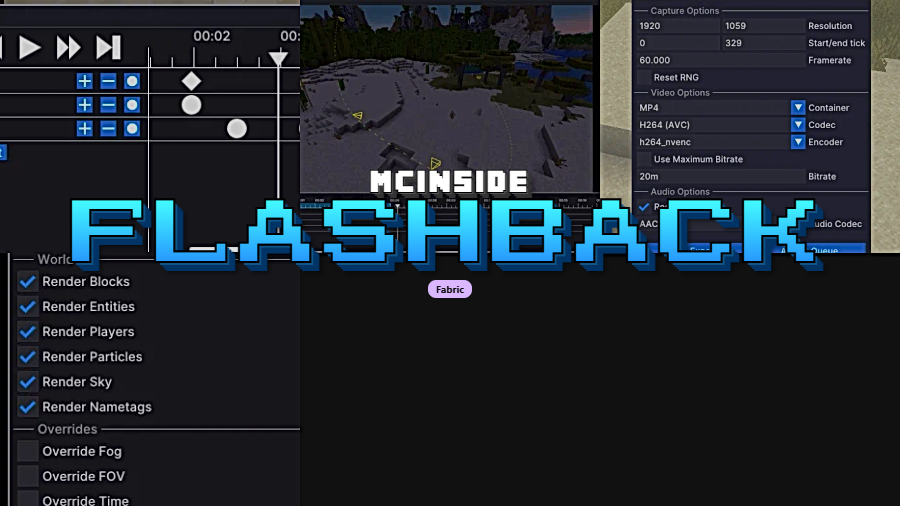
Flashback is a utility mod that lets you record your Minecraft gameplay, play it back, and create stunning cinematic shots, available for Fabric Mod Loader across Minecraft versions 1.21 through 1.21.11.
Minecraft has always been a game people love to share — whether it's a massive survival base, a clutch fight, or a redstone contraption that took weeks to finish. The problem is that traditional screen recording captures only your live perspective, and going back to reshoot from a better angle is impossible. Flashback solves this by recording the entire game state, letting you rewind, reposition the camera, and render polished cinematic footage after the fact. With over 5 million downloads on Modrinth and active development by Moulberry, it has quickly become the go-to replay mod for Fabric users who want professional-looking content without professional-grade complexity.
Key Features of Flashback Mod
- Full Gameplay Recording — Flashback captures your entire Minecraft session in the background, storing game state data rather than just pixels on screen. This means you can go back to any moment and view it from any angle, not just the perspective you were playing from. It's a game-changer for content creators who never know when something clip-worthy will happen.
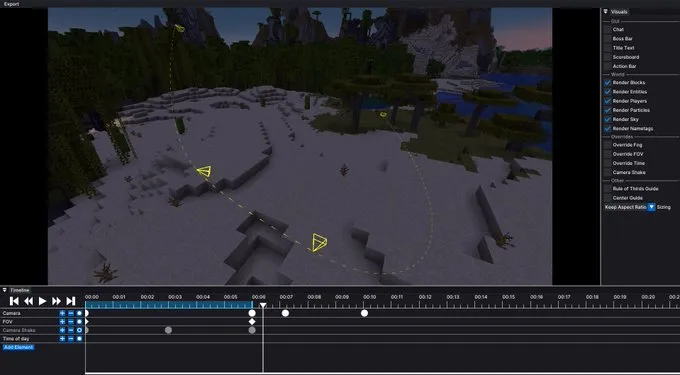
- Free Camera Replay System — Once you've recorded a session, you can detach from your player character and fly the camera anywhere in the scene. This allows you to set up dramatic overhead shots, slow panning reveals, or close-up reaction angles that would be impossible during live gameplay. The replay viewer gives you full control over time and position.
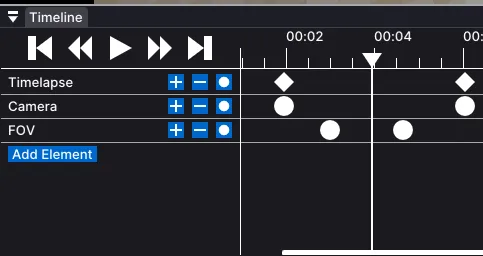
- Cinematic Camera Paths — Beyond simply replaying footage, Flashback lets you create smooth keyframed camera paths for truly cinematic output. You can set multiple camera points and the mod interpolates between them, producing the kind of buttery-smooth flyovers you see in professional Minecraft trailers. This feature alone replaces several standalone camera mods.
- Entity Visibility Controls — The mod includes a selected entity popup where you can hide specific equipment, toggle model parts like capes and skin layers, and even mute voice chat from specific players. This level of control is invaluable when you're trying to create a clean cinematic shot without distracting UI elements or unwanted player gear cluttering the frame.
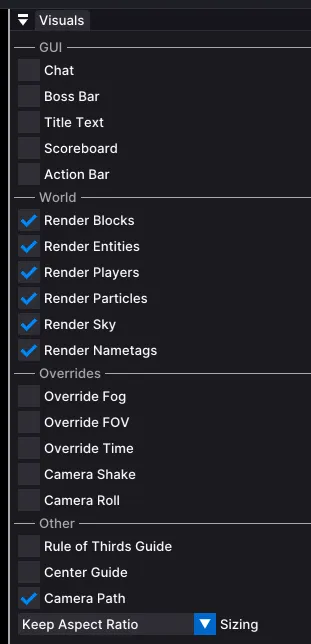
- Visual Toggle Options — Flashback provides granular visual controls such as the ability to toggle beacon beam rendering and particle effects on or off. When you're composing a specific shot, being able to strip away visual noise or selectively enable effects gives you creative flexibility that raw screen recordings simply cannot offer.
- Replay Filename Templates — Recorded sessions can be organized using filename templates with variables like the scene name. For players who record frequently across multiple worlds or server sessions, this keeps your replay library organized and easy to navigate without manually renaming files after every play session.
- Broad Mod Compatibility — Flashback is designed to work alongside popular Fabric mods including Sodium for rendering optimization and Distant Horizons for extended render distances. Recent updates have specifically addressed compatibility fixes for both of these mods, so you can record and replay without sacrificing the visual enhancements you already rely on.
Screenshots
How to Install Flashback Mod
- Download and install Fabric Mod Loader for your Minecraft version (1.21 through 1.21.11 are supported).
- Make sure you also have Fabric API installed, as most Fabric mods require it as a dependency.
- Download the Flashback mod file that matches your Minecraft version from the download section below.
- Place the downloaded
.jarfile into your.minecraft/modsfolder. If the folder doesn't exist, launch Minecraft with Fabric once to generate it automatically. - Launch Minecraft using your Fabric profile. Flashback should now appear in your mod list and will begin recording when you enter a world.
Requirements & Compatibility
| Requirement | Details |
|---|---|
| Mod Loader | Fabric |
| Minecraft Versions | 1.21, 1.21.1, 1.21.4, 1.21.5, 1.21.6, 1.21.7, 1.21.8, 1.21.9, 1.21.10, 1.21.11 |
| Author | Moulberry |
| License | All Rights Reserved |
| Source Code | GitHub |
What's New
- Added a
%scene%replay filename template argument for better file organization. - New visual toggles and entity controls: beacon beam rendering, equipment hider, model part hider (capes, skin layers), and voice muting for Simple Voice Chat users.
- Improved registry loading for smoother mod initialization.
- Fixed fog overrides not working with Sodium, resolving a long-standing visual issue.
- Fixed memory leaks and crashes related to Fabric API network handlers, particle rendering on 1.21.9+, and Distant Horizons compatibility.
Pros and Cons
Pros
- Records full game state, not just screen capture — replay from any angle
- Smooth keyframed camera paths for professional cinematic output
- Over 5 million downloads and actively maintained by Moulberry
- Granular entity and visual controls for clean, polished shots
- Compatible with popular performance mods like Sodium and Distant Horizons
Cons
- Fabric-only — no Forge or NeoForge support currently available
- Recording sessions may increase disk usage over long play sessions
- All Rights Reserved license limits community contributions and redistribution
- Learning curve for camera path keyframing may take some practice
Alternatives to Flashback Mod
- Replay Mod — The original Minecraft replay mod that pioneered in-game recording and camera paths, available for both Fabric and Forge with a long track record of community support.
- CMDCam — A lightweight camera utility focused specifically on creating smooth cinematic camera movements without the full replay recording system, ideal if you only need the camera path feature.
- Replay Voice Chat — A companion mod that extends replay functionality to capture voice chat audio from proximity voice mods, useful for content creators who want complete audio-visual replays.
Download Flashback Mod
| Minecraft Version | Fabric |
|---|---|
| For Minecraft 1.21.11 | Download |
| For Minecraft 1.21.10 | Download |
| For Minecraft 1.21.9 | Download |
| For Minecraft 1.21.8 | Download |
| For Minecraft 1.21.7 | Download |
| For Minecraft 1.21.6 | Download |
| For Minecraft 1.21.5 | Download |
| For Minecraft 1.21.4 | Download |
| For Minecraft 1.21.1 | Download |
| For Minecraft 1.21 | Download |
Always download mods from official sources to stay safe.
Frequently Asked Questions
Does Flashback Mod work with Sodium?
Yes — Flashback is fully compatible with Sodium and recent updates have specifically fixed fog override issues that previously occurred when both mods were installed together. You can run both mods simultaneously without visual glitches or performance conflicts.
Can I use Flashback on a multiplayer server?
Yes, Flashback works on multiplayer servers as a client-side mod. It records the game data your client receives, so you can capture and replay multiplayer moments without any server-side installation required. Keep in mind that it can only record what your client can see.
Does Flashback Mod support Forge or NeoForge?
No — Flashback is currently a Fabric-exclusive mod. There is no Forge or NeoForge version available at this time. If you need a replay mod for Forge, consider checking Replay Mod which has broader loader support.
How much disk space do Flashback recordings use?
Recording size varies depending on session length and world complexity. Shorter sessions of 10-30 minutes typically produce manageable file sizes, but extended recording sessions in busy environments with many entities will consume more storage. The filename template system helps you organize and manage recordings efficiently.
Is Flashback Mod compatible with Distant Horizons?
Yes — Flashback works alongside Distant Horizons for extended render distance replays. The latest update specifically fixed a crash that occurred with recent Distant Horizons builds, so make sure you are running the newest version of both mods for the best experience.


![[Let's Do] Meadow Mod (1.21.1) - thumbnail](http://mcinside.com/wp-content/uploads/2026/04/thumbnail-64-52x52.webp)


![Not Enough Recipe Book [NERB] Mod (1.21.11) - thumbnail](http://mcinside.com/wp-content/uploads/2026/04/thumbnail-63-52x52.webp)


