
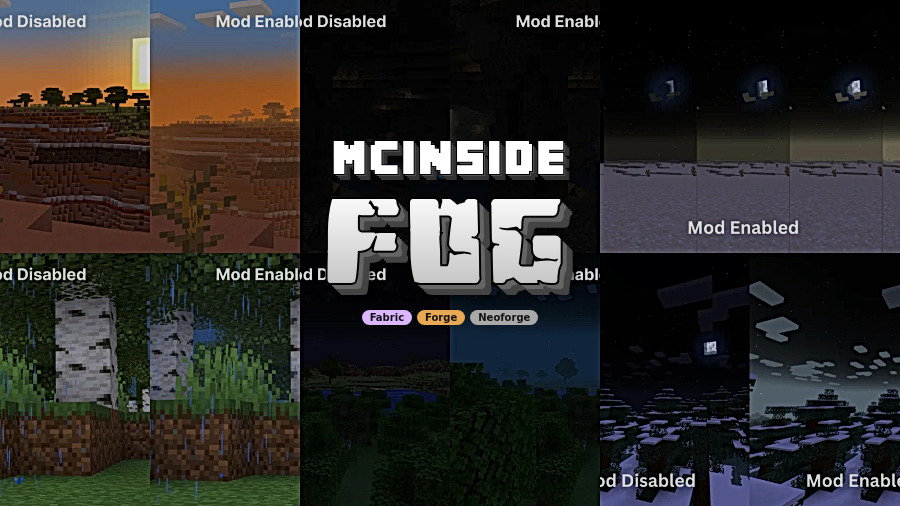
Fog Mod is a visual mod that revamps Minecraft's fog color, start, and end points for Fabric, Forge, and NeoForge.
Fog is one of those details you notice only when it is working well. This mod solves the flat, distant look that vanilla Minecraft can leave behind by giving fog more depth, more variation, and more control, while still aiming to preserve the base game feel. With more than 1.24 million downloads on Modrinth, it has clearly found an audience among players who want better atmosphere without a full visual overhaul.
Key Features of Fog Mod
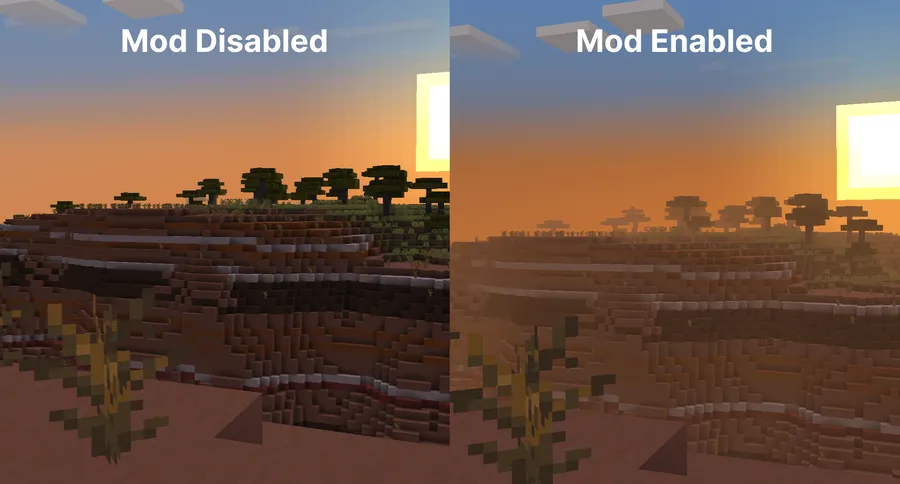
- Reworked fog shaping - Fog Mod changes how fog starts and ends instead of simply making the world harder to see. That matters because the game keeps its view distance, but the scene feels richer and less abrupt. The result is a smoother sense of depth that looks intentional rather than heavy-handed.
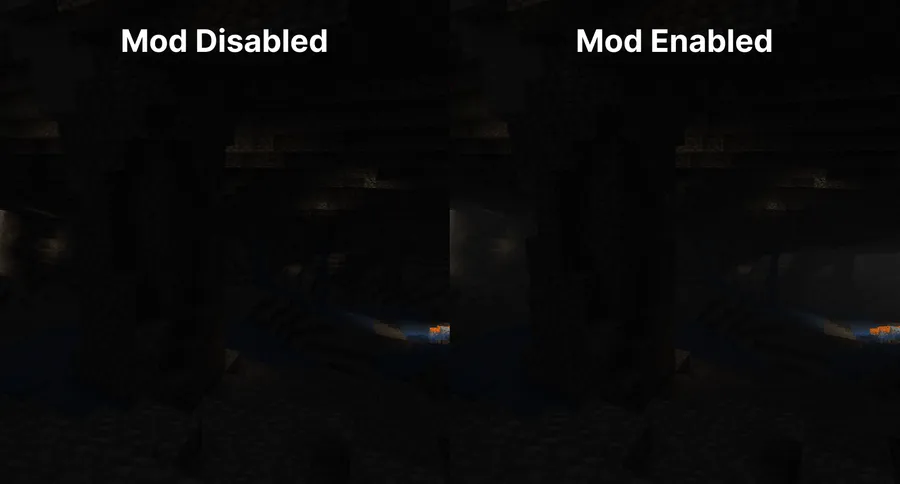
- Cave fog that thickens underground - As you go deeper, the underground atmosphere becomes denser and more unsettling. That makes cave runs feel more like a descent into something unknown instead of a bright tunnel crawl. It is a small visual change, but it does a lot for tension and exploration.
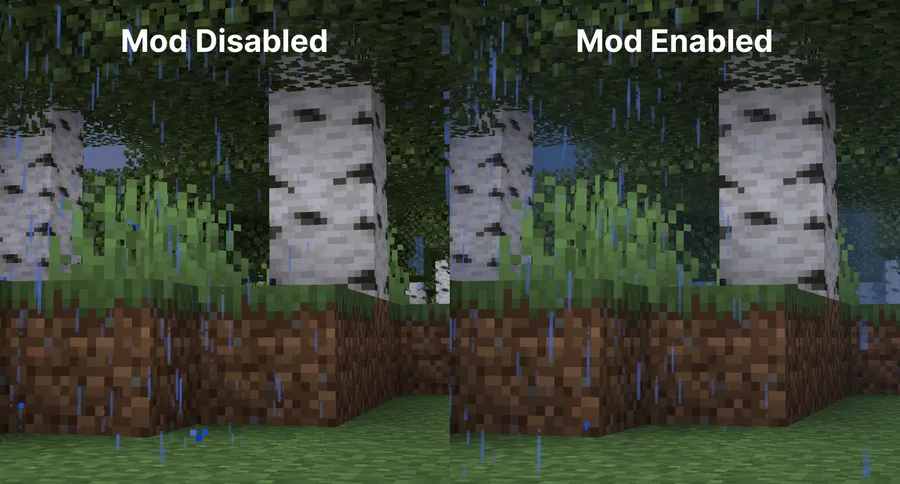
- Weather-aware fog - Rain and snow affect the fog so the world feels more reactive to the environment. This helps each weather type read as a real change in mood instead of just a particle effect. If you like wandering during storms, the visual payoff is immediately noticeable.
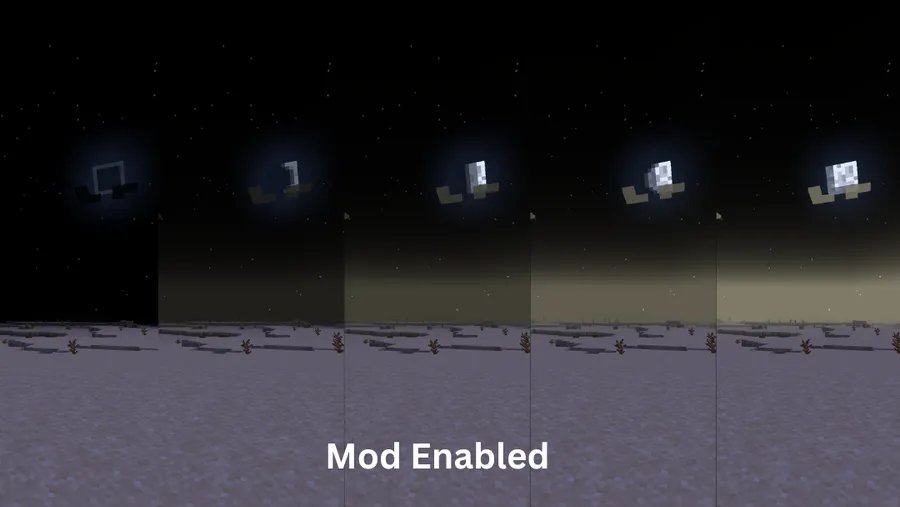
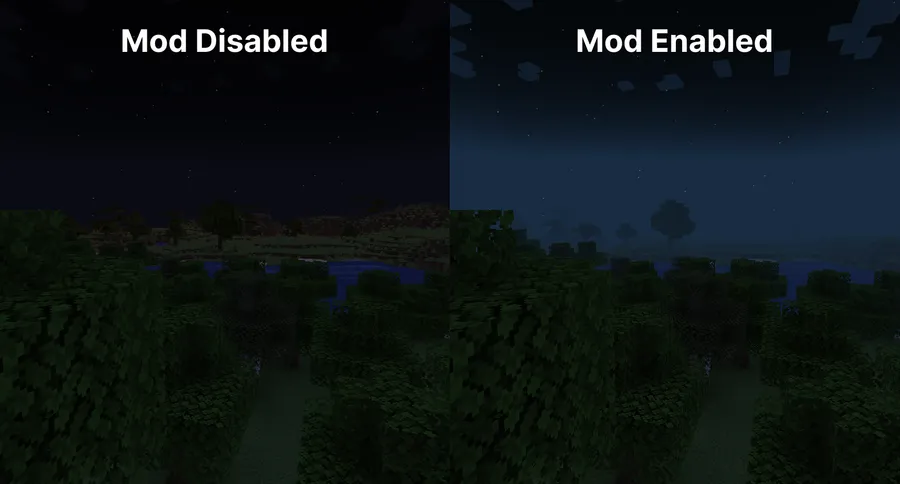
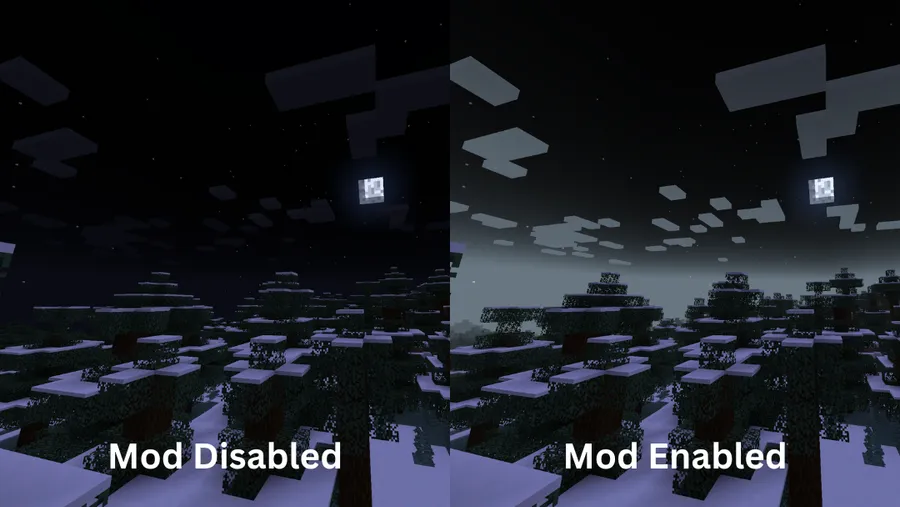
- Time-based color shifts - Sunrises and sunsets can push fog toward richer colors, while nighttime fog can respond to the moon cycle. That gives Minecraft days a stronger rhythm and makes the sky-to-ground transition feel less static. It is the kind of detail that makes long play sessions feel more cinematic.
- Biome fog colors - Different biomes can carry their own fog tones, which helps each region feel visually distinct. That is especially useful in larger survival worlds where you move between environments often and want each area to have a clear identity. The mod also supports modded biomes and resource pack customization, which keeps it flexible.
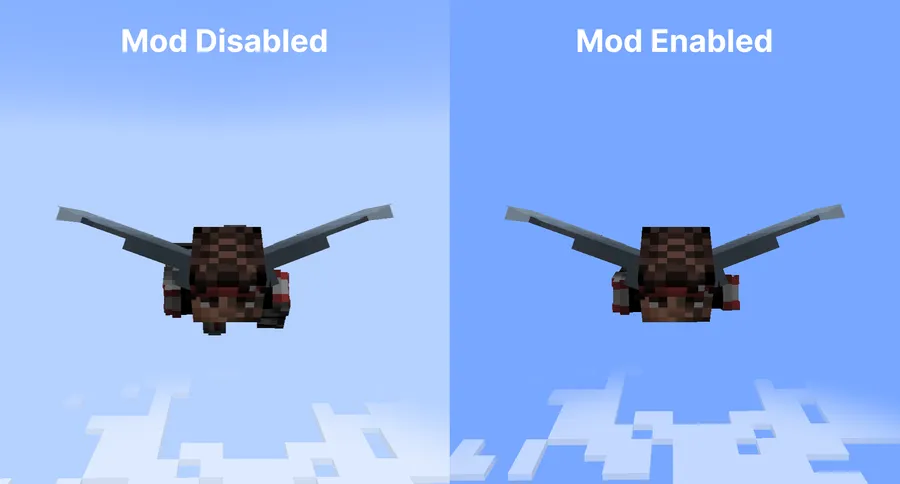
- Sky and cloud fixes - When you are flying with an elytra above the clouds, the fog fades away more naturally and avoids odd horizon lines. Clouds also keep their own look instead of being tinted into something unnatural. This matters because aerial travel is one place where fog mods can easily become distracting, and Fog Mod seems designed to avoid that problem.
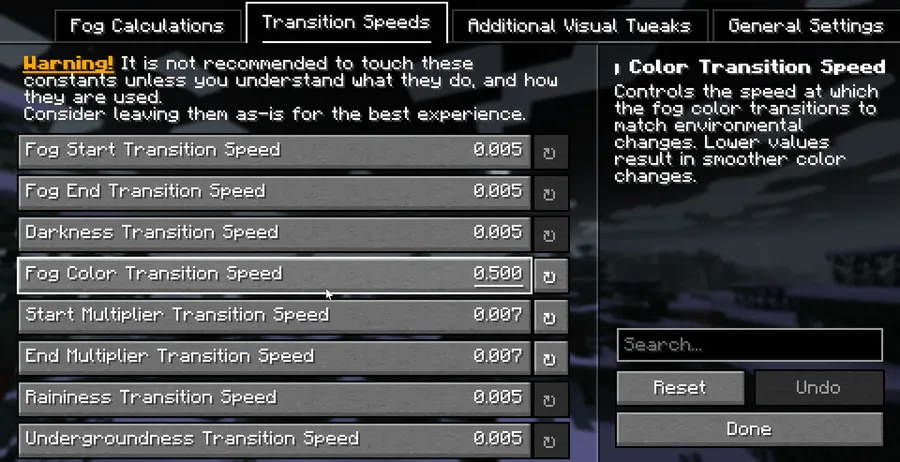
- High customization - Most of the mod can be tuned through the config screen or resource packs, so you are not locked into one visual style. On Fabric, you will need Mod Menu to reach that configuration screen. That level of control is important if you want atmosphere without losing readability.
Screenshots
How to Install Fog Mod
- Install the loader you are using, such as Fabric Mod Loader, Minecraft Forge, or NeoForge.
- Add the required supporting libraries for your setup. The provided data lists Fabric API for Fabric, plus YetAnotherConfigLib, M.R.U, and Architectury API as dependencies.
- Download the Fog Mod file that matches your Minecraft version from the download section below.
- Place the mod JAR into your Minecraft `mods` folder and launch the game once so the files generate correctly.
- Open the settings through Mod Menu on Fabric or through the Mods list on NeoForge, then adjust the fog behavior to fit your world.
Requirements & Compatibility
| Category | Details |
|---|---|
| Author | IMB11 |
| Supported loaders | Fabric, Forge, NeoForge |
| Minecraft versions | 1.21.10, 1.21.9, 1.21.8, 1.21.7, 1.21.6, 1.21.5, 1.21.4, 1.21.3, 1.21.2, 1.21.1, 1.21, 1.20.6, 1.20.5, 1.20.4, 1.20.3, 1.20.1, 1.20 |
| Required dependencies | Fabric API for Fabric, YetAnotherConfigLib, M.R.U, Architectury API |
| Configuration access | Mod Menu on Fabric, Mods list on NeoForge |
| Compatible mods | Sodium, True Darkness, shaders that use Minecraft's default fog settings |
| Notes | Distant Horizons support is planned for the future, and the issue tracker is the place to check for incompatibilities |
| Download sources | GitHub Releases, Modrinth, CurseForge |
What's New
- Added support for Minecraft 1.21.10.
- Extended the current release line to the newest version listed in the data.
- Kept the mod available on the Fabric and NeoForge paths shown in the update notes.
Pros and Cons
Pros
- Creates a stronger sense of depth without abandoning the vanilla style.
- Supports biome, weather, cave, and time-based fog changes.
- Offers broad customization through config options and resource packs.
- Works with Sodium and shaders that use default fog settings.
- Supports modded biomes and can blend into large modpacks well.
Cons
- Fabric users need extra setup, including Mod Menu for easy config access.
- The dependency list is longer than a simple standalone mod.
- Distant Horizons support is not available yet, only planned.
- The provided download list is version-specific, so you need to match your Minecraft build carefully.
Alternatives to Fog Mod
- Sodium - A useful companion if you want to keep visuals clean and responsive while adding fog customization on top.
- Mod Menu - A practical Fabric-side helper that makes Fog Mod's configuration screen easy to reach.
- True Darkness - A moodier atmospheric mod that can complement Fog Mod's moon-phase and biome fog behavior.
Download Fog Mod
| Minecraft Version | Fabric | NeoForge |
|---|---|---|
| For Minecraft 1.21.10 | Download | Download |
| For Minecraft 1.21.9 | Download | Download |
| For Minecraft 1.21.8 | Download | — |
| For Minecraft 1.21.7 | Download | Download |
| For Minecraft 1.21.6 | Download | Download |
| For Minecraft 1.21.5 | Download | Download |
| For Minecraft 1.21.4 | Download | Download |
| For Minecraft 1.21.3 | Download | Download |
| For Minecraft 1.21.2 | Download | Download |
| For Minecraft 1.21.1 | Download | Download |
| For Minecraft 1.21 | Download | Download |
| For Minecraft 1.20.6 | Download | Download |
Always download mods from official sources to stay safe.
Frequently Asked Questions
What does Fog Mod change in Minecraft?
It changes the fog's color, start point, and end point. In practice, that means the world feels deeper and more atmospheric without turning Minecraft into a different game.
Is Fog Mod compatible with Sodium?
Yes, it is listed as fully compatible with Sodium. That makes it easier to keep your visual setup clean if you already use performance-focused mods.
Do I need Mod Menu on Fabric?
Yes, if you want to use the configuration screen on Fabric. The mod's settings are designed to be adjusted in-game, and Mod Menu is the path to that interface.
Does Fog Mod support modded biomes?
Yes, it supports modded biomes. That matters because it lets the fog system stay consistent even in heavily customized worlds and large modpacks.
Can I use Fog Mod with shaders?
Yes, if the shaders rely on Minecraft's default fog settings. The provided compatibility notes specifically call out that case as fully compatible.
Is Distant Horizons supported?
Not yet, but support is planned for the future. If that mod is part of your setup, you should check the current issue tracker before installing.
Does Fog Mod change gameplay or only visuals?
It is mainly a visual mod. The focus is on fog behavior, atmosphere, and readability, not on changing core survival mechanics.


