
kennytvs-epic-force-close-loading-screen-mod-for-fabric mod is a Minecraft optimization mod that instantly closes world-change loading screens and shortens resource-pack loading screen delays for Minecraft Fabric. It targets players who want faster-feeling transitions without staring at loading overlays.
One of the most annoying parts of modern multiplayer and frequent world switching is not gameplay lag, but the repeated loading screens that interrupt flow. This mod directly tackles that pain point by cutting out the loading terrain and reconfiguration screens and by removing forced fade timing during resource-pack loading, so transitions feel more immediate. With more than 4 million downloads on Modrinth (4,351,248), it also has strong social proof from players who clearly value a smoother join and switch experience.
Key Features of kennytvs-epic-force-close-loading-screen-mod-for-fabric
- Instantly closes world loading and reconfiguration screens — The core behavior is straightforward: the mod disables those transition screens when joining worlds or moving between world states. For players, this means less dead time between actions and less visual interruption during normal server play. On Paper or modded servers, it can feel much closer to a continuous experience instead of repeated screen flashes.
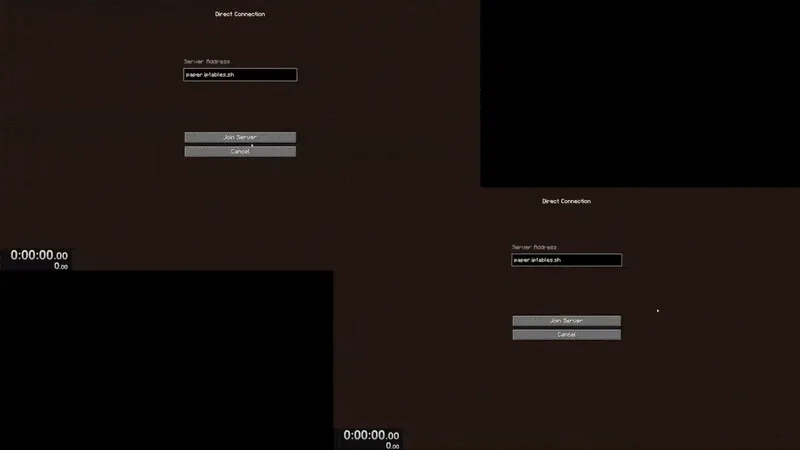
- Faster-feeling resource pack loading — The mod reduces resource-pack loading screen duration by removing forced fade-in and fade-out effects. That matters most when packs already load quickly, because artificial fade timing can make fast loads still feel slow. In practice, you get a snappier handoff back to gameplay.
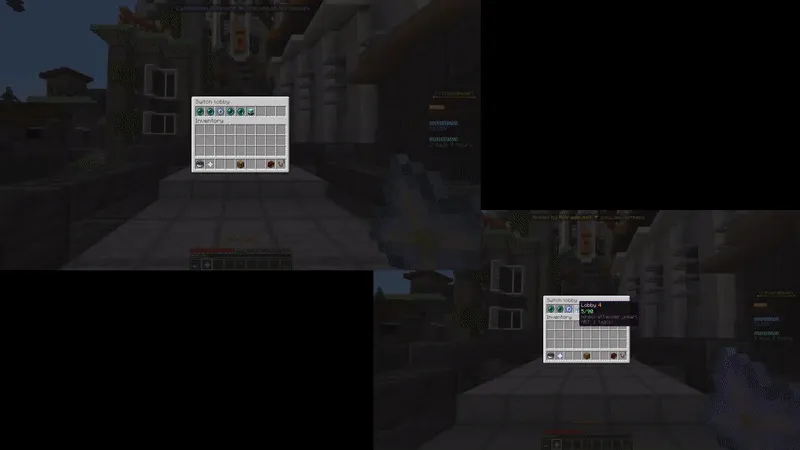
- Smoother server switching flow — Frequent server hoppers benefit because switching is less dominated by transition overlays. Even when there is brief visual flashing during changes, the process is shorter and more direct. If you move between hubs, minigames, or separate backend worlds often, this is where the mod's value is easiest to feel.
- Fixes a known long-loading case with Sodium on Paper servers — The author notes this mod also resolves a Sodium scenario where loading terrain can last around 30 seconds on Paper servers. That makes it a useful companion if you have seen unusually long transitions with that stack. The benefit is not a benchmark promise, but a targeted fix for a reported real-world issue.
- Legacy behavior controls for older versions (1.18.2–1.19.2, mod 1.1.1 context) — In older supported environments, the author documented an option to fully remove the loading screen behavior, with Mod Menu and Cloth Config API used for config access. This is useful historical context if you maintain older instances and want the most aggressive transition behavior. The tradeoff is clearly documented: slow connections may briefly show visual desync effects.
- Broad version coverage with open-source licensing — The project spans many Minecraft versions from 1.18.2 up through 26.1, which helps for multi-instance launchers and mixed server environments. It is published under MIT and has a public source repository, so advanced users can audit behavior and changelog history. That transparency is a practical plus for long-term modpack planning.
Screenshots
How to Install kennytvs-epic-force-close-loading-screen-mod-for-fabric
- Install Fabric Mod Loader for your exact Minecraft version.
- Download the mod file that matches your game version (for example 26.1, 1.21.11, or another supported release).
- Place the downloaded JAR into your Minecraft
modsfolder and launch the Fabric profile. - Join a server or switch worlds to confirm that loading/reconfiguration overlays now close immediately.
- Optional for older setups: install Mod Menu and Cloth Config API if you need legacy config controls referenced by the author.
Requirements & Compatibility
| Item | Details |
|---|---|
| Category | Minecraft Mods |
| Mod Type | Fabric |
| Required Loader | Fabric Mod Loader |
| Supported Minecraft Versions | 26.1, 1.21.11, 1.21.10, 1.21.9, 1.21.8, 1.21.7, 1.21.5, 1.21.4, 1.21.3, 1.21.2, 1.21.1, 1.21, 1.20.6, 1.20.5, 1.20.4, 1.20.3, 1.20.2, 1.20.1, 1.20, 1.19.4, 1.19.3, 1.19.2, 1.19.1, 1.19, 1.18.2 |
| Known Incompatibilities | Feather client, FastLoad |
| Author | kennytv |
| License | MIT |
| Modrinth Downloads | 4,351,248 |
What's New
- Updated to Minecraft 26.1.
- Latest changelog credits the 26.1 update contribution to Gerrygames.
- Project metadata shows a recent update date of 2026-03-26.
- Current listed Fabric download targets include 26.1 and multiple 1.21.x builds (such as 1.21.11 through 1.21.4).
Pros and Cons
Pros
- Directly addresses loading-screen interruptions during world joins and switches.
- Makes resource-pack transitions feel shorter by removing forced fades.
- Useful with Paper/modded server workflows where screen flashes are frequent.
- May resolve a documented long-loading case involving Sodium on Paper.
- Large adoption footprint and open MIT source code.
Cons
- Known incompatibilities with Feather client and FastLoad.
- Disabling transition screens can expose brief visual client/server position desync.
- Some legacy advanced behavior depends on extra config mods in older version contexts.
Alternatives to kennytvs-epic-force-close-loading-screen-mod-for-fabric
- Sodium — A common Fabric performance companion; the author specifically references a Sodium-related loading scenario this mod can help on Paper servers.
- Mod Menu — A complementary utility mod for exposing config UIs, including the legacy toggle workflow mentioned by the author.
- Cloth Config API — A companion library used with Mod Menu for configuration screens in the older documented setup.
Download kennytvs-epic-force-close-loading-screen-mod-for-fabric
| Minecraft Version | Fabric |
|---|---|
| For Minecraft 26.1 | Download |
| For Minecraft 1.21.11 | Download |
| For Minecraft 1.21.10 | Download |
| For Minecraft 1.21.9 | Download |
| For Minecraft 1.21.8 | Download |
| For Minecraft 1.21.7 | Download |
| For Minecraft 1.21.5 | Download |
| For Minecraft 1.21.4 | Download |
| For Minecraft 1.21.3 | Download |
| For Minecraft 1.21.2 | Download |
| For Minecraft 1.21.1 | Download |
| For Minecraft 1.21 | Download |
Always download mods from official sources to stay safe.
Frequently Asked Questions
Is this mod Fabric-only?
Yes — the listed loader support is Fabric. You need Fabric Mod Loader installed, and the provided download entries are marked for Fabric builds.
Does this mod remove the loading terrain screen when changing worlds?
Yes — that is the primary function. The author description states it disables the world loading and reconfiguration screens, which is why transitions appear immediately.
Can it reduce resource-pack loading screen time?
Yes — it is designed to reduce the visible duration. It does this by removing forced fade-in and fade-out timing around resource-pack loading screens.
Is it compatible with Feather client and FastLoad?
No — both are listed as known incompatibilities. If your setup depends on either one, you should expect conflicts and test in a separate profile first.
Do I need Mod Menu and Cloth Config API to use the mod?
No — not for basic use. Those were referenced for a legacy configuration option in the older 1.18.2–1.19.2 context described by the author.
What Minecraft versions are supported?
The supported range includes 1.18.2 through 26.1. That includes many intermediate versions such as 1.19.x, 1.20.x, and 1.21.x builds listed in the project metadata.


![[Let's Do] NetherVinery Mod (1.20.1) - thumbnail](http://mcinside.com/wp-content/uploads/2026/04/thumbnail-83-52x52.webp)


![CobbleDollars [Cobblemon Addon] Mod (1.21.1) - thumbnail](http://mcinside.com/wp-content/uploads/2026/04/thumbnail-108-52x52.webp)

![[Let's Do] Farm & Charm Mod (1.21.1) - thumbnail](http://mcinside.com/wp-content/uploads/2026/04/thumbnail-82-52x52.webp)

