

Exploring dark caves and navigating through nighttime in Minecraft can be frustrating — especially when you'd rather focus on building or mining than constantly brewing Night Vision potions. Full Brightness Toggle Mod solves this with a single keybind: press G and your entire world lights up as if you had permanent night vision. With over 4.1 million downloads on Modrinth and support across Forge, Fabric, NeoForge, and Quilt, this lightweight client-side utility by Serilum has become one of the most popular quality-of-life mods in the Minecraft ecosystem.
Key Features
- Instant brightness toggle — One keypress (default: G) switches between normal and full brightness, simulating the effect of a Night Vision potion without any resources or brewing required.
- Fully configurable keybind — The default G key can be remapped through the standard Minecraft Options > Controls menu, so it won't conflict with your existing keybinds.
- Client-side only — No server installation needed. The mod runs entirely on your client, making it easy to add to any modpack or personal setup.
- Multi-loader support — Available for Forge, Fabric, Quilt, and NeoForge, covering virtually every modern Minecraft mod loader.
Screenshots


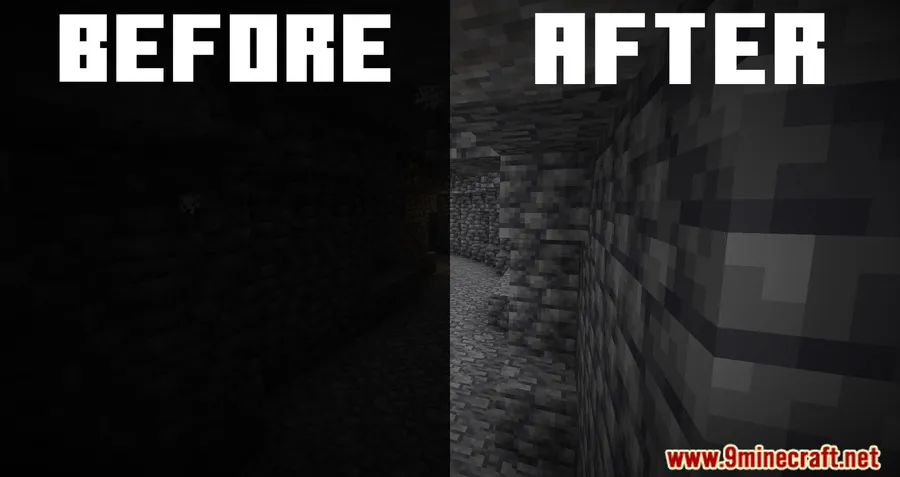
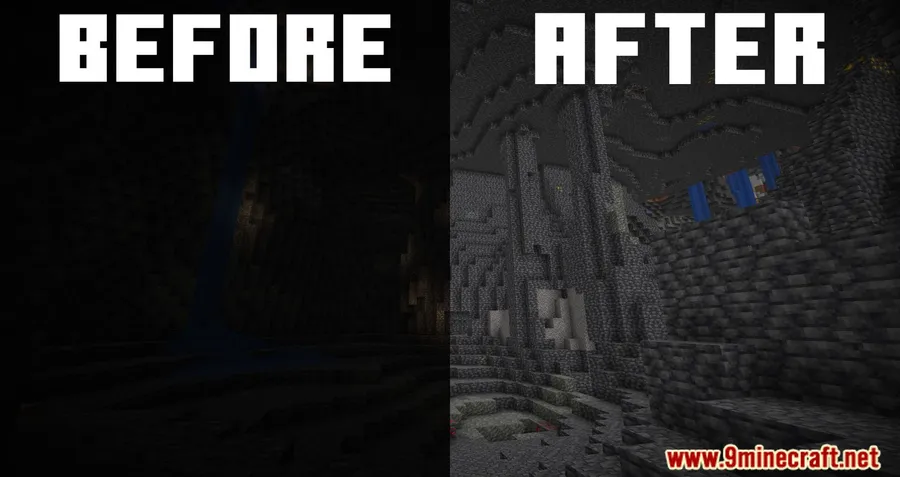
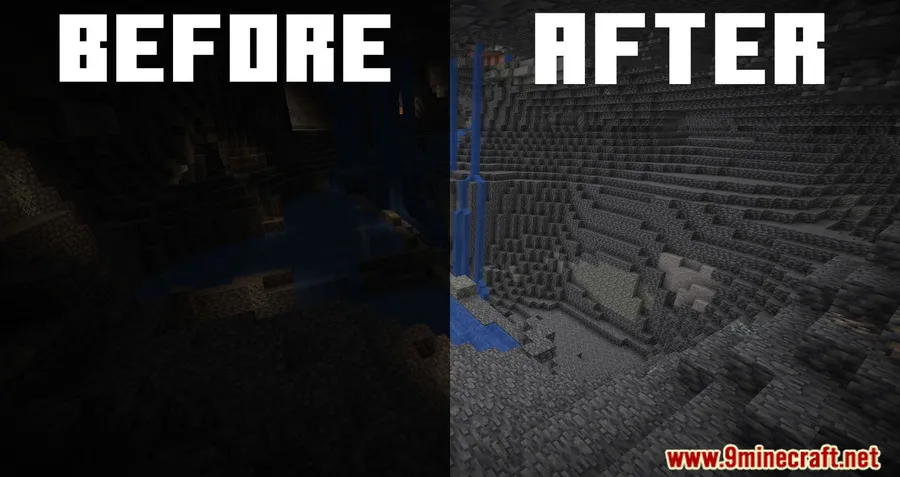
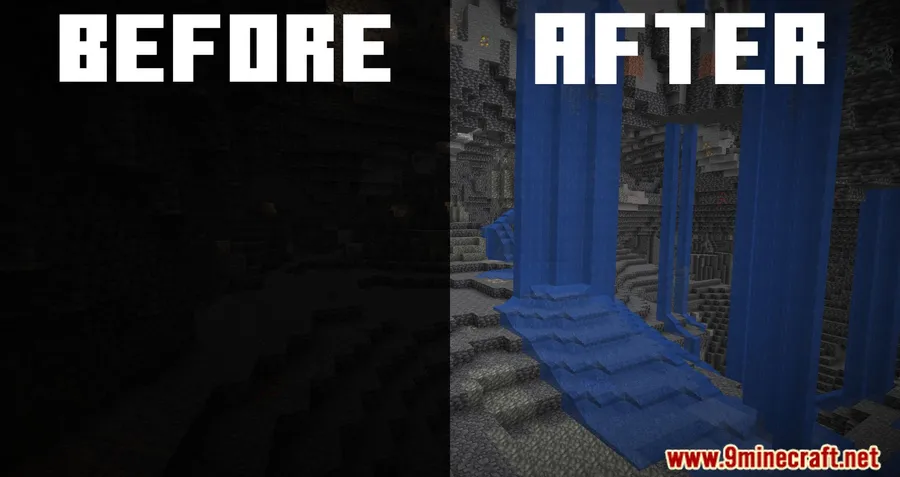
How to Install
- Download and install your preferred mod loader (Forge, Fabric, NeoForge, or Quilt) for your Minecraft version.
- Download the Collective Library — it is a required dependency for this mod. Fabric users also need Fabric API.
- Download Full Brightness Toggle for your Minecraft version and loader from the download section below.
- Place both .jar files into your
.minecraft/modsfolder. - Launch Minecraft and press G to toggle full brightness. Remap the key in Options > Controls if needed.
Requirements
| Category | Details |
|---|---|
| Mod Loaders | Forge, Fabric, NeoForge, Quilt |
| Dependencies | Collective Library (required), Fabric API (Fabric only), Quilt Loader (Quilt only), NeoForge Installer (NeoForge only) |
| Minecraft Versions | 1.21.11, 1.21.10, 1.21.9, 1.21.8, 1.21.7, 1.21.6, 1.21.5, 1.21.4, 1.21.3, 1.21.1, 1.21, 1.20.6, 1.20.4, 1.20.2, 1.20.1, 1.20, 1.19.4, 1.19.3, 1.19.2, 1.18.2, 1.18.1, 1.17.1, 1.16.5, 1.15.2, 1.14.4 |
Pros & Cons
Pros
- Dead-simple to use — one key toggles brightness instantly
- Works across all major mod loaders (Forge, Fabric, NeoForge, Quilt)
- Supports a wide range of Minecraft versions from 1.14.4 to 1.21.11
- Client-side only — no server setup required
- Configurable keybind through standard Minecraft controls
Cons
- Requires Collective Library as an additional dependency
- May not be allowed on servers with anti-cheat — use at your own discretion
- Does not replace actual light sources for mob spawning prevention
Download
Always download mods from official sources to stay safe.
What's New
- Updated to support Minecraft version 26.1 (latest release).
- Continued multi-loader compatibility across Forge, Fabric, NeoForge, and Quilt.
- Ongoing maintenance and updates since the original 2022 release.
- Full changelog history available on Serilum's official site.
FAQ
What key do I press to toggle full brightness?
The default keybind is G. You can change it at any time by going to Options > Controls in Minecraft and reassigning the Full Brightness Toggle key to whatever you prefer.
Can I use Full Brightness Toggle on multiplayer servers?
Since this is a client-side mod, it works on any server without server-side installation. However, some servers may consider brightness mods against their rules, so check the server's mod policy before using it.
Do I need any other mods installed for it to work?
Yes, you need the Collective Library mod by the same author (Serilum) as a required dependency. If you're using Fabric, you'll also need Fabric API installed.


![[Let's Do] Candlelight - Farm&Charm compat Mod (1.21.1) - thumbnail](http://mcinside.com/wp-content/uploads/2026/04/thumbnail-81-52x52.webp)


![[Let's Do] Meadow Mod (1.21.1) - thumbnail](http://mcinside.com/wp-content/uploads/2026/04/thumbnail-64-52x52.webp)


![Not Enough Recipe Book [NERB] Mod (1.21.11) - thumbnail](http://mcinside.com/wp-content/uploads/2026/04/thumbnail-63-52x52.webp)