
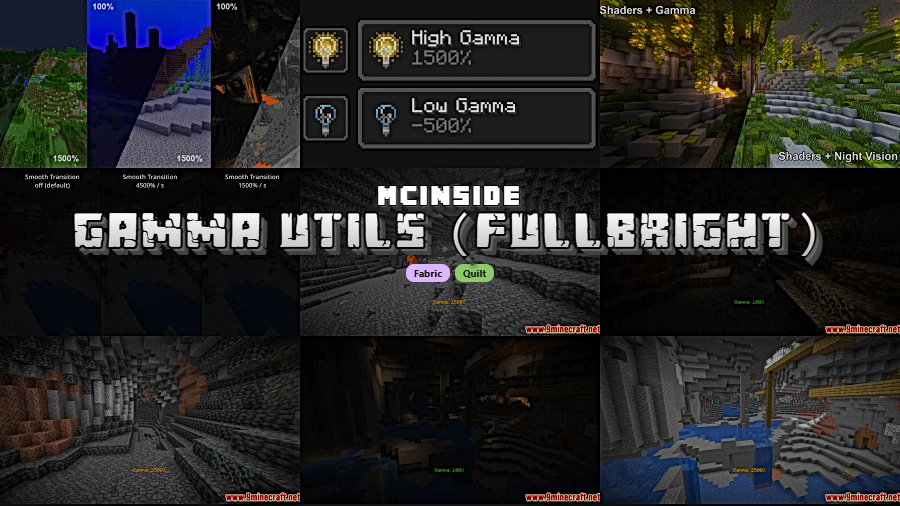
Gamma Utils is a client-side utility mod that lets players increase their gamma and brightness far beyond the default slider limit, effectively providing fullbright vision in Minecraft for Fabric, Quilt, and NeoForge loaders.
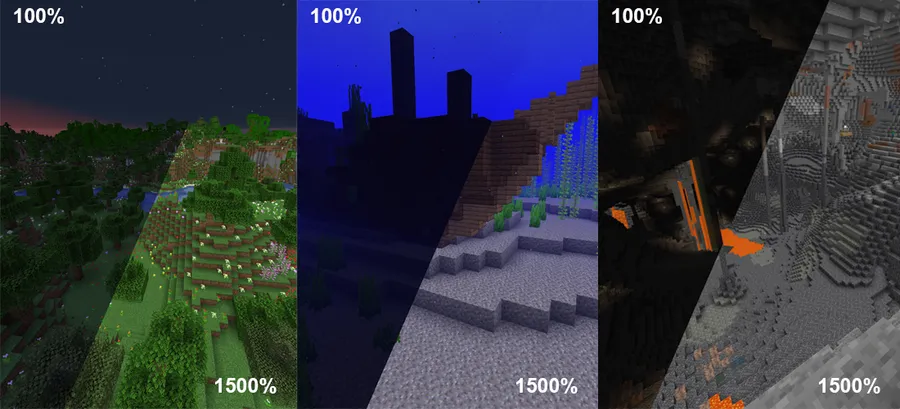
Darkness in Minecraft is a core game mechanic, but for many players it crosses the line from atmospheric to genuinely frustrating. Whether you are strip-mining at Y-level -58, exploring a deep dark biome, or simply building at night, the default brightness slider only goes so far. Gamma Utils solves this by unlocking the gamma value well beyond what vanilla Minecraft allows — up to 1500% and beyond. With over 7.8 million downloads since its initial release in 2021, it has become one of the most trusted fullbright solutions in the Fabric and Quilt ecosystem. Developed by Sjouwer and released under the LGPL-3.0 license, the mod is fully open source and actively maintained.
Key Features of Gamma Utils
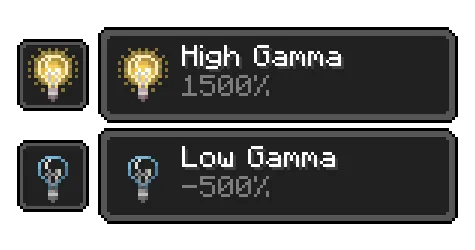
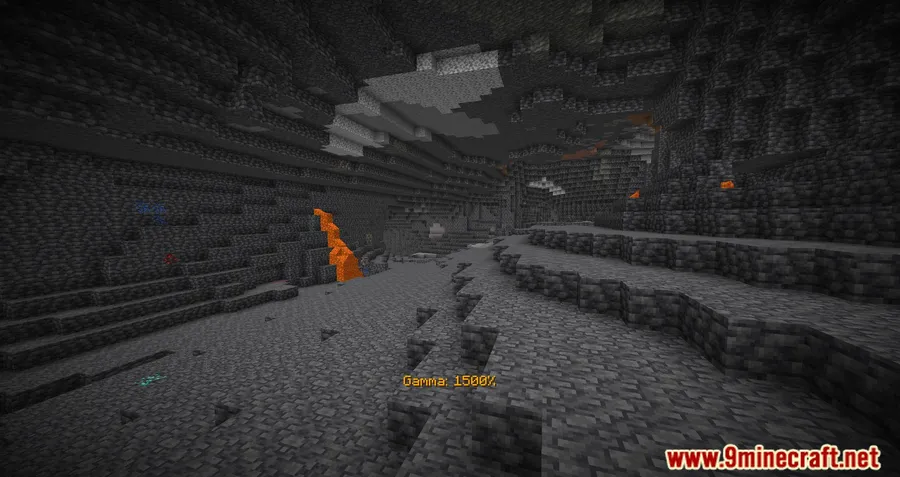
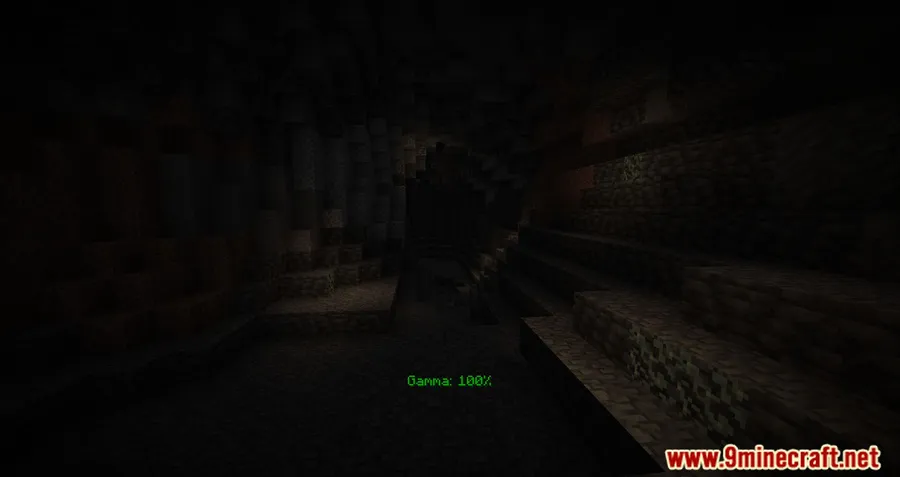
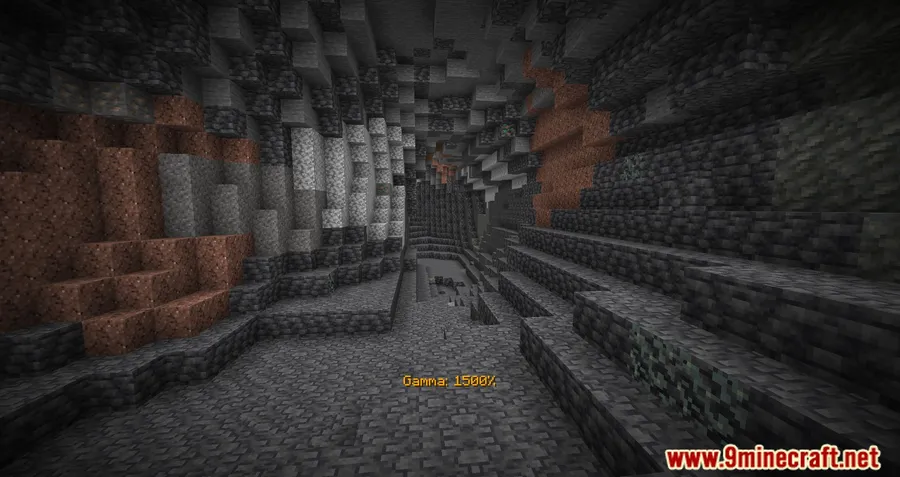
- Instant Gamma Toggle (G Key) — Press G to instantly switch between your normal brightness (100%) and a configurable high-gamma value (default 1500%). This means you never have to dig through settings menus mid-game. One tap and caves look fully lit; another tap and you are back to atmospheric darkness for screenshots or immersive play.
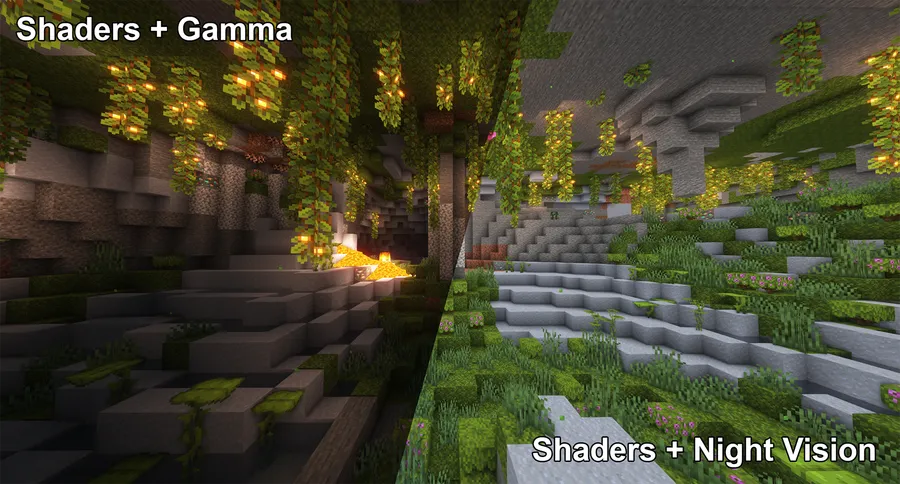
- Client-Side Night Vision (H Key) — Press H to enable a client-side night vision effect without needing any potions or beacon effects. This is particularly valuable for players who use shader packs, because standard gamma increases often do not work with shaders. The night vision toggle provides a compatible alternative that works with at least several popular shader packs.
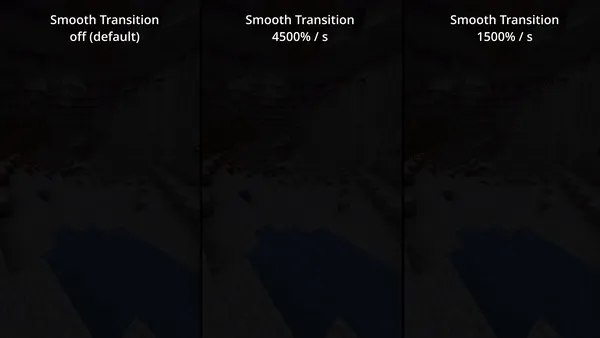
- Smooth Transition Animation — When enabled in the config, toggling gamma fades smoothly between brightness levels instead of snapping instantly. This prevents the jarring flash that can occur when switching from dark to bright, making the experience much more comfortable during long play sessions.
- Client-Side Status Effects — An optional feature that displays a visual status effect indicator on your HUD when gamma is set above normal values. This serves as a helpful reminder that fullbright is active, so you do not accidentally leave it on when you want to experience the game's natural lighting.
- Slash Command Support — Beyond keybinds, Gamma Utils offers full command control via
/gamma toggle,/gamma increase, and/gamma decrease. This is useful for players who prefer not to use keybinds or want to set precise gamma values through the chat window. - Fully Configurable via Cloth Config — Every aspect of the mod can be fine-tuned through the Cloth Config settings screen. You can adjust the toggle percentage, step size for incremental changes, default gamma value, transition speed, and more. This level of control means you can set up the exact brightness level that works for your monitor and preferences.
- Multi-Loader Support — Gamma Utils runs on Fabric, Quilt, and as of the latest update, NeoForge. This broad compatibility means you can keep using it regardless of which mod loader your modpack requires.
Screenshots
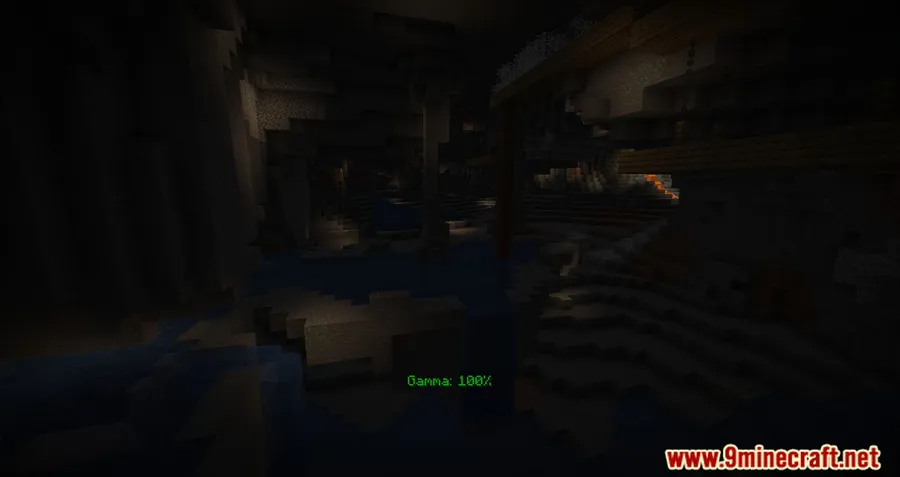
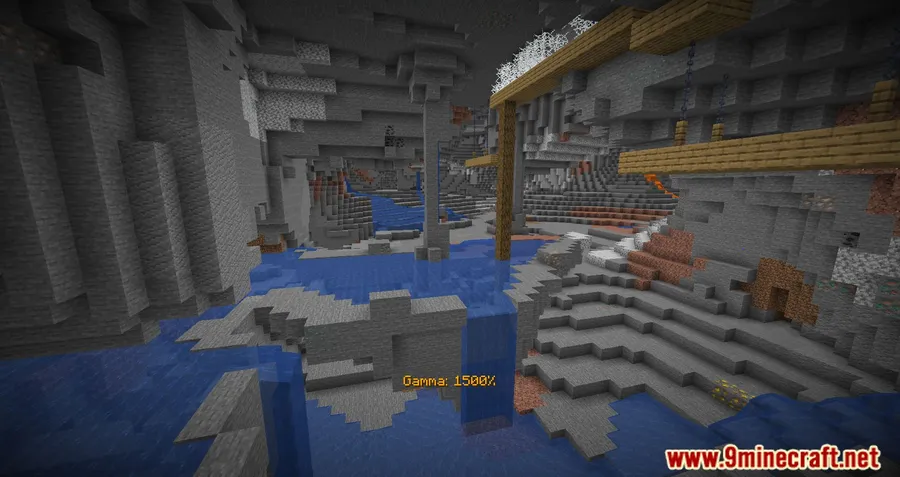
How to Install Gamma Utils
- Install Fabric API for Fabric, or set up Quilt Loader if you prefer Quilt. For Minecraft 26.1, NeoForge is also supported.
- Download and install Cloth Config API, which Gamma Utils requires for its in-game settings screen.
- Download the correct version of Gamma Utils for your Minecraft version from the download section below.
- Place the downloaded
.jarfile into your.minecraft/modsfolder. If the folder does not exist, launch Minecraft once with your mod loader to generate it. - Launch Minecraft with your Fabric, Quilt, or NeoForge profile. Press G in-game to verify fullbright toggles on and off.
Requirements & Compatibility
| Requirement | Details |
|---|---|
| Mod Loaders | Fabric, Quilt, NeoForge (26.1+) |
| Minecraft Versions | 1.20.2 – 1.21.11, 26.1 |
| Dependencies | Fabric API, Cloth Config API |
| Side | Client-side only |
| License | LGPL-3.0-only |
What's New
- Ported to NeoForge 26.1, expanding loader support beyond Fabric and Quilt for the first time.
- Continued compatibility updates covering Minecraft 1.21.11 and recent snapshots.
- The mod remains actively maintained with regular updates as new Minecraft versions release.
Pros and Cons
Pros
- Simple one-key toggle makes it effortless to use
- Client-side only — works on any server without server-side installation
- Night vision mode provides shader-compatible brightness
- Highly configurable through Cloth Config
- Supports Fabric, Quilt, and NeoForge
- Open source with active development since 2021
Cons
- Requires two additional dependencies (Fabric API and Cloth Config)
- High gamma mode does not work with most shader packs — must use night vision toggle instead
- May be considered an unfair advantage on competitive PvP servers
- No Forge (legacy) support — only NeoForge from 26.1 onward
Alternatives to Gamma Utils
- LambDynamicLights — Adds real-time dynamic lighting to held items and entities, offering a different approach to visibility by making torches and other light sources illuminate your surroundings as you carry them.
- Bobby — While not a brightness mod, Bobby increases render distance beyond server limits, which can complement fullbright mods by letting you see further in well-lit areas.
- Sodium — A performance optimization mod that includes brightness-related rendering improvements and pairs well with Gamma Utils for players who want both better performance and enhanced visibility.
Download Gamma Utils
| Minecraft Version | Fabric | NeoForge | Quilt |
|---|---|---|---|
| For Minecraft 26.1 | Download | Download | — |
| For Minecraft 1.21.11 | Download | — | Download |
| For Minecraft 1.21.10 | Download | — | Download |
| For Minecraft 1.21.9 | Download | — | Download |
| For Minecraft 1.21.8 | Download | — | Download |
| For Minecraft 1.21.7 | Download | — | Download |
| For Minecraft 1.21.6 | Download | — | Download |
| For Minecraft 1.21.5 | Download | — | Download |
| For Minecraft 1.21.4 | Download | — | Download |
| For Minecraft 1.21.3 | Download | — | Download |
| For Minecraft 1.21.2 | Download | — | Download |
| For Minecraft 1.21.1 | Download | — | Download |
Always download mods from official sources to stay safe.
Frequently Asked Questions
Is Gamma Utils client-side only?
Yes — Gamma Utils is entirely client-side and does not need to be installed on the server. You can use it on any multiplayer server without the server owner needing to add anything. However, some servers may have rules against brightness modifications, so check the server rules before using it in competitive settings.
Does Gamma Utils work with shader packs?
Partially — the standard gamma increase typically does not take effect when shaders are active, but the client-side night vision toggle (H key) does work with many popular shader packs. If you play with shaders and need better visibility, the night vision mode is the recommended approach.
Can I use Gamma Utils on NeoForge?
Yes — as of the latest update, Gamma Utils has been ported to NeoForge for Minecraft 26.1. For older Minecraft versions (1.21.11 and below), the mod is available for Fabric and Quilt only.
Will Gamma Utils get me banned on servers?
No — most servers do not detect or ban client-side brightness mods since they do not modify server-side behavior. That said, some competitive PvP servers or anti-cheat systems may consider fullbright a disallowed modification. Always review the specific server's mod policy before using it.
Do I need Cloth Config to use Gamma Utils?
Yes — Cloth Config API is a required dependency for Gamma Utils. It provides the in-game configuration screen where you can customize gamma values, keybinds, transition settings, and all other mod options. Without it, Gamma Utils will not load.


![[Let's Do] Meadow Mod (1.21.1) - thumbnail](http://mcinside.com/wp-content/uploads/2026/04/thumbnail-64-52x52.webp)


![Not Enough Recipe Book [NERB] Mod (1.21.11) - thumbnail](http://mcinside.com/wp-content/uploads/2026/04/thumbnail-63-52x52.webp)

