
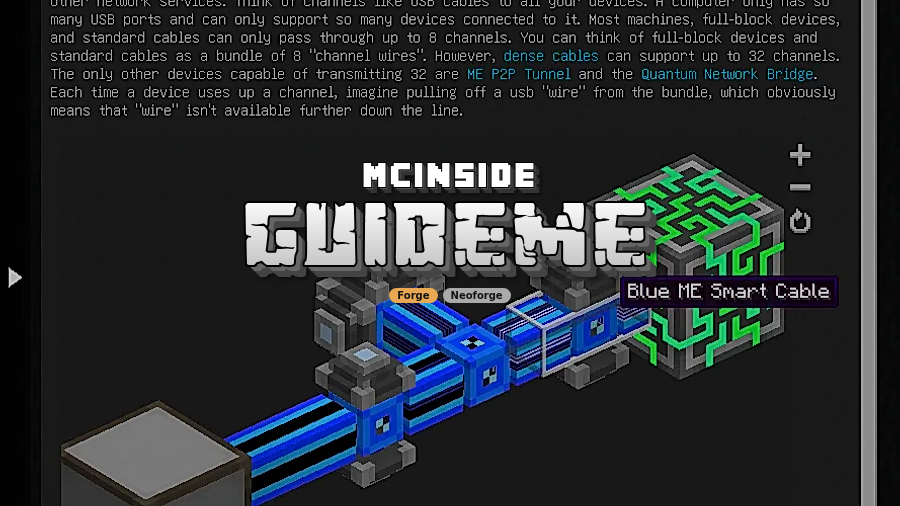
GuideME Mod is a guidebook toolkit mod that lets mod authors and modpack makers build Markdown-based in-game manuals with live 3D scenes for Minecraft Forge and NeoForge.
GuideME solves a real pain point in modded Minecraft: good documentation is often either too barebones, too hard to maintain, or too disconnected from the thing it is trying to explain. GuideME gives you a modern guidebook layer that is easy to write, easier to extend, and much better at showing complex mechanics in context. With more than 1.4 million Modrinth downloads, it has already proven that a lot of modders and pack builders want a better way to teach players inside the game.
Key Features of GuideME Mod
- Markdown-first guidebook creation — GuideME lets you write pages in simple Markdown instead of building everything from scratch. That matters because it lowers the barrier for pack authors and keeps documentation updates fast when content changes.
- Smooth, readable page flow — The mod is built around comfortable scrolling and a stronger text layout engine that reflows content cleanly. In practice, that means your pages feel like a real guidebook instead of a clunky wall of text that fights the player.
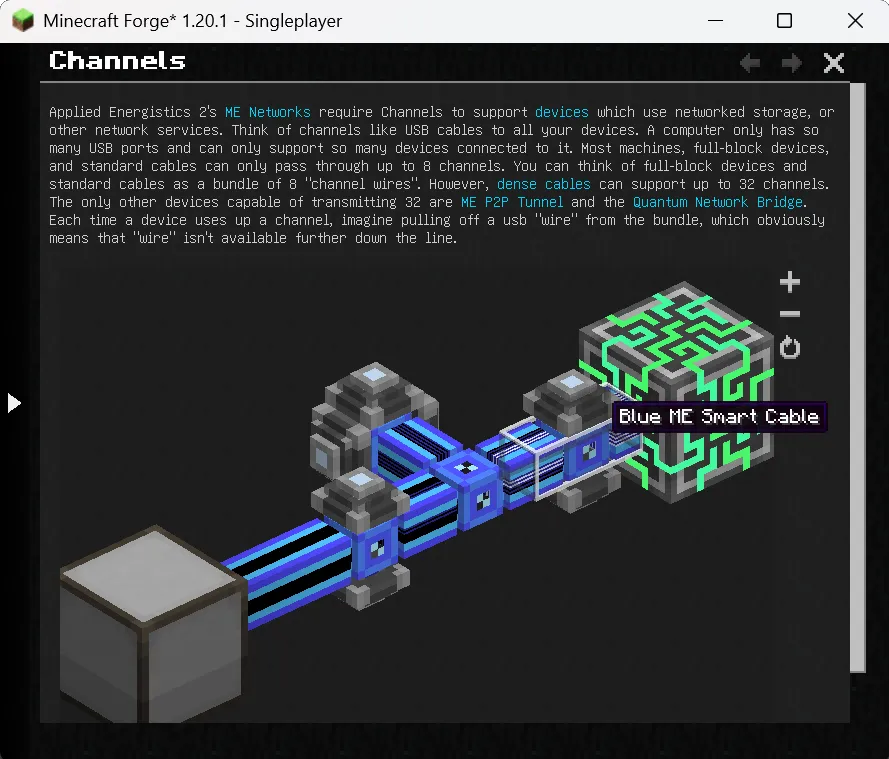
- Interactive 3D scenes — You can embed live 3D scenes from structure files and annotate them to explain mechanics visually. This is especially useful when a system is easier to understand by seeing it in space rather than reading a paragraph description.
- Cross-linking and tooltip help — GuideME supports jumping between topics and showing quick information in link tooltips. That keeps the guide useful when players need to move from a concept to the exact page that explains it, without digging through menus.
- JEI-style inline recipes — Recipes can be shown directly inside the guidebook, which keeps crafting and explanation on the same page. For players, that reduces tab-switching and makes documentation feel like part of the normal modded workflow.
- Tooltip shortcut with hold G — The mod can surface a relevant guide page from an item tooltip when the player holds G. That is a practical quality-of-life touch because it connects the item the player is holding with the explanation they actually need.
- Deep extensibility for modders — Custom inline or block tags, widget-backed rendering, front-matter, custom indices, and addon or resource-pack support make GuideME much more than a static manual. If you are building a pack or a content-heavy mod, that flexibility is what lets the guide stay organized as the project grows.
Screenshots
How to Install GuideME Mod
- Check the download table below and pick the file that matches your Minecraft version and loader.
- If you need the base platform, open the matching loader page first: Forge or NeoForge.
- Download the correct
.jarfile and place it into yourmodsfolder. - Launch Minecraft with the same loader profile that matches the file you chose.
- If you are adding GuideME to a modpack, test the guide pages, inline recipes, and custom content in the exact pack environment you plan to ship.
Requirements & Compatibility
| Requirement | Details | Notes |
|---|---|---|
| Mod Loaders | Forge, NeoForge | The provided downloads are split between Forge and NeoForge, with 1.20.1 listed for Forge and the newer releases listed for NeoForge. |
| Minecraft Versions | 1.20.1, 1.20.4, 1.21.1, 1.21.5, 1.21.8, 1.21.10, 1.21.11 | The title also includes 26.1-snapshot-1, 26.1-snapshot-3, and 26.1-snapshot-4. |
| Tags | Library, Utility | It is designed as a documentation toolkit rather than a gameplay overhaul. |
| Best Fit | Mods and modpacks that need in-game documentation | It is strongest when the player needs guided learning, recipes, and visual explanations in one place. |
What's New
- The current Modrinth changelog points to a compare view between v26.1.6-alpha and v26.1.7-alpha.
- This release sits in the 26.1 alpha line, which suggests the project is still being actively refined.
- The project update date on Modrinth is 2026-01-22, matching the newer alpha build referenced in the changelog.
- The source link in the changelog goes directly to GitHub, so anyone tracking the release can review the full diff there.
Pros and Cons
Pros
- Lets authors write guides in Markdown instead of a more rigid custom format.
- Supports interactive 3D scenes, which makes complex mechanics easier to teach.
- Includes cross-linking, tooltip hints, and a shortcut from item tooltips.
- Can show recipes inline and extend recipe rendering for custom content.
- Supports front-matter, custom indices, widgets, and addon or resource-pack content.
Cons
- It requires Forge or NeoForge, so it will not fit every modpack.
- The provided downloads only cover the Minecraft versions listed here.
- Its value is highest for guide-heavy mods, so it is not a must-have for every project.
Alternatives to GuideME Mod
- Patchouli — A documentation-focused option that is worth comparing if you want another in-game guidebook system for a mod or pack.
- Just Enough Items (JEI) — A natural companion if your main goal is recipe lookup and item browsing alongside a guidebook.
- Mod Menu — Useful when you want a cleaner way to inspect installed mods and round out a heavily modded setup.
Download GuideME Mod
| Minecraft Version | Forge | NeoForge |
|---|---|---|
| For Minecraft 1.21.11 | — | Download |
| For Minecraft 1.21.10 | — | Download |
| For Minecraft 1.21.8 | — | Download |
| For Minecraft 1.21.5 | — | Download |
| For Minecraft 1.21.1 | — | Download |
| For Minecraft 1.20.4 | — | Download |
| For Minecraft 1.20.1 | Download | — |
Always download mods from official sources to stay safe.
Frequently Asked Questions
What does GuideME Mod actually do?
GuideME is a guidebook toolkit for mods and modpacks. It gives authors a Markdown-based way to create in-game documentation with rich layout support, visual scenes, recipe display, and links between topics.
Does GuideME add gameplay content?
No — GuideME is primarily a library and utility mod. Its purpose is to improve documentation and player guidance, not to add new blocks, mobs, or progression systems on its own.
Which loaders does GuideME support?
Forge and NeoForge are the supported loaders in the data provided. The listed 1.20.1 build is for Forge, while the newer listed builds are for NeoForge.
Can modpack makers add their own content to GuideME pages?
Yes — the mod explicitly allows resource packs or addons to contribute guide content. That makes it a practical choice for packs that need shared documentation, not just one mod author's pages.
Does GuideME support custom recipes?
Yes — it can render inline recipes and can be extended to display custom recipe types. That keeps specialized crafting systems visible inside the guide instead of forcing players to guess how they work.
Can players jump from an item tooltip to the relevant guide page?
Yes — the mod supports a hold-G shortcut that jumps to the matching guidebook page from an item tooltip. That feature is helpful because it connects the item in the player's hand with the documentation they need right away.


