
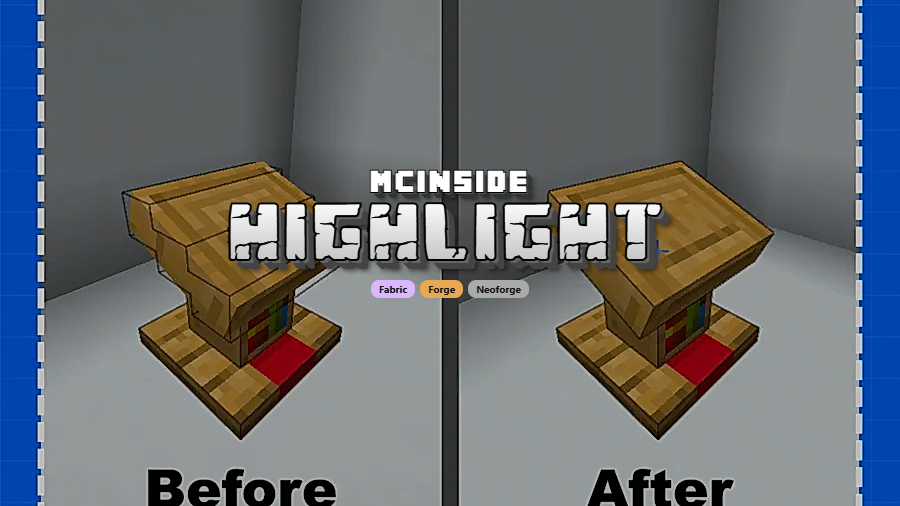
Highlight is a visual enhancement mod that changes block selection outlines to match each block's actual 3D model shape, replacing the default axis-aligned bounding boxes for Minecraft Fabric, Forge, and NeoForge.
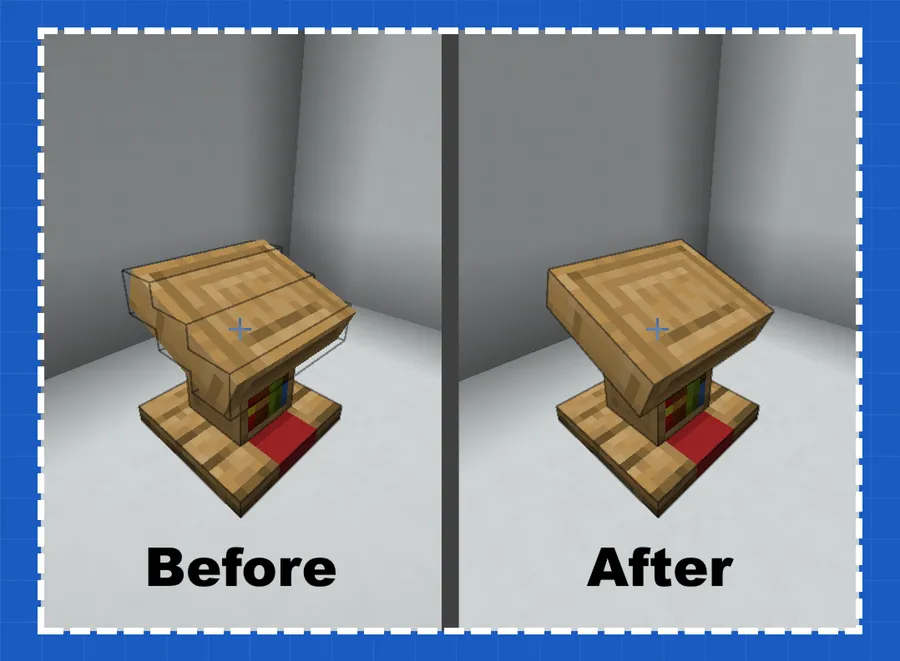
If you have ever tried to select a stair block, a fence post, or a wall segment in Minecraft, you have probably noticed the selection outline is a plain rectangular box that does not match the block's actual shape. This visual mismatch is a long-standing quirk of vanilla Minecraft that most players learn to tolerate, but it quietly makes building and block placement feel imprecise. Highlight solves this by replacing those generic bounding boxes with angled, model-accurate selection outlines that follow every step, slope, and edge of non-standard blocks. With over 7.6 million downloads since its 2022 release, this mod by ThatGravyBoat has become one of the most popular visual polish mods in the Minecraft ecosystem — and for good reason. It addresses a problem so fundamental that once you install it, going back to vanilla outlines feels genuinely wrong.
Key Features of Highlight Mod
- Model-Accurate Selection Outlines — Highlight replaces the default axis-bound selection boxes with outlines that precisely match each block's 3D model. This means stairs, slabs, fences, walls, and other non-cubic blocks finally get outlines that follow their actual geometry, making it much easier to visually confirm which block you are targeting.
- Angled Selection Boxes — Blocks with diagonal or angled geometries, such as stairs and certain decorative elements, receive properly angled highlight outlines rather than oversized rectangles. This dramatically improves placement accuracy during complex builds where every block orientation matters.
- Improved Block Targeting Clarity — By tightening the selection outline to the block's true shape, you can more easily distinguish between adjacent blocks. In tight building scenarios — such as working with mixed stairs and slabs — this clarity helps you avoid misclicks and wasted materials.
- Multi-Loader Support — Highlight is available for Fabric, Forge, and NeoForge, so you can use it regardless of which mod loader your modpack relies on. This broad compatibility means you do not have to choose between Highlight and your preferred modding ecosystem.
- Lightweight Visual-Only Mod — Highlight appears to be lightweight and focused solely on rendering adjustments. It modifies only how selection outlines are drawn, so it does not add new blocks, items, or gameplay mechanics — keeping your mod list clean and conflict-free.
- Wide Version Range — The mod supports Minecraft versions from 1.19.2 all the way through 1.21.10, covering nearly every recent major release. Whether you are playing on an older modpack or running the latest snapshot-compatible build, Highlight has a version for you.
- Open-Source and MIT Licensed — The source code is publicly available on GitHub under the MIT license, meaning anyone can inspect, contribute to, or fork the project. This transparency gives players confidence in what the mod does under the hood.
Screenshots

How to Install Highlight Mod
- Choose and install a compatible mod loader. For Fabric, download and run the Fabric Mod Loader installer. For Forge or NeoForge, use the Minecraft Forge or NeoForge installer respectively.
- Download the correct version of Highlight for your Minecraft version and mod loader from the official download sources linked below.
- Locate your Minecraft mods folder. On Windows, press
Win + R, type%appdata%\.minecraft\mods, and press Enter. On macOS, navigate to~/Library/Application Support/minecraft/mods. - Drop the downloaded Highlight
.jarfile into the mods folder. Do not extract or unzip it — place the jar file directly. - Launch Minecraft using your mod loader profile. If the mod is loaded correctly, you will see properly shaped selection outlines when hovering over non-cubic blocks like stairs, fences, and walls.
Requirements & Compatibility
| Requirement | Details |
|---|---|
| Mod Loaders | Fabric, Forge, NeoForge |
| Minecraft Versions | 1.21.10, 1.21.9, 1.21.8, 1.21.7, 1.21.6, 1.21.5, 1.21.4, 1.21.3, 1.21.1, 1.21, 1.20.5, 1.20.2, 1.20.1, 1.20, 1.19.4, 1.19.3, 1.19.2 |
| License | MIT (open-source) |
| Author | ThatGravyBoat |
| Total Downloads | 7.6 million+ |
| Last Updated | December 14, 2025 |
What's New
- Updated to Minecraft 1.21.9 with full compatibility for the latest game changes
- Continued support for both Fabric and NeoForge mod loaders on the newest versions
- Ongoing maintenance to ensure selection outlines remain accurate with new block models
Pros and Cons
Pros
- Fixes a long-standing vanilla visual issue that affects every player
- Supports all three major mod loaders (Fabric, Forge, NeoForge)
- Covers a wide range of Minecraft versions from 1.19.2 to 1.21.10
- Appears to be lightweight with minimal performance overhead
- Open-source under MIT license for full transparency
- Over 7.6 million downloads — well-tested and community-trusted
Cons
- Purely visual — does not add new gameplay features or content
- May overlap with other mods that modify block rendering or selection behavior
- Limited documentation on which specific blocks receive improved outlines
Alternatives to Highlight Mod
- Block Outline — A similar mod that customizes block selection outlines with options for color, thickness, and transparency, giving players more control over how outlines look.
- BetterF3 — While not a direct selection outline mod, BetterF3 enhances the debug screen to provide more detailed block information, complementing Highlight for players who want maximum block awareness.
- Litematica — A schematic-based building tool that provides its own block overlay system, useful alongside Highlight for players focused on large-scale construction projects.
Download Highlight Mod
| Minecraft Version | Fabric | NeoForge |
|---|---|---|
| For Minecraft 1.21.10 | Download | Download |
| For Minecraft 1.21.9 | Download | Download |
| For Minecraft 1.21.8 | Download | Download |
| For Minecraft 1.21.7 | Download | Download |
| For Minecraft 1.21.6 | Download | Download |
| For Minecraft 1.21.5 | Download | Download |
| For Minecraft 1.21.4 | Download | Download |
| For Minecraft 1.21.3 | Download | Download |
| For Minecraft 1.21.1 | Download | Download |
| For Minecraft 1.21 | Download | Download |
| For Minecraft 1.20.5 | Download | Download |
| For Minecraft 1.20.2 | Download | Download |
Always download mods from official sources to stay safe.
Frequently Asked Questions
Is Highlight compatible with OptiFine or Sodium?
Highlight should work alongside most performance mods including Sodium, as it only modifies block selection rendering rather than chunk rendering or lighting systems. However, always test with your specific modpack to confirm there are no visual conflicts.
Does Highlight affect game performance?
No — Highlight appears to be lightweight since it only changes how selection outlines are drawn around blocks. The mod does not add new entities, textures, or world generation, so the performance impact is expected to be negligible for most systems.
Does Highlight work on multiplayer servers?
Yes — Highlight is a client-side visual mod, so it works on any multiplayer server without requiring the server to have it installed. Other players will not see your modified selection outlines, as the changes are rendered only on your client.
Which blocks does Highlight modify?
Highlight modifies blocks that have non-cubic shapes but default to axis-aligned rectangular selection boxes in vanilla Minecraft. This typically includes stairs, slabs, fences, walls, and other blocks where the visible model does not fill the entire block space.
Can I use Highlight with Fabric and NeoForge at the same time?
No — you must choose one mod loader per Minecraft installation. Download the Highlight version that matches your active mod loader. The mod is available for Fabric and NeoForge on the latest versions (1.21.3 through 1.21.10), and Forge support is available on older versions.
![[Let's Do] API Mod (1.20.2, 1.20.1) – Library for Cristelknight's Mods](http://mcinside.com/wp-content/uploads/2026/04/thumbnail-37-300x169.webp)


