

Immersive Armors is an equipment-focused Minecraft mod that adds many unique, vanilla-faithful armor sets with visual upgrades and special effects for Fabric, Forge, and NeoForge. It expands armor progression without replacing core vanilla systems like crafting, enchanting, repairing, and dyeing.
Vanilla armor progression can feel repetitive once you have played a few worlds: same silhouettes, same routine, and fewer reasons to experiment with different gear sets. This mod solves that by introducing a large catalog of armor choices that look distinct and can change how you approach combat and exploration, while still fitting the game's established style. With 5,881,085 Modrinth downloads, it has already earned trust from a huge player base looking for more personality and purpose in their equipment.
Key Features of Immersive Armors
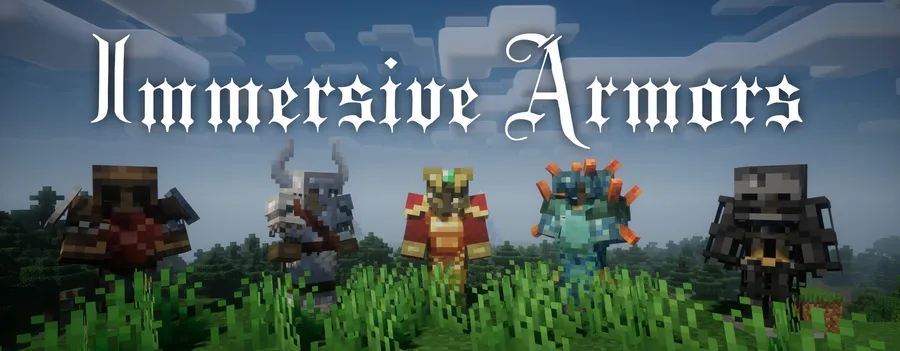
- Large collection of new armor items — The mod adds 40 armor items and counting, which gives you meaningful variety beyond the standard vanilla lineup. That matters in long-term survival worlds because you can tune your loadout to your situation instead of wearing one universal set forever. More item variety also keeps progression fresh when starting new saves.
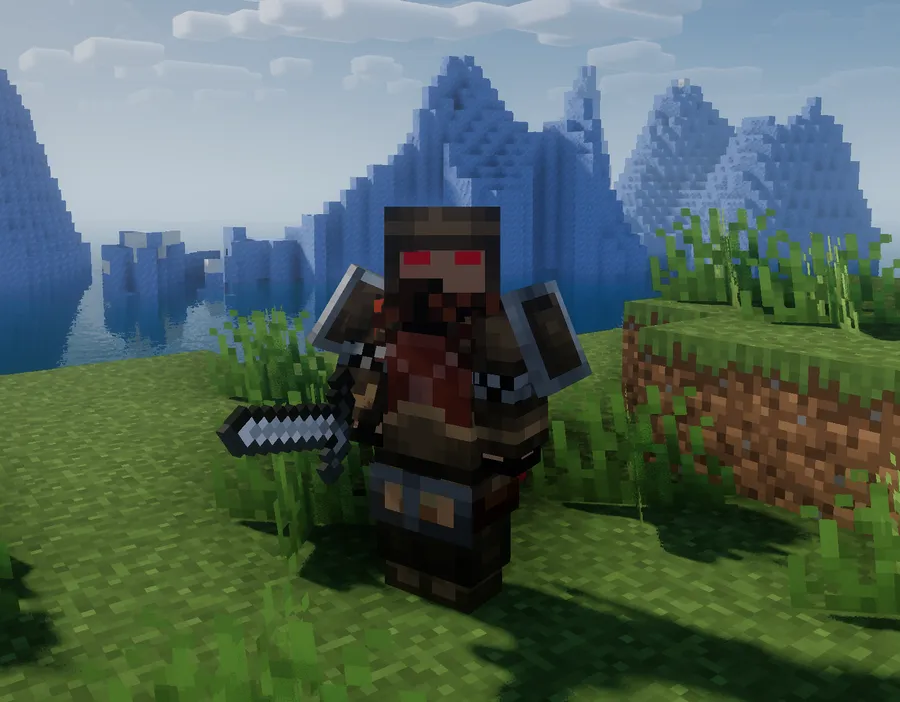
- Vanilla-friendly visual design — These sets are designed to feel at home in Minecraft rather than looking out of place. Some armors include capes or custom models, so your character can look significantly different while still matching vanilla aesthetics. For players who care about immersion and screenshots, this is a major quality-of-life upgrade.
- Armor effects that change gameplay — Several sets include exclusive effects such as Berserk mode, bounceback, spikes, and divine protection. This matters because your armor becomes a strategic tool, not only a defense value. You can build around specific effects for your combat style instead of treating all armor as interchangeable.
- Recipe book integration — Crafting recipes are properly registered in the vanilla recipe book. That saves time in survival because you do not need to tab out repeatedly or memorize every pattern. It also reduces friction for multiplayer servers where players need quick, consistent access to crafting information.
- Works with familiar vanilla systems — Enchanting, repairing, and dyeing all work as expected. This is important because it keeps your existing workflow intact and avoids the "new items but broken ecosystem" problem that some content mods create. You can use your normal anvil, enchantment, and customization routines with minimal relearning.
- Distinct set identities like Wooden and Skeleton armor — The included examples show practical niches: Wooden Armor is described as useful against arrows and explosions, while Skeleton Armor is lightweight, improves mobility, and can alter mob interactions. These identity-driven sets create real decision-making moments, especially when preparing for specific threats. Instead of one best armor, you get reasons to swap gear based on where you are going.
Screenshots
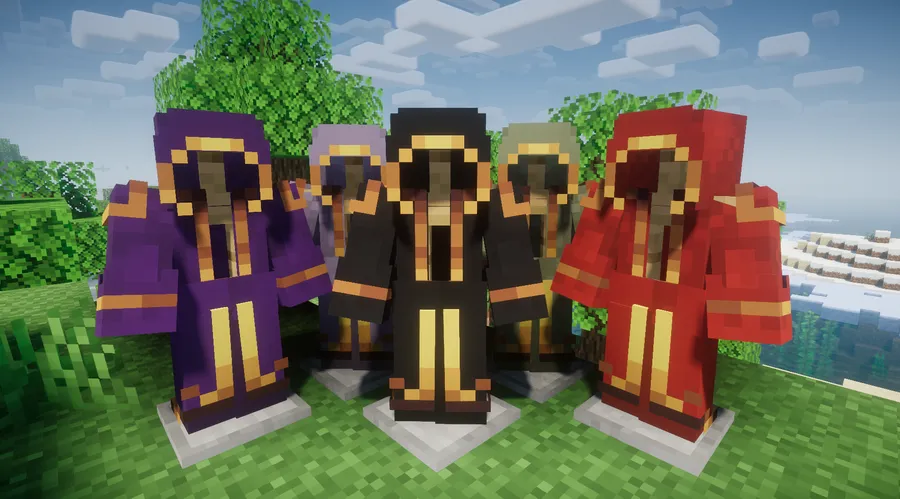
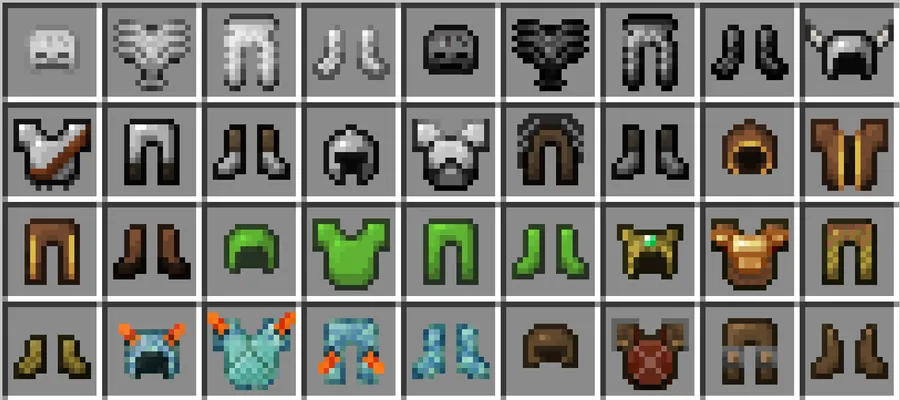
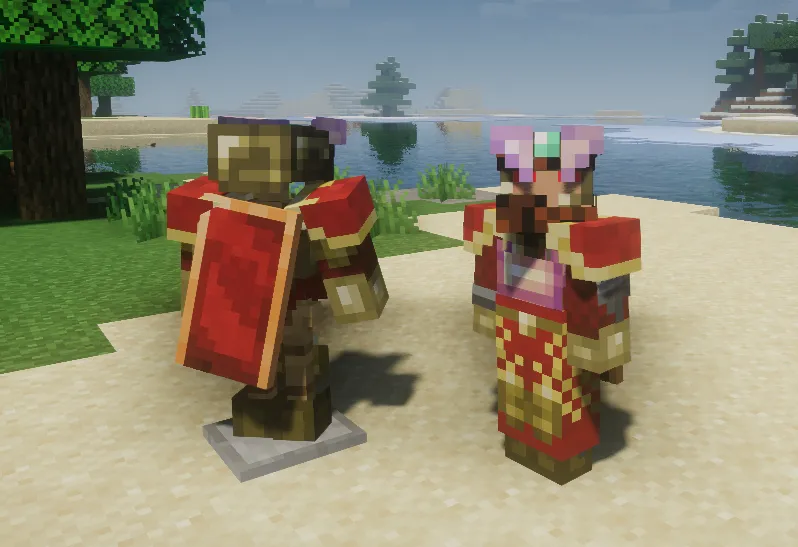
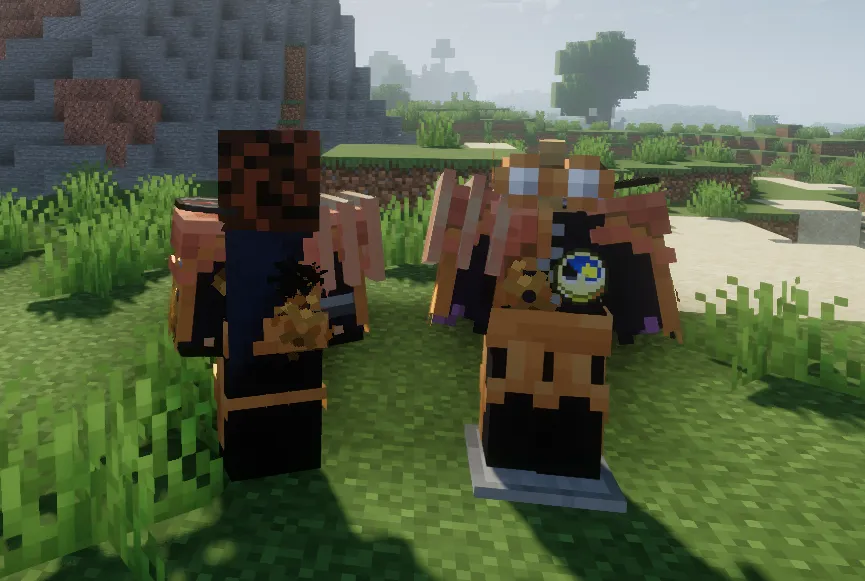
How to Install Immersive Armors
- Install the correct mod loader for your setup: Fabric Mod Loader, Minecraft Forge, or NeoForge.
- Check your game version and pick the matching build (1.21.1, 1.20.1, 1.19.4, 1.19.3, 1.19.2, 1.18.2, or 1.16.5).
- Download the Immersive Armors file for your loader/version combination from the project page.
- Move the downloaded file into your Minecraft
modsfolder, then launch the game with the same loader profile. - Create or open a world, then confirm the new armor recipes appear in the vanilla recipe book.
Requirements & Compatibility
| Item | Details |
|---|---|
| Mod Name | Immersive Armors |
| Author | Luke100000 |
| Category | Minecraft Mods |
| Tags | adventure, equipment, technology, utility |
| Supported Loaders | Fabric, Forge, NeoForge |
| Supported Minecraft Versions | 1.21.1, 1.20.1, 1.19.4, 1.19.3, 1.19.2, 1.18.2, 1.16.5 |
| License | GPL-3.0-only |
| Project Source | GitHub Repository |
| Published | 2022-11-18 |
| Last Updated | 2025-09-14 |
What's New
- Version 1.7.5 fixed NeoForge damage math, improving behavior consistency on that loader.
- Version 1.7.4 fixed a NeoForge magic tag issue and updated Robe behavior to apply 2x fire ticks.
- Version 1.7.2 fixed wither armor damage behavior and corrected effects that were not working on NeoForge.
- Version 1.7.1 added armor tags, and version 1.7.0 moved more logic to tags while removing the buggy
enabledArmorsoption. - Recent updates also include model/render adjustments and conflict fixes, including steampunk boots and prismarine armor interactions.
Pros and Cons
Pros
- Large, growing armor selection with 40 items and counting.
- Vanilla-friendly style with improved visuals, including capes and custom models on some sets.
- Gameplay-oriented armor effects provide build variety beyond raw defense.
- Recipe book support plus expected enchanting, repairing, and dyeing behavior.
- Supports Fabric, Forge, and NeoForge across multiple Minecraft versions.
Cons
- Some armor effects may require testing in your own modpack balance.
- Feature behavior can differ by version, so matching the correct file is important.
- The old
enabledArmorstoggle was removed, so per-armor control now needs dedicated mods.
Alternatives to Immersive Armors
- Traveler's Backpack Mod — A complementary choice if you want your gear setup to focus on utility and carry options alongside armor progression.
- Artifacts Mod — Another equipment-focused option for players who enjoy collecting wearable items that change how they play.
- Trinkets Mod — Useful when you want to expand character equipment slots and build more layered loadouts with armor mods.
Download Immersive Armors
| Minecraft Version | Fabric | Forge | NeoForge |
|---|---|---|---|
| For Minecraft 1.21.1 | Download | — | Download |
| For Minecraft 1.20.1 | Download | Download | — |
| For Minecraft 1.19.4 | Download | Download | — |
| For Minecraft 1.19.3 | Download | Download | — |
| For Minecraft 1.19.2 | Download | Download | — |
| For Minecraft 1.18.2 | Download | Download | — |
| For Minecraft 1.16.5 | Download | Download | — |
Always download mods from official sources to stay safe.
Frequently Asked Questions
Is Immersive Armors available for Fabric, Forge, and NeoForge?
Yes — the mod supports all three loaders. The listed requirements include Fabric Mod Loader, Minecraft Forge, and NeoForge, and the provided download matrix covers those loader combinations by version.
Which Minecraft versions are supported?
The supported versions are 1.21.1, 1.20.1, 1.19.4, 1.19.3, 1.19.2, 1.18.2, and 1.16.5. Before installing, choose the exact file that matches both your game version and your loader.
Does this mod only change armor looks, or does it also affect gameplay?
It does both — the mod adds visual variety and gameplay effects. According to the project description, several sets include exclusive effects such as Berserk mode, bounceback, spikes, and divine protection.
Do enchanting, repairing, and dyeing work with these armor sets?
Yes — those systems work as expected. The mod description explicitly states that enchanting, repairing, and dyeing are supported in the usual vanilla way.
Are crafting recipes easy to access in survival?
Yes — recipes are registered in the vanilla recipe book. That means you can find and craft items through normal in-game recipe discovery instead of relying only on external references.
Is Immersive Armors actively maintained?
Yes — the changelog shows ongoing fixes and adjustments through version 1.7.5, and the project metadata lists an update date of 2025-09-14. Recent notes include NeoForge fixes, armor tag updates, and interaction bug fixes.


![[Let's Do] Candlelight - Farm&Charm compat Mod (1.21.1) - thumbnail](http://mcinside.com/wp-content/uploads/2026/04/thumbnail-81-52x52.webp)


![[Let's Do] Meadow Mod (1.21.1) - thumbnail](http://mcinside.com/wp-content/uploads/2026/04/thumbnail-64-52x52.webp)


![Not Enough Recipe Book [NERB] Mod (1.21.11) - thumbnail](http://mcinside.com/wp-content/uploads/2026/04/thumbnail-63-52x52.webp)