
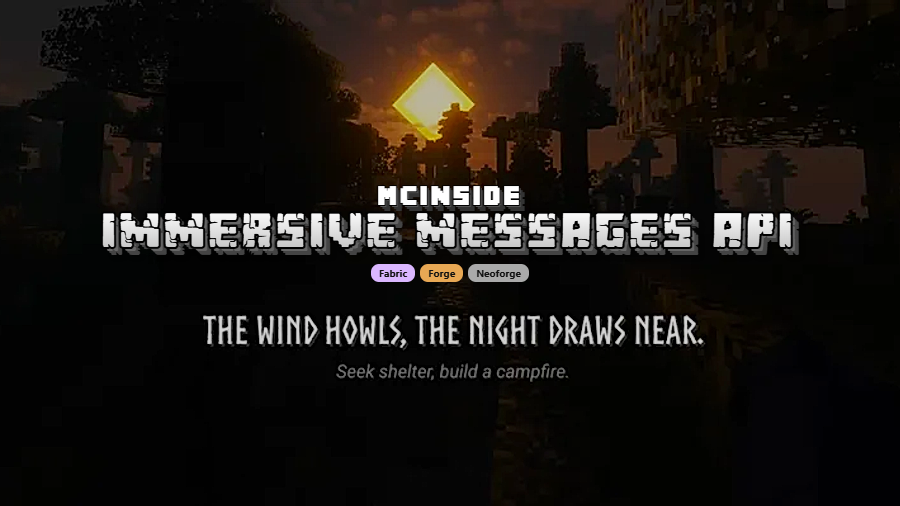
Immersive Messages API Mod is a library and utility mod that displays in-game messages, information, and story elements directly on screen for Minecraft Fabric, Forge, and NeoForge. It is built for mod developers and modpack creators who want subtitle-style communication with more control than vanilla text alone.
One of the biggest problems in curated Minecraft packs is getting important information to players without breaking immersion. Tutorial pop-ups, quest text, and chat spam can feel clunky, while this mod keeps messages on-screen in a more cinematic way and gives creators room to shape how those moments look and feel. That practical focus has clearly resonated, with more than 1.8 million downloads on Modrinth, making it an easy mod to notice if you care about pack presentation, guided progression, or light story delivery.
Key Features of Immersive Messages API Mod
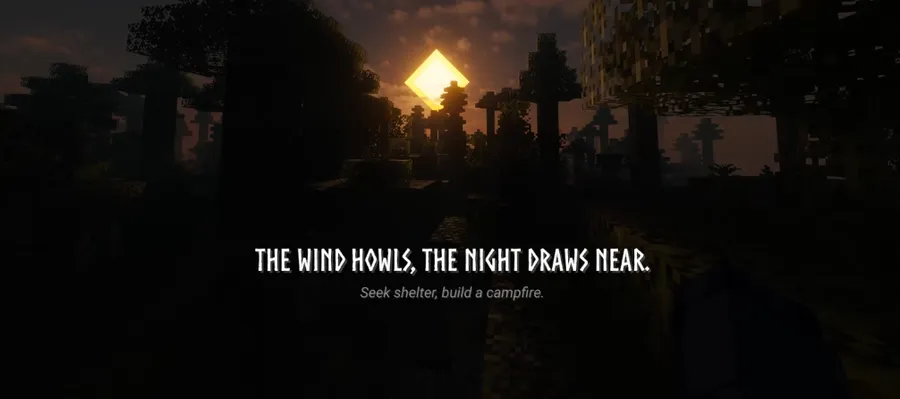
- Subtitle-style on-screen messaging — The core appeal is simple: information reaches the player exactly when it matters, without forcing them to stop and read a wall of text in chat. That makes tutorials, warnings, and story beats feel more natural during actual play, especially in packs that want to guide players step by step.
- Caxton custom font integration — If you want a pack to feel like its own world, typography matters more than many creators expect. Integration with Caxton gives you a path to more stylized text presentation, which can make lore messages, quest prompts, and roleplay moments feel more deliberate instead of looking like stock vanilla UI.
- Built-in animations and text effects — Transition effects plus text behaviors like shaking and waving give creators more than static lines on a screen. Used well, these effects help certain messages stand out, so warnings feel urgent, story moments feel dramatic, and flavor text feels less disposable.
- Full control over size, color, and position — A message system is only useful if it can fit different situations, and this mod gives creators control over where text appears and how strong its visual presence should be. That matters because a boss warning, a soft narrative hint, and a tutorial instruction should not all compete for attention in the exact same way.
- Server-to-client message delivery — The ability to send messages over the network from server to client makes this more than a local cosmetic tool. For multiplayer servers and shared modpack experiences, that opens the door to synchronized events, guided encounters, and consistent communication that every player can receive in context.
- Command support for non-coders — The built-in
/immersivemessagescommand lowers the barrier to entry in a big way. You do not need to be deep into mod development to start experimenting, which makes the mod much more useful for pack authors, server admins, and creators who care about presentation but do not want to write custom integrations first.
Screenshots
How to Install Immersive Messages API Mod
- Install the loader that matches your chosen file: Fabric Loader, Minecraft Forge, or NeoForge.
- Download the correct Immersive Messages API Mod version for your exact Minecraft version and loader combination.
- If you want the custom font experience mentioned by the author, download Caxton manually as an optional companion, since it is noted as not being on CurseForge yet.
- Place the downloaded
.jarfile in your Minecraftmodsfolder. If the folder does not exist, launch Minecraft once with your loader installed so it gets created. - Start the game with the matching profile, then test the setup with your pack integration or the built-in
/immersivemessagescommand.
Requirements & Compatibility
| Item | Details |
|---|---|
| Supported Loaders | Fabric Mod Loader, Minecraft Forge, NeoForge |
| Minecraft Versions | 1.21.1, 1.20.1, 1.20 |
| 1.21.1 Builds | Fabric, NeoForge |
| 1.20.1 Builds | Fabric, Forge |
| 1.20 Builds | Fabric, Forge |
| Author | Txni |
| Category / Tags | Minecraft Mods; decoration, game-mechanics, library, utility |
| License / Source | LicenseRef-Tonis-MMC-License; GitHub source available |
What's New
- The latest listed update is dated April 30, 2025.
- The current changelog notes a fix for a memory issue with the vanilla renderer.
- This update appears to focus on stability and rendering behavior rather than adding a new public-facing feature set.
- The project source remains available on GitHub for developers who want to inspect the API or follow ongoing work.
Pros and Cons
Pros
- Excellent fit for modpacks, adventure maps, and servers that need guided on-screen communication.
- Strong presentation tools with animations, text effects, and flexible positioning.
- Useful for both coders and non-coders thanks to the direct API and the built-in command.
- Supports multiple major loaders across the listed Minecraft versions.
- More than 1.8 million downloads suggest broad trust and real-world usage.
Cons
- Best suited to creators and pack authors, not players looking for new gameplay content on its own.
- Fancy font setup may require a separate manual Caxton download.
- Loader support changes by Minecraft version, so you need to match files carefully.
- Because it is a messaging API, its value depends on how well a mod or pack actually uses it.
Alternatives to Immersive Messages API Mod
- FancyMenu Mod — A strong complementary choice if your goal is broader pack presentation through custom menus rather than in-world subtitle messaging.
- Modern UI Mod — Better suited to players who want a cleaner, more configurable interface across the whole game instead of a creator-focused message API.
- Smooth Gui Mod — A lighter UI polish companion if you mainly want menus and screen transitions to feel smoother alongside custom message-driven packs.
Download Immersive Messages API Mod
| Minecraft Version | Fabric | Forge | NeoForge |
|---|---|---|---|
| For Minecraft 1.21.1 | Download | — | Download |
| For Minecraft 1.20.1 | Download | Download | — |
| For Minecraft 1.20 | Download | Download | — |
Always download mods from official sources to stay safe.
Frequently Asked Questions
Is Immersive Messages API Mod a content mod for regular gameplay?
No — it is primarily an API and utility mod for developers, pack creators, and server setups that want better in-game communication. Players benefit from it when a pack or server uses it well, but on its own it is not designed as a block, biome, or progression expansion.
Does Immersive Messages API Mod work on Fabric, Forge, and NeoForge?
Yes — the project lists support for all three loaders, but the exact loader availability depends on the Minecraft version. The provided files cover Fabric and NeoForge for 1.21.1, then Fabric and Forge for 1.20.1 and 1.20.
Can you use this mod without writing code?
Yes — the built-in /immersivemessages command is there for creators who are not coding directly against the API. That makes it much easier to test ideas, build simple scripted moments, or add guided text to a pack without starting from scratch as a mod developer.
Does it support animated text and custom fonts?
Yes — the mod includes transition effects and text effects such as shaking and waving, and it also integrates with Caxton for custom font rendering. The font side is optional, but it is the part that can make a pack feel noticeably more stylized if you want a stronger visual identity.
Can servers send messages to players with this mod?
Yes — the description explicitly says messages can be sent over the network from server to client. That makes the mod especially useful for multiplayer events, guided quest servers, or packs that want synchronized prompts instead of relying on chat alone.
Is this mod worth installing for a modpack?
Yes — if your pack depends on onboarding, storytelling, or polished player guidance, this is one of the cleaner ways to handle that job. It gives you more control than plain chat text and helps important information feel like part of the experience instead of an interruption.


