
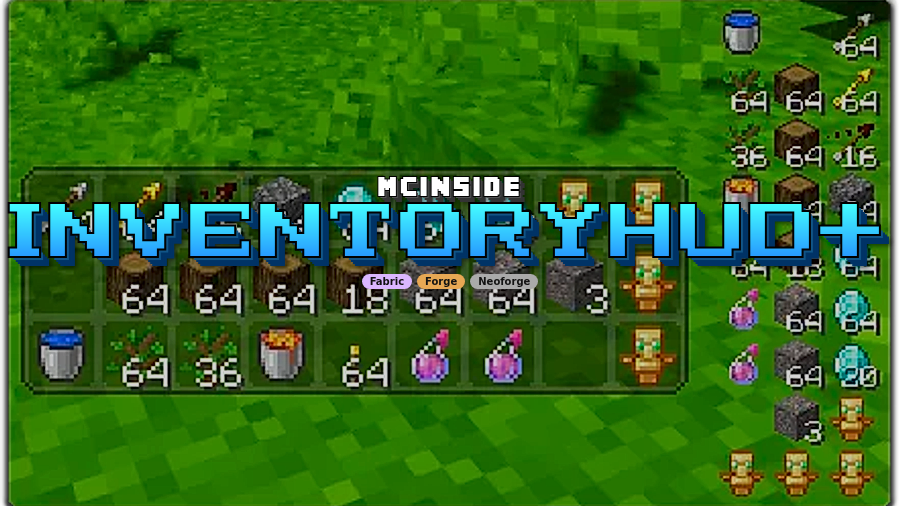
InventoryHUD+ Mod is a utility mod that adds a live inventory display, potion effect tracking, and equipment status to your screen while you play Minecraft with Fabric, Forge, or NeoForge. It focuses on HUD visibility and customization so key survival information stays in view.
Vanilla Minecraft often hides important information behind extra clicks, and that can slow down combat, exploration, and inventory management. InventoryHUD+ solves that by keeping critical status data on your HUD, so you make faster decisions with less menu time. With more than 4 million downloads on Modrinth (4,078,137), it also has the kind of long-term community adoption many players look for before installing a utility mod.
Key Features of InventoryHUD+ Mod
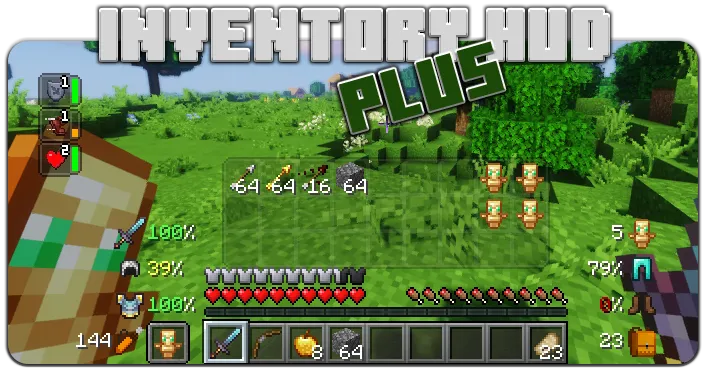
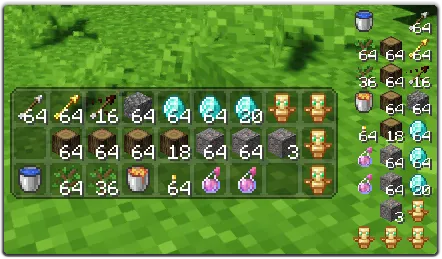
- Inventory HUD with mode switching — You can keep your main inventory visible during gameplay and switch between mini/normal and horizontal/vertical layouts. That matters because different activities need different screen space: compact views for combat, fuller views for building or resource runs. The mod also lets you tune background transparency and animation behavior, so visibility can fit your UI style.
- PotionHUD with timers or duration bars — Active potion effects are shown directly on the HUD with readable timing information, and mini mode can use duration bars for quick scanning. This helps you react faster in fights or movement-heavy moments where a hidden effect timer can cost you. Adjustable spacing and optional horizontal layout make it easier to keep this panel clean instead of cluttered.
- ArmorHUD and equipment durability readouts — The mod surfaces durability for armor and equipment, plus useful utility info like free inventory slots and arrow count. In practical play, this reduces surprises like broken gear mid-fight or running out of ranged ammo at the wrong time. You can also choose damage indicator style and toggle specific equipment parts on or off.
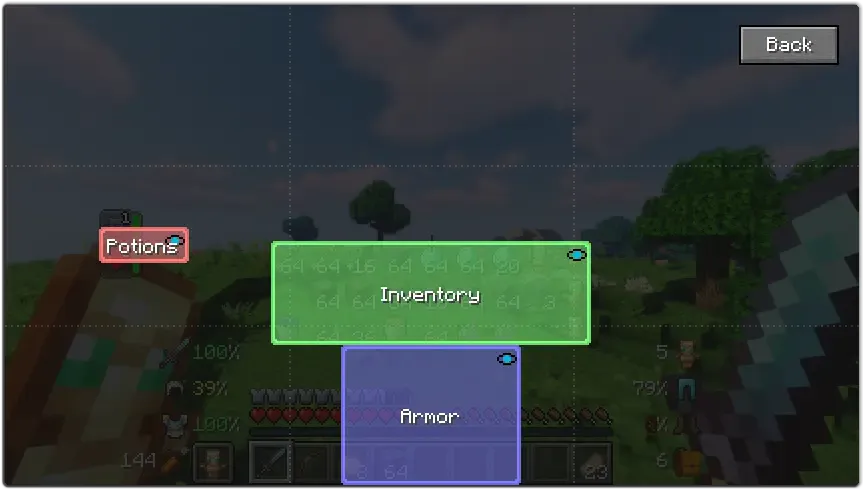
- Drag-and-drop HUD positioning — Each HUD module can be moved directly on screen, so you are not locked into one static layout. That flexibility is useful if you already run minimaps, shaders, or other overlays and need to avoid overlap. It also means you can design a UI that works for both wide monitors and tighter laptop displays.
- In-game configuration workflow — Settings are accessible from the main menu via Mod > Config, and there is an in-game keybind (default: O) to open config quickly. This is important because HUD mods are only good when tuning is fast and friction-free. You can iterate on layout and readability while actively playing instead of restarting your setup process.
- Broad language localization support — The project includes English plus supported community translations like Chinese (Simplified and Traditional), Czech, French, German, Hungarian, Italian, Japanese, Korean, Portuguese (Brazil), Russian, Spanish, Turkish, and Ukrainian. For players, this improves usability of settings and labels without relying on guesswork. It also signals an active community around the mod's quality-of-life direction.
Screenshots
How to Install InventoryHUD+ Mod
- Choose your loader first: Fabric Mod Loader, Minecraft Forge, or NeoForge.
- Match your Minecraft version to a listed build (for example 1.21.11, 1.21.10, 1.21.9, 1.21.8, and other supported releases).
- Download the InventoryHUD+ file that matches both your game version and loader type.
- Place the mod file into your `mods` folder, then launch Minecraft with the same loader profile you selected.
- Open configuration from Mod > Config or use the default `O` keybind in game, then drag HUD elements into your preferred positions.
Requirements & Compatibility
| Item | Details |
|---|---|
| Category | Minecraft Mods |
| Author | DmitryLovin |
| Loaders Required | Fabric Mod Loader, Minecraft Forge, NeoForge |
| Supported Minecraft Versions | 1.21.11, 1.21.10, 1.21.9, 1.21.8, 1.21.5, 1.21.4, 1.21.3, 1.21.1, 1.20.6, 1.20.1, 1.20, 1.19.4, 1.18.2, 1.17.1, 1.17, 1.16.5, 1.16.4, 1.16.3, 1.16.2, 1.12.2, 1.8.9 |
| Tags | adventure, management, storage, utility |
| License | LicenseRef-All-Rights-Reserved |
| Modrinth Downloads | 4,078,137 |
What's New
- Release line includes a dedicated build for Minecraft 1.21.11.
- Current changelog entry is: 1.21.11 release.
- Latest listed update date is 2025-12-12.
- Latest 1.21.x download entries continue to include Forge, Fabric, and NeoForge options.
Pros and Cons
Pros
- Combines inventory, potion effects, and armor/equipment status in one HUD package.
- High customization with layout modes, transparency controls, scaling, and drag-and-drop placement.
- Supports multiple major loaders, making cross-loader setups easier.
- Large install base suggests strong player trust and real-world usage.
- Wide localization support improves accessibility for non-English players.
Cons
- Requires a mod loader and proper version matching, so it is not a one-click vanilla install.
- Feature depth means you may need a few minutes of setup before the HUD feels perfect.
- License is all-rights-reserved, and no source URL is listed in the provided data.
Alternatives to InventoryHUD+ Mod
- Inventory Mods — A broader set of inventory-focused mods if you want different takes on item visibility and management.
- HUD Mods — Useful if your main goal is adding or redesigning on-screen information panels.
- Utility Mods — Good for players building a quality-of-life modpack around practical gameplay improvements.
Download InventoryHUD+ Mod
| Minecraft Version | Fabric | Forge | NeoForge |
|---|---|---|---|
| For Minecraft 1.21.11 | Download | Download | Download |
| For Minecraft 1.21.10 | Download | Download | Download |
| For Minecraft 1.21.9 | Download | Download | Download |
| For Minecraft 1.21.8 | Download | Download | Download |
| For Minecraft 1.21.5 | Download | Download | Download |
| For Minecraft 1.21.4 | Download | Download | Download |
| For Minecraft 1.21.3 | Download | Download | Download |
| For Minecraft 1.21.1 | Download | Download | Download |
| For Minecraft 1.20.6 | Download | Download | Download |
| For Minecraft 1.20.1 | Download | Download | Download |
| For Minecraft 1.20 | Download | Download | Download |
| For Minecraft 1.19.4 | Download | Download | — |
Always download mods from official sources to stay safe.
Frequently Asked Questions
Is InventoryHUD+ Mod available for Fabric, Forge, and NeoForge?
Yes — it supports all three loaders listed in the mod data: Fabric, Forge, and NeoForge. Make sure you pick the file that matches both your loader and your exact Minecraft version.
Does InventoryHUD+ support Minecraft 1.21.11?
Yes — Minecraft 1.21.11 is explicitly listed, with Forge, Fabric, and NeoForge download options. The changelog also references a 1.21.11 release.
Can I reposition the HUD elements on my screen?
Yes — each HUD element can be moved by drag and drop. That makes it easier to avoid overlap with other UI components and tune layout for your display.
Does the mod show potion timers and armor durability?
Yes — PotionHUD displays potion effects with timer information (or duration bars in mini mode), and ArmorHUD shows armor and equipment durability. It also includes free inventory slots and arrow count visibility.
Is there an in-game config hotkey?
Yes — the default keybind is O for opening the in-game configuration screen. You can also access settings from the main menu through Mod > Config.
Is InventoryHUD+ translated into multiple languages?
Yes — it includes English and multiple community-supported translations, including Chinese, French, German, Japanese, Korean, Spanish, Turkish, and more. This helps keep menu labels and configuration options readable for a global player base.
![[Let's Do] HerbalBrews Mod (1.21.1, 1.20.1) – Gameplay Upgrade](http://mcinside.com/wp-content/uploads/2026/04/thumbnail-43-300x169.webp)


![[Let's Do] Brewery - Farm&Charm Compat Mod (1.21.1) - thumbnail](http://mcinside.com/wp-content/uploads/2026/04/thumbnail-116-52x52.webp)


