

Iris & Oculus Flywheel Compat Mod is a compatibility mod that keeps Flywheel's optimizations active when shaderpacks are enabled for Minecraft on Fabric, Forge, and NeoForge.
The problem this mod solves is simple: shaderpacks often force Flywheel to fall back to a less efficient rendering path, which can turn busy Create scenes into a CPU bottleneck. Iris & Oculus Flywheel Compat Mod removes that tradeoff so you can keep shader visuals without giving up Flywheel's instancing benefits, and the 3,317,427 downloads on Modrinth show that plenty of players have found the idea worth using.
Key Features of Iris & Oculus Flywheel Compat Mod
- Preserves Flywheel instancing with shaderpacks — This is the core reason to install the mod. When shaderpacks are active, Flywheel normally steps back, and this mod restores the optimization path so Create's rendered entities can stay efficient instead of falling back to a heavier method.
- Helps in entity-heavy Create builds — The mod is most valuable when your world has lots of repeating rendered parts, such as gears, moving contraptions, and other Create elements. That is where the original rendering path tends to become CPU-bound, so keeping instancing available matters more as scenes get busier.
- Works with many shaderpacks without patching — The author notes support for most shaderpacks without needing custom fixes. That is important because shader compatibility is usually the annoying part of modded rendering, and this mod is designed to reduce that friction rather than add to it.
- Supports PBR — Physically based rendering support gives shaderpacks more room to show material detail the way they were intended to. If you care about visual fidelity, this is one of the reasons the mod feels like a real compatibility layer instead of a narrow workaround.
- Targets the shaderpack plus Flywheel conflict directly — Instead of changing how you play, it bridges Flywheel's shader needs with the shaderpack pipeline itself. That makes it a practical choice for players who want the look of shaders and the responsiveness of optimized entity rendering at the same time.
- Useful when your GPU has headroom — The mod's own explanation points out that Flywheel's original fallback can become a CPU bottleneck, so players with stronger graphics cards often notice the benefit more clearly. In other words, this is not about raw magic; it is about removing an avoidable rendering constraint.
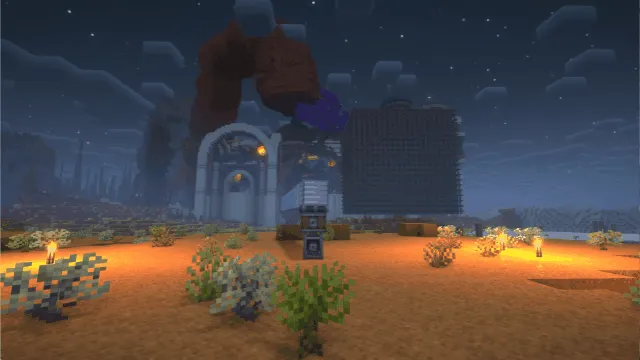
Screenshots
How to Install Iris & Oculus Flywheel Compat Mod
- Install the correct mod loader for your profile: use Fabric Mod Loader, Minecraft Forge, or NeoForge, depending on the version you are playing.
- Install a shader loader that matches your loader choice: Iris for Fabric or Oculus for Forge and NeoForge.
- Make sure you are also running Create or another mod that depends on Flywheel. The supplied mod description notes that Create now embeds Flywheel, so you do not need to treat it as a separate manual install in that setup.
- Download the Iris & Oculus Flywheel Compat Mod file that matches your Minecraft version and loader, then place it in your `mods` folder.
- Launch the game with a tested shaderpack and confirm that the world loads normally. If you run into a rendering issue, the GitHub issue page is the right place to report it.
Requirements & Compatibility
| Minecraft Version | Supported Loaders | Notes |
|---|---|---|
| 1.21.1 | NeoForge, Fabric | Latest version listed in the supplied download matrix. |
| 1.20.6 | Forge, Fabric | Separate builds are listed for this release. |
| 1.20.5 | Forge, Fabric | Included in the provided download list. |
| 1.20.4 | Forge, Fabric | Included in the provided download list. |
| 1.20.3 | Forge, Fabric | Included in the provided download list. |
| 1.20.2 | Forge, Fabric | Included in the provided download list. |
| 1.20.1 | Forge, Fabric | Included in the provided download list. |
| 1.20 | Forge | Forge-only in the supplied download matrix. |
The compatibility notes in the supplied data also map Iris or Oculus versions to specific mod releases: 2.0.0 for 1.8.1 and above, 0.2.2 for 1.6.13 and above, 0.2.1 for 1.6.5 and above, 0.2.0 for 1.6.2 and above, 0.1.9 for 1.5 through 1.6.1, 0.1.7 to 0.1.8 for 1.4 through below 1.5, and 0.1.6 or earlier for versions below 1.4. The tested shaderpacks listed by the author include BSL, Complementary, Complementary Reimagined, SEUS renewed, Sildurs Vibrant Shaders, AstraLex, Photon, Kapa, Nostalgia, Rethinking Voxels, and SEUS PTGI HRR.
The provided version list also mentions 1.19.4 through 1.18.2, but the download matrix in the same data only enumerates builds down to 1.20, so it is worth matching the file carefully before you install.
What's New
- 2.2.0 refactored the project to be NeoForge-only, with Fabric moved to a separate branch.
- 2.2.0 fixed the block-breaking crumbling effect by changing how the vertex shader handles UV coordinates.
- 2.1.2 addressed Create schematic and outline rendering issues and added an option to replace Create's checkerboard texture for better shader compatibility.
- 2.1.0 added support for Create 6.0.9 and Flywheel 1.0.6.
- 2.0.5 fixed lighting problems on moving contraptions and improved compatibility tips.
Pros and Cons
Pros
- Restores Flywheel's optimization path when shaderpacks are enabled.
- Very relevant for Create worlds with lots of rendered moving parts.
- Supports many popular shaderpacks without custom patching.
- Includes PBR support for better visual consistency.
Cons
- It does little or nothing if you do not use shaderpacks.
- Version matching matters, especially with Iris and Oculus releases.
- Not every shaderpack is explicitly listed as tested.
- Loader support depends on the specific Minecraft version you are running.
Alternatives to Iris & Oculus Flywheel Compat Mod
- Flywheel - The rendering library this mod is designed to keep efficient under shaderpacks, so it is the most direct complementary mod to know.
- Iris Shaders - The Fabric shader loader that pairs with this compatibility mod when you want shaderpack support on Fabric.
- Oculus - The Forge and NeoForge shader loader that fills the same role on those mod loaders.
Download Iris & Oculus Flywheel Compat Mod
| Minecraft Version | Fabric | Forge | NeoForge |
|---|---|---|---|
| For Minecraft 1.21.1 | Download | — | Download |
| For Minecraft 1.20.6 | Download | Download | — |
| For Minecraft 1.20.5 | Download | Download | — |
| For Minecraft 1.20.4 | Download | Download | — |
| For Minecraft 1.20.3 | Download | Download | — |
| For Minecraft 1.20.2 | Download | Download | — |
| For Minecraft 1.20.1 | Download | Download | — |
| For Minecraft 1.20 | — | Download | — |
| For Minecraft 1.19.4 | Download | Download | — |
| For Minecraft 1.19.3 | Download | Download | — |
| For Minecraft 1.19.2 | Download | Download | — |
| For Minecraft 1.19.1 | — | Download | — |
Always download mods from official sources to stay safe.
Frequently Asked Questions
What does Iris & Oculus Flywheel Compat Mod actually do?
It keeps Flywheel's optimization path available when shaderpacks are turned on. That matters because the normal fallback can make rendering more CPU-heavy in Create-based scenes.
Do I need this mod if I do not use shaderpacks?
No — the supplied description says it has no effect in that case. Flywheel's optimizations are already enabled by default when shaderpacks are not active.
Is this mod useful for Create?
Yes — it is especially useful for Create and other mods that depend on Flywheel. The whole point is to keep instanced rendering available for Create's entities while shaders are running.
Which shaderpacks were tested?
BSL, Complementary, Complementary Reimagined, SEUS renewed, Sildurs Vibrant Shaders, AstraLex, Photon, Kapa, Nostalgia, Rethinking Voxels, and SEUS PTGI HRR are listed as tested. That is a good sign, but it is still smart to try your own pack because the author also notes that some supported packs are not listed.
Does it work with both Iris and Oculus?
Yes — the data gives version mappings for both Iris and Oculus. You still need to match the mod release to the shader-loader version you are using, because support changes across the 1.x and 2.x lines.
Do I need to install Flywheel separately?
No — the supplied description says Create has embedded Flywheel, so you do not need to install it separately in that setup. If you are using a different mod stack, make sure the Flywheel requirement is satisfied by the mods you already have installed.
Is the mod compatible with every Iris or Oculus version?
No — the provided compatibility table shows specific version ranges that pair with specific mod builds. If your Iris or Oculus version falls outside those ranges, you should expect to use a different release or check the author's compatibility notes first.


