
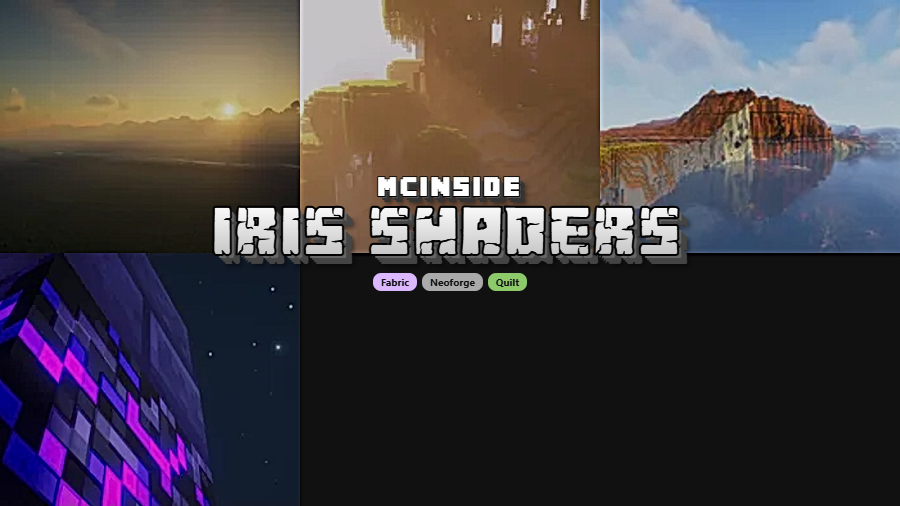
Iris Shaders is a modern shader pack loader mod that allows players to use OptiFine-compatible shader packs on Fabric, NeoForge, and Quilt mod loaders for Minecraft. Originally created by coderbot and released in 2021, Iris has become the go-to shader solution for players who want stunning visuals without being locked into OptiFine.
For years, the only way to run shaders in Minecraft was through OptiFine. While OptiFine is a solid all-in-one solution, it comes with a major drawback: it's incompatible with most Fabric and NeoForge mods. That forced players to choose between beautiful shaders and their favorite modpacks. Iris Shaders was built specifically to solve this problem — giving players a dedicated, open-source shader loader that plays nicely with the modern modding ecosystem. With over 104 million downloads on Modrinth alone, Iris has proven itself as the community's preferred shader solution. It's not a niche alternative anymore; it's the standard.
Key Features of Iris Shaders
- OptiFine Shader Pack Compatibility — Iris is designed to load existing OptiFine shader packs without requiring any conversion or special versions. This means you can grab popular packs like BSL, Complementary, or Sildur's Vibrant Shaders and use them directly. You don't have to wait for shader developers to release a separate "Iris version."
- Multi-Loader Support (Fabric, NeoForge, Quilt) — Unlike OptiFine which only works as a standalone installer, Iris runs natively on Fabric, NeoForge, and Quilt. This lets you combine shaders with hundreds of other mods that depend on these modern loaders — something that was previously impossible without compatibility headaches.
- Sodium Integration for Better Performance — Iris is built to work alongside Sodium, the popular rendering optimization mod. Where OptiFine bundles its own performance tweaks, Iris takes a modular approach: it handles shaders while Sodium handles chunk rendering and frame rates. Together, they often deliver better performance than OptiFine alone on the same hardware.
- Open-Source Development — Iris is licensed under LGPL-3.0 with its full source code available on GitHub. This means bugs get found and fixed faster by the community, and any player or developer can audit what the mod actually does. For players cautious about mod security, open-source transparency is a significant advantage.
- Active Update Cycle — Iris consistently ships updates for the latest Minecraft versions. As of March 2026, it already supports Minecraft 26.1 on Fabric, with NeoForge and Quilt support available across the 1.21.x series. You're rarely stuck waiting weeks for a shader loader update after a new Minecraft release.
- In-Game Shader Configuration — Iris provides a built-in shader selection screen accessible from the video settings menu. You can browse installed shader packs, toggle shaders on and off, and adjust shader-specific settings without leaving the game. It's straightforward enough that even first-time shader users can set things up in under a minute.
- Lightweight and Focused — Iris does one thing and does it well: load shaders. It doesn't try to replace your entire rendering pipeline or add unrelated features. This focused design means fewer conflicts with other mods and a smaller footprint on your system resources.
Screenshots

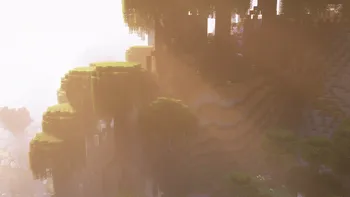

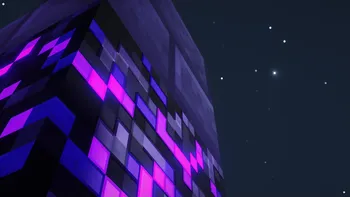
How to Install Iris Shaders
- Install your preferred mod loader: Fabric, NeoForge, or Quilt. Make sure the loader version matches your target Minecraft version.
- Download the correct Iris Shaders file for your Minecraft version and loader from the download table below.
- Place the downloaded
.jarfile into your.minecraft/modsfolder. If the folder doesn't exist, launch the game once with your mod loader installed first. - For best performance, also install Sodium into the same mods folder — Iris is designed to work alongside it and you'll see noticeably better frame rates with both installed.
- Launch Minecraft, go to Options → Video Settings → Shader Packs, and select a shader pack from the list. If you haven't downloaded any shader packs yet, grab one from Modrinth's shader section and drop it into the
.minecraft/shaderpacksfolder.
Requirements & Compatibility
| Requirement | Details |
|---|---|
| Mod Loaders | Fabric, NeoForge, Quilt |
| Minecraft Versions | 1.20.1 – 1.21.11, 26.1 |
| Recommended Companion | Sodium (for rendering optimization) |
| License | LGPL-3.0-only (open source) |
| Java Version | Java 21+ recommended for 1.21.x and above |
What's New
- Fixed performance regressions that were causing lower-than-expected frame rates with certain shader packs
- Resolved head rendering bugs that affected player and mob head display while shaders were active
- Added support for Minecraft 26.1 on Fabric
- Continued multi-loader support across NeoForge and Quilt for 1.21.x versions
Pros and Cons
Pros
- Works with the vast majority of existing OptiFine shader packs
- Compatible with Fabric, NeoForge, and Quilt — no loader lock-in
- Pairs with Sodium for better performance than OptiFine in many cases
- Open-source with active community development
- Fast updates for new Minecraft versions
- Over 104 million downloads — proven and well-tested
Cons
- A small number of OptiFine shader packs remain unsupported
- Does not include OptiFine's other features like connected textures or dynamic lighting — you need separate mods for those
- Some very complex shader packs may behave slightly differently than on OptiFine
- Requires a separate performance mod (Sodium) for optimal frame rates
Alternatives to Iris Shaders
- OptiFine — The original all-in-one optimization and shader mod for Minecraft. Best for players who prefer a single-mod solution and don't need Fabric/NeoForge mod compatibility.
- Sodium — A powerful rendering optimization mod that pairs perfectly with Iris. While it doesn't load shaders on its own, it dramatically improves frame rates and is the recommended companion mod.
- Oculus — A Forge-based shader loader that shares code with Iris. If you're on legacy Forge rather than NeoForge, Oculus is the closest equivalent to Iris for that ecosystem.
Download Iris Shaders
| Minecraft Version | Fabric | NeoForge | Quilt |
|---|---|---|---|
| For Minecraft 26.1 | Download | — | — |
| For Minecraft 1.21.11 | Download | Download | Download |
| For Minecraft 1.21.10 | Download | Download | Download |
| For Minecraft 1.21.9 | Download | — | Download |
| For Minecraft 1.21.8 | Download | Download | Download |
| For Minecraft 1.21.7 | Download | Download | Download |
| For Minecraft 1.21.6 | Download | Download | Download |
| For Minecraft 1.21.5 | Download | Download | Download |
| For Minecraft 1.21.4 | Download | Download | Download |
| For Minecraft 1.21.3 | Download | Download | Download |
| For Minecraft 1.21.2 | Download | Download | Download |
| For Minecraft 1.21.1 | Download | Download | Download |
Always download mods from official sources to stay safe.
Frequently Asked Questions
Is Iris Shaders compatible with OptiFine shader packs?
Yes — Iris is specifically designed to load existing OptiFine shader packs without modification. The vast majority of popular shader packs like BSL Shaders, Complementary Shaders, and Sildur's Vibrant Shaders work out of the box. A small number of packs that rely on very specific OptiFine internals may not be fully supported, but the team maintains a list of known incompatibilities on their GitHub.
Can I use Iris Shaders with Sodium?
Yes — Iris and Sodium are designed to work together and this is the recommended setup. Sodium handles chunk rendering and general performance optimization while Iris handles shader loading. Installing both gives you the best combination of visual quality and frame rates available in modded Minecraft.
Does Iris Shaders work on NeoForge?
Yes — Iris supports NeoForge for Minecraft versions 1.21.5 through 1.21.11 based on the current release files. Earlier 1.20.x versions also have NeoForge builds available. Check the download table below for exact loader availability per version.
Will Iris Shaders lower my FPS?
It depends on the shader pack you choose, not Iris itself. Iris as a loader appears to be lightweight and adds minimal overhead when no shader pack is active. The actual performance impact comes from the shader pack — lightweight packs like Complementary may cost only 10-20% of your frames, while ultra-realistic packs can be much more demanding. Pairing Iris with Sodium helps offset the performance cost.
Is Iris Shaders safe to install?
Yes — Iris is open-source under the LGPL-3.0 license with its full source code publicly available on GitHub. It has been downloaded over 104 million times and is one of the most widely trusted mods in the Minecraft community. Always download from official sources like Modrinth or the Iris website to ensure you're getting the legitimate file.


![Not Enough Recipe Book [NERB] Mod (1.21.11) - thumbnail](http://mcinside.com/wp-content/uploads/2026/04/thumbnail-63-52x52.webp)


