
![Items Displayed [Fabric] Mod for Minecraft](http://mcinside.com/wp-content/uploads/2026/03/thumbnail-913.webp)
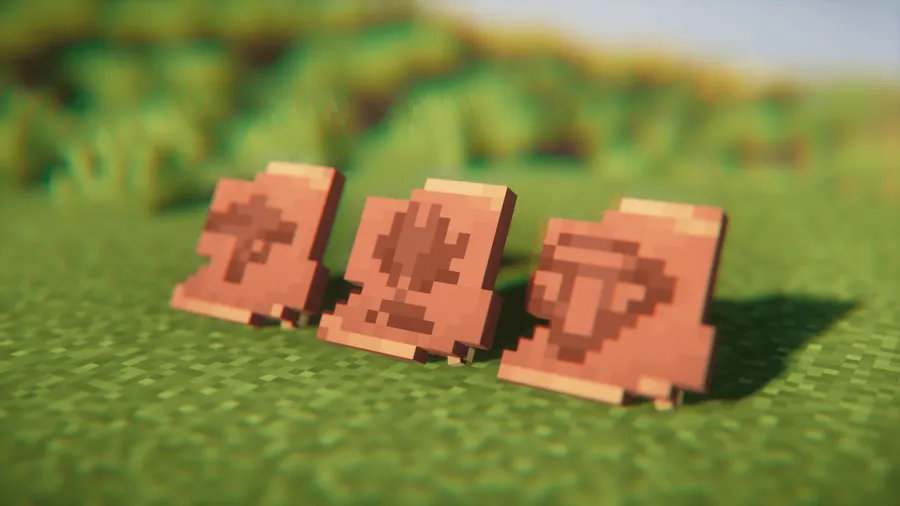
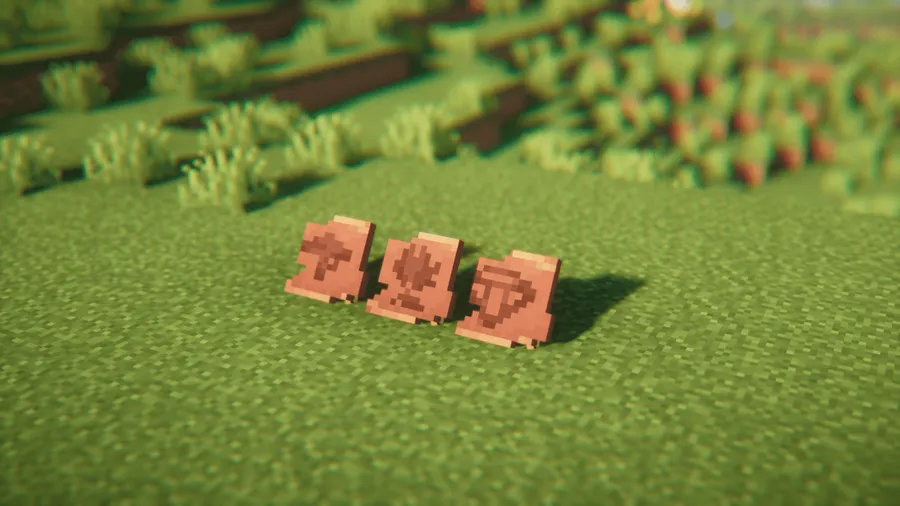
Tired of flat, boring item frames cluttering your walls? Items Displayed Mod lets you showcase your most prized Minecraft possessions as full 3D models — sherds, smithing templates, ingots, music discs, and more — all placed naturally into your world with a simple sneak-right-click. With over 2.1 million downloads and support spanning from 1.20 to 1.21.11, this decoration mod by FREEDINNER has quickly become a go-to choice for builders who want their displays to feel like part of vanilla Minecraft.
Key Features
- True 3D item displays: Instead of relying on flat item frames, place items as proper 3D models directly in your world — perfect for trophy rooms, shops, and decorated bases.
- Simple placement system: Just sneak and right-click to place an item. No crafting recipes to memorize, no complicated setup — it works right out of the box.
- Item Display stand: A dedicated block that functions like an Armor Stand but with enhanced rotation capabilities, giving you precise control over how each item is oriented.
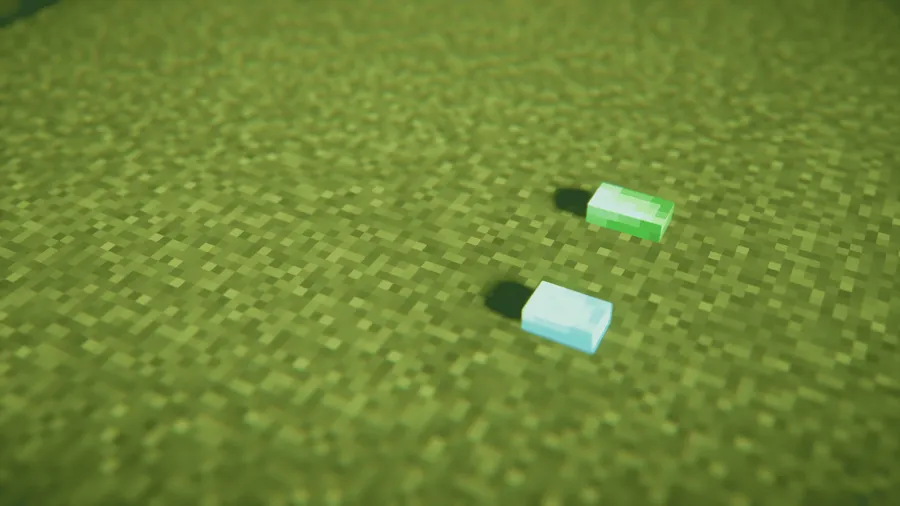
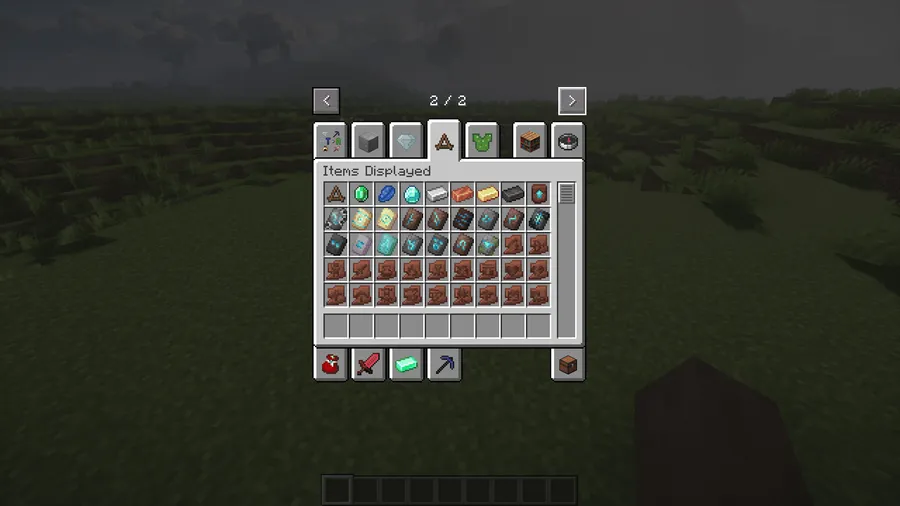
- Extensive item support: All sherds, smithing templates, ingots, music discs, gems, crystals, and more are supported. The Jewelry Pillow block comes in all 16 vanilla colors for displaying smaller items elegantly.
- Vanilla-faithful visuals: The mod is designed to blend seamlessly with Minecraft's default art style — the creator notes that even casual observers can't tell the difference between vanilla and modded content.
- Multi-loader compatibility: Available for Forge, Fabric, Quilt, and NeoForge, with extensive testing to minimize conflicts with other mods in your modpack.
Screenshots


How to Install
- Download and install your preferred mod loader — Forge, Fabric, NeoForge, or Quilt — for your Minecraft version.
- If using Fabric or Quilt, also install the Fabric API as a required dependency.
- Download the Items Displayed Mod file matching your loader and Minecraft version from the link below.
- Place the downloaded
.jarfile into your.minecraft/modsfolder. - Launch Minecraft with your mod loader profile and start displaying your items.
Requirements
| Mod Loader | Dependencies | Minecraft Versions |
|---|---|---|
| Forge | Minecraft Forge | 1.21.11, 1.21.10, 1.21.8, 1.21.7, 1.21.6, 1.21.5, 1.21.4, 1.21.3, 1.21.1, 1.21, 1.20.6, 1.20.4, 1.20.2, 1.20.1, 1.20 |
| Fabric | Fabric API | |
| NeoForge | NeoForge Installer | |
| Quilt | Quilt Loader |
Pros & Cons
Pros
- Extremely easy to use — sneak-right-click placement with no crafting needed
- Wide item support including sherds, templates, ingots, music discs, and gems
- Available across four mod loaders (Forge, Fabric, NeoForge, Quilt)
- Maintains vanilla Minecraft's visual style so builds look natural
- Actively maintained with regular updates and new item additions
Cons
- Not all items are supported yet — more are being added over time
- Forge support limited to older versions (1.20–1.20.1); newer versions require NeoForge or Fabric
- Updates may occasionally reset Item Display rotations due to data storage changes
Download
Always download mods from official sources to stay safe.
What's New
- Jewelry Pillow: A brand-new display block for gems and crystals, available in all 16 vanilla dye colors.
- Music Disc support: All music discs can now be placed on the ground or on an Item Display stand. Disc Fragment 5 stacks up to 9 pieces in a single block.
- New placeable items: Bricks, Nether Bricks, Amethyst Shards, Echo Shards, Coal, and Charcoal have been added to the display roster.
- Updated templates and sherds: Flow, Guster, and Scrape pottery sherds plus Flow and Bolt smithing templates are now supported.
- Bug fixes: Several issues resolved, along with minor translation improvements. Note that existing Item Displays may have their rotation reset to 0 as a one-time change.
FAQ
How do you place items with Items Displayed Mod?
Hold the item you want to display, then sneak (hold Shift) and right-click on a surface. The item will appear as a 3D model in the world. You can also use the dedicated Item Display block for more precise rotation control.
Does Items Displayed Mod work with Fabric and NeoForge?
Yes. The mod supports Forge, Fabric, Quilt, and NeoForge. Fabric versions are available for 1.20 through 1.20.6, while NeoForge versions cover 1.21 and above. Check the download section for exact loader-version combinations.
What items can you display with this mod?
Currently supported items include all sherds, smithing templates, ingots, music discs, gems, crystals, Amethyst Shards, Echo Shards, Coal, Charcoal, Bricks, and Nether Bricks. The developer continues to add more items with each update.




![[Let's Do] Meadow Mod (1.21.1) - thumbnail](http://mcinside.com/wp-content/uploads/2026/04/thumbnail-64-52x52.webp)


![Not Enough Recipe Book [NERB] Mod (1.21.11) - thumbnail](http://mcinside.com/wp-content/uploads/2026/04/thumbnail-63-52x52.webp)
