

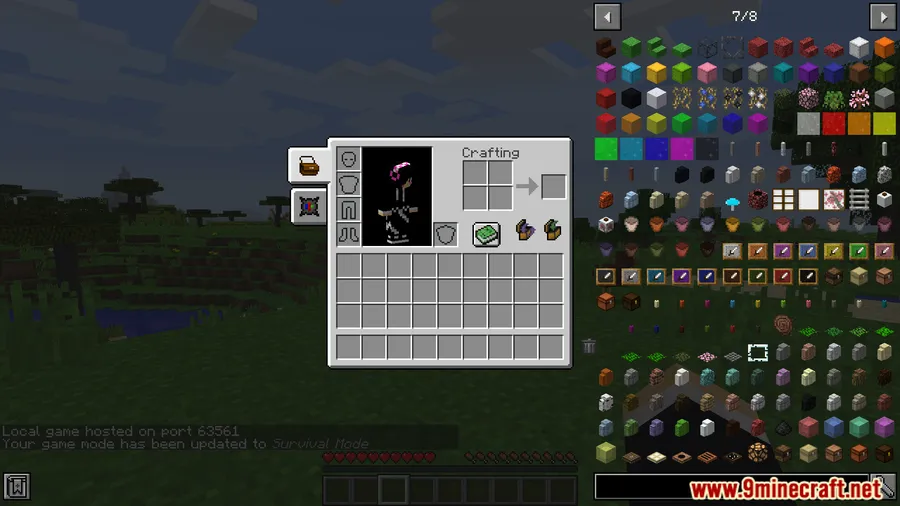
Ever opened a modded crafting table only to find JEI's item list plastered right on top of it? JEI Area Fixer Mod solves that frustrating overlap by intelligently adjusting JEI's display boundaries to respect other modded GUI elements. Built specifically for heavily modded 1.12.2 packs where dozens of custom interfaces compete for screen space, this small utility mod ensures JEI stays where it belongs — off to the side, out of your way.
Key Features
- GUI Overlap Prevention — Automatically adjusts JEI's display area so it no longer covers modded GUIs, crafting interfaces, or custom inventory screens.
- Cleaner Recipe Layouts — Fixes misaligned recipe descriptions and item names within JEI, making everything easier to read at a glance.
- Modpack Friendly — Designed to handle large modpacks that add hundreds or thousands of items to JEI without breaking the interface layout.
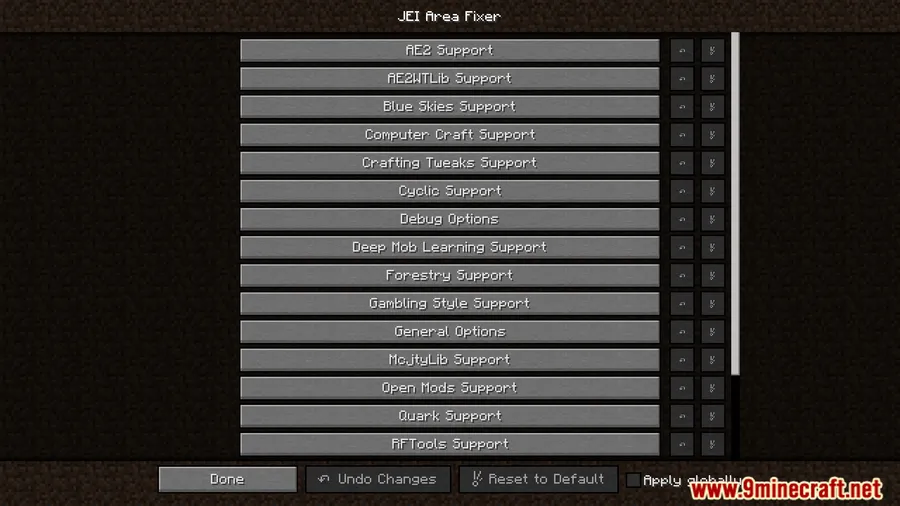
- Drop-In Installation — Works with your existing JEI setup with no configuration needed. Install it and the fixes apply automatically.
Screenshots


How to Install
- Download and install Minecraft Forge for version 1.12.2 if you haven't already.
- Install MixinBooter Mod, which is required for JEI Area Fixer to function.
- Make sure you have JEI (Just Enough Items) installed.
- Drop the JEI Area Fixer .jar file into your
.minecraft/modsfolder. - Launch Minecraft and the fixes will apply automatically — no configuration required.
Requirements
| Component | Details |
|---|---|
| Mod Loader | Forge |
| Dependencies | Minecraft Forge, MixinBooter Mod |
| Minecraft Versions | 1.12.2 |
Pros & Cons
Pros
- Solves a common and annoying GUI overlap issue in modded 1.12.2
- No configuration needed — works out of the box
- Appears to be lightweight with no noticeable impact on performance
- Compatible with large modpacks containing many custom GUIs
Cons
- Only available for Minecraft 1.12.2 — no support for newer versions
- Requires MixinBooter as an additional dependency
- Limited to Forge — no Fabric or NeoForge support
Download
Always download mods from official sources to stay safe.
FAQ
Does JEI Area Fixer work without MixinBooter?
No. MixinBooter is a required dependency — the mod will not load without it. Make sure to install MixinBooter before adding JEI Area Fixer to your mods folder.
Will this mod fix JEI overlapping with any modded GUI?
JEI Area Fixer adjusts JEI's display area to work better with modded GUIs in general. It supports multiple mods and is designed to handle large modpacks, though results may vary depending on how specific mods render their interfaces.
Can I use JEI Area Fixer in an existing modpack?
Yes. Simply drop the .jar file into your mods folder alongside your existing JEI installation. It requires no configuration and applies its fixes automatically on launch.


