
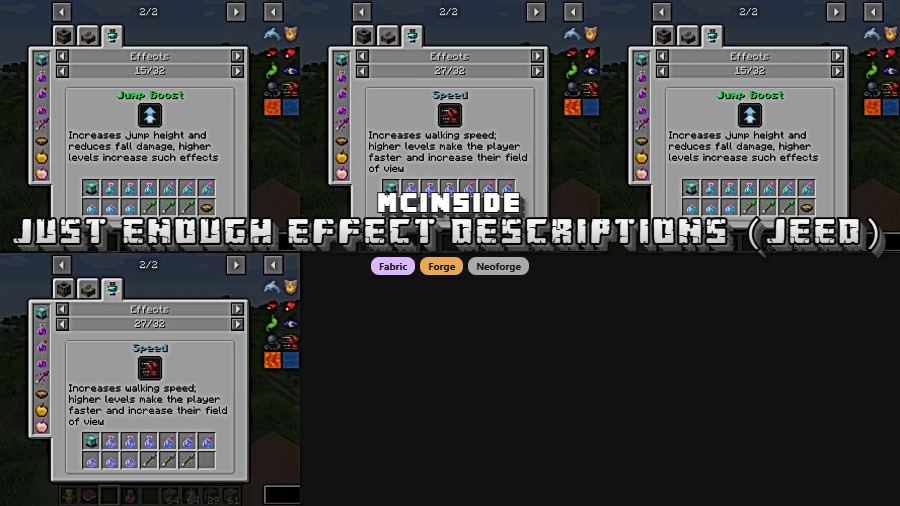
Just Enough Effect Descriptions (JEED) is a JEI plugin mod that displays detailed status effect information for Minecraft on Fabric, Forge, and NeoForge. It supports listed releases from Minecraft 1.19 through 1.21.1.
Status effects are one of those systems that become harder to read as a modpack grows, because names, icons, and potion-like items stop being self-explanatory fast. JEED fixes that problem by turning effects into something you can browse directly from JEI or from the active effect area in your inventory, and its nearly 6 million Modrinth downloads show that a lot of players have run into the same issue and wanted a cleaner way to understand what is happening on screen.
Key Features of Just Enough Effect Descriptions (JEED)
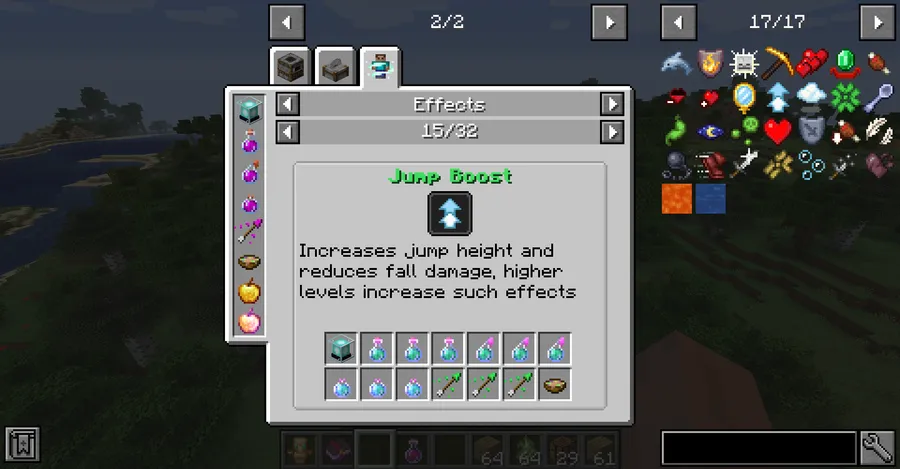
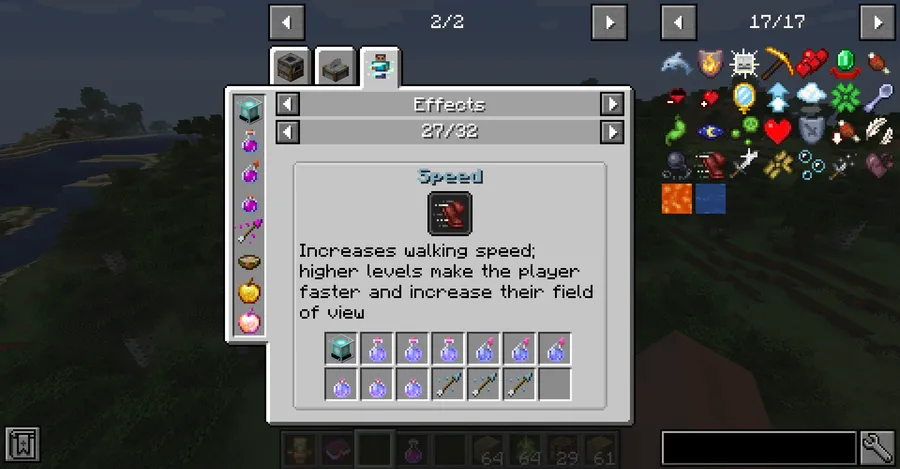
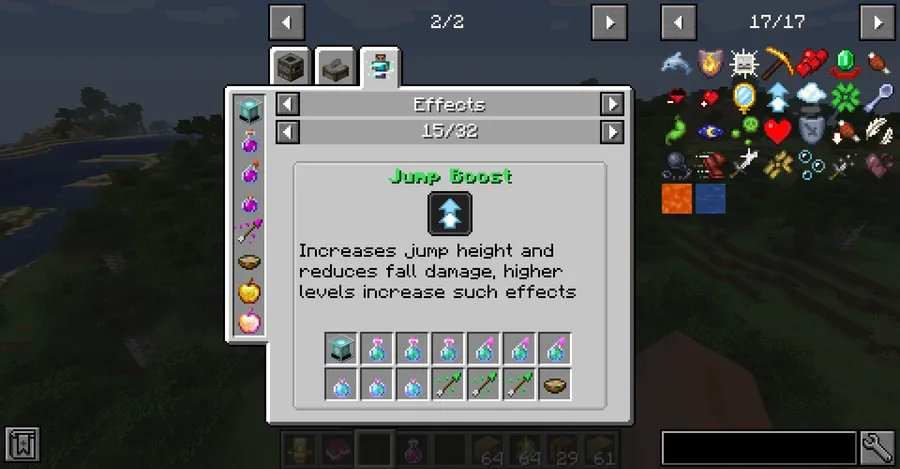
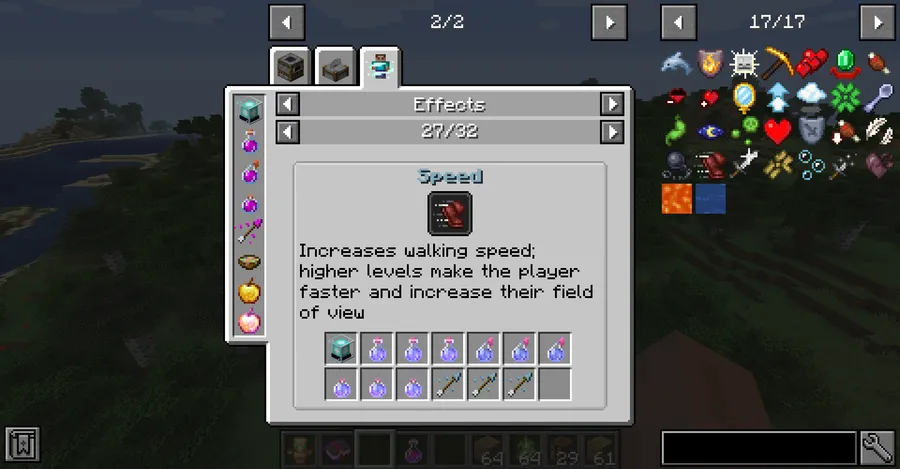
- Dedicated effect browsing in JEI — JEED adds a separate effects category so status effects are treated like something you can inspect, not just something you happen to catch in a tooltip. In practice, that makes modded gameplay feel less opaque because you can look up an effect the same way you would look up a recipe.
- Fast access from effect icons — You can open effect information by clicking the status effect icons added to the JEI item screen or by clicking an active effect in the inventory interface. That matters because it removes friction during actual play, especially when you want an answer immediately instead of stopping to search elsewhere.
- Clearer effect context — Effect pages can show a description, the mod the effect comes from, and its effect color. When multiple mods add similar-looking effects, that extra context makes it much easier to understand what you are looking at and whether it belongs to the feature you think it does.
- Provider item lookup — JEED can show items that provide a given effect, which is one of its most practical features for regular players. If you are planning around a buff or trying to identify how an effect is applied, that information saves guesswork and keeps the research inside your game session.
- Potion-style provider support — The mod also supports items that can contain any registered potion, such as splash potions and tipped arrows. This is useful because those item types are easy to overlook, yet they are often the most direct way to apply an effect in combat or utility situations.
- Better support for modded effects — Mod authors can add custom descriptions through language keys and can register extra support through JEED recipe types for effect providers and potion providers. Even if you never touch the technical side, you benefit when supported mods feel more complete and informative inside JEI.
Screenshots
How to Install Just Enough Effect Descriptions (JEED)
- Choose the Minecraft version you are playing, then match it with the correct JEED file from the download section below.
- Install the loader your setup uses: Fabric Mod Loader, Minecraft Forge, or NeoForge.
- Make sure your loader matches the release list for your version, since JEED is not offered on every loader for every Minecraft release.
- Place the downloaded mod file into your Minecraft
modsfolder and start the game with the same loader profile. - Open JEI in-game and click a status effect icon or an active inventory effect to confirm the new information pages are working.
Requirements & Compatibility
| Minecraft Version | Supported Loaders |
|---|---|
| 1.21.1 | Fabric, NeoForge |
| 1.21 | Fabric, NeoForge |
| 1.20.1 | Forge, Fabric |
| 1.19.4 | Fabric, Forge |
| 1.19.2 | Fabric, Forge |
| 1.19.1 | Forge |
| 1.19 | Forge |
What's New
- The latest listed changelog entry fixes an EMI recipe that was not displaying clearly.
- The project metadata shows an update date of 2025-12-17.
- Current listed builds cover Minecraft 1.21.1, 1.21, 1.20.1, 1.19.4, 1.19.2, 1.19.1, and 1.19.
- Loader support remains split across Fabric, Forge, and NeoForge depending on the Minecraft version you choose.
Pros and Cons
Pros
- Makes status effects easier to understand inside a JEI workflow.
- Lets you open effect pages from both JEI icons and the inventory effect box.
- Shows provider items and potion-style carriers when support is present.
- Covers a broad spread of versions from 1.19 to 1.21.1.
Cons
- Some modded effects may still lack descriptions unless their authors add them.
- Advanced provider support depends on mods registering the needed recipe data.
- Loader availability changes by Minecraft version, so you need to match files carefully.
- It improves reference information rather than adding new gameplay systems.
Alternatives to Just Enough Effect Descriptions (JEED)
- Just Enough Items (JEI) — The obvious companion if you want the broader recipe and item browser that JEED plugs into.
- EMI — A useful alternative browsing interface to consider, especially since JEED's latest listed fix references EMI recipe readability.
- Just Enough Resources — A complementary add-on if you want more lookup-style information in the same general utility-focused workflow.
Download Just Enough Effect Descriptions (JEED)
| Minecraft Version | Fabric | Forge | NeoForge |
|---|---|---|---|
| For Minecraft 1.21.1 | Download | — | Download |
| For Minecraft 1.21 | Download | — | Download |
| For Minecraft 1.20.1 | Download | Download | — |
| For Minecraft 1.19.4 | Download | Download | — |
| For Minecraft 1.19.2 | Download | Download | — |
| For Minecraft 1.19.1 | — | Download | — |
| For Minecraft 1.19 | — | Download | — |
Always download mods from official sources to stay safe.
Frequently Asked Questions
What does Just Enough Effect Descriptions (JEED) actually do?
It displays information about status effects inside a JEI-based interface. Instead of leaving effects as vague icons, it gives you a page where you can review descriptions, provider items, and other context tied to that effect.
Does JEED support Fabric, Forge, and NeoForge?
Yes — JEED has listed releases for Fabric, Forge, and NeoForge. The exact loader depends on the Minecraft version, so check the compatibility table before downloading.
Which Minecraft versions are supported?
The listed supported versions are 1.21.1, 1.21, 1.20.1, 1.19.4, 1.19.2, 1.19.1, and 1.19. That gives it coverage across several current and older modded setups rather than only a single branch.
Can I open effect information from both JEI and the inventory screen?
Yes — JEED supports both entry points. You can click the added effect icons on the JEI item screen or click an active effect from its box on the inventory screen.
Do all modded effects automatically get descriptions?
No — modded effects are not guaranteed to have descriptions by default. The mod can add all registered effects to its pages automatically, but extra description text depends on mod authors adding the proper language entry.
Can mod authors add support for custom effect items and potion carriers?
Yes — JEED provides recipe types for that purpose. The available categories let mod authors define effect providers and potion providers so custom items can appear properly in the effect pages.


![[Let's Do] Meadow Mod (1.21.1) - thumbnail](http://mcinside.com/wp-content/uploads/2026/04/thumbnail-64-52x52.webp)


![Not Enough Recipe Book [NERB] Mod (1.21.11) - thumbnail](http://mcinside.com/wp-content/uploads/2026/04/thumbnail-63-52x52.webp)
