

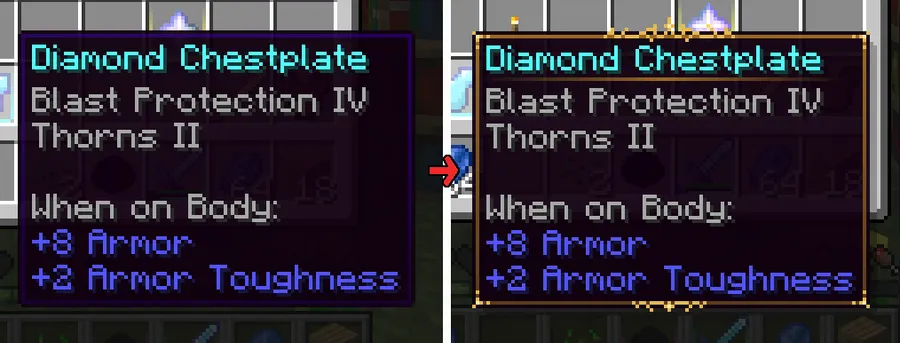
Legendary Tooltips is a client-side visual enhancement mod that transforms plain item tooltips into ornate, customizable displays for Minecraft Fabric, Forge, and NeoForge.
Vanilla Minecraft treats every item tooltip the same way — a plain dark rectangle with white text. Whether you are holding a wooden shovel or a fully enchanted Netherite sword, the tooltip looks identical. That visual flatness strips away the excitement of earning powerful gear. Legendary Tooltips, created by Grend, solves this by letting you assign ornamental border frames to items based on rarity, mod origin, NBT data, or custom rules. With nearly 8 million downloads on Modrinth since its 2022 release, it has become one of the most popular UI mods in the Minecraft modding community — and for good reason.
Key Features of Legendary Tooltips
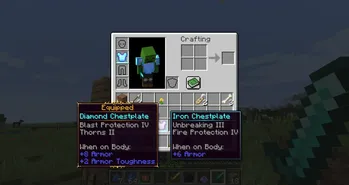
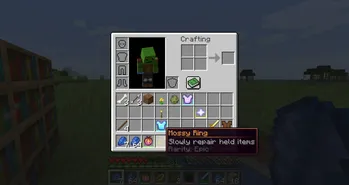
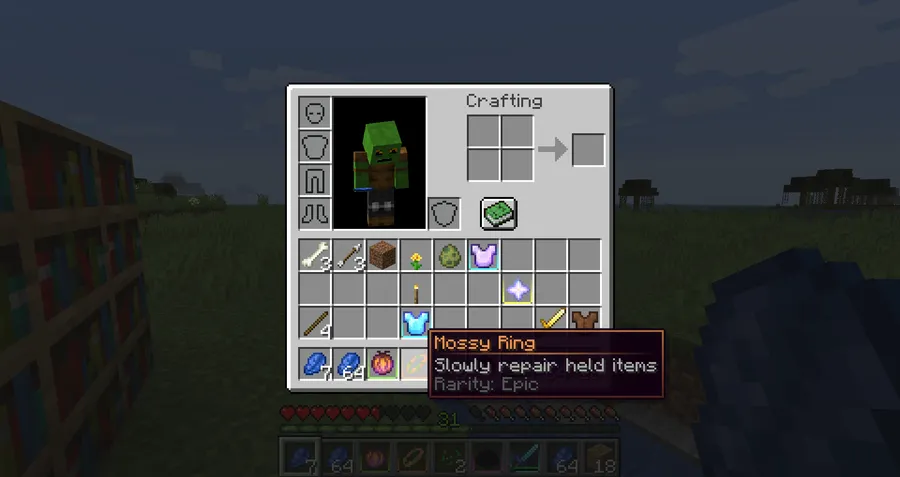
- Custom ornamental borders — Assign up to sixteen unique border frames to different item categories. This means your legendary drops, quest rewards, or modded gear can each have a distinct visual identity that immediately communicates their value at a glance.
- Flexible item selectors — Match items by name, mod ID, tag, vanilla rarity, item name color, display name, tooltip text, or NBT tag. This granular control lets you fine-tune exactly which items receive special treatment without editing every entry by hand.
- Centered item names and tooltip shadows — Small typographic improvements that make tooltips feel polished and intentional. Centered names draw the eye naturally, while shadows add depth that separates text from the background.
- Color-matched tooltip borders — Borders can automatically match an item's rarity color, creating a cohesive look that ties the frame style to the item's tier. No manual color-picking required for each item class.
- 3D item previews in tooltips — See a rendered 3D preview of the item directly inside the tooltip itself. This is especially useful for modded items where the inventory icon may not convey the full detail of the model. The latest update also added subtle background shading so dark items remain visible in the preview.
- Compact tooltip mode — Reduces tooltip size for a cleaner HUD experience. Players running large modpacks with dozens of tooltip lines will appreciate the streamlined layout that keeps information accessible without dominating the screen.
- Resource pack support for custom frames — Artists and pack authors can create entirely new border designs and distribute them as resource packs. The companion pack Eclectic Trove already provides ten additional frames as a starting point.
Screenshots
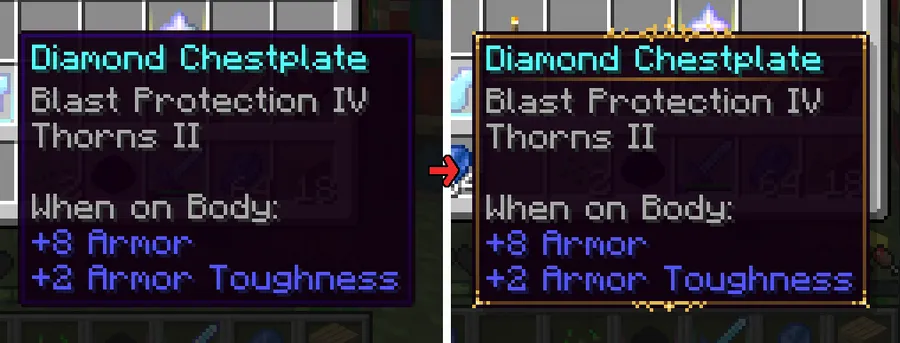
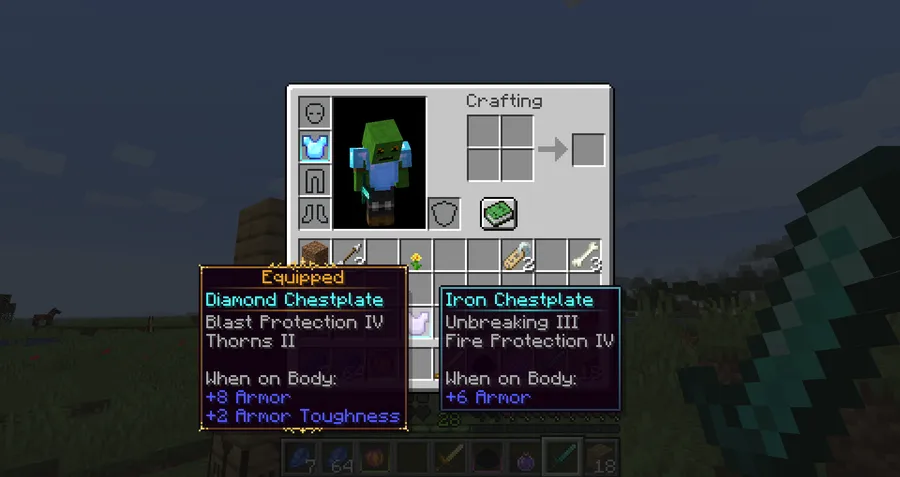
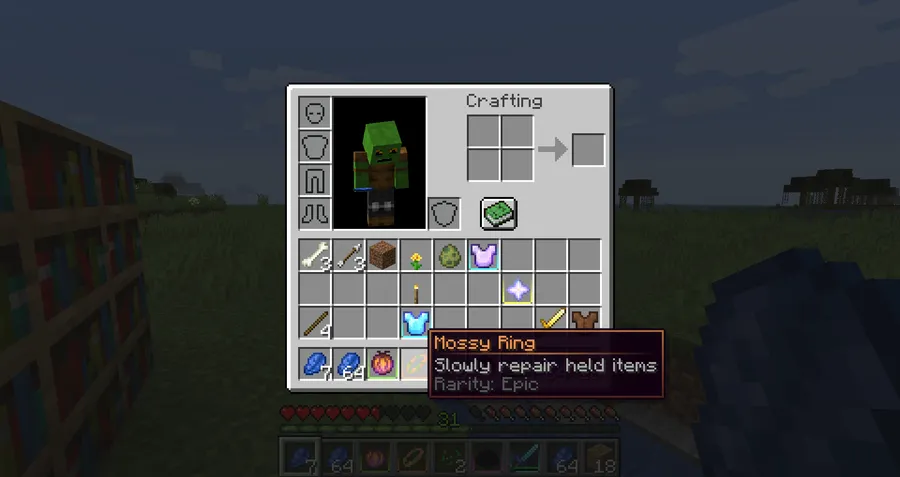
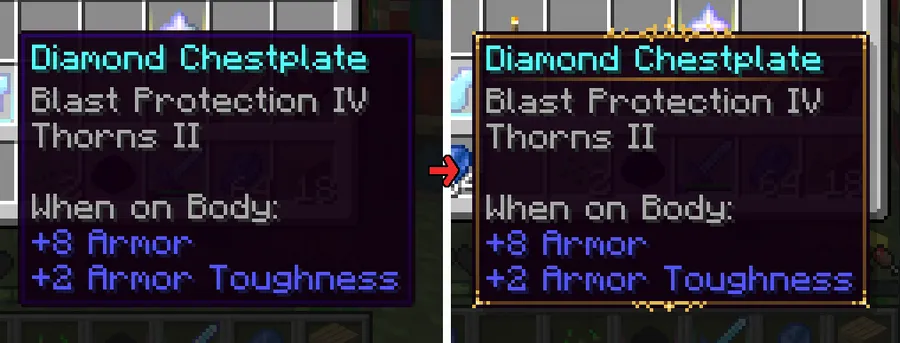
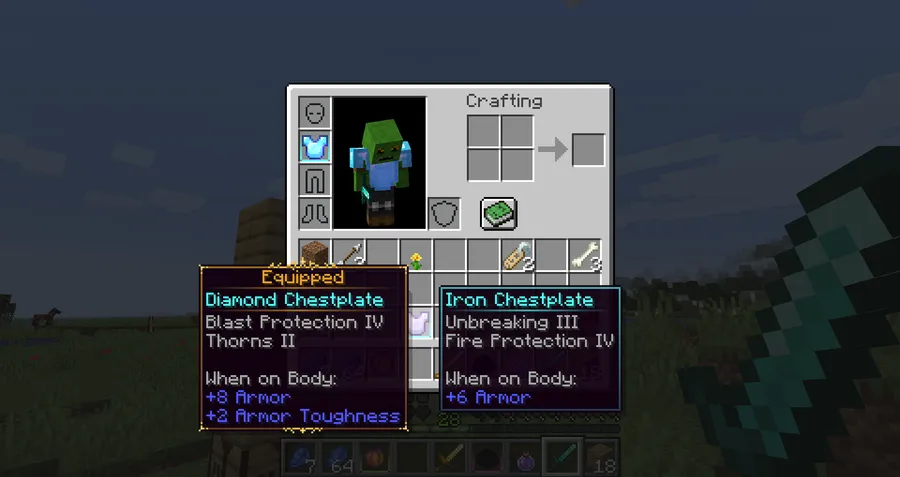
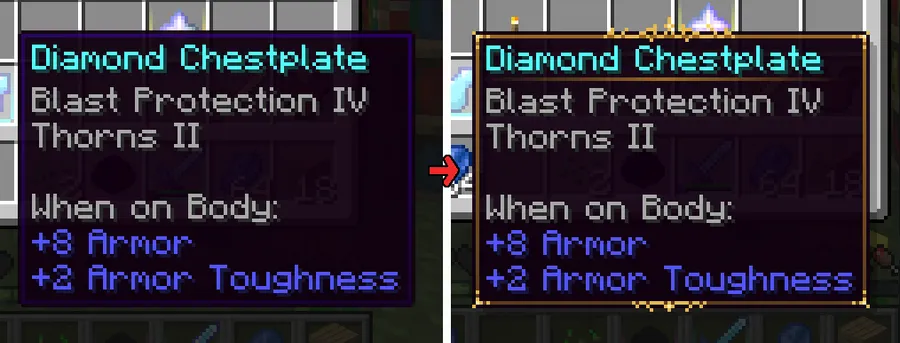
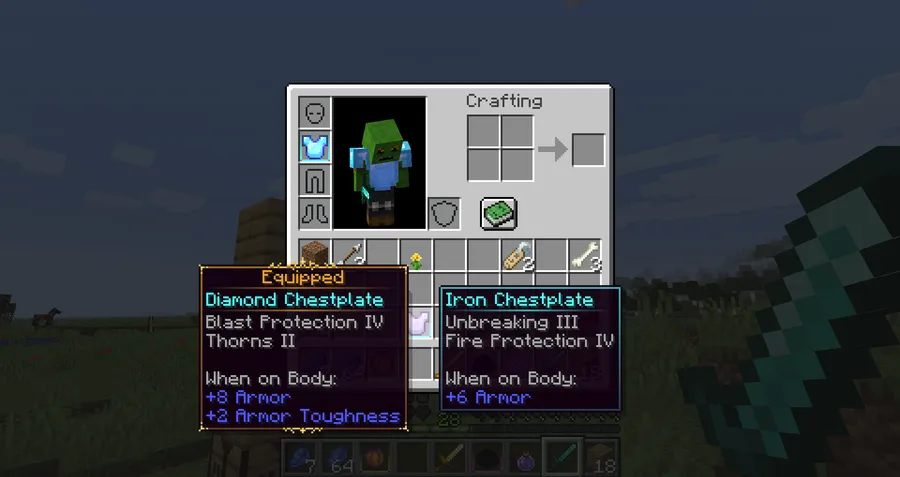
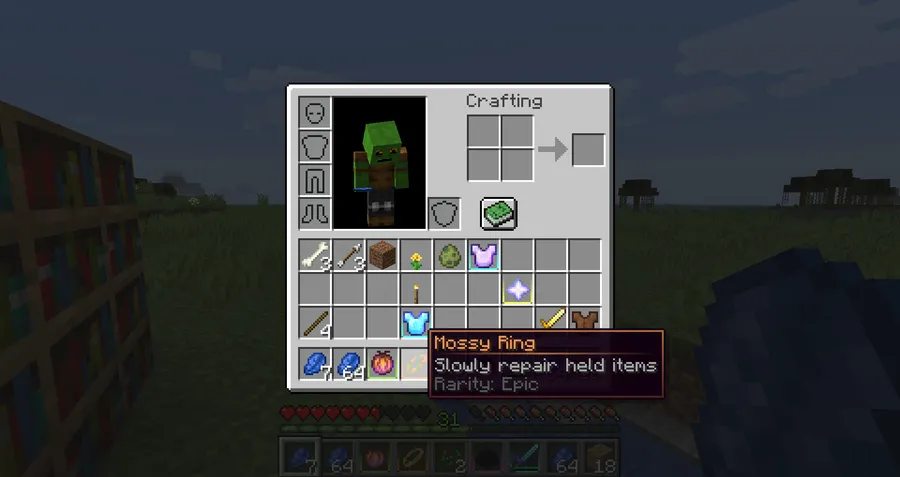
How to Install Legendary Tooltips
- Install your preferred mod loader: Fabric, Forge, or NeoForge for your Minecraft version.
- Download and install the Iceberg library mod, which is a required dependency for Legendary Tooltips to function.
- If you are running version 1.3 or newer, also install Prism as an additional required library.
- Download the correct Legendary Tooltips file for your Minecraft version and loader from the download section below.
- Place the downloaded
.jarfile into your.minecraft/modsfolder, then launch the game. The mod is fully client-side, so no server installation is needed.
Requirements & Compatibility
| Requirement | Details |
|---|---|
| Mod Loaders | Fabric, Forge, NeoForge |
| Minecraft Versions | 1.21.4, 1.21.3, 1.21.1, 1.21, 1.20.6, 1.20.4, 1.20.2, 1.20.1, 1.19.4 – 1.19, 1.18.2, 1.16.5, 1.12.2 |
| Required Dependencies | Iceberg (all versions), Prism (v1.3+) |
| Side | Client-side only |
| License | CC-BY-NC-ND-4.0 |
What's New
- Fixed a bug where GUI elements could disappear when used alongside the Trash Slot mod.
- Added subtle background shading to 3D item previews, making dark-colored items easier to distinguish.
- Resolved an issue where 3D item previews could visually clip through tooltip frames.
Pros and Cons
Pros
- Fully client-side — no server installation or permission needed
- Supports all three major mod loaders across a wide version range
- Highly configurable with up to sixteen custom border frames
- Resource pack support allows community-created border designs
- Appears to be lightweight since it only modifies tooltip rendering
Cons
- Requires two additional library mods (Iceberg and Prism) to run
- Configuration uses a text file rather than an in-game GUI, which has a learning curve
- Custom border creation requires resource pack knowledge
- Licensed under CC-BY-NC-ND-4.0, which restricts modification and commercial use
Alternatives to Legendary Tooltips
- Equipment Compare — Adds side-by-side tooltip comparison when hovering over gear, helping you quickly judge upgrades without opening your inventory.
- Jade — Provides detailed tooltips for blocks and entities in the world, complementing Legendary Tooltips which focuses on item tooltips in your inventory.
- Adaptive Tooltips — Repositions and resizes tooltips so they never clip off-screen, a practical companion that pairs well with the visual upgrades from Legendary Tooltips.
Download Legendary Tooltips
| Minecraft Version | Fabric | Forge | NeoForge |
|---|---|---|---|
| For Minecraft 1.21.4 | Download | Download | Download |
| For Minecraft 1.21.3 | Download | Download | Download |
| For Minecraft 1.21.1 | Download | Download | Download |
| For Minecraft 1.21 | Download | Download | Download |
| For Minecraft 1.20.6 | Download | Download | — |
| For Minecraft 1.20.5 | Download | — | — |
| For Minecraft 1.20.4 | Download | Download | — |
| For Minecraft 1.20.2 | Download | Download | — |
| For Minecraft 1.20.1 | Download | Download | — |
| For Minecraft 1.20 | Download | Download | — |
| For Minecraft 1.19.4 | Download | Download | — |
| For Minecraft 1.19.3 | Download | Download | — |
Always download mods from official sources to stay safe.
Frequently Asked Questions
Is Legendary Tooltips client-side only?
Yes — Legendary Tooltips is fully client-side and does not need to be installed on the server. You can use it on any multiplayer server without the server owner needing to add anything.
Does Legendary Tooltips work with Fabric, Forge, and NeoForge?
Yes — all three mod loaders are supported. Make sure you download the correct file that matches your loader and Minecraft version, as each loader has a separate build.
What dependencies does Legendary Tooltips need?
Iceberg is required for all versions of the mod. Starting from version 1.3 and later, you also need the Prism library installed. Both are available on Modrinth.
Can I create my own custom tooltip borders?
Yes — custom borders can be added through resource packs. The mod supports up to sixteen different border frames, and the Eclectic Trove resource pack provides ten pre-made frames you can use as reference or install directly.
Does Legendary Tooltips affect game performance?
The mod appears to be lightweight since it only modifies how tooltips are rendered on the client side. It does not alter game mechanics, world generation, or entity behavior, so the overhead is limited to the brief moment a tooltip is displayed on screen.


![[Let's Do] Candlelight - Farm&Charm compat Mod (1.21.1) - thumbnail](http://mcinside.com/wp-content/uploads/2026/04/thumbnail-81-52x52.webp)


![[Let's Do] Meadow Mod (1.21.1) - thumbnail](http://mcinside.com/wp-content/uploads/2026/04/thumbnail-64-52x52.webp)


![Not Enough Recipe Book [NERB] Mod (1.21.11) - thumbnail](http://mcinside.com/wp-content/uploads/2026/04/thumbnail-63-52x52.webp)