

LAN World Plug-n-Play (mcwifipnp) is a multiplayer utility mod that expands how you host and manage a LAN world in Minecraft for Fabric, Forge, NeoForge, and Quilt loaders. It adds practical controls like online-mode switching, UUID mapping tools, UPnP port mapping, PvP toggle, and custom MOTD options.
Vanilla "Open to LAN" is fast, but it can become limiting when your group mixes account types, needs predictable player identity behavior, or wants to expose a session beyond the local network. This is exactly the gap LAN World Plug-n-Play targets: it turns quick LAN hosting into a more configurable multiplayer setup without forcing a full dedicated-server workflow. With more than 5 million downloads on Modrinth (5,173,246), it has clear social proof that many players and hosters already rely on it for everyday co-op worlds and friend-group sessions.
Key Features of LAN World Plug-n-Play (mcwifipnp)
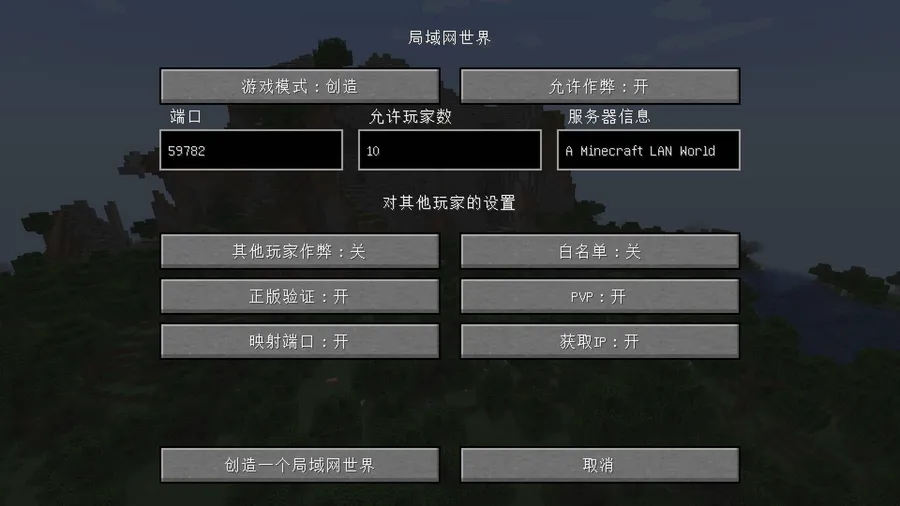
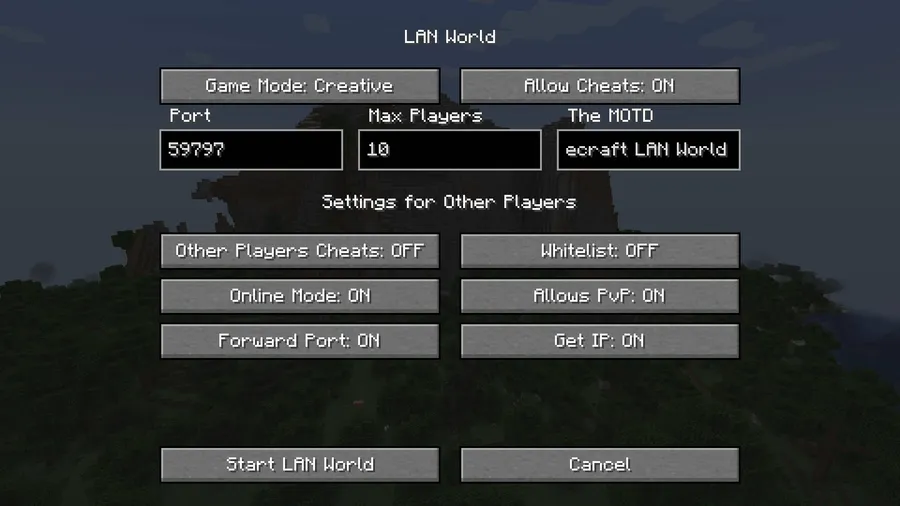
- Three Online Mode choices — You can switch between Enable, Disable, and Disable + UUID Fixer directly for your hosted world. This matters because different friend groups have different login realities, and one fixed rule often causes friction. Being able to choose the mode that fits your session keeps your world easier to join while still letting you keep stricter verification when needed.
- UUID Fixer behavior for mixed login scenarios — In the "Disable + UUID Fixer" path, usernames that exist on Mojang can map to official UUIDs, while Microsoft-account users keep their UUIDs. That is important when hosts move between stricter and looser auth settings and want player identity handling to stay more consistent. The data also notes this can help prevent backpack and inventory loss during those transitions.
- Full
/uuidfixercommand set — You get commands to enable/disable the system, list rules, force mappings, remove mappings, and test policy outcomes for a username. This gives hosts real control instead of guessing how name-to-UUID decisions are made. It is especially useful when troubleshooting edge cases before they impact active gameplay. - Custom port plus optional UPnP mapping — The mod lets you choose a server port and optionally map it to the public network through UPnP when your router supports it. For players, this reduces manual network setup work in many home-network situations. You can toggle it from GUI controls or with the
/upnpcommand, which is practical during live hosting. - PvP toggle for session control — You can enable or disable PvP for the LAN world. That sounds simple, but it has real impact on group dynamics: relaxed co-op nights and competitive sessions need different rules. A quick toggle means you can adapt to the current play style without rebuilding server config from scratch.
- Custom MOTD support — The mod allows customizing the MOTD shown in the multiplayer server list under the world name. This helps players quickly identify the right session, especially if your group runs multiple worlds. It is a small feature that improves join clarity and reduces "wrong world" confusion.
Screenshots
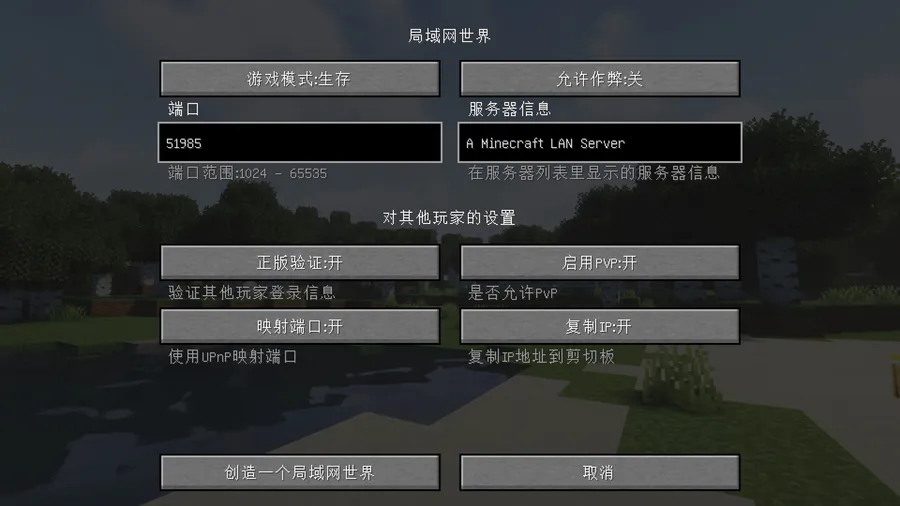
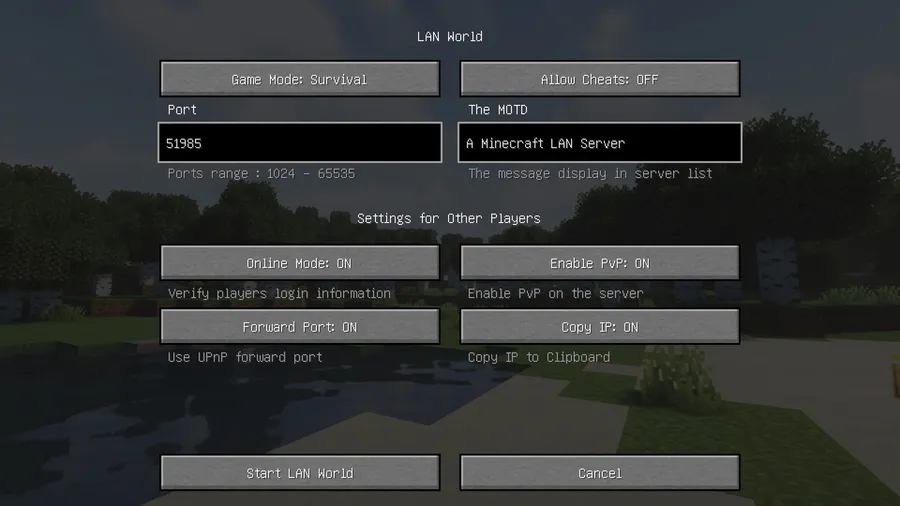
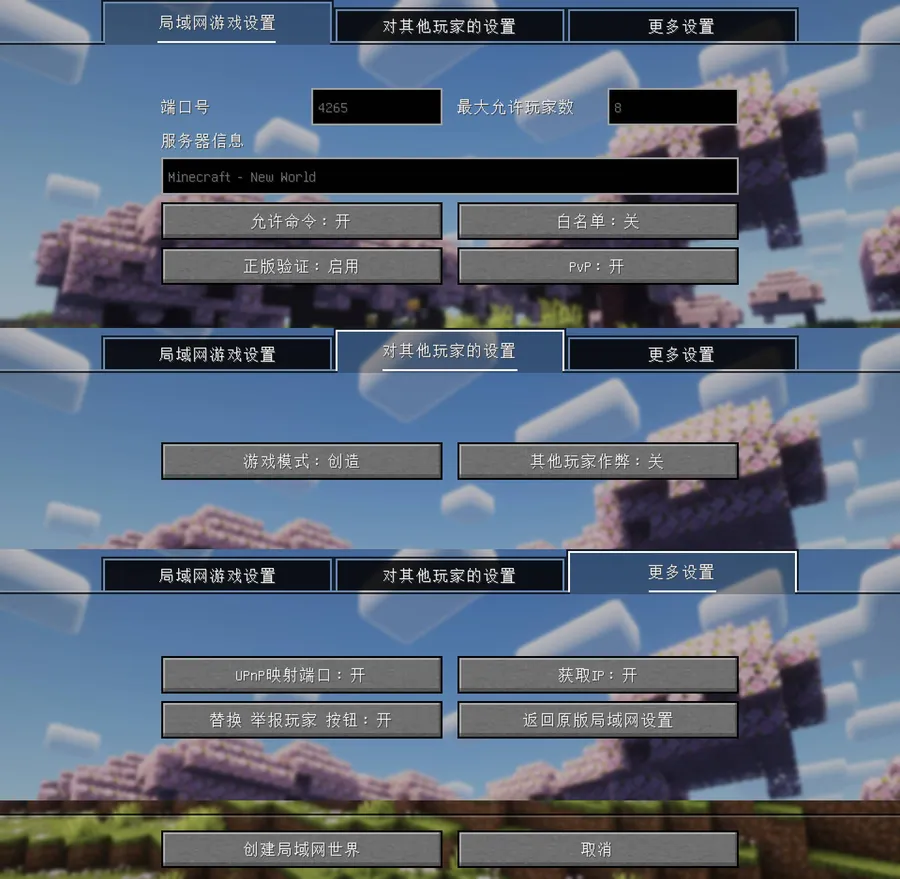
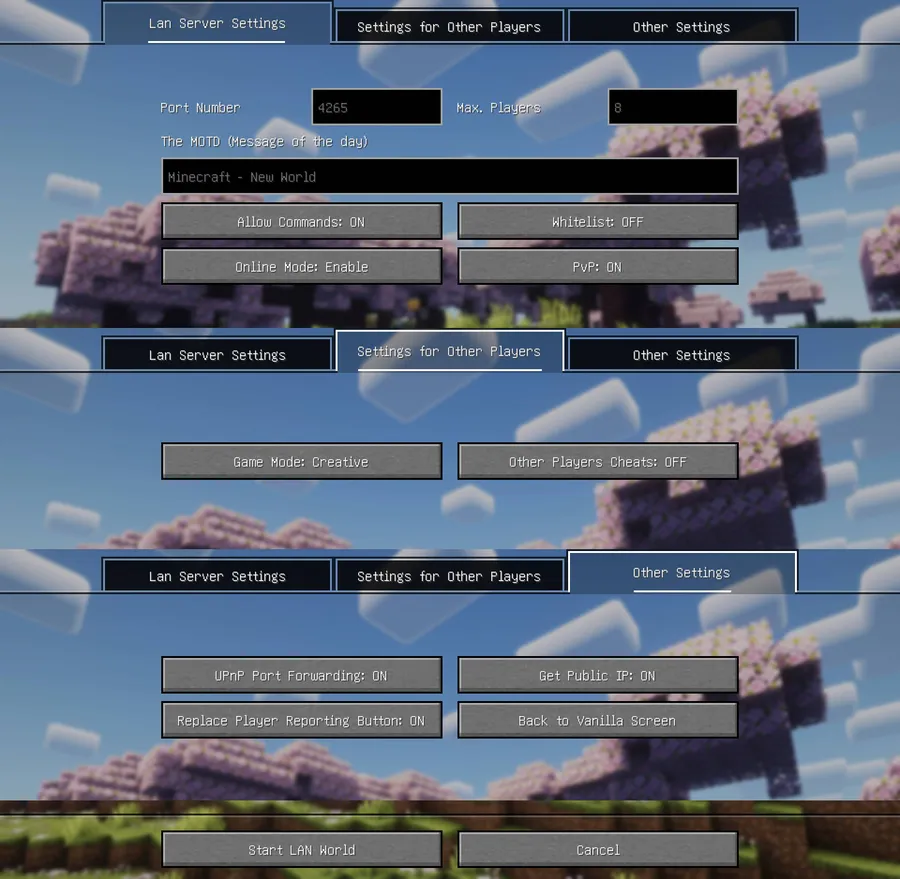
How to Install LAN World Plug-n-Play (mcwifipnp)
- Choose your mod loader first: Fabric Loader, Minecraft Forge, NeoForge, or Quilt Loader.
- Match the mod file to your exact Minecraft version (the project lists support across 26.1, 1.21.x, 1.20.x, 1.19.x, 1.18.x, and 1.17.x builds).
- Place the downloaded mod JAR into your game's
modsfolder for the selected loader profile. - Launch Minecraft with that loader profile and create or open a world, then use LAN hosting controls to configure online mode, UUID behavior, UPnP, PvP, and MOTD as needed.
- If you host often, test your preferred commands early (like
/uuidfixer testor/upnp) so your setup is predictable before friends join.
Requirements & Compatibility
| Item | Details |
|---|---|
| Category | Minecraft Mods |
| Author | satxm |
| Supported Loaders | Fabric, Forge, NeoForge, Quilt |
| Required Platforms | Fabric Mod Loader, Minecraft Forge, NeoForge, Quilt Loader |
| Listed Minecraft Versions | 26.1, 1.21.11, 1.21.10, 1.21.9, 1.21.8, 1.21.7, 1.21.6, 1.21.5, 1.21.4, 1.21.3, 1.21.2, 1.21.1, 1.21, 1.20.6, 1.20.5, 1.20.4, 1.20.3, 1.20.2, 1.20.1, 1.20, 1.19.4, 1.19.2, 1.19.1, 1.19, 1.18.2, 1.18.1, 1.18, 1.17.1, 1.17 |
| License | Apache-2.0 |
| Published / Updated | 2021-07-21 / 2026-03-27 |
| Source | GitHub Repository |
Pros and Cons
Pros
- Gives LAN hosts much finer control than vanilla settings.
- Supports four major loader ecosystems.
- UUID tooling helps when switching between auth modes.
- UPnP option can simplify public reachability on supported routers.
Cons
- More settings mean a bit more setup responsibility for the host.
- UPnP usefulness depends on router support and local network behavior.
- Players still need matching game/mod environments to join smoothly.
- Command-based controls may feel advanced for casual users at first.
Alternatives to LAN World Plug-n-Play (mcwifipnp)
- Open Parties and Claims — A complementary multiplayer management option focused on social/group world organization.
- Essential Mod — A popular co-op oriented choice for players who want friend-focused multiplayer workflow tools.
- FTB Chunks — A useful companion mod if your group also needs chunk/claim-style control in shared worlds.
Download LAN World Plug-n-Play (mcwifipnp)
| Minecraft Version | Fabric | Forge | NeoForge | Quilt |
|---|---|---|---|---|
| For Minecraft 26.1 | Download | — | Download | — |
| For Minecraft 1.21.11 | Download | — | Download | — |
| For Minecraft 1.21.10 | Download | Download | Download | — |
| For Minecraft 1.21.9 | Download | Download | Download | — |
| For Minecraft 1.21.8 | Download | Download | Download | — |
| For Minecraft 1.21.7 | Download | Download | Download | — |
| For Minecraft 1.21.6 | Download | Download | Download | — |
| For Minecraft 1.21.5 | Download | Download | Download | — |
| For Minecraft 1.21.4 | Download | Download | Download | Download |
| For Minecraft 1.21.3 | Download | Download | Download | Download |
| For Minecraft 1.21.2 | Download | Download | Download | Download |
| For Minecraft 1.21.1 | Download | Download | Download | Download |
Always download mods from official sources to stay safe.
Frequently Asked Questions
Is LAN World Plug-n-Play available for Fabric, Forge, NeoForge, and Quilt?
Yes — the listed mod types include Fabric, Forge, NeoForge, and Quilt. The provided requirements section also names each corresponding loader platform.
Can I allow offline-style joins while still keeping better UUID handling?
Yes — use the "Disable + UUID Fixer" mode. The project description says this mode keeps UUID behavior closer to official mappings when possible and can help avoid inventory/backpack loss when changing authentication mode.
Does the mod let me expose a LAN world beyond my local network?
Yes — it supports optional UPnP port mapping when your router supports UPnP. You can manage this from the GUI or via the /upnp command.
Can I manage UUID mapping rules manually?
Yes — the /uuidfixer command family is built for that. You can enable or disable the system, list rules, add or replace rules, remove rules, and test how a username will be handled.
Is this mod actively maintained?
Yes — the provided metadata shows an update date of 2026-03-27. The project was originally published on 2021-07-21 and continues to list current-version support.
Should I install this mod for a small private friend group?
Yes — if you host LAN sessions regularly, it is a practical quality-of-life upgrade. Even for small groups, the online-mode choices, UPnP toggle, and simple PvP/MOTD controls can make sessions easier to run.




![CobbleDollars [Cobblemon Addon] Mod (1.21.1) - thumbnail](http://mcinside.com/wp-content/uploads/2026/04/thumbnail-108-52x52.webp)

![[Let's Do] Farm & Charm Mod (1.21.1) - thumbnail](http://mcinside.com/wp-content/uploads/2026/04/thumbnail-82-52x52.webp)


![[Let's Do] Candlelight - Farm&Charm compat Mod (1.21.1) - thumbnail](http://mcinside.com/wp-content/uploads/2026/04/thumbnail-81-52x52.webp)


