

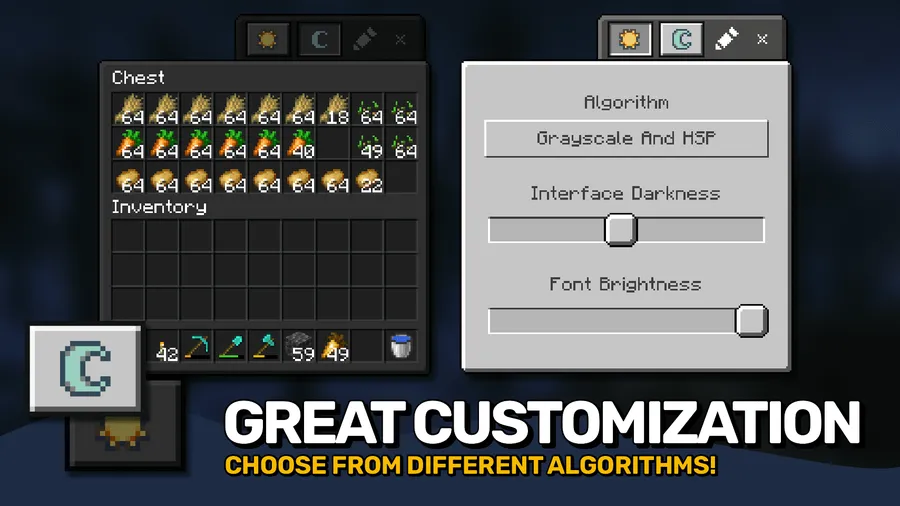
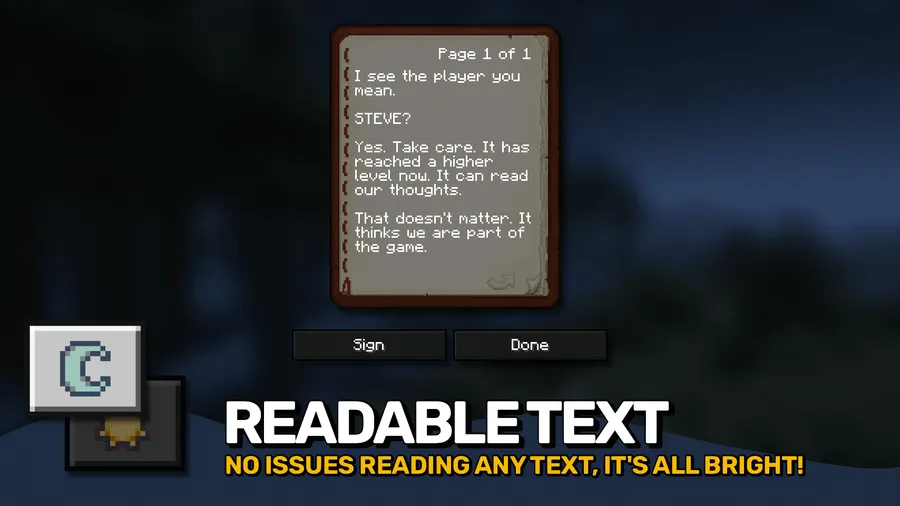
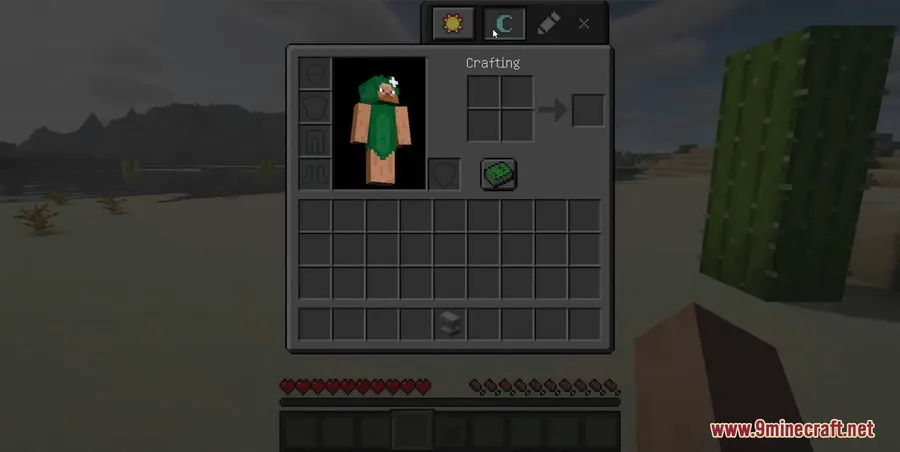
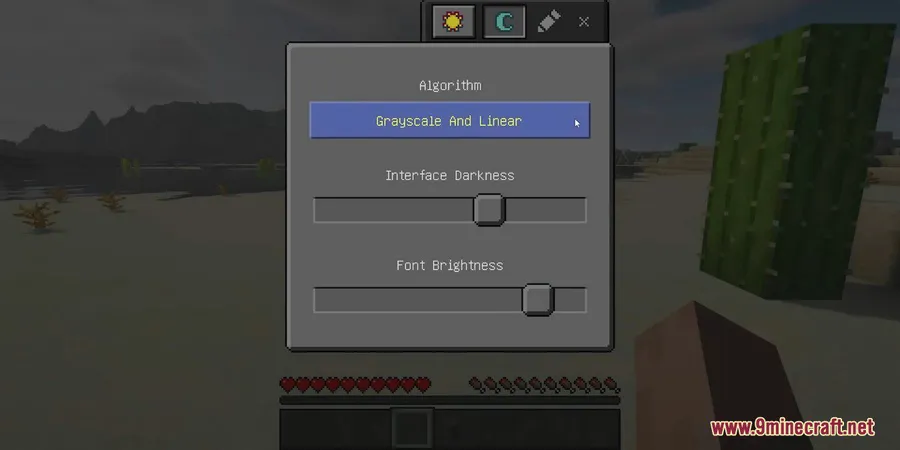
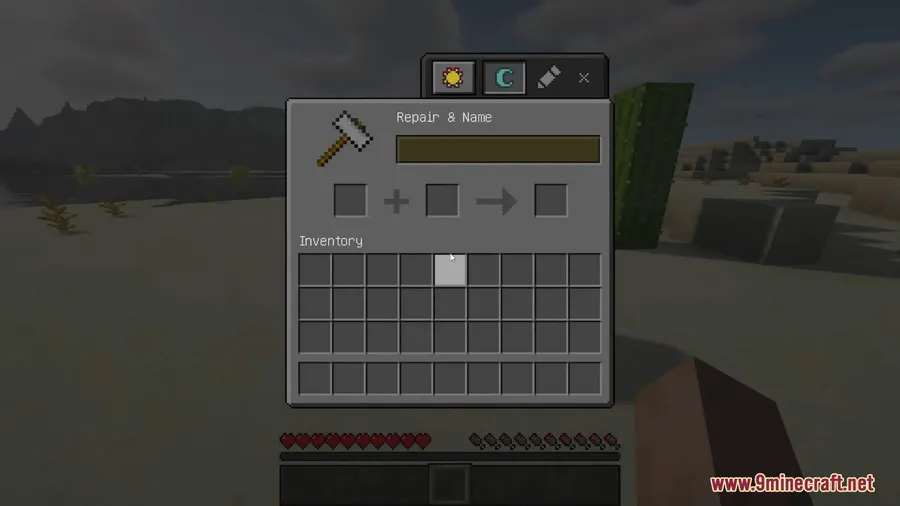
Bright menus can feel out of place during late-night sessions, especially when the rest of your setup is already dimmed down. Mindful Darkness Mod addresses that by applying a fully automatic dark mode to Minecraft GUIs without requiring texture changes, while still letting you toggle it in-game, adjust darkness intensity, and decide which textures are affected.
Key Features
- Applies a dark theme across in-game menus automatically, so GUI screens are easier to view in a darker visual setup.
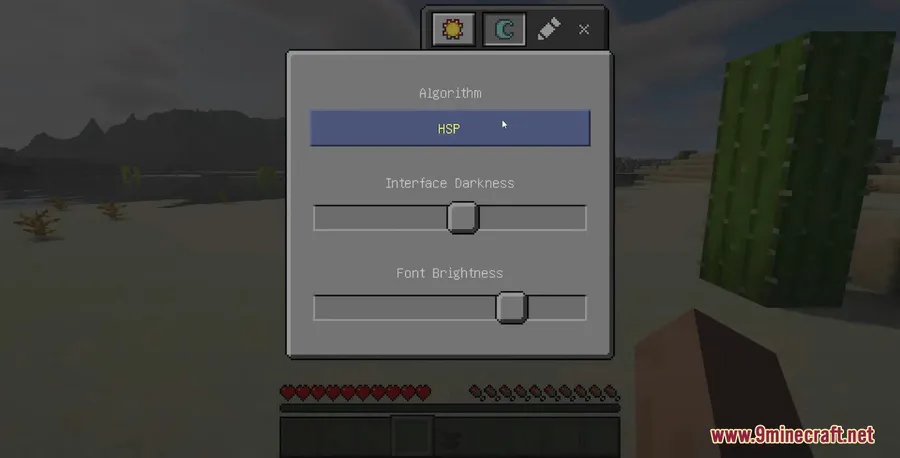
- Includes adjustable darkness intensity and different algorithm options for players who want to fine-tune the overall look.
- Lets you control which textures are affected instead of forcing one blanket visual change.
- Can be enabled or disabled directly in-game for quick switching.
- Supports multiple mod ecosystems across listed releases, including Forge, Fabric, NeoForge, and Quilt.
Screenshots


How to Install
- Choose the Mindful Darkness Mod file that matches your Minecraft version.
- Install the loader used by that release: Forge, Fabric, NeoForge, or Quilt, depending on the version you want to run.
- Install any listed dependency for your setup, including Fabric API, Quilt Loader, Puzzles Lib, or Forge Config API Port where required.
- Launch the game and enable or disable the mod directly in-game as needed.
Requirements
| Requirement | Details |
|---|---|
| Mod Loader | Forge, Fabric, NeoForge, Quilt |
| Dependencies | Minecraft Forge, Fabric API, Quilt Loader, NeoForge Installer, Puzzles Lib, Forge Config API Port |
| Minecraft Version | 1.18.2, 1.19.2, 1.19.3, 1.19.4, 1.20, 1.20.1, 1.21, 1.21.1, 1.21.7, 1.21.8, 1.21.9, 1.21.10, 1.21.11 |
Pros & Cons
Pros
- Darkens Minecraft GUIs automatically without requiring texture changes.
- Offers practical control through in-game toggling, intensity settings, and texture selection.
- Backed by public source code on GitHub and Modrinth project data.
Cons
- Focused specifically on GUI dark mode, so its scope is narrow by design.
- Dependency needs vary by loader and version, so setup is not identical for every installation.
- No extra feature depth is listed beyond menu darkening and customization controls.
Download
Always download mods from official sources to stay safe.
What's New
- Updated to Minecraft 1.21.11.
- Latest listed release is v21.11.0-1.21.11.
- Modrinth lists the most recent update on 2025-12-15.
FAQ
What does Mindful Darkness Mod actually change?
It darkens Minecraft GUIs with an automatic dark mode. The mod focuses on menus and interface visuals rather than requiring texture replacements.
Can I turn Mindful Darkness Mod on or off in-game?
Yes. The listed features state that it can be enabled or disabled directly in-game, and you can also adjust darkness intensity and choose which textures are affected.
Which loaders and Minecraft versions does Mindful Darkness Mod support?
Available information lists support across Forge, Fabric, NeoForge, and Quilt, with versions ranging from Minecraft 1.18.2 up to 1.21.11 depending on the specific release.


![[Let's Do] Candlelight - Farm&Charm compat Mod (1.21.1) - thumbnail](http://mcinside.com/wp-content/uploads/2026/04/thumbnail-81-52x52.webp)


![[Let's Do] Meadow Mod (1.21.1) - thumbnail](http://mcinside.com/wp-content/uploads/2026/04/thumbnail-64-52x52.webp)


![Not Enough Recipe Book [NERB] Mod (1.21.11) - thumbnail](http://mcinside.com/wp-content/uploads/2026/04/thumbnail-63-52x52.webp)