
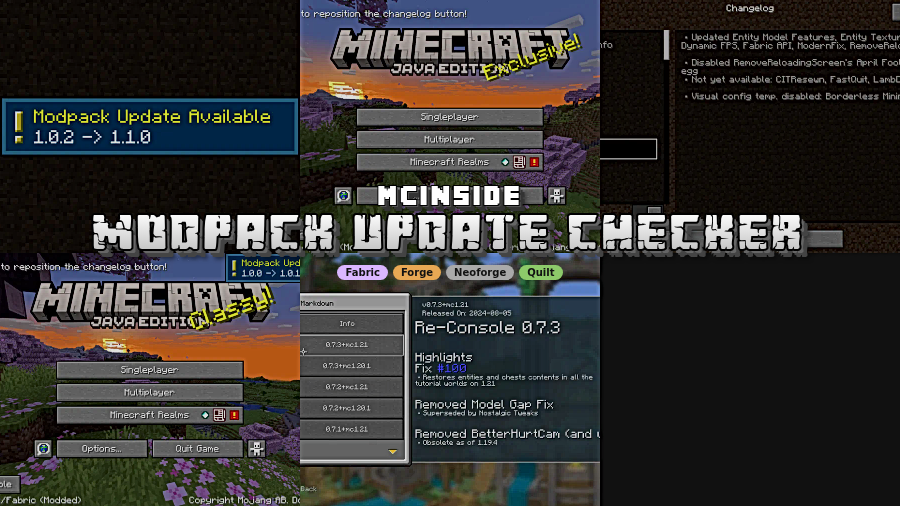
Modpack Update Checker is a utility mod that lets players check for modpack updates, changelogs, and version information for Minecraft on Fabric, Forge, NeoForge, and Quilt loaders.
Keeping a modpack synchronized is tedious when every update means digging through links, version lists, and changelogs by hand. This mod solves that problem by centralizing the update data and showing it in-game, and its 3,322,171 downloads suggest a lot of pack makers and players already trust it for that job.
Key Features of Modpack Update Checker
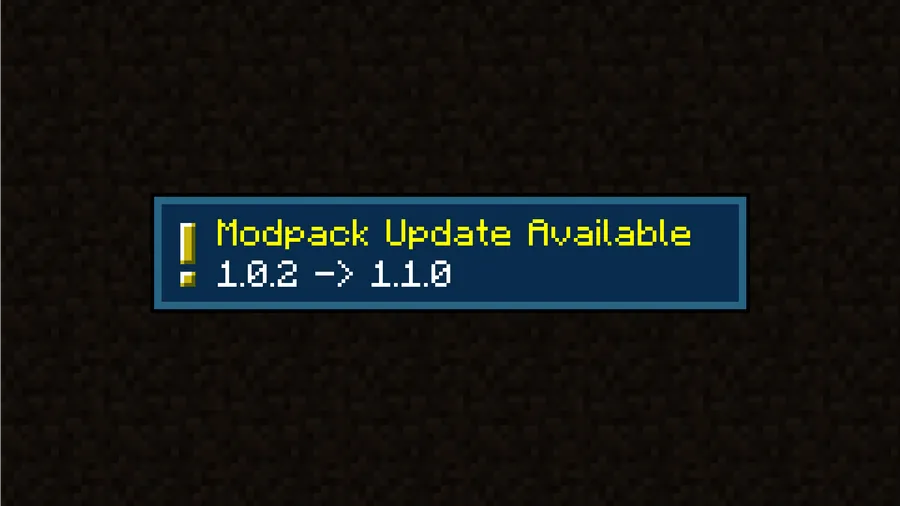
- Automated modpack update checking — The core value here is simple: the mod reduces the chance that players stay on the wrong pack version. That matters because outdated packs often create support issues, compatibility confusion, and wasted time for both players and creators.
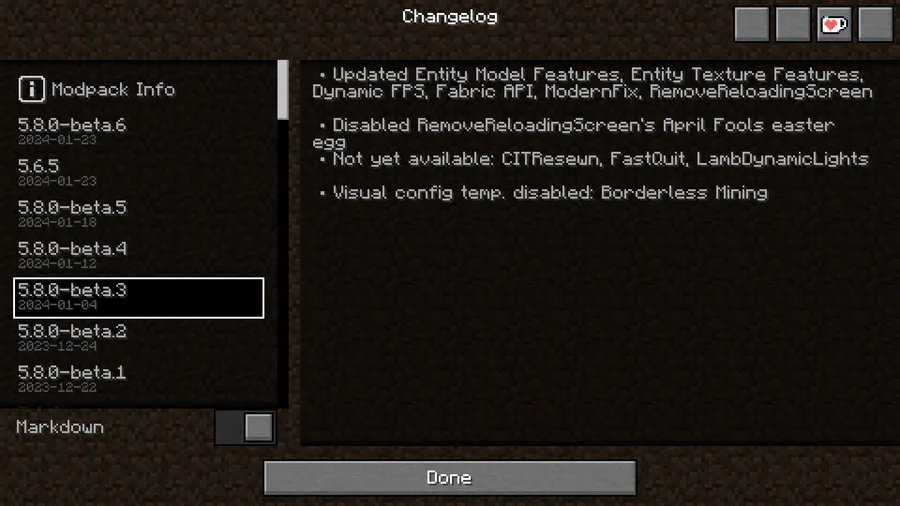
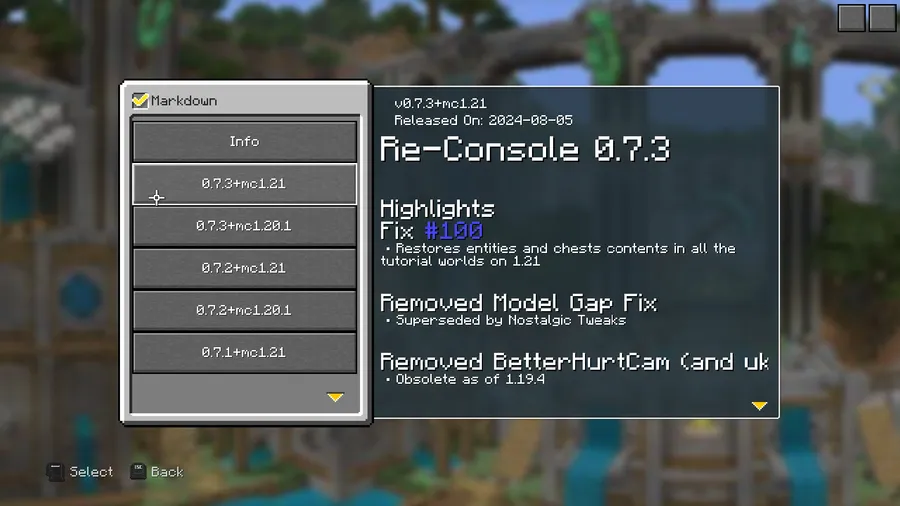
- GitHub-hosted JSON version data — The mod reads changelogs and version information from JSON files hosted on GitHub. That setup gives modpack developers a structured way to publish updates without relying on manual messages or scattered download pages.
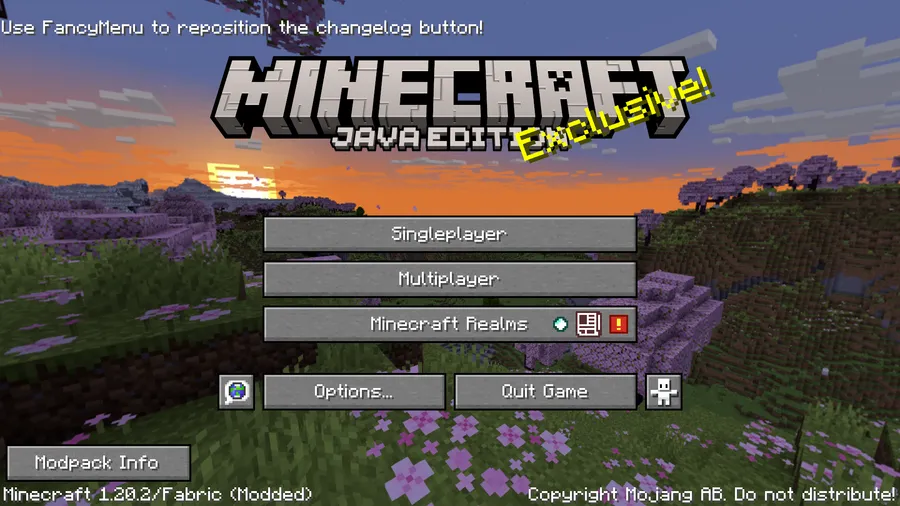
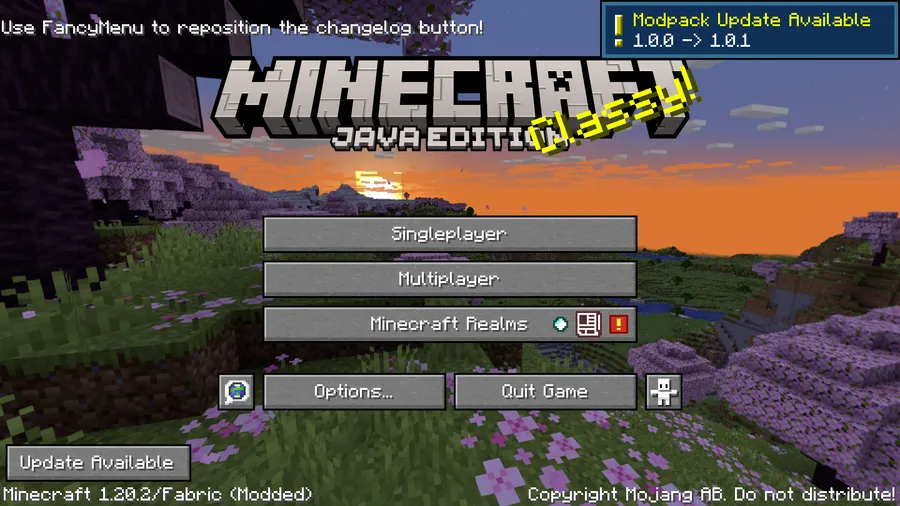
- Custom in-game GUI — Instead of making you leave the client to check whether a pack changed, the mod can present the information in its own interface. That is useful because it keeps the update flow visible right where the player will actually act on it.
- Designed for straightforward configuration — The project is described as easy to configure and easy to use, and that matters more than it sounds. A mod like this only helps if pack authors can set it up once and trust it to keep doing the right thing for every player afterward.
- Broad loader support — The mod is built around Fabric, Forge, NeoForge, and Quilt support, which makes it easier to fit into mixed modpack ecosystems. For players, that means the same update workflow can carry across more pack setups instead of forcing a different tool for each loader.
- Version-aware release tracking — The project tracks multiple Minecraft releases, from 1.19.2 through 1.21.6 in the supplied data. That range matters because update-checking tools are only useful when they match the same game branch your pack actually targets.
Screenshots
How to Install Modpack Update Checker
- Pick the loader that matches your setup: Fabric, Forge, NeoForge, or Quilt.
- Install the loader first, then add any required dependencies for that platform. The data specifically calls out Fabric API on Fabric and QFAPI/QSL on Quilt.
- Download the Modpack Update Checker file that matches your Minecraft version from the download table below.
- Place the mod file into your `mods` folder and launch the game with the correct loader profile.
- Use the project wiki to configure the JSON source and changelog setup, then confirm the in-game GUI shows the correct pack information.
Requirements & Compatibility
| Item | Details |
|---|---|
| Minecraft versions | Supports 1.21.6, 1.21.5, 1.21.4, 1.21.3, 1.21.1, 1.21, 1.20.6, 1.20.5, 1.20.4, 1.20.2, 1.20.1, 1.20, 1.19.4, 1.19.3, and 1.19.2 in the supplied compatibility data. |
| Loader targets | Fabric, Forge, NeoForge, and Quilt are the supported mod-loader families named in the project data. |
| Current download builds | The download table provided here lists Fabric and NeoForge builds for 1.21.6 through 1.20.5. |
| Fabric dependency | Fabric API is required on Fabric. |
| Quilt dependency | QFAPI/QSL is required on Quilt. |
| Quilt note | For non-1.19.4 Quilt versions, the Fabric build may be used instead. |
What's New
- Ported to Minecraft 1.21.6.
- Chinese Simplified translations were updated.
- Chinese Traditional translations were updated.
- Fixed a Fabric/Mod Menu issue where the config screen could appear non-working.
Pros and Cons
Pros
- Clear purpose: it focuses on update checking instead of trying to be a bloated all-in-one utility.
- In-game presentation makes changelogs and version data easier to notice.
- Structured GitHub JSON support is practical for modpack maintainers.
- Wide version coverage across multiple Minecraft branches.
Cons
- You still need to set up the JSON and configuration correctly for it to be useful.
- The current download table shown in this data emphasizes Fabric and NeoForge builds for newer versions.
- Quilt support is not uniform across every version, so you need to check the notes carefully.
Alternatives to Modpack Update Checker
- Mod Menu — A useful companion if you want a cleaner way to inspect configuration screens and mod options inside the client.
- Fabric API — Required on Fabric for this mod, and a sensible baseline for most Fabric-based modpacks.
- QFAPI/QSL — Required on Quilt, so it is the natural support library to pair with this updater on Quilt packs.
Download Modpack Update Checker
| Minecraft Version | Fabric | Forge | NeoForge | Quilt |
|---|---|---|---|---|
| For Minecraft 1.21.6 | Download | — | Download | — |
| For Minecraft 1.21.5 | Download | — | Download | — |
| For Minecraft 1.21.4 | Download | — | Download | — |
| For Minecraft 1.21.3 | Download | — | Download | — |
| For Minecraft 1.21.1 | Download | — | Download | — |
| For Minecraft 1.21 | Download | — | Download | — |
| For Minecraft 1.20.6 | Download | — | Download | — |
| For Minecraft 1.20.5 | Download | — | Download | — |
| For Minecraft 1.20.4 | Download | Download | Download | — |
| For Minecraft 1.20.2 | Download | Download | Download | Download |
| For Minecraft 1.20.1 | Download | Download | — | — |
| For Minecraft 1.20 | Download | — | — | — |
Always download mods from official sources to stay safe.
Frequently Asked Questions
Does Modpack Update Checker support Fabric?
Yes. Fabric is part of the mod's stated loader support, and the data also says Fabric API is required on Fabric. The download list includes Fabric builds for the newer versions shown here.
Does Modpack Update Checker support Forge?
Yes. Forge is listed among the supported loader families in the project data. That said, the download table in this article currently highlights Fabric and NeoForge builds for the newest releases, so Forge users should verify the exact file before installing.
Does it work on NeoForge?
Yes. NeoForge builds are listed for the newer Minecraft versions in the provided download table. That makes it a practical option if your pack has already moved to NeoForge on those versions.
Is Quilt supported?
Partially. Quilt is listed as a supported loader family, but the compatibility notes say non-1.19.4 Quilt versions may use the Fabric build instead. The data also notes that QFAPI/QSL is required on Quilt.
Does the mod show changelogs in game?
Yes. The mod can display version and changelog information through a custom in-game GUI. That is the part that saves time, because players do not have to leave the game to see what changed.
Is Modpack Update Checker hard to configure?
No. The project is described as easy to configure, and the wiki is provided as the setup guide. In practice, that makes it a better fit for pack developers who want a repeatable update workflow instead of a one-off manual process.





![[Let's Do] Candlelight - Farm&Charm compat Mod (1.21.1) - thumbnail](http://mcinside.com/wp-content/uploads/2026/04/thumbnail-81-52x52.webp)


![[Let's Do] Meadow Mod (1.21.1) - thumbnail](http://mcinside.com/wp-content/uploads/2026/04/thumbnail-64-52x52.webp)


![Not Enough Recipe Book [NERB] Mod (1.21.11) - thumbnail](http://mcinside.com/wp-content/uploads/2026/04/thumbnail-63-52x52.webp)