
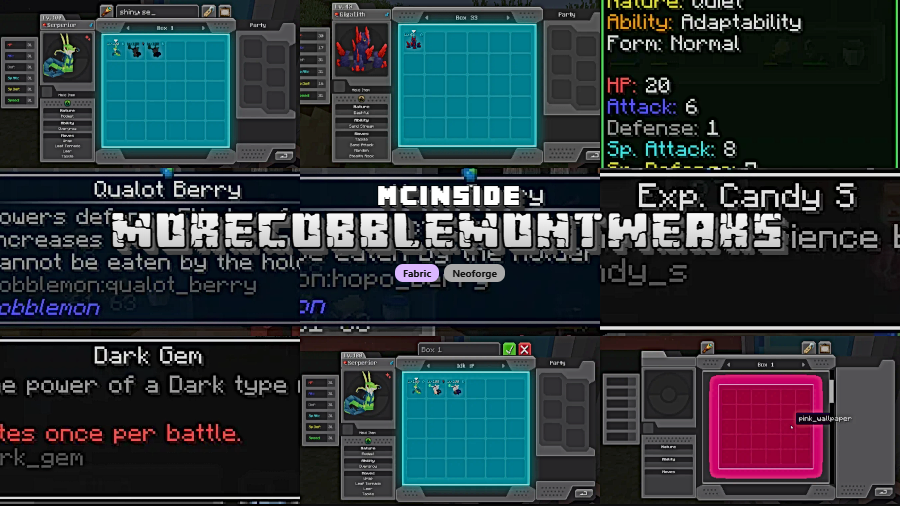
MoreCobblemonTweaks is a quality-of-life Cobblemon client mod that improves item tooltips and PC workflow for Minecraft Fabric and NeoForge. It focuses on practical interface upgrades that make breeding and storage management clearer during normal play.
Vanilla Cobblemon UI flow can feel slow when you are checking eggs, typing long filters, or organizing many boxes, and that friction adds up over time. This mod targets those exact pain points with small but high-impact tweaks that make repeated actions less tedious and easier to read. It also has strong social proof with 4,758,738 Modrinth downloads as of 2026-02-08, which puts it close to the 5 million mark and suggests a large, active player base has already stress-tested it.
Key Features of MoreCobblemonTweaks
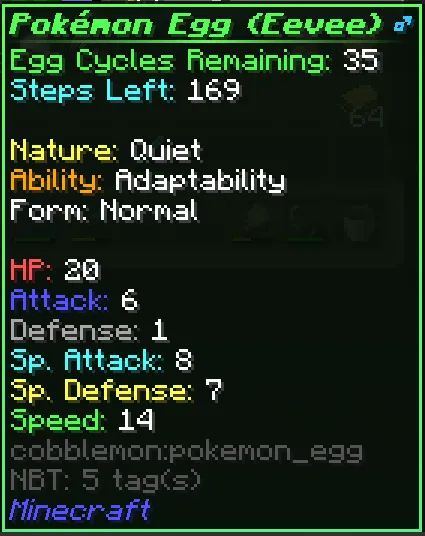
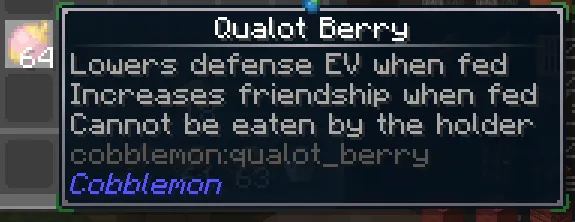
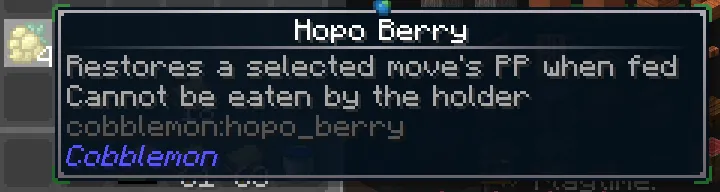
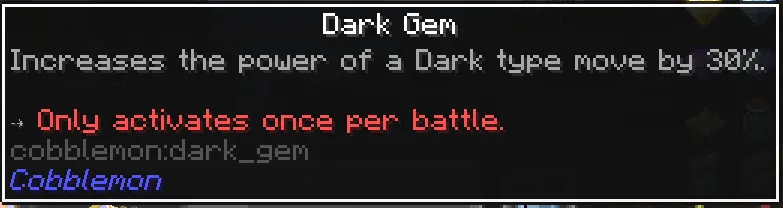
- Enhanced Egg Lore — Egg tooltips can display stored breeding data so you can evaluate eggs without extra guesswork. In practice, this saves time because you can see key details directly in inventory context rather than bouncing between menus or memory. Support is tied to your breeding addon and server settings, so the exact information shown can vary.
- Visual Priority Markers for Special Eggs — By default, shiny eggs can show a gold star, perfect IV eggs an aqua triangle, and 0 IV eggs a red hazard triangle. These markers matter because they help you triage boxes quickly when you are processing large breeding batches. If symbols are not your style, you can switch to text-based lore lines in config.
- Encryption Awareness and Safer Egg Lore Handling — Some servers encrypt egg data, and this mod can warn when data cannot be read instead of pretending everything is fine. Recent updates also improved error handling so repeated lore issues are caught, logged, and stopped from repeatedly triggering. That makes the feature more dependable in mixed server environments where addon behavior can differ.
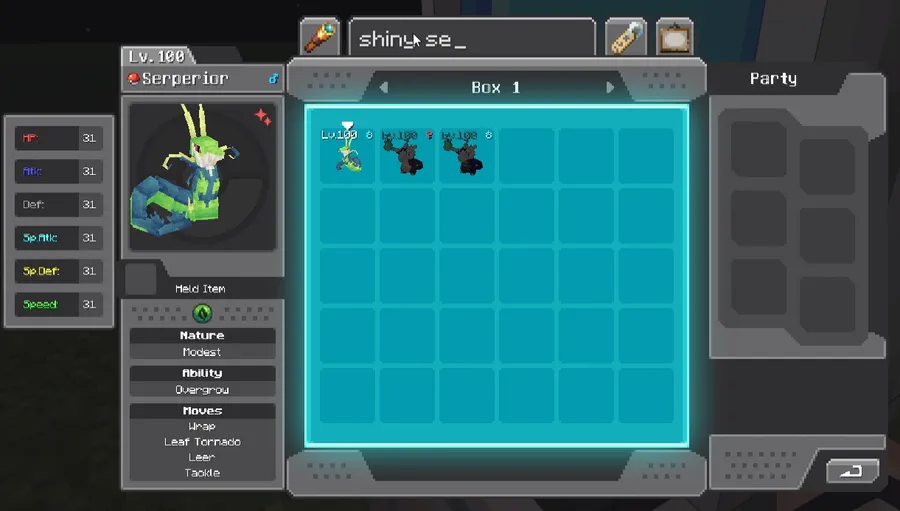
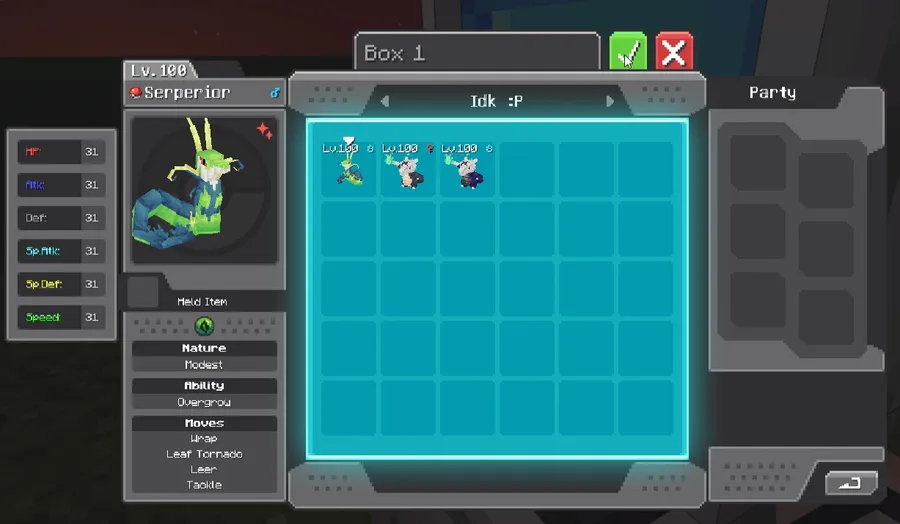
- Higher PC Search/Filter Character Limit — The filter field supports up to 100 typed characters instead of the usual 19, while still showing the visible 19-character window around your cursor. This matters when you build complex or precise filters and do not want to constantly trim text. For power users with structured naming systems, this is one of the most practical quality-of-life wins.
- Search Autocomplete with Tab Fill — The PC filter bar can provide autocomplete suggestions, and pressing Tab inserts the suggested term. In real use, this reduces typing errors and speeds up repetitive filter input during long organization sessions. It also lowers the learning curve for players who do not remember every filter term from memory.
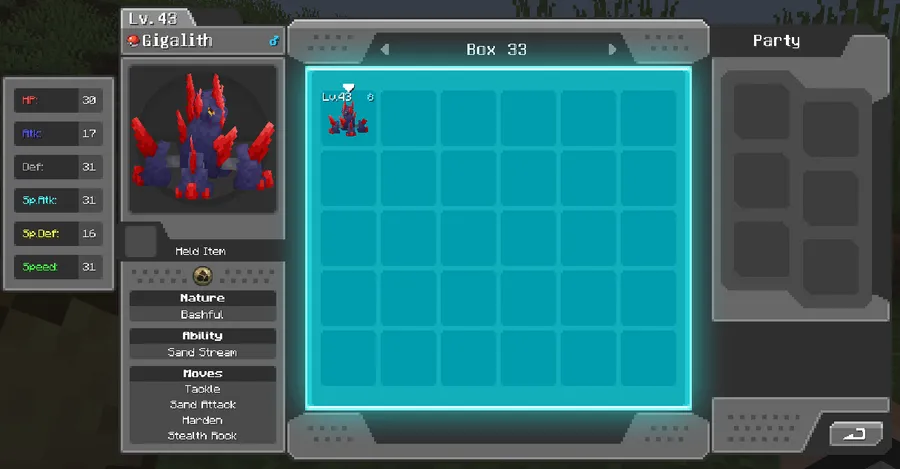
- PC Box List/View Management — A box list/view button appears where release normally sits when release is inactive, giving quick access to paged box navigation. This improves box movement flow because you can jump through collections with fewer clicks and less visual hunting. If your storage has grown beyond a handful of boxes, this feature noticeably cuts menu friction.
Screenshots

How to Install MoreCobblemonTweaks
- Choose the build that matches your Minecraft version: 1.21.1 (Fabric or NeoForge) or 1.20.1 (Fabric).
- Install your loader first: Fabric Mod Loader or NeoForge, depending on the file you picked.
- Place the MoreCobblemonTweaks mod file in your
modsfolder and launch the game once. - Optional but recommended: install Mod Menu and Cloth Config to edit settings in-game instead of only editing JSON manually.
- Tune features in
configs/more_cobblemon_tweaks.jsonso egg lore, indicators, warnings, and PC behavior match your server and playstyle.
Requirements & Compatibility
| Category | Details |
|---|---|
| Minecraft Versions | 1.21.1, 1.20.1 |
| Loaders | Fabric, NeoForge (1.21.1); Fabric (1.20.1) |
| Required Loader Platforms | Fabric Mod Loader, NeoForge |
| Cobblemon Support | Cobblemon 1.6.1+ |
| Breeding Addon Support | Cobbreeding 1.8.8+, BetterBreeding (most versions), AllTheMons egg support, Cobbreeding radiant egg support |
| License | GPL-3.0-only |
| Author | justahuman-xd |
What's New
- Added AllTheMons egg support.
- Added Cobbreeding radiant egg support, shown with a blue star instead of the usual yellow indicator.
- Improved enhanced egg lore error handling so lore failures are caught and logged rather than crashing.
- Added repeated-error protection so persistent lore failures stop retrying and show a warning.
- Fixed Cobbreeding enhanced egg lore issue that removed advanced tooltip lore.
Pros and Cons
Pros
- Strong day-to-day Cobblemon quality-of-life gains focused on tooltips and PC flow.
- Configurable features let you enable only what you actually use.
- Helpful handling for encrypted egg data and addon-related tooltip edge cases.
- Autocomplete and expanded character limits are genuinely useful for heavy box management.
- Available on both Fabric and NeoForge for Minecraft 1.21.1.
Cons
- Some marquee PC features from older versions were moved into official Cobblemon 1.7 and are no longer part of this mod.
- Egg detail visibility depends on server configuration and whether data is encrypted.
- Full in-game config convenience benefits from optional companion mods.
- 1.20.1 support is Fabric-only in the provided downloads.
Alternatives to MoreCobblemonTweaks
- Cobblemon — The core experience this tweak mod builds on, including official PC systems added in newer Cobblemon versions.
- Cobbreeding — A breeding-focused addon that pairs naturally with enhanced egg lore features in this mod.
- BetterBreeding — Another breeding addon option that can feed tooltip-relevant egg data depending on setup.
Download MoreCobblemonTweaks
| Minecraft Version | Fabric | NeoForge |
|---|---|---|
| For Minecraft 1.21.1 | Download | Download |
| For Minecraft 1.20.1 | Download | — |
Always download mods from official sources to stay safe.
Frequently Asked Questions
Is MoreCobblemonTweaks client-side?
Yes, it is described as a Cobblemon client mod. That means its main focus is interface and tooltip quality-of-life on the player side rather than adding a new gameplay system by itself.
Does this mod work on both Fabric and NeoForge?
Yes, for Minecraft 1.21.1 it supports both Fabric and NeoForge. For 1.20.1, the provided download listing shows Fabric support.
Can I configure each feature individually?
Yes, individual feature tuning is supported. You can edit configs/more_cobblemon_tweaks.json directly, and in-game editing is available if Mod Menu and Cloth Config are installed.
Will egg lore always show full breeding data?
No, not always. Some servers encrypt egg data, and when that happens the mod cannot read those fields and can display a warning instead.
Are the shiny/perfect/0 IV symbols mandatory?
No, they are optional. You can disable the markers or switch to text lines in lore through config settings.
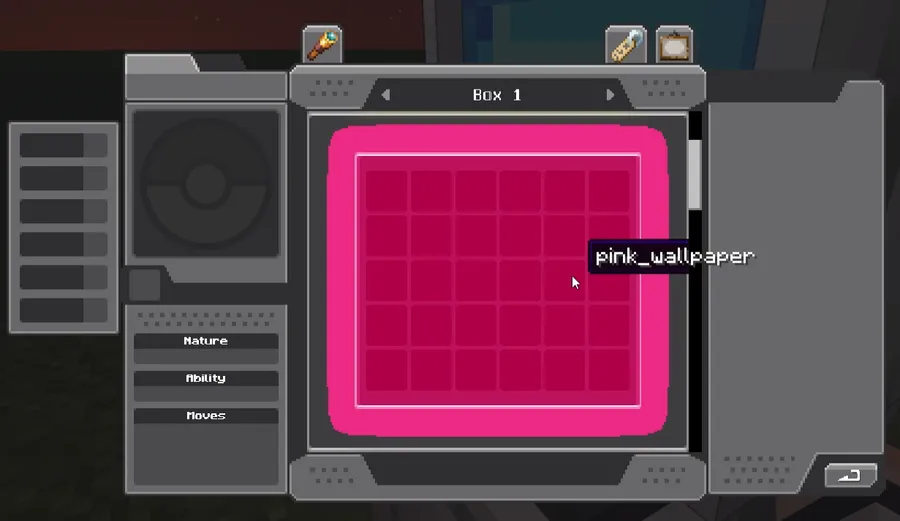
Does the mod include old PC search and wallpaper features from before Cobblemon 1.7?
No, those were predecessor features that were later implemented officially in Cobblemon 1.7 and then removed from this mod. The current package still includes other PC enhancements like autocomplete, longer filters, and box list/view tools.

![Chat Animation [Smooth Chat] Mod (1.21.11, 1.20.6) – Smooth Animation](http://mcinside.com/wp-content/uploads/2026/03/thumbnail-2253-300x169.webp)


![[Let's Do] NetherVinery Mod (1.20.1) - thumbnail](http://mcinside.com/wp-content/uploads/2026/04/thumbnail-83-52x52.webp)


