

More Culling is a performance optimization mod that improves how Minecraft handles culling — the process of skipping the rendering of objects the player cannot see — available for Fabric, NeoForge, and Quilt mod loaders.
Every block, item frame, and entity in Minecraft gets rendered whether you can actually see it or not. That wasted effort adds up fast, especially in builds with dense storage rooms, decorated interiors, or heavy item frame usage. More Culling tackles this problem by expanding Minecraft's built-in culling logic to cover more object types, so your GPU spends less time drawing things hidden behind walls or outside your field of view. With over 42 million downloads on Modrinth and consistent updates since its 2022 release, this mod has earned its place as a staple in virtually every performance-focused modpack. Developer FX has maintained it across dozens of Minecraft versions, and the latest update — released just days ago — continues to squash edge-case bugs.
Key Features of More Culling
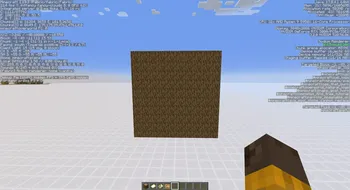
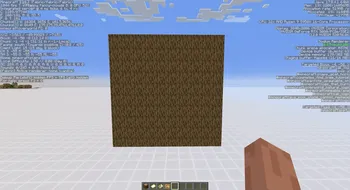
- Extended Block Entity Culling — Vanilla Minecraft only culls a limited set of objects. More Culling expands this to cover item frames, signs, banners, and other block entities that typically render even when completely hidden. If you have a wall of item frames in a storage room, only the ones actually visible to you get drawn, saving significant GPU cycles.
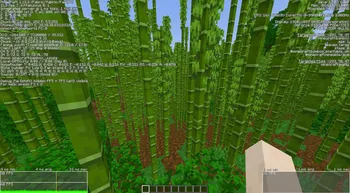
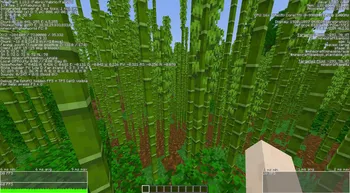
- Leaf Culling — Trees are one of the biggest performance drains in Minecraft because every leaf block renders all six faces. More Culling intelligently skips interior leaf faces that no player could ever see. In forested biomes and jungle builds, this feature alone can provide a measurable FPS improvement.
- Configurable Culling Options — Through its Cloth Config integration, More Culling lets you toggle individual culling features on or off. If a specific culling type causes a visual glitch with another mod, you can disable just that one feature without losing the rest of the performance gains.
- Item Frame Rendering Optimization — Item frames are notoriously expensive to render, especially when dozens are placed together for map walls or decoration. More Culling reduces the rendering cost of item frames that are facing away from the player or are obstructed by blocks, which is a game-changer for decorated bases.
- Map Rendering Fixes — The latest update specifically addresses a crash that could occur when rendering maps inside item frames. This kind of ongoing bug-fix work ensures the mod stays reliable even as Minecraft itself changes between versions.
- Complementary Mod Ecosystem — More Culling is designed to work alongside other optimization mods from the same developer, including MemoryLeakFix for memory management, Carpet-Fixes for server-side bug fixes, and Blanket for additional client-side tweaks. Together, these mods form a comprehensive performance improvement suite.
Screenshots
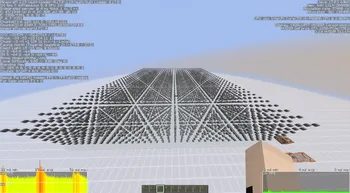
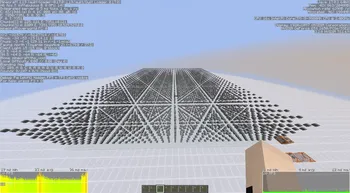
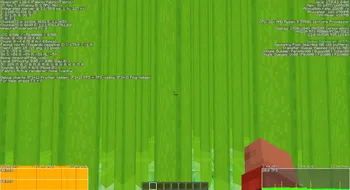
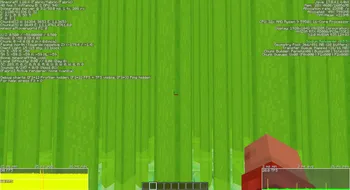
How to Install More Culling
- Install your preferred mod loader: Fabric, NeoForge, or Quilt. Make sure the loader version matches your Minecraft version.
- Download and install Cloth Config, which is a required dependency for More Culling's settings screen.
- Download the correct More Culling file for your Minecraft version and mod loader from the download section below.
- Place the downloaded
.jarfile into your.minecraft/modsfolder. If the folder does not exist, launch the game once with your mod loader to generate it. - Launch Minecraft and open the Mod Menu or config screen to verify More Culling is loaded. You can fine-tune individual culling options from its settings page.
Requirements & Compatibility
| Requirement | Details |
|---|---|
| Mod Loaders | Fabric, NeoForge, Quilt |
| Minecraft Versions | 1.20 through 26.1 |
| Required Dependency | Cloth Config |
| Client/Server | Client-side (no server install needed) |
| License | GPL-3.0-only (open source) |
What's New
- Fixed a crash that occurred when rendering maps displayed inside item frames
- Continued support for the latest Minecraft versions including 26.1
- Maintained compatibility across Fabric, NeoForge, and Quilt loaders
Pros and Cons
Pros
- Noticeable FPS improvement, especially in builds with many item frames, signs, and banners
- Highly configurable — toggle individual culling features without disabling the entire mod
- Supports all three major mod loaders: Fabric, NeoForge, and Quilt
- Actively maintained with updates across a wide range of Minecraft versions
- Open-source codebase with an active community and bug tracker
- Works well alongside other popular optimization mods like Sodium and Lithium
Cons
- Requires Cloth Config as a mandatory dependency, adding an extra installation step
- Some culling features may occasionally cause visual flickering with certain resource packs or shader setups
- Client-side only — does not reduce server-side lag or TPS issues
- Players on Forge (legacy) need to switch to NeoForge for compatibility
Alternatives to More Culling
- Sodium — A comprehensive rendering engine replacement that dramatically improves FPS through chunk rendering optimizations, and pairs well with More Culling for maximum performance.
- Entity Culling — Focuses specifically on culling entities and block entities using async path tracing, offering a complementary approach to the culling strategies More Culling uses.
- Nvidium — Leverages NVIDIA GPU-specific features for mesh shading and rendering acceleration, providing an alternative performance path for players with compatible hardware.
Download More Culling
| Minecraft Version | Fabric | NeoForge | Quilt |
|---|---|---|---|
| For Minecraft 26.1 | Download | Download | Download |
| For Minecraft 1.21.11 | Download | Download | Download |
| For Minecraft 1.21.10 | Download | Download | Download |
| For Minecraft 1.21.9 | Download | Download | Download |
| For Minecraft 1.21.8 | Download | Download | Download |
| For Minecraft 1.21.7 | Download | Download | Download |
| For Minecraft 1.21.6 | Download | Download | Download |
| For Minecraft 1.21.5 | Download | Download | Download |
| For Minecraft 1.21.4 | Download | Download | Download |
| For Minecraft 1.21.3 | Download | Download | Download |
| For Minecraft 1.21.2 | Download | Download | Download |
| For Minecraft 1.21.1 | Download | Download | Download |
Always download mods from official sources to stay safe.
Frequently Asked Questions
Is More Culling compatible with Sodium?
Yes — More Culling is fully compatible with Sodium and the two mods complement each other well. Sodium optimizes chunk rendering and the graphics pipeline, while More Culling handles culling for item frames, leaves, signs, and other block entities that Sodium does not specifically target. Running both together typically yields better results than either mod alone.
Does More Culling work on servers?
No, More Culling is a client-side mod and does not need to be installed on the server. It modifies how your game client renders objects locally, so the server does not need to be aware of it at all. You can safely add it to your client even when playing on vanilla or modded servers.
Does More Culling require Cloth Config?
Yes — Cloth Config is a mandatory dependency. More Culling uses Cloth Config to provide its in-game configuration screen where you can toggle individual culling features. Without it installed, the mod will fail to load and Minecraft may crash on startup.
Will More Culling cause visual glitches or missing blocks?
Generally no — the mod is well-tested across millions of installations. However, certain edge cases with specific shaders or resource packs may cause minor visual flickering on culled objects. If you notice any issues, you can disable individual culling options through the mod's config screen without removing it entirely.
Can I use More Culling with OptiFine?
No, More Culling is not compatible with OptiFine. OptiFine uses its own rendering modifications that conflict with how More Culling handles culling logic. If you want similar visual features like connected textures or zoom alongside More Culling, consider using alternatives like Sodium with Continuity and Zoomify instead.





![[Let's Do] Candlelight - Farm&Charm compat Mod (1.21.1) - thumbnail](http://mcinside.com/wp-content/uploads/2026/04/thumbnail-81-52x52.webp)


![[Let's Do] Meadow Mod (1.21.1) - thumbnail](http://mcinside.com/wp-content/uploads/2026/04/thumbnail-64-52x52.webp)


![Not Enough Recipe Book [NERB] Mod (1.21.11) - thumbnail](http://mcinside.com/wp-content/uploads/2026/04/thumbnail-63-52x52.webp)