
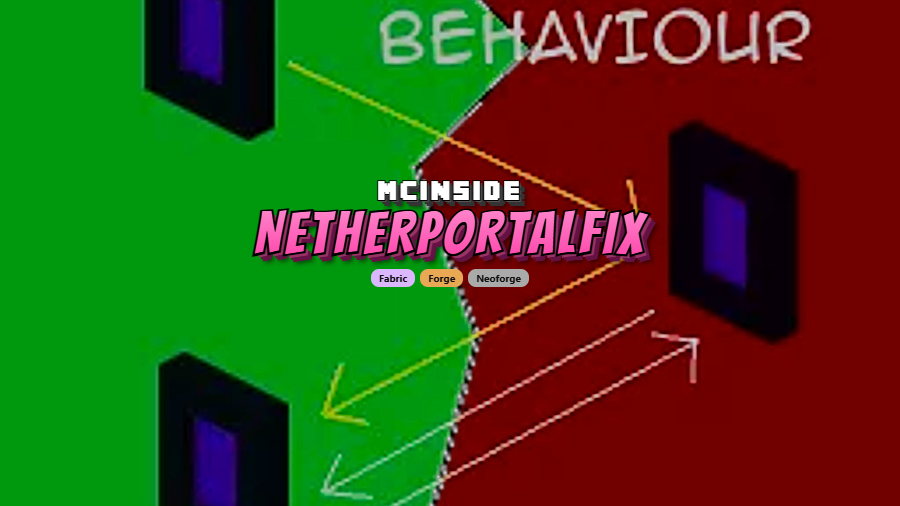
NetherPortalFix is a utility mod that ensures players return to the correct Overworld portal when travelling back through Nether Portals, available for Minecraft Forge, Fabric, and NeoForge.
Anyone who has spent time on a multiplayer Minecraft server knows the frustration: you step into your portal, visit the Nether, and when you return through the same portal, you end up in a completely different player's base. This happens because of the 8:1 block ratio between the Nether and the Overworld — portals within a certain range in the Overworld can map to the same Nether portal, and the return trip doesn't always route you back correctly. NetherPortalFix solves this problem by making portals remember where each player entered from. With over 15 million downloads on Modrinth alone, it has become one of the most widely adopted quality-of-life mods in the Minecraft ecosystem, and a staple on nearly every serious multiplayer server.
Key Features of NetherPortalFix
- Portal Memory System — The mod tracks which Overworld portal each player used to enter the Nether. When you return through that same Nether portal, you are routed back to your original entry point. This eliminates the classic multiplayer problem of ending up in a stranger's base after a Nether trip.
- Server-Side Only Installation — NetherPortalFix only needs to be installed on the server to function. Players connecting to the server do not need to download or configure anything on their end. This makes it incredibly easy for server administrators to deploy without requiring their entire player base to update their mod folders.
- Singleplayer Compatibility — While designed primarily for multiplayer, the mod works perfectly in singleplayer worlds as well. If you have multiple portal networks in a large singleplayer world, NetherPortalFix prevents the same routing confusion that affects servers.
- Preserves Vanilla 1:8 Ratio — The mod does not alter how Nether portal coordinates are calculated or how portals are generated. The standard 1:8 block ratio between the Nether and Overworld remains intact. Portals simply become smarter about remembering return destinations, which means your existing portal network continues to function normally.
- Multi-Loader Support (Forge, Fabric, NeoForge) — NetherPortalFix is available across all three major mod loaders, so you can use it regardless of which modding platform your server runs. This broad compatibility means you won't have to choose between NetherPortalFix and your preferred loader ecosystem.
- Zero Configuration Required — There are no config files to edit and no commands to learn. Once installed alongside its dependency Balm, the mod works immediately. This plug-and-play design makes it accessible to server owners of all experience levels.
- Lightweight and Unobtrusive — The mod appears to be lightweight based on its narrow scope — it only hooks into portal travel events and stores minimal player data. It does not add new blocks, items, or UI elements, so it won't conflict with most other mods in your load order.
Screenshots
How to Install NetherPortalFix
- Install your preferred mod loader: Minecraft Forge, Fabric, or NeoForge. Make sure the loader version matches your Minecraft version.
- Download the Balm library mod for the same loader and Minecraft version. Balm is a required dependency — NetherPortalFix will not load without it.
- Download NetherPortalFix for your Minecraft version and loader from the download section below.
- Place both the Balm and NetherPortalFix
.jarfiles into yourmodsfolder. For servers, this is themodsfolder in your server directory. For singleplayer, it is located in.minecraft/mods. - Launch Minecraft (or restart the server). No additional configuration is needed — the mod activates automatically once both files are in place.
Requirements & Compatibility
| Requirement | Details |
|---|---|
| Mod Loaders | Forge, Fabric, NeoForge |
| Minecraft Versions | 1.12.2, 1.18 – 1.18.2, 1.19 – 1.19.4, 1.20 – 1.20.6, 1.21 – 1.21.11, 26.1 |
| Required Dependency | Balm |
| Side | Server-side (also works in singleplayer) |
| Author | BlayTheNinth |
| License | All Rights Reserved |
What's New
- Updated to Minecraft 26.1 with full support for the latest game features
- Continued multi-loader availability across NeoForge and Fabric for 26.1
- Ongoing maintenance and compatibility patches across all supported Minecraft versions
Pros and Cons
Pros
- Solves a long-standing vanilla Minecraft bug that affects nearly every multiplayer server
- Server-side only — players don't need to install anything
- Works across Forge, Fabric, and NeoForge
- No configuration needed, works out of the box
- Supports a very wide range of Minecraft versions from 1.12.2 to 26.1
- Over 15 million downloads — well-tested and community-trusted
Cons
- Requires the Balm library mod as a dependency, adding one extra file to manage
- Only addresses portal return routing — does not fix other Nether portal quirks like portal linking distances
- All Rights Reserved license limits modification and redistribution
Alternatives to NetherPortalFix
- Immersive Portals — A much larger mod that overhauls how portals render and function, including see-through portals and seamless dimension travel. Heavier than NetherPortalFix but offers a more dramatic portal experience.
- Carpet Mod — A server-side utility mod with various tweaks and technical fixes for vanilla Minecraft behavior. While it doesn't specifically fix portal routing, it offers a suite of server-side quality-of-life improvements that pair well with NetherPortalFix.
- Chunky — A chunk pre-generation mod that helps reduce lag when exploring new dimensions. Useful alongside NetherPortalFix on servers where Nether travel is frequent and new chunks are constantly being loaded.
Download NetherPortalFix
| Minecraft Version | Fabric | Forge | NeoForge |
|---|---|---|---|
| For Minecraft 26.1 | Download | — | Download |
| For Minecraft 1.21.11 | Download | Download | Download |
| For Minecraft 1.21.10 | Download | Download | Download |
| For Minecraft 1.21.9 | Download | — | Download |
| For Minecraft 1.21.8 | Download | Download | Download |
| For Minecraft 1.21.7 | Download | Download | Download |
| For Minecraft 1.21.6 | Download | Download | Download |
| For Minecraft 1.21.5 | Download | Download | Download |
| For Minecraft 1.21.4 | Download | Download | Download |
| For Minecraft 1.21.3 | Download | — | Download |
| For Minecraft 1.21.2 | Download | — | Download |
| For Minecraft 1.21.1 | Download | Download | Download |
Always download mods from official sources to stay safe.
Frequently Asked Questions
Do all players on the server need to install NetherPortalFix?
No — NetherPortalFix only needs to be installed on the server. It functions entirely server-side, so players can connect with a vanilla client or any other mod setup without needing to add NetherPortalFix to their own mods folder.
Does NetherPortalFix work in singleplayer?
Yes — the mod works in both singleplayer and multiplayer. While the portal routing issue is most noticeable on servers with multiple players building near each other, singleplayer worlds with complex portal networks can benefit from the same fix.
Is Balm required to use NetherPortalFix?
Yes — Balm is a mandatory dependency. NetherPortalFix will not load without it. Make sure you download the correct version of Balm that matches both your mod loader and Minecraft version.
Does this mod change how Nether portal coordinates work?
No — the standard 1:8 block ratio between the Overworld and Nether is completely preserved. NetherPortalFix only adds a memory system that tracks which portal a player used to enter the Nether, then routes them back to that same portal on return. It does not alter portal generation, linking distance, or coordinate calculations.
Is NetherPortalFix compatible with other portal mods like Immersive Portals?
It depends on the specific mod. NetherPortalFix hooks into vanilla portal travel behavior, so mods that heavily modify how portals function may conflict. For most standard utility and content mods, there should be no issues. If you experience unexpected behavior, test by removing one mod at a time to isolate the conflict.


![[Let's Do] Candlelight - Farm&Charm compat Mod (1.21.1) - thumbnail](http://mcinside.com/wp-content/uploads/2026/04/thumbnail-81-52x52.webp)


![[Let's Do] Meadow Mod (1.21.1) - thumbnail](http://mcinside.com/wp-content/uploads/2026/04/thumbnail-64-52x52.webp)


![Not Enough Recipe Book [NERB] Mod (1.21.11) - thumbnail](http://mcinside.com/wp-content/uploads/2026/04/thumbnail-63-52x52.webp)