
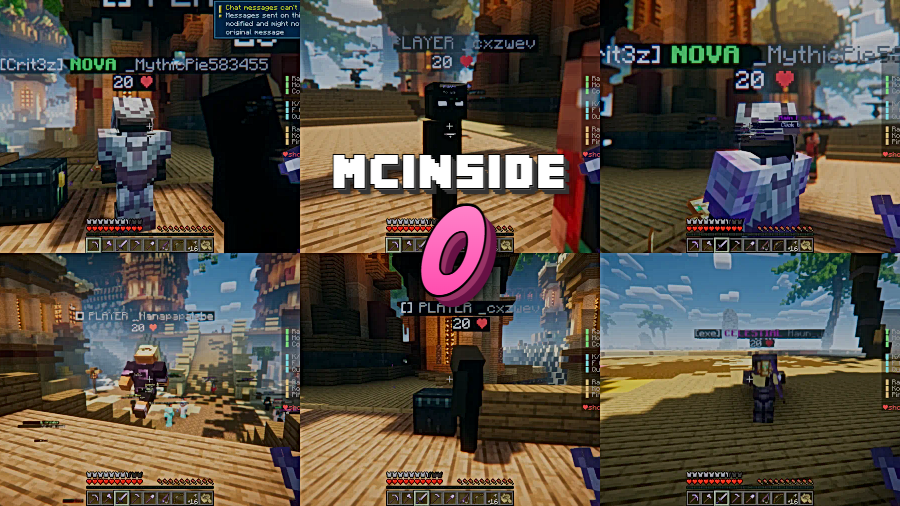
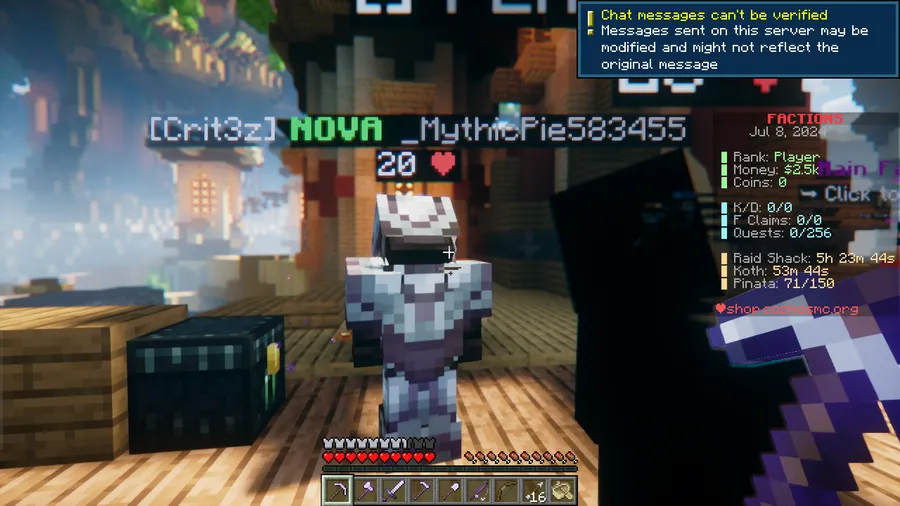
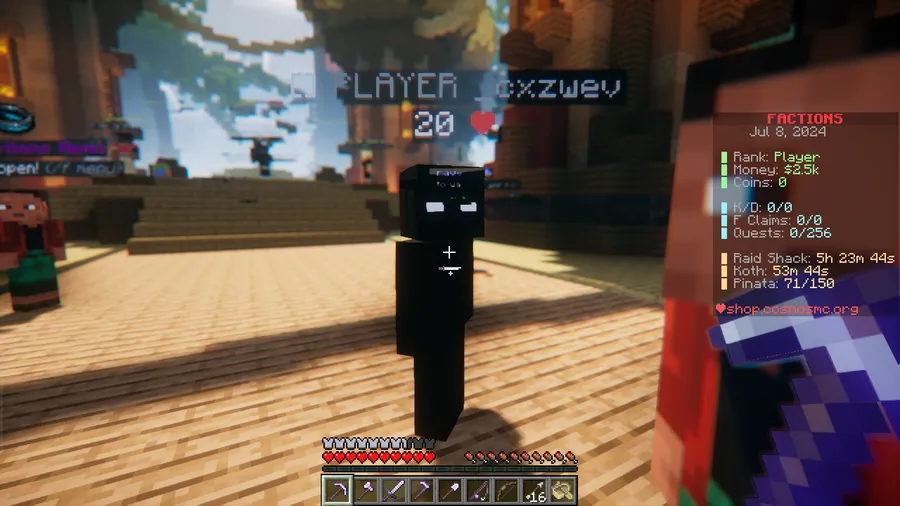
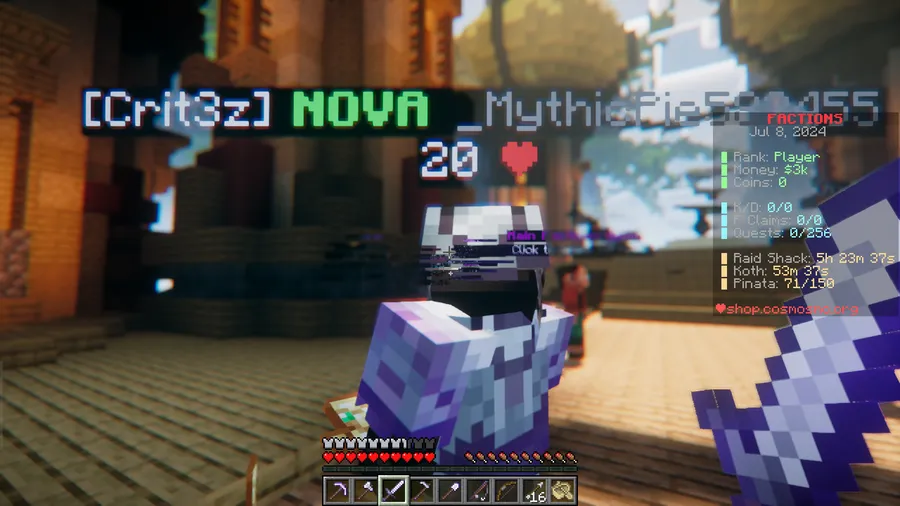
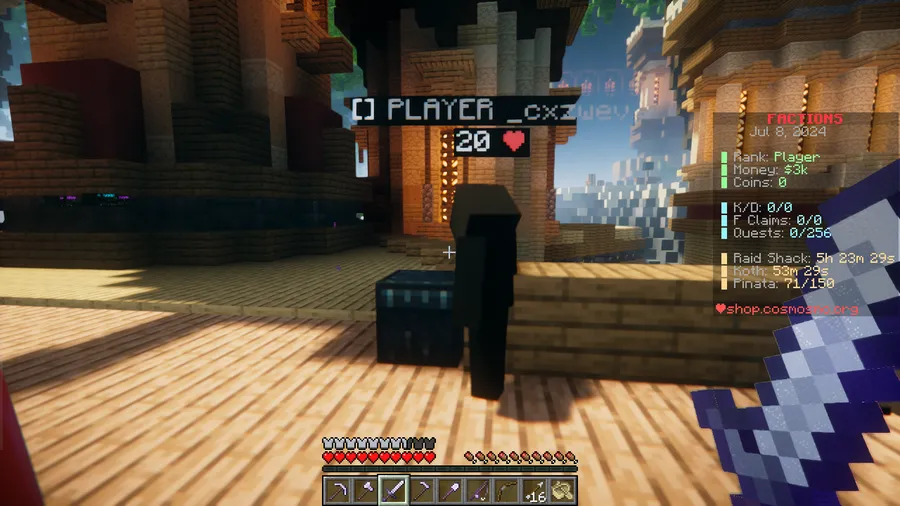
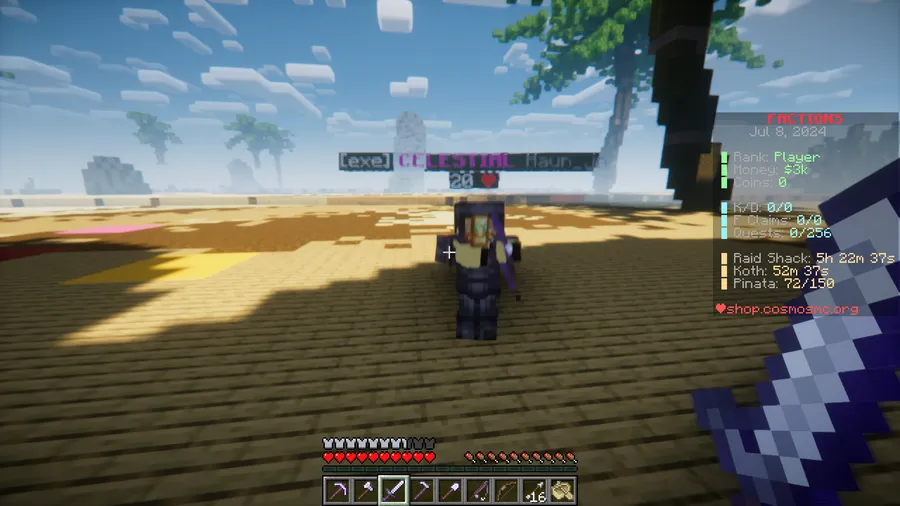
Knowing exactly how much health your opponent has left during a PvP fight can completely change your strategy — and that's precisely what O-Peepo Health Indicator Mod delivers. This lightweight utility displays each player's remaining health points directly below their username, turning every multiplayer encounter into a more informed battle. Built on Minecraft's native health point system where each heart equals two points, the indicator gives you a clear numerical readout up to the default maximum of 20 HP, making it especially valuable on competitive multiplayer servers.
Key Features
- Visible health indicator — A health readout appears directly below each player's username, so you can gauge their status at a glance without any guesswork.
- Health point system — Uses Minecraft's built-in health point calculation where one heart equals two health points, with a default maximum of 20 HP per player.
- Multiplayer focused — Designed primarily for multiplayer servers and PvP scenarios where tracking opponent health gives you a tactical edge.
- Multi-loader support — Available for Forge, Fabric, Quilt, and NeoForge, so it fits into virtually any modded setup.
Screenshots

How to Install
- Download and install your preferred mod loader (Forge, Fabric, Quilt, or NeoForge) for your Minecraft version.
- If using Fabric, make sure you also install the Fabric API as a dependency.
- Download the O-Peepo Health Indicator Mod file matching your Minecraft version and loader.
- Place the downloaded
.jarfile into your.minecraft/modsfolder. - Launch Minecraft with your mod loader profile and join a multiplayer server to see health indicators in action.
Requirements
| Category | Details |
|---|---|
| Mod Loader | Forge, NeoForge, Fabric, Quilt |
| Dependencies | Minecraft Forge, Fabric API, Quilt Loader, NeoForge Installer |
| Minecraft Versions | 26.1, 1.21.11, 1.21.10, 1.21.9, 1.21.8, 1.21.7, 1.21.6, 1.21.5, 1.21.4, 1.21.3, 1.21.1, 1.21, 1.20.6 |
Pros
- Simple, non-intrusive display that doesn't clutter the HUD
- Supports all four major mod loaders — Forge, Fabric, Quilt, and NeoForge
- Wide version range from 1.20.6 through 26.1
- Genuinely useful for PvP and multiplayer survival scenarios
- Appears to be lightweight with a focused feature set
Cons
- Limited to displaying health only — no armor or status effect indicators mentioned
- May reveal your own health to other players running the same mod
- Primarily useful in multiplayer — less value for singleplayer worlds
Download
Always download mods from official sources to stay safe.
FAQ
How does the O-Peepo Health Indicator calculate health?
It uses Minecraft's built-in health point system. Each heart represents two health points, so a full health bar equals 20 HP. The indicator displays this number directly below each player's name.
Does this mod work on multiplayer servers?
Yes, multiplayer is where this mod shines most. It lets you see other players' remaining health during PvP fights or co-op survival, giving you better situational awareness.
Which mod loader should I use for the O-Peepo Health Indicator?
The mod supports Forge, NeoForge, Fabric, and Quilt. Choose whichever loader you already have installed — if you're using Fabric, remember to also install the Fabric API as a required dependency.


![[Let's Do] Meadow Mod (1.21.1) - thumbnail](http://mcinside.com/wp-content/uploads/2026/04/thumbnail-64-52x52.webp)


![Not Enough Recipe Book [NERB] Mod (1.21.11) - thumbnail](http://mcinside.com/wp-content/uploads/2026/04/thumbnail-63-52x52.webp)


