
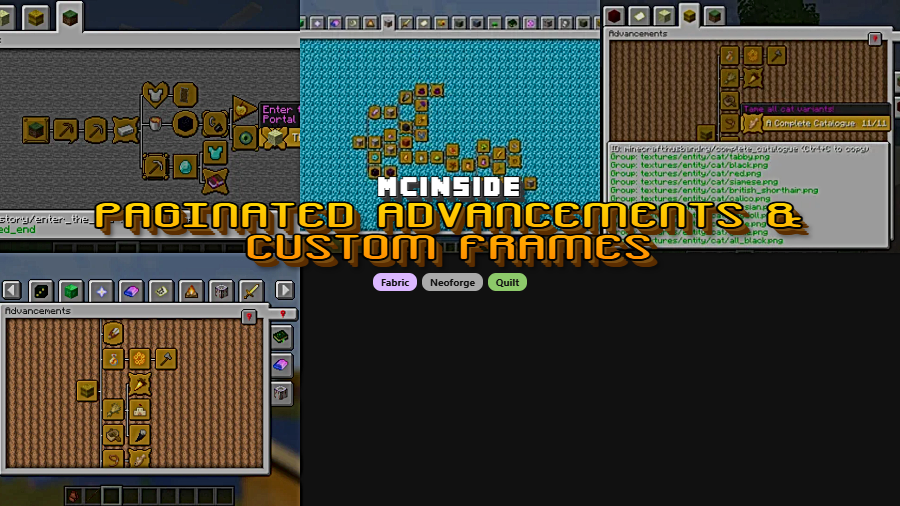
Paginated Advancements & Custom Frames is a utility mod that overhauls Minecraft's advancement screen with a larger display, tab pagination, and custom frame support for Fabric, NeoForge, and Quilt mod loaders.
Anyone who has opened the advancement screen in a large modpack knows the frustration: a fixed, undersized window with tabs spilling off the edges and no way to find what you need. Vanilla Minecraft was never designed to handle the sheer number of advancement trees that modern modpacks introduce. Paginated Advancements solves this by completely reworking the advancement UI into something that scales. With over 10 million downloads on Modrinth, it has become one of the most widely adopted quality-of-life mods in the Minecraft ecosystem — and for good reason. Created by DaFuqs, this open-source mod has been actively maintained since April 2022 and continues to receive updates for the latest Minecraft versions.
Key Features of Paginated Advancements
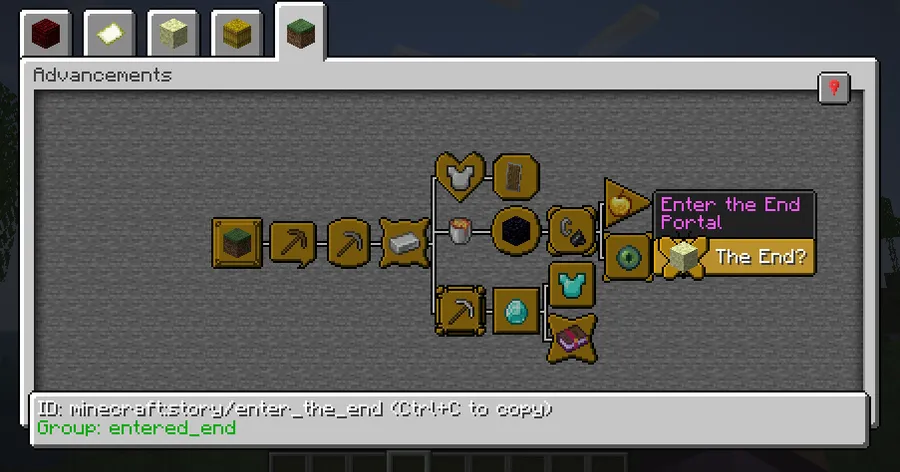
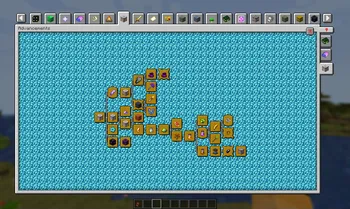
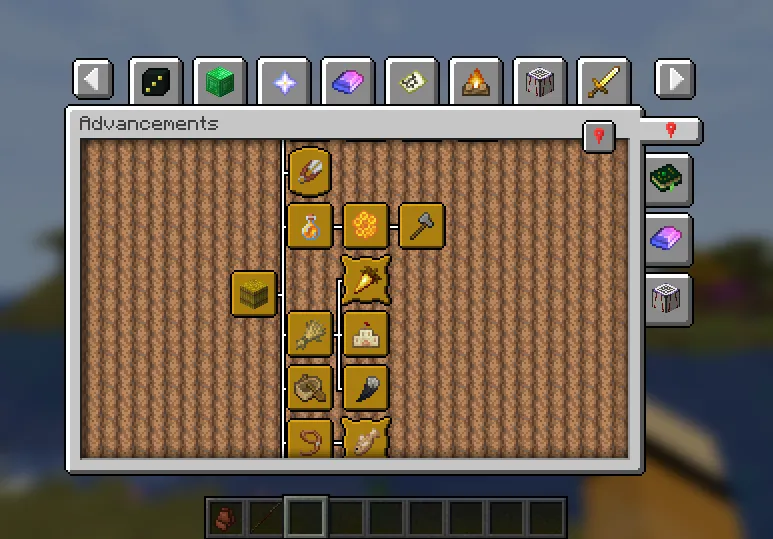
- Larger Advancement Screen — The vanilla advancement window is locked to a small, fixed size that feels cramped even in an unmodded game. Paginated Advancements expands the screen to take full advantage of your display, giving you a clear view of every advancement tree without squinting or scrolling aimlessly.
- Tab Pagination — This is the headline feature. When a modpack adds dozens or even hundreds of advancement tabs, vanilla Minecraft simply cannot display them all. Paginated Advancements introduces page navigation so every single tab is accessible, no matter how many mods you have installed. No more missing tabs or wondering where your progress went.
- Pin Favorite Tabs — Working toward a specific set of advancements? You can pin the tabs you are actively focusing on so they always appear first. This saves time switching between pages and keeps your current goals front and center during gameplay sessions.
- Remembers Last Opened Tab — The mod remembers which advancement tab you had open when you last closed the screen. Instead of resetting to the default tab every time, it drops you right back where you left off. It sounds minor, but it eliminates a surprising amount of daily friction.
- Background Fading Toggle — Some players find the default background dimming distracting or unnecessary. Paginated Advancements lets you disable the background fading entirely, giving you a cleaner look when checking your progress.
- Configurable Tab Spacing — You have full control over how tightly or loosely the tabs are arranged. Condense them to fit more on screen at once, or space them out for easier clicking. This flexibility is especially valuable for players using different screen resolutions or UI scales.
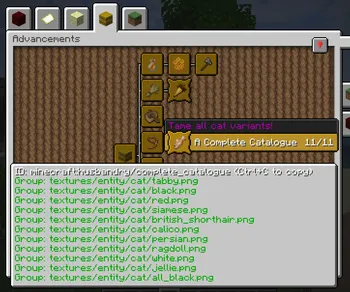
- Custom Advancement Frames & Colors — Starting with version 2.0, the mod supports registering entirely new advancement frame styles and custom colors through data packs or compatible mods. This opens up creative possibilities for modpack developers who want their advancements to have a distinct visual identity.
Screenshots
How to Install Paginated Advancements
- Install your preferred mod loader: Fabric, NeoForge, or Quilt. Fabric and NeoForge are supported on the latest versions, while Quilt works through its Fabric compatibility layer.
- If using Fabric, make sure you also have Fabric API installed, as most Fabric mods depend on it.
- Download the correct version of Paginated Advancements for your Minecraft version and mod loader from the official Modrinth page.
- Place the downloaded
.jarfile into your.minecraft/modsfolder. Create the folder if it does not exist. - Launch Minecraft with your mod loader profile and open the advancement screen to verify the new paginated layout is active.
Requirements & Compatibility
| Requirement | Details |
|---|---|
| Mod Loaders | Fabric, NeoForge, Quilt |
| Minecraft Versions | 1.18.1 – 1.21.11 |
| Latest Support | 1.21.11 (Fabric & NeoForge) |
| License | MIT (open source) |
| Source Code | GitHub |
| Client/Server | Client-side only |
Pros and Cons
Pros
- Completely fixes the broken advancement screen in large modpacks
- Supports all three major mod loaders: Fabric, NeoForge, and Quilt
- Actively maintained with wide version support from 1.18.1 to 1.21.11
- Highly configurable tab spacing and visual options
- Custom frames API gives modpack creators powerful design tools
- MIT license — fully open source and community-friendly
- Appears to be lightweight with no reported performance overhead
Cons
- Only affects the advancement screen — does not add new advancement content
- NeoForge support starts from more recent versions; older versions are Fabric-only
- Custom frames feature requires data pack knowledge to set up
- No built-in search function for finding specific advancements by name
Alternatives to Paginated Advancements
- Better Advancements — Another popular advancement screen overhaul that focuses on a redesigned tree layout with a more visual, interconnected display of advancement progress.
- Advancement Plaques — Instead of changing the advancement screen itself, this mod improves the toast notifications that appear when you earn an advancement, making them more visually appealing and informative.
- WTHIT (What The Hell Is That) — While not an advancement mod, WTHIT improves another underserved part of Minecraft's UI by adding detailed tooltip overlays, and pairs well with Paginated Advancements for a fully polished HUD experience.
Download Paginated Advancements & Custom Frames
| Minecraft Version | Fabric | NeoForge | Quilt |
|---|---|---|---|
| For Minecraft 1.21.11 | Download | Download | — |
| For Minecraft 1.21.10 | Download | Download | — |
| For Minecraft 1.21.9 | Download | Download | — |
| For Minecraft 1.21.8 | Download | Download | — |
| For Minecraft 1.21.7 | Download | Download | — |
| For Minecraft 1.21.6 | Download | Download | — |
| For Minecraft 1.21.5 | Download | — | — |
| For Minecraft 1.21.4 | Download | — | — |
| For Minecraft 1.21.3 | Download | — | — |
| For Minecraft 1.21.1 | Download | — | — |
| For Minecraft 1.21 | Download | — | — |
| For Minecraft 1.20.6 | Download | — | Download |
Always download mods from official sources to stay safe.
Frequently Asked Questions
Is Paginated Advancements compatible with NeoForge?
Yes — Paginated Advancements supports NeoForge on Minecraft 1.21.5 and newer versions. For earlier Minecraft versions such as 1.20.x and 1.19.x, only the Fabric version is available. Check the download table above to confirm loader support for your specific Minecraft version.
Do I need Paginated Advancements on both client and server?
No, this is a client-side only mod. It modifies the advancement screen rendering on your local game client and does not need to be installed on the server. Other players on the same server do not need it for yours to work.
Does Paginated Advancements work with modpacks?
Yes, and modpacks are exactly where this mod shines the most. The pagination system was specifically designed to handle scenarios where dozens of mods each add their own advancement tabs. It is included in many popular modpacks for this reason and has proven stable across millions of installs.
Can I customize the advancement frame styles?
Yes — starting with version 2.0, the mod supports custom advancement frames and colors through data packs or compatible mods. Modpack creators and server operators can register entirely new frame designs by following the documentation on the official GitHub wiki. This is a powerful feature for giving modpacks a unique visual identity.
Will this mod affect game performance?
The mod appears to be lightweight and focuses solely on the advancement screen UI. It only activates when you open the advancement screen, so it should have negligible impact during normal gameplay. With over 10 million downloads and active use in large modpacks, there are no widespread reports of performance issues related to this mod.


![[Let's Do] Meadow Mod (1.21.1) - thumbnail](http://mcinside.com/wp-content/uploads/2026/04/thumbnail-64-52x52.webp)


![Not Enough Recipe Book [NERB] Mod (1.21.11) - thumbnail](http://mcinside.com/wp-content/uploads/2026/04/thumbnail-63-52x52.webp)
