

Philip's Ruins is a ruins-generator mod that adds ancient-looking ruin structures, custom loot, and exploration encounters to Minecraft on Fabric, Forge, and NeoForge. It focuses on making generated structures feel naturally aged and integrated into the world rather than freshly placed.
Vanilla exploration can start to feel predictable once you know where to look and what each structure usually contains. This mod tackles that problem by turning discovery into a slower, more deliberate process: ruins look weathered, loot is often hidden or buried, and some locations include surprise combat moments like hidden bosses. With more than 5 million downloads on Modrinth (5,476,754), it also has clear social proof that many players keep it in long-term worlds rather than trying it once and removing it.
Key Features of Philip's Ruins
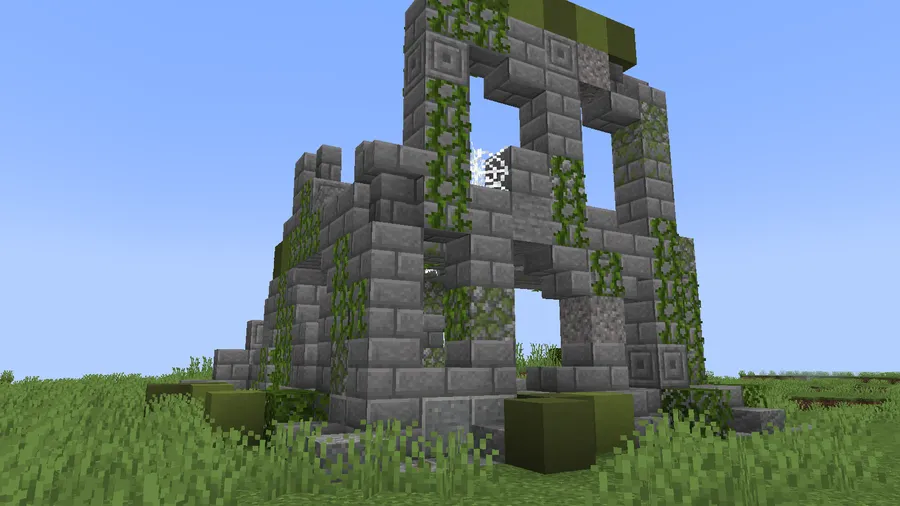
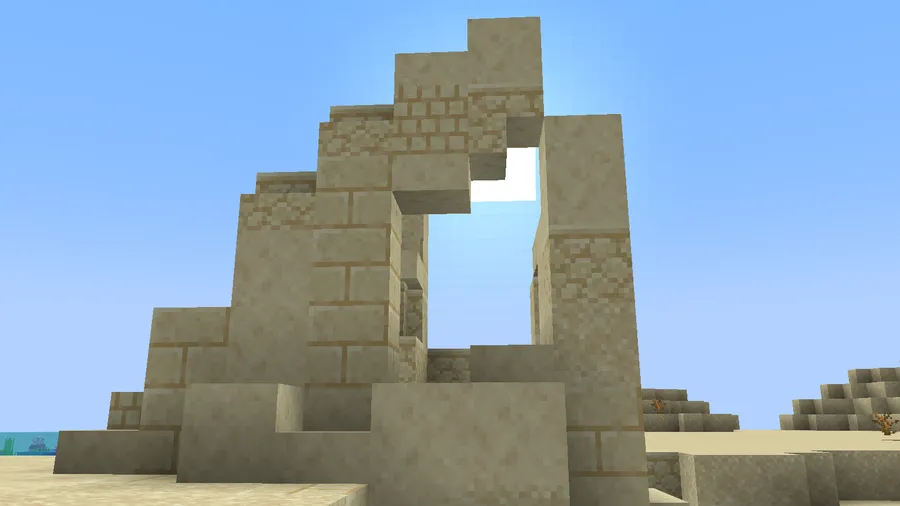
- Over 190 ruin variants — A large structure pool matters because it keeps repeat exploration from feeling cloned across biomes. When ruins vary this much, each trip can still feel like you found a different chapter of the same lost civilization. That variety helps both solo survival and multiplayer servers where players roam in different directions.
- Custom loot tables for each ruin type — Unique loot logic gives each site a reason to investigate instead of treating every ruin as the same chest stop. It also supports better pacing: you are not just speed-running visible containers because rewards may be placed in less obvious spots. In practice, this encourages players to read the structure and search carefully.
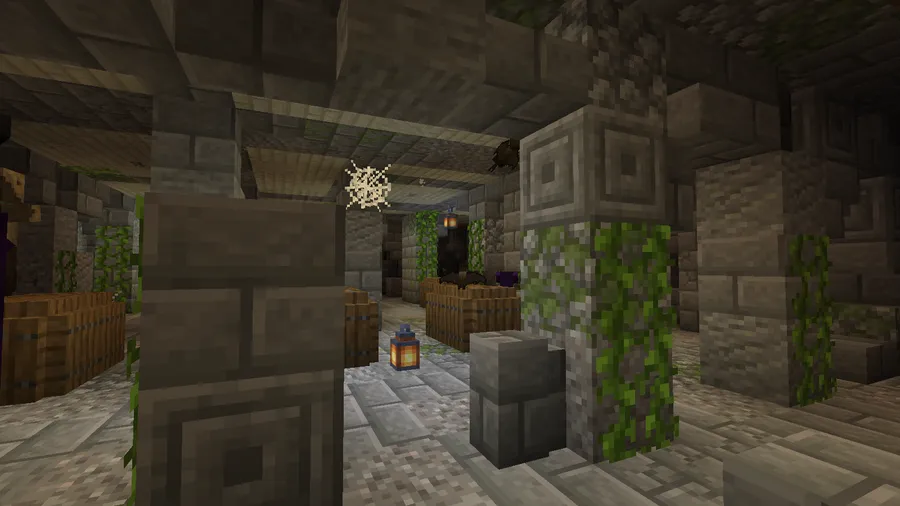
- Loot is often buried or covered by rubble — This is one of the most important design choices because it changes how you interact with structures. Instead of "run in, open chest, leave," you dig, clear blocks, and inspect broken sections like an excavation. That extra interaction makes successful finds feel earned.
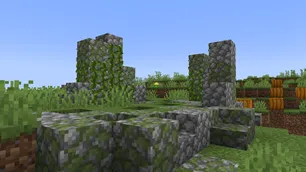
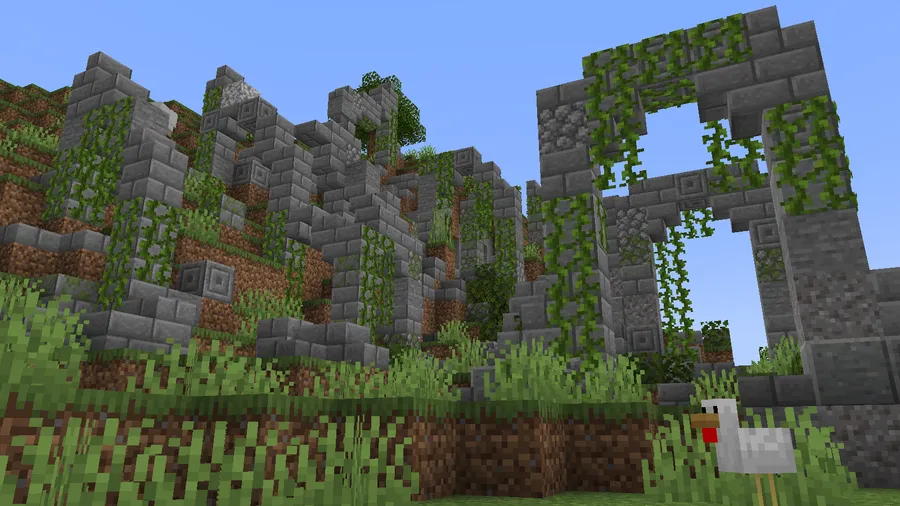
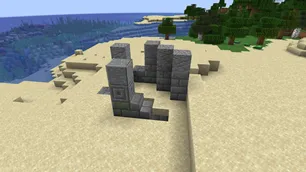
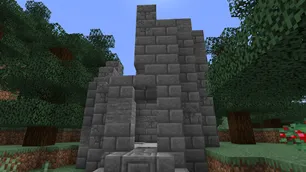
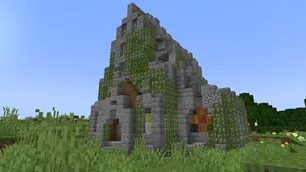
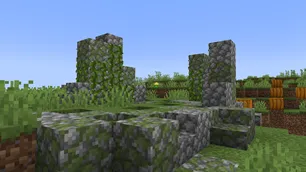
- Ruins are designed to look like real ruins — Many structure mods generate clean silhouettes that can look recently pasted into terrain. Philip's Ruins intentionally avoids that polished look, so discoveries feel old, damaged, and believable. If immersion is your priority, this visual direction is a major strength.
- Terrain-blended generation — The mod blends structures into the surrounding landscape instead of ending with harsh geometry drop-offs. This matters during travel because ruined sites feel embedded in the history of the world, not detached from it. The result is a more natural horizon line and less "modded chunk artifact" feeling during exploration.
- Hidden bosses inside selected ruins — Yes, exploration can turn into combat unexpectedly. That risk adds tension and creates memorable moments, especially when a location looks quiet at first glance. It also gives late-game players another reason to keep visiting newly found ruins.
- Broad loader and version support — Support across Fabric, Forge, and NeoForge reduces friction if your modpack stack changes over time. You can also target modern versions like 1.21.11 while retaining options for older setups including 1.20.1 and 1.19.2. For pack builders, that flexibility is practical, not just a spec-sheet checkbox.
Screenshots

How to Install Philip's Ruins
- Pick your loader first: Fabric Mod Loader, Minecraft Forge, or NeoForge.
- Match the mod file to your exact Minecraft version (for example 1.21.11, 1.21.10, 1.21.8, or 1.21.4) and to the correct loader build.
- Place the downloaded mod file into your Minecraft
modsfolder in the game directory. - Launch the game profile that uses the same loader and version you selected in step 1.
- Create or open a world and explore new terrain to start finding generated ruins and their loot encounters.
Requirements & Compatibility
| Item | Details |
|---|---|
| Category | Minecraft Mods |
| Author | PhilipModDev |
| Required Loaders | Fabric Mod Loader, Minecraft Forge, NeoForge |
| Mod Types | Fabric, Forge, NeoForge |
| Supported Minecraft Versions | 1.21.11, 1.21.10, 1.21.9, 1.21.8, 1.21.7, 1.21.6, 1.21.5, 1.21.4, 1.21.3, 1.21.1, 1.21, 1.20.6, 1.20.4, 1.20.3, 1.20.2, 1.20.1, 1.19.2 |
| Recent Download Entries | 1.21.11 (Fabric/Forge), 1.21.10 (Forge), 1.21.9 (Forge), 1.21.8 (Fabric/Forge), 1.21.7 (Forge/Fabric), 1.21.6 (Fabric/Forge), 1.21.5 (Fabric/Forge), 1.21.4 (NeoForge/Fabric/Forge) |
| License | LicenseRef-All-Rights-Reserved |
| Tags | adventure, cursed, decoration, game-mechanics, library, worldgen |
What's New
- Ported to Minecraft 1.21.11 for Forge, with matching 1.0 release line for both Forge and Fabric builds in the latest cycle.
- Release updates listed for 1.21.10 and 1.21.8 with Forge and Fabric build support noted in the changelog entries.
- Version line progression includes 1.21.7 (2.3), 1.21.6 (2.4), 1.21.4 (2.3), and 1.21.1 (2.0) across Forge and Fabric.
- Legacy support track continues with major version lines for 1.20.1 (5.7) and 1.19.2 (10.8 Forge / 11.1 Fabric).
Pros and Cons
Pros
- Large content pool with 190+ ruin variants keeps exploration fresh over long playthroughs.
- Ruin generation style prioritizes believable erosion and terrain blending for stronger immersion.
- Custom loot and hidden-boss encounters make structure runs more engaging than simple chest routes.
- Supports Fabric, Forge, and NeoForge with wide Minecraft version coverage.
Cons
- Loot is frequently buried, so quick in-and-out looting is less efficient.
- You must download the exact file for your loader and version, which adds setup friction for new players.
- License is all rights reserved, so reuse and redistribution are more limited than open licenses.
Alternatives to Philip's Ruins
- Philip's Ruins Data Pack — A complementary route for players who want a datapack-style approach tied to the same ruin design direction.
- Forge Worldgen Mods — A broader category option if you want to compare other world-generation overhauls for Forge-based packs.
- Fabric Structure Mods — A practical comparison list for Fabric users who want additional structure-focused exploration content.
Download Philip's Ruins
| Minecraft Version | Fabric | Forge | NeoForge |
|---|---|---|---|
| For Minecraft 1.21.11 | Download | Download | — |
| For Minecraft 1.21.10 | — | Download | — |
| For Minecraft 1.21.9 | — | Download | — |
| For Minecraft 1.21.8 | Download | Download | — |
| For Minecraft 1.21.7 | Download | Download | — |
| For Minecraft 1.21.6 | Download | Download | — |
| For Minecraft 1.21.5 | Download | Download | — |
| For Minecraft 1.21.4 | Download | Download | Download |
| For Minecraft 1.21.3 | Download | Download | — |
| For Minecraft 1.21.1 | Download | Download | Download |
| For Minecraft 1.21 | Download | Download | — |
| For Minecraft 1.20.6 | Download | Download | Download |
Always download mods from official sources to stay safe.
Frequently Asked Questions
Is Philips Ruins Mod available for both Fabric and Forge?
Yes — the mod supports both Fabric and Forge, and available download entries include builds for each loader on several versions. NeoForge is also listed as supported, including a 1.21.4 entry.
Does this mod only add one kind of ruin?
No — it adds over 190 different ruin variants. That variety is a core reason the mod stays interesting across longer survival sessions.
Is loot easy to find in these structures?
No — much of the loot is designed to be buried or covered by ruin blocks. You should expect more digging and searching than in standard visible-chest structure mods.
Are there combat surprises while exploring?
Yes — hidden bosses are included in the ruin exploration loop. That means some sites are not just loot locations but encounter zones that can catch unprepared players.
Should I install it for immersion-focused world exploration?
Yes — the terrain-blended generation and weathered ruin style are built specifically to create an ancient, lived-in look. If you care about ruins that feel like part of world history, this is exactly where the mod stands out.
What is the latest update date listed for this mod?
The latest listed update date is 2026-01-11. The project was originally published on 2022-11-29 and continues to receive version-track updates.


![Not Enough Recipe Book [NERB] Mod (1.21.11) - thumbnail](http://mcinside.com/wp-content/uploads/2026/04/thumbnail-63-52x52.webp)


